Niantic keeps giving Pokémon GO Trainers new reasons to grab their phones and get moving. The upcoming Pokémon Horizons: The Series Celebration Event, running from September 16 through September 22, 2026, is another one to look forward to — it marks the debut of Charmander wearing Friede’s goggles, while lucky Trainers may also encounter Pikachu wearing Cap’s hat. Different Pokémon will appear at different times of day, including Fidough, Wattrel, Eevee, and Hatenna, with event-themed Field Research, Raids, PokéStop Showcases, and a limited-time GO Pass adding even more to chase before the event ends.
Events like this are basically Niantic’s way of saying „go outside, find something new.“ Great in theory. A lot less great if you’re stuck at a desk all week, live somewhere with thin PokéStop coverage, or just can’t justify a trip for a worm Pokémon. That’s the gap a Pokémon GO spoofer for iOS tool is meant to fill — letting you change your in-game location without ever leaving the couch. One name that keeps coming up in that conversation is MocPOGO, so let’s dig into what it actually does and whether it’s worth trusting.
What Is MocPOGO?
MocPOGO is a GPS location changer designed especially for Pokémon GO players. It can be used with iOS and Android devices, and is executed from a Windows or Mac computer while your phone is plugged in via the USB cable. You can walk to a new spawn point or a region-locked event area, but also simply type in the location you want your in-game position to be set to and the location will move.
In practice, that means you can drop yourself into a different city’s PokéStop-heavy downtown, go after a regional exclusive without booking a flight, or simulate movement along a route without stepping outside your door. It’s aimed at players who want more flexibility in how — and where — they play, without needing to know anything about jailbreaking or rooting a phone.
Key Features of MocPOGO
1. Change Your Pokémon GO Location Easily
The core function is about as simple as it sounds: search for a destination, hit teleport, and you’re there. You can jump straight to well-known Pokémon GO hotspots, event-specific regions, or basically any searchable address. The interface doesn’t demand any technical know-how either — no command-line steps, no manually typing in coordinates, just a search bar and a map.
2. New Native Mode for the Official Pokémon GO App
This is probably the feature that sets MocPOGO apart. Native Mode supports teleportation in the official Pokémon GO app, which means iPhone users don’t need to install a modded or cracked version of the game to change their location. That distinction matters more than it might seem — modded apps and tweaked builds are usually where the real risk hides, whether that’s shady permissions, bundled malware, or accounts getting flagged. Staying on the real, official app while still spoofing location is the main draw here.
3. Joystick and Realistic Movement Simulation
Beyond straight teleporting, MocPOGO includes a GPS joystick for manual movement, adjustable walking speed, and simulated walking routes. There’s also GPX route import, so if you’d rather your movement look like an actual walk instead of a sudden jump, you can plot that out ahead of time. This set of tools is aimed at players hatching eggs, racking up buddy distance, or just trying to avoid movement patterns that look obviously fake.
4. Pokémon GO Assistant
MocPOGO also throws in a handful of smaller gameplay helpers — Pokémon IV checking so you can see at a glance what’s worth keeping, Quick Catch, and Enhanced Throw. None of these are dealbreakers by themselves, but they’re the kind of small conveniences that add up over a long event grind, especially when you don’t want to fumble every single throw by hand.
5. Auto Catch and Auto Spin
Rounding things out, Auto Catch handles catching Pokémon on its own, and Auto Spin takes care of collecting items from PokéStops without you tapping through each one individually. Together, they cut out a lot of the repetitive taps that eat up time during longer sessions.
How to Use MocPOGO to Change Your Pokémon GO Location
Getting set up doesn’t take long. Here’s the basic flow:
Step 1: Install and Run MocPOGO
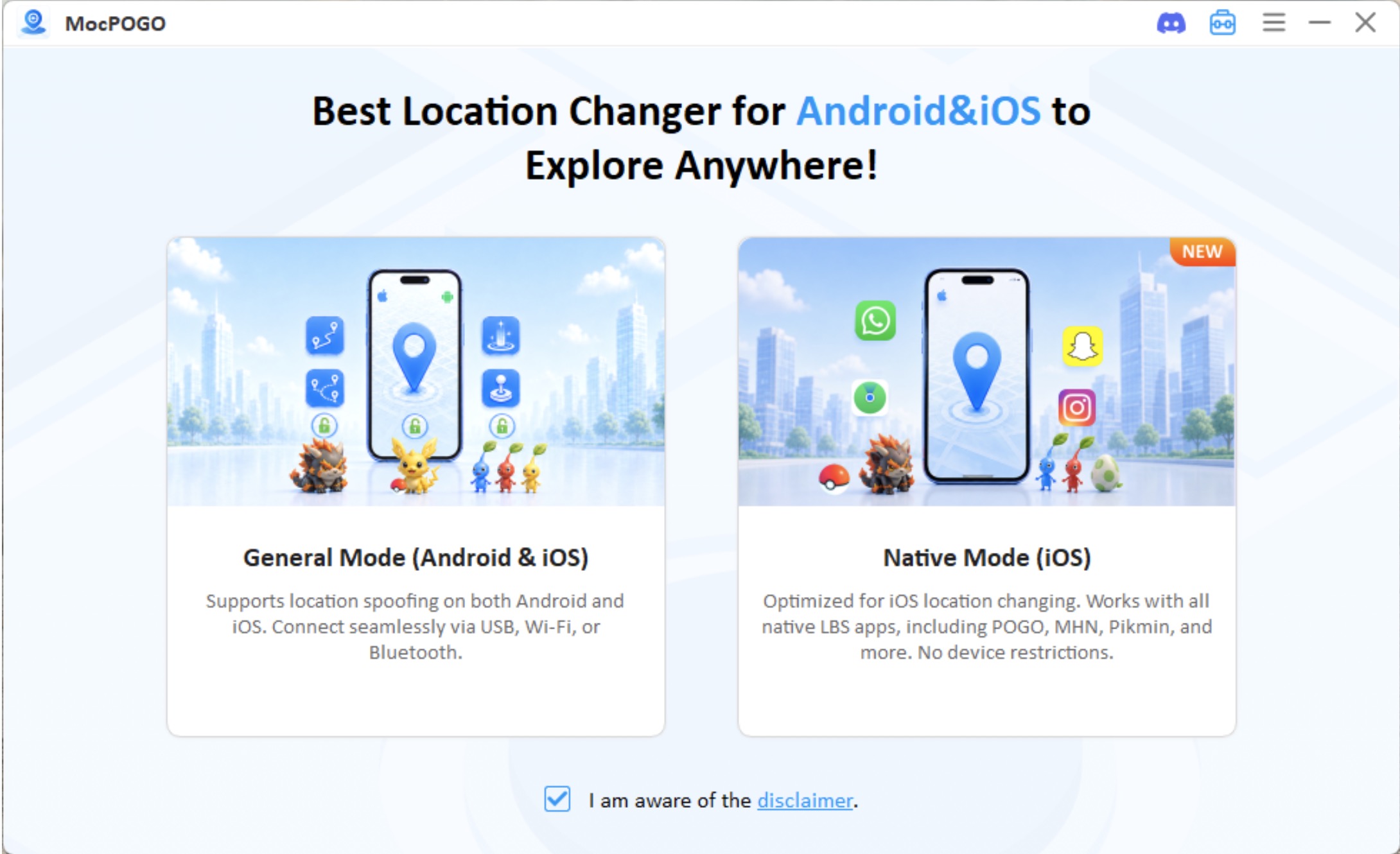
Download and install MocPOGO on your computer. Windows is the example most guides use, though Mac is supported too. You can also install the mobile app on your phone.
Step 2: Connect Your Device
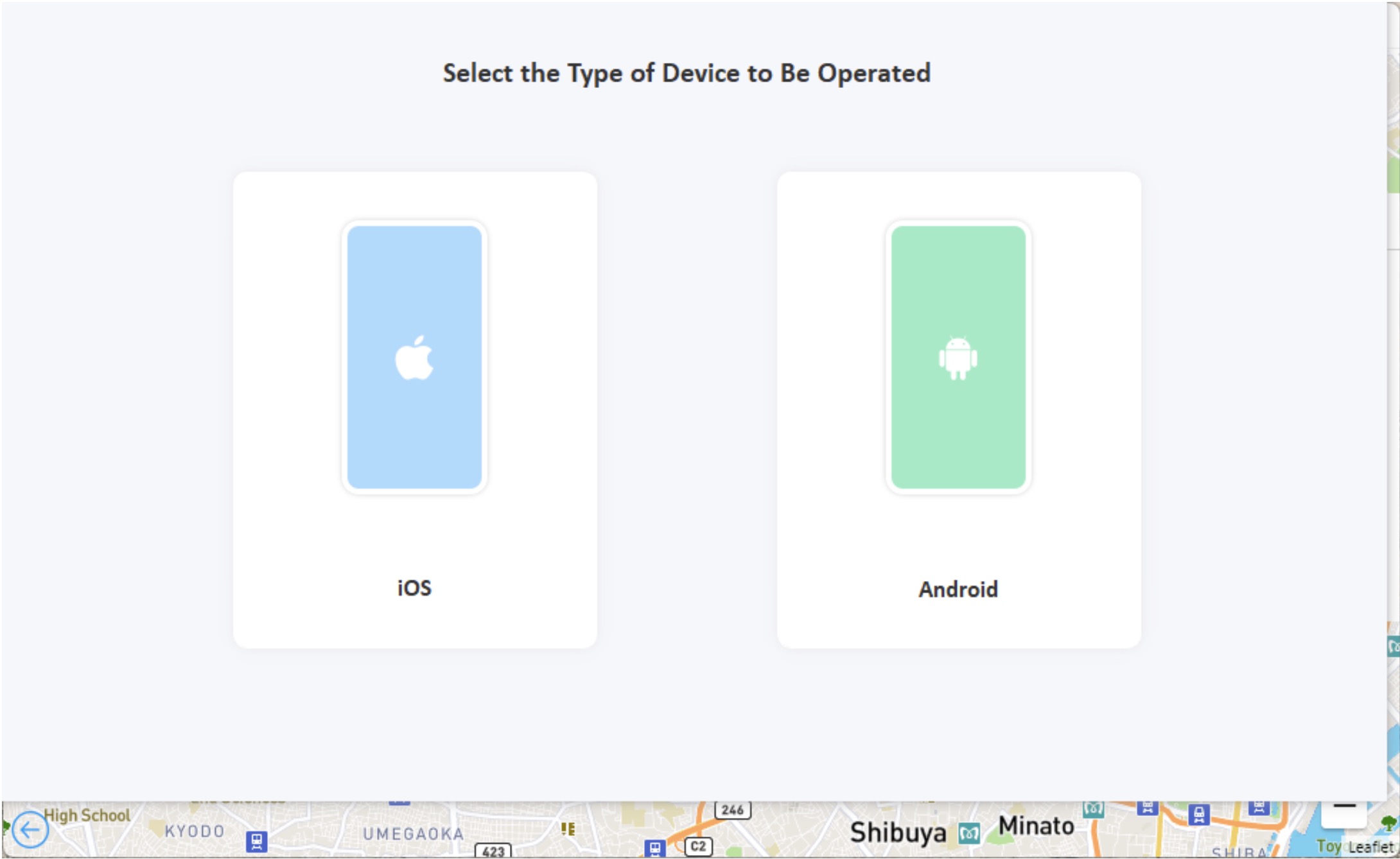
Plug in your iPhone or Android device, then choose the mode you want — Native Mode if you’re on iOS and want to stay on the official Pokémon GO app.
Step 3: Select a Location
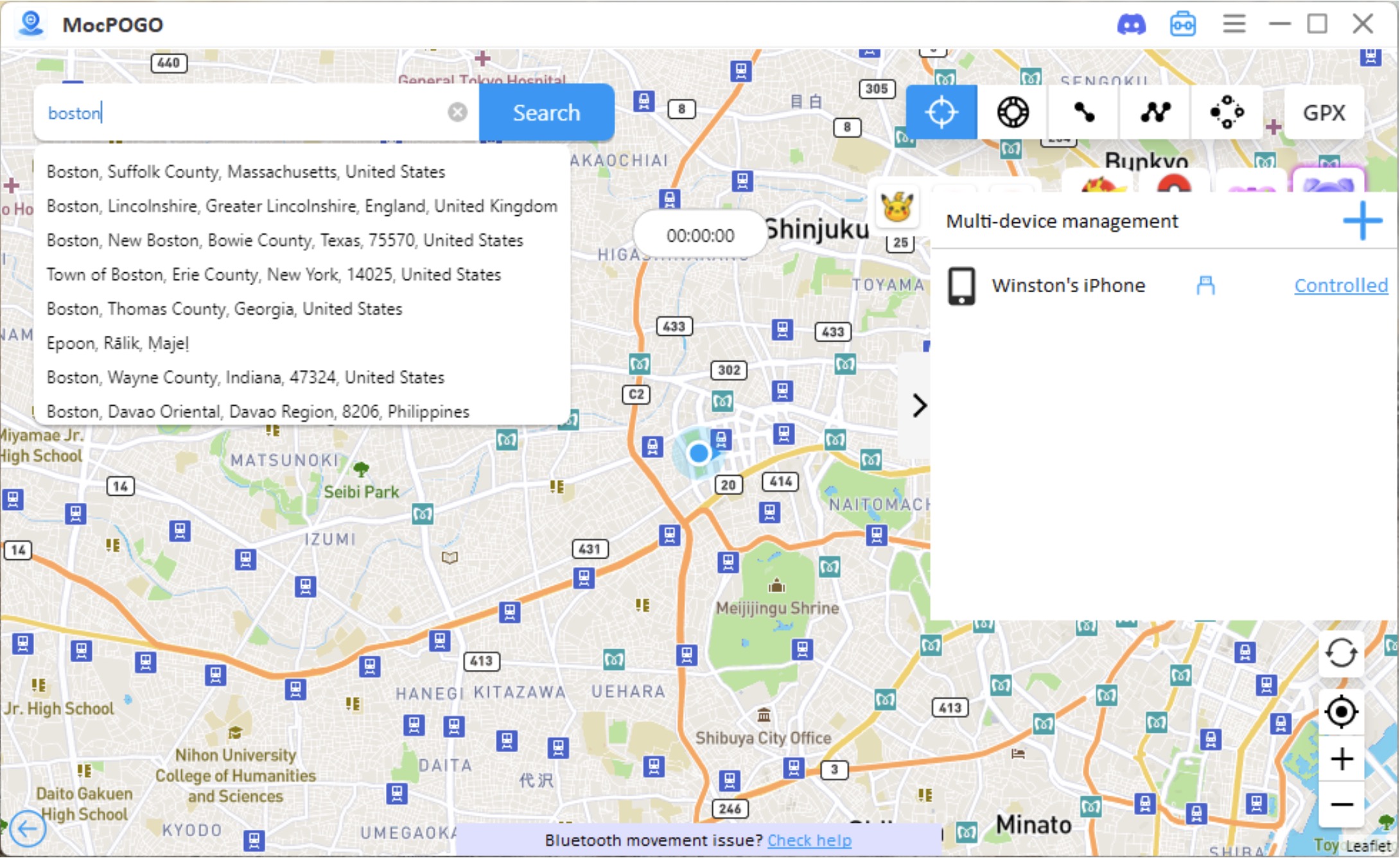
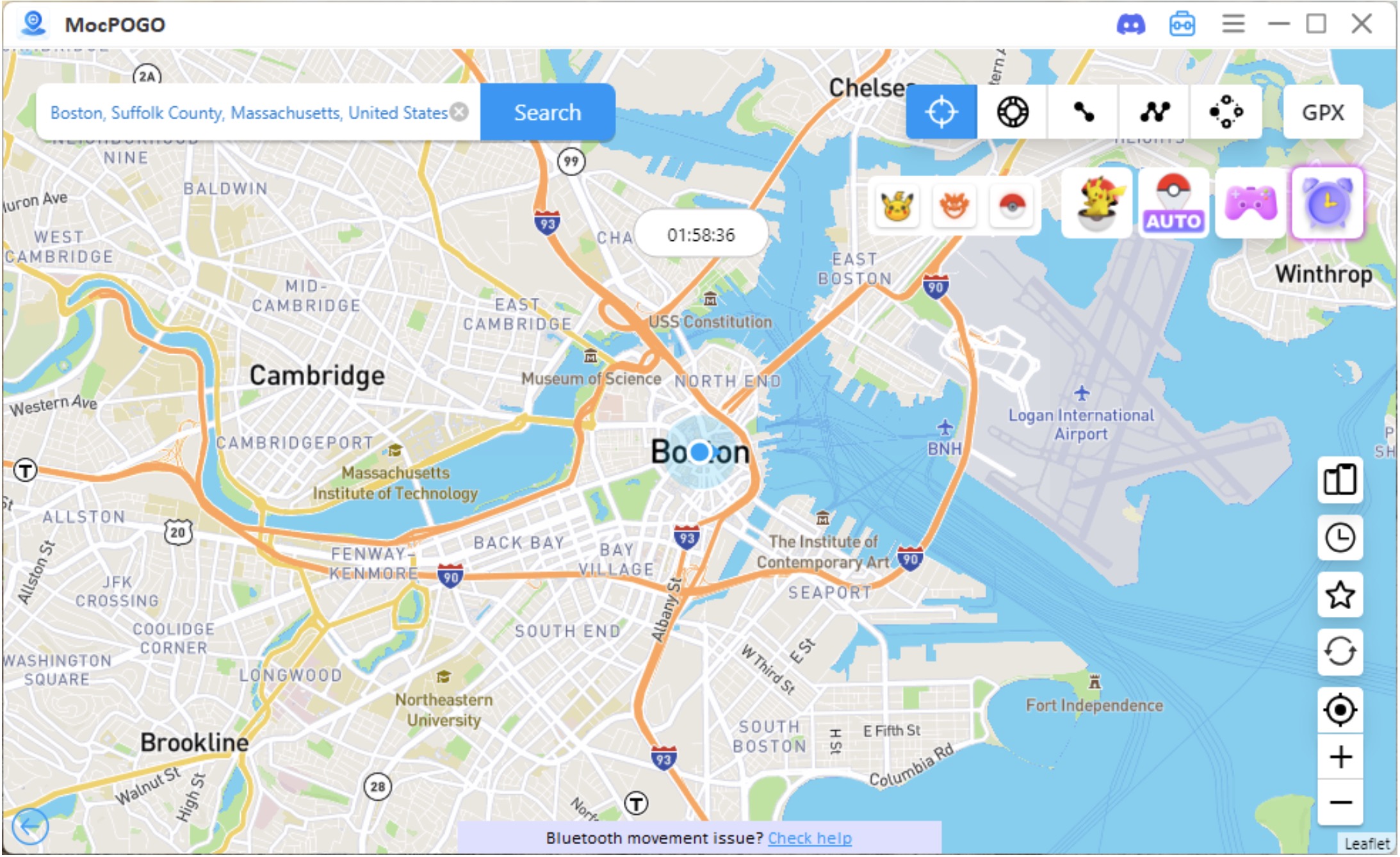
Search for wherever you want to go, pick it from the results, and confirm the teleport.
Step 4: Open Pokémon GO
Launch the game on your phone. You should land in your new location, ready to start exploring right away.
That’s the whole loop. Once it’s set up the first time, jumping somewhere new for the next event takes a lot less effort.
Frequently Asked Questions
Does MocPOGO work with the official Pokémon GO app?
Yes. The brand new Native Mode supports teleportation in the official Pokémon GO app, so there’s no need to sideload a modded version just to change your location.
Do I need to modify my device to use MocPOGO?
No. The setup process is meant to be simple, and it doesn’t require jailbreaking or rooting your device.
How can I use a Pokémon GO spoofer more responsibly?
There are a few habits that go a long way: Show respect for Pokémon GO’s cooldown timers between location changes, don’t do movements which seem physically impossible (such as teleporting from one continent to the other in seconds), and keep MocPOGO updated to remain compatible with the latest version of the game.
Final Thoughts
With events like the Pokémon Horizons: The Series Celebration Event bringing new Pokémon and limited-time challenges to the game, and traveling to every location simply not being practical for everyone, it’s easy to see why a Pokémon GO Spoofer for iOS can appeal to some players. MocPOGO’s Native Mode, movement simulation tools, and Pokémon GO-focused extras cover most of what you’d expect from a modern spoofing tool. If you’re considering a Pokémon GO Spoofer for iOS, it’s worth taking a closer look at MocPOGO to see whether its features and approach fit your needs.
Diskuze k článku
Diskuze není pro tenhle článek otevřena.