
If you found your first one under the tree this year iPhone, or you have decided to buy it, welcome to the new world. Operating system functionality iOS is often very different, but in short, it can be said that its operation is very simple and intuitive. However, there are also certain settings here that are not bad to know or activate. So let's take a look at 10 tips and tricks that will take the level of use of your iPhone to a whole new level.
You might be interested in

Optimized battery charging
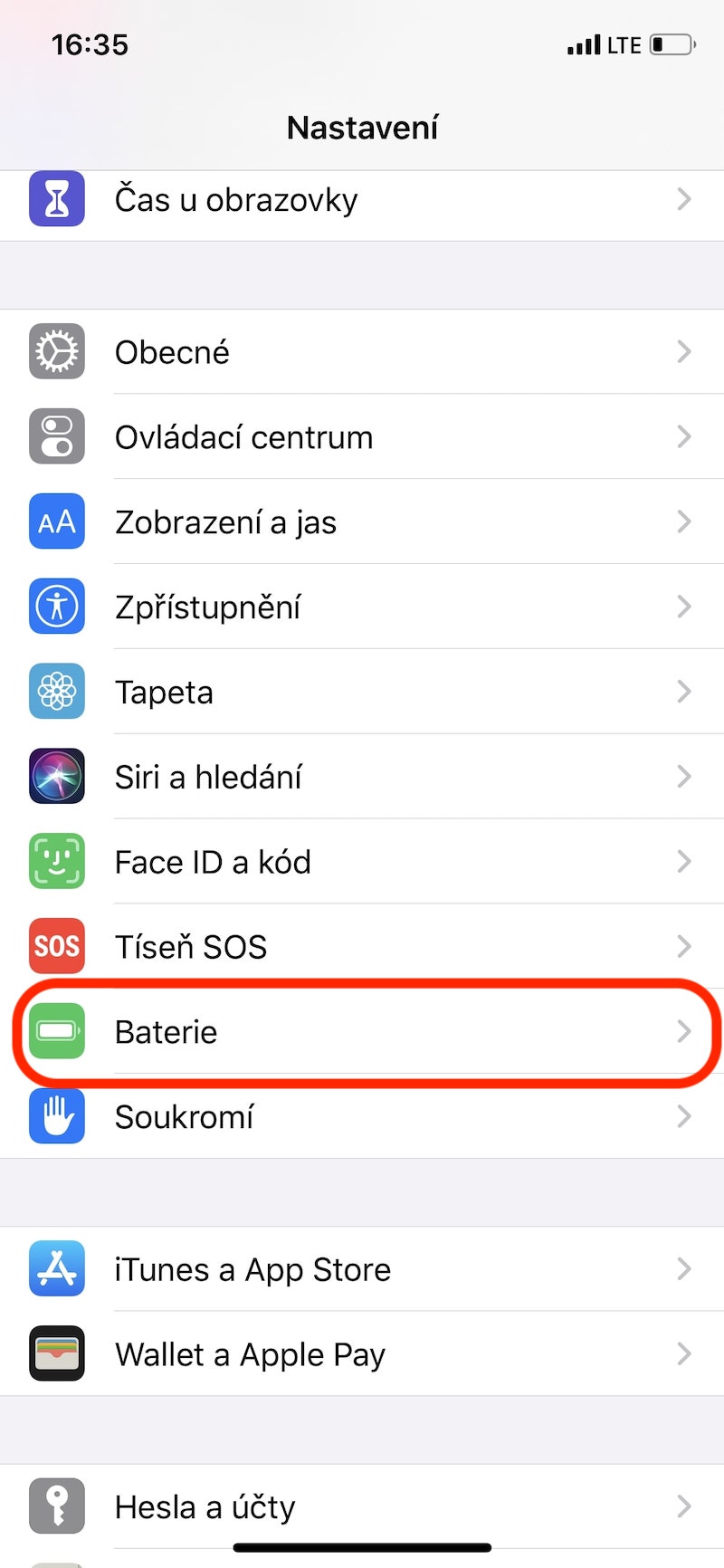
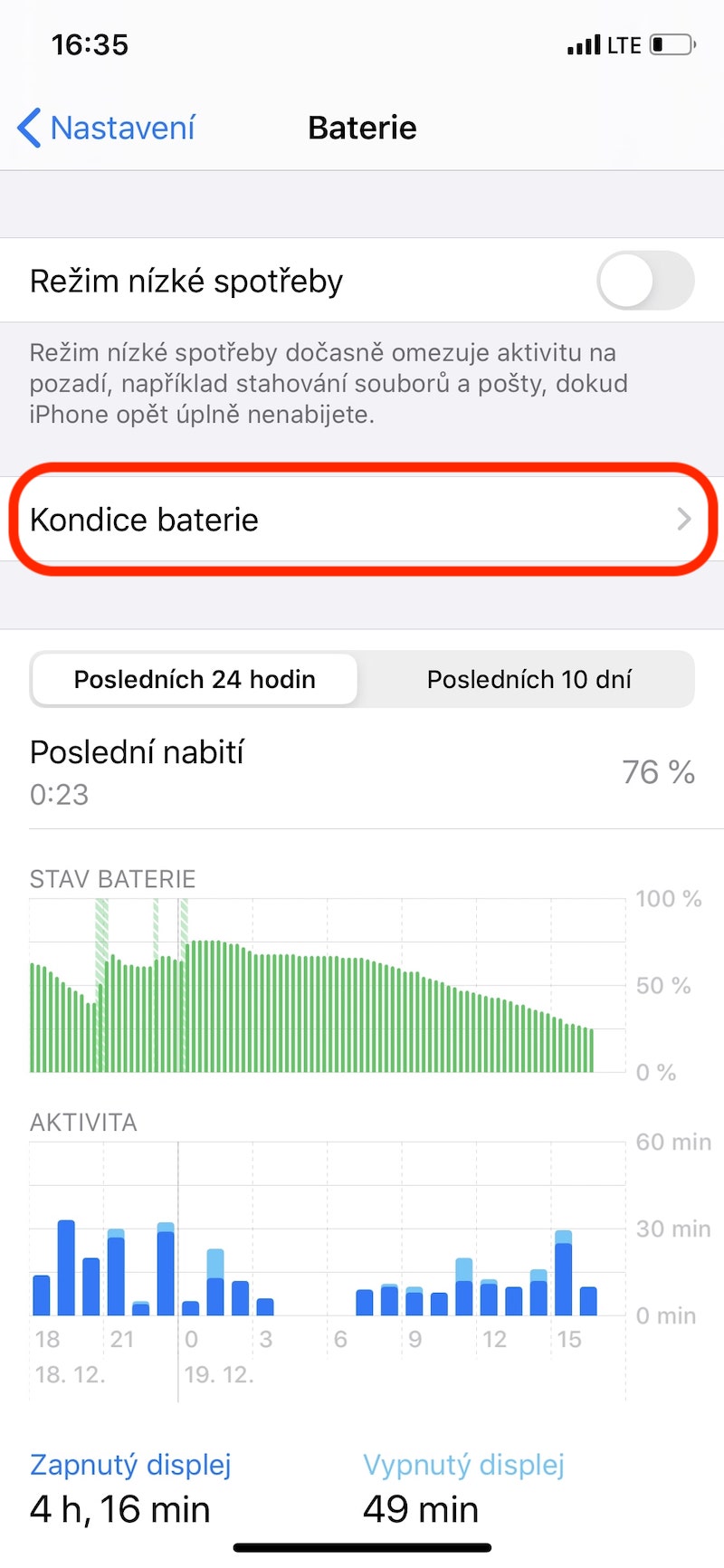
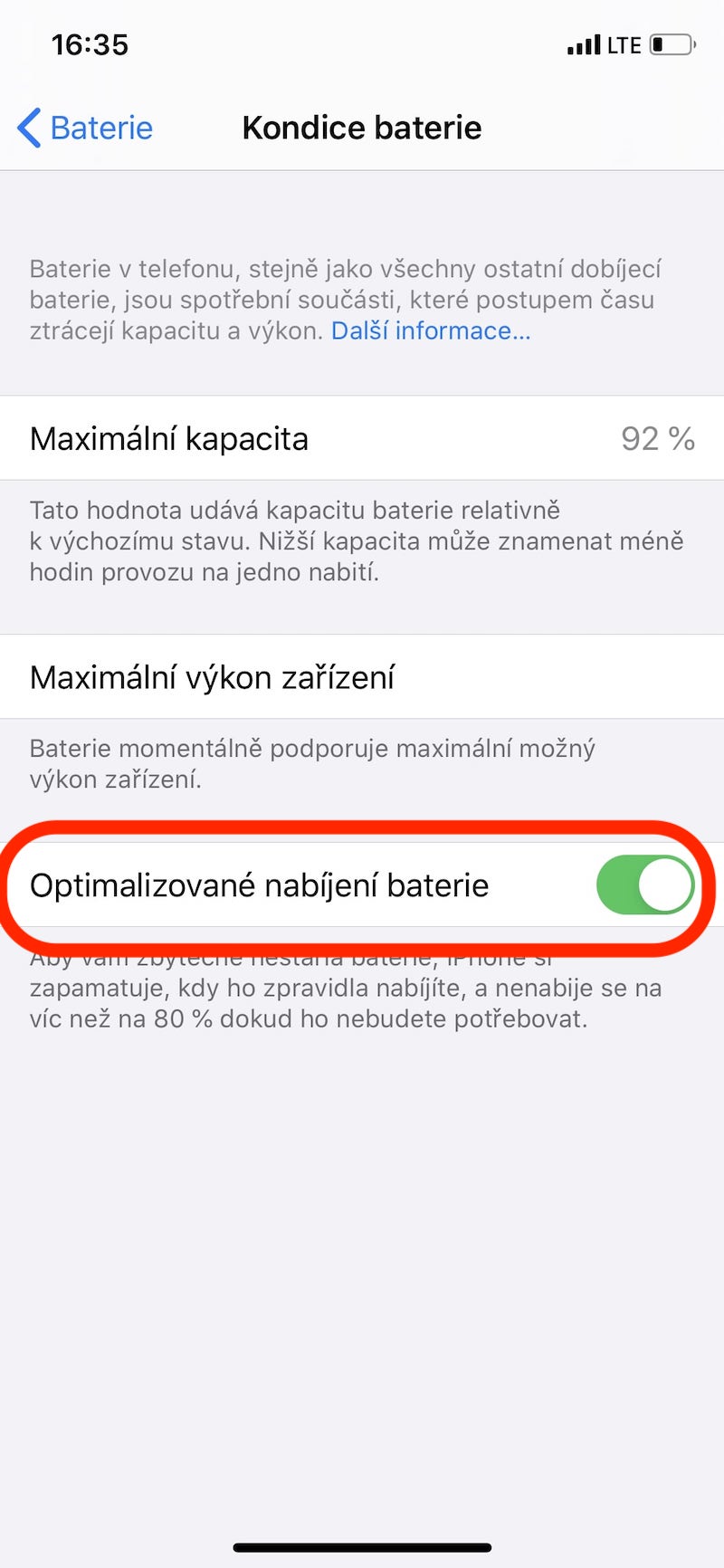
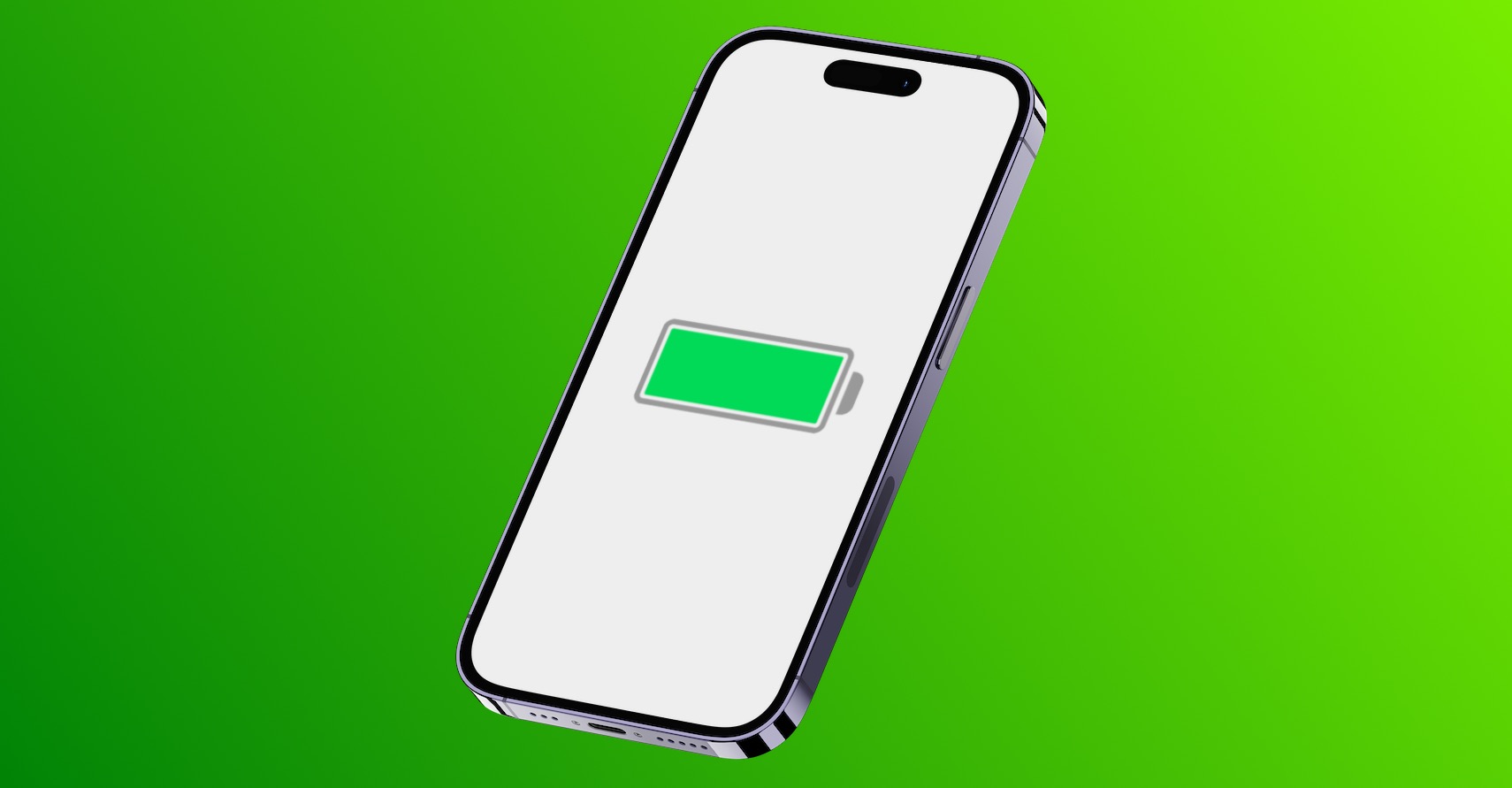
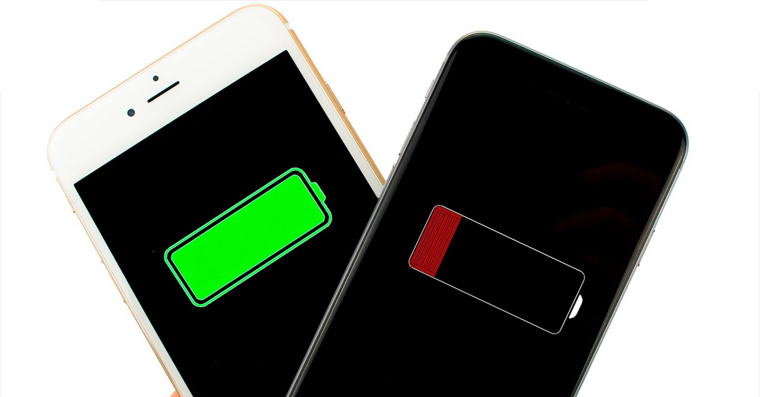
When the operating system is released iOS 13 we have a brand new feature called Optimized Battery Charging. The phone will learn when you usually charge your phone and will not charge the device more than 80 percent until you really need it. This will significantly reduce battery aging and ensure that it lasts much longer. To activate the feature, open Settings, where you go to the category Battery, select a section Battery health and at the very bottom, use the slider to activate the mentioned function.
Gallery
Make the control center your own
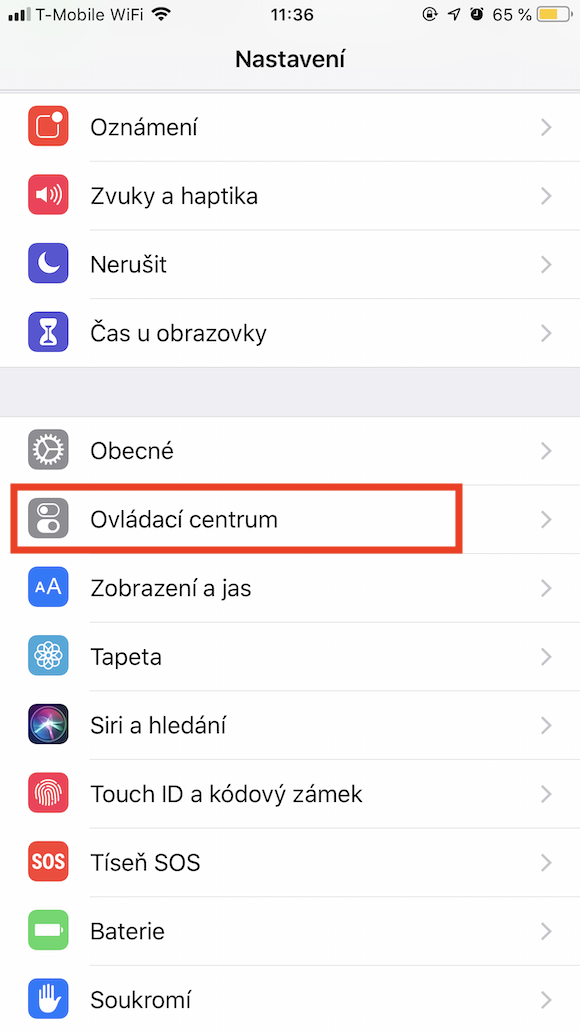
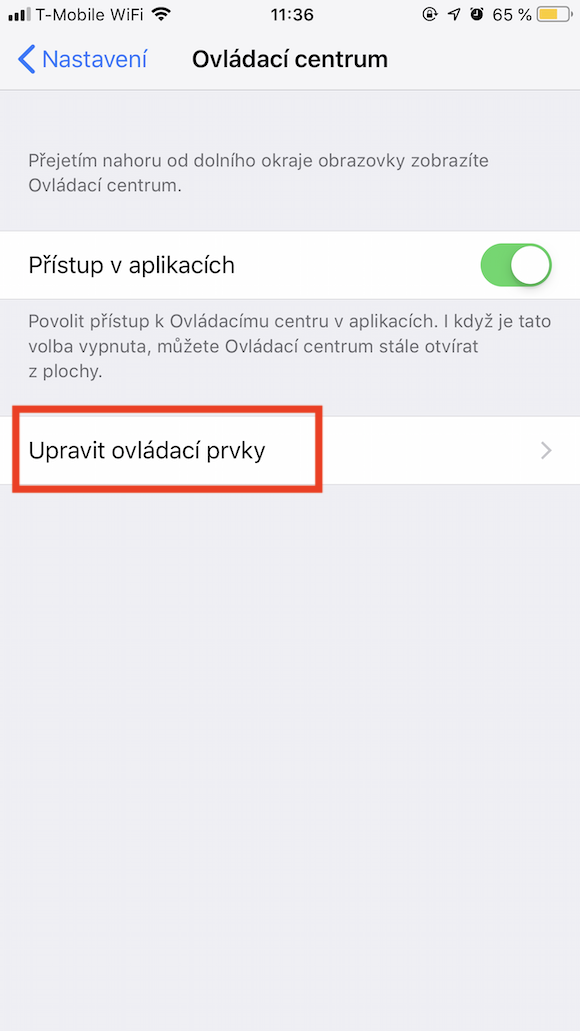
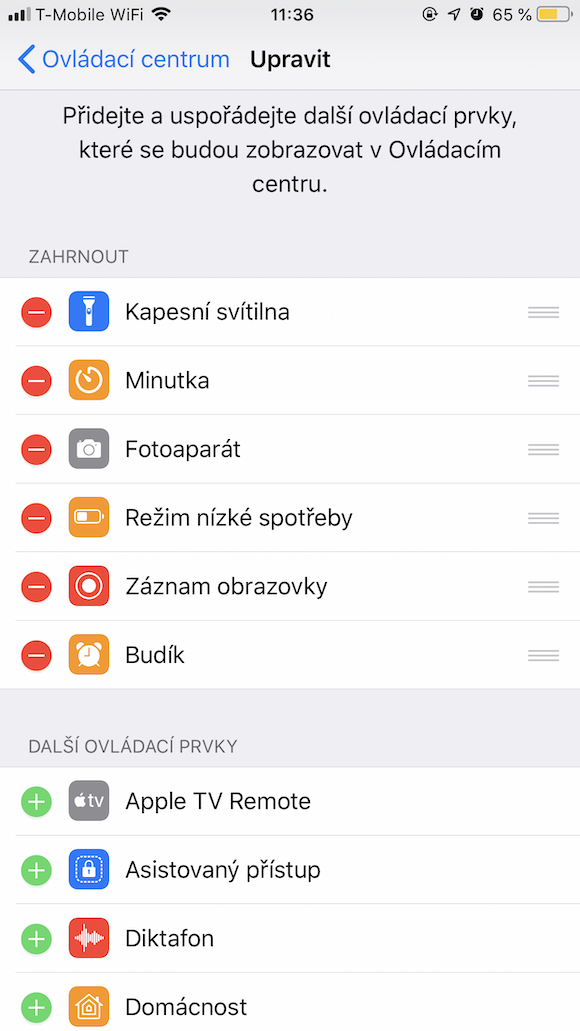
The control center can help us many times and above all it saves time. But did you know that you can remake the individual elements in your own image? You can achieve this again through Settings, where you open the Control Center tab, click on Edit controls and then you can add or change the order according to your own taste.
Quality security code
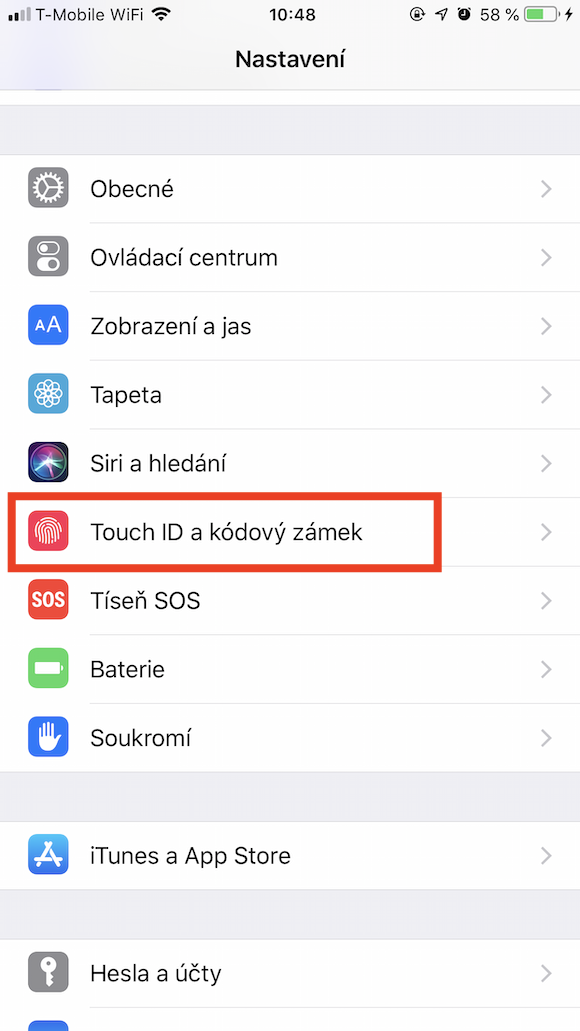
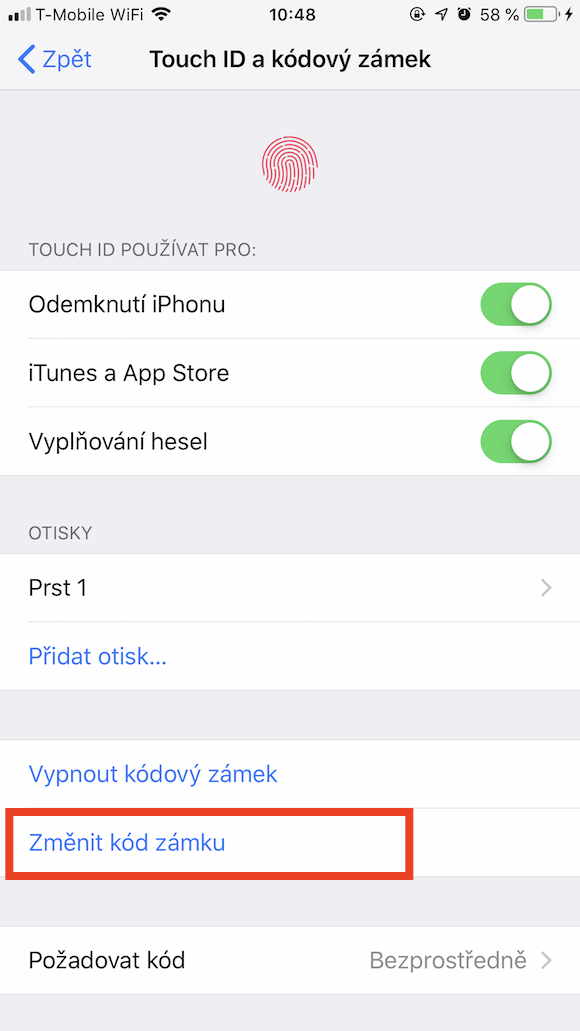
Although your iPhone you most often unlock through biometric authentication in the form of Face ID or Touch ID, you should always have a secure code selected. This is essential for the security of your Apple phone and in some cases can often be easily guessed. You can change it in Settings, where you move to a category Touch ID/Face ID and code lock, you select an option Change the grade code, you choose Code options and in the last step you choose Custom alphanumeric code.
Gallery
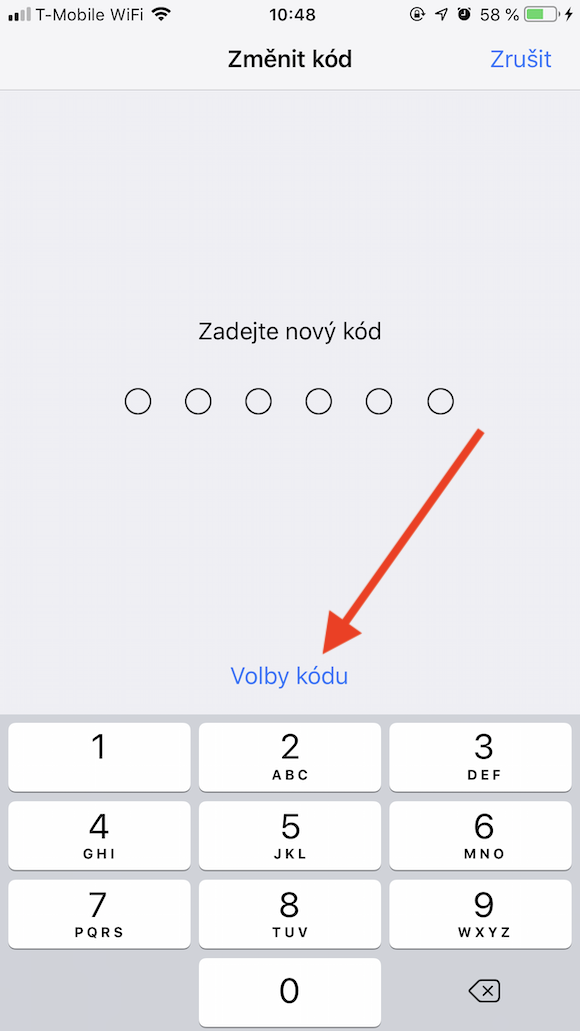
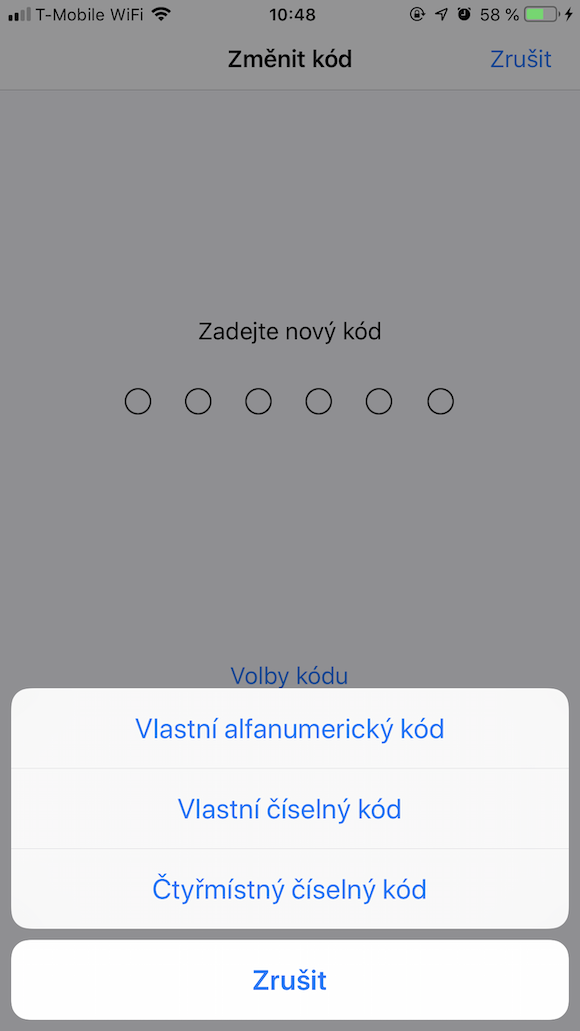
Using the Savings Mode
Operating system iOS offers a so-called Power Saving Mode that helps save your battery. If your phone's battery drops below twenty percent, iPhone It will also recommend that you activate it. However, many users think that this is a kind of placebo effect. However, this is a big mistake and the aforementioned Power Saving Mode can provide you with a lot of extra time. Pro to activate it, just go to Control center and tap the low battery icon.
Don't let others disturb your sleep
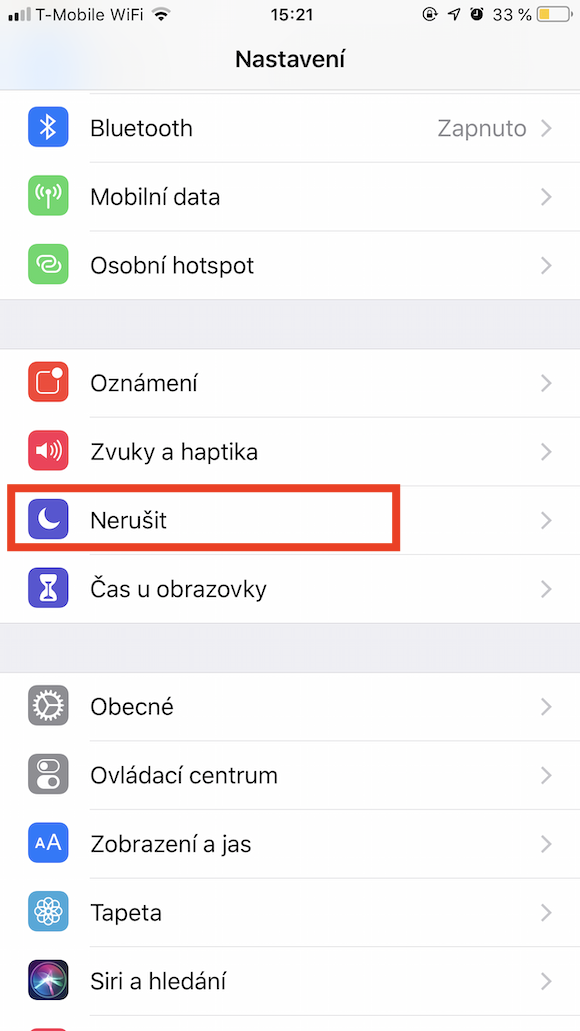
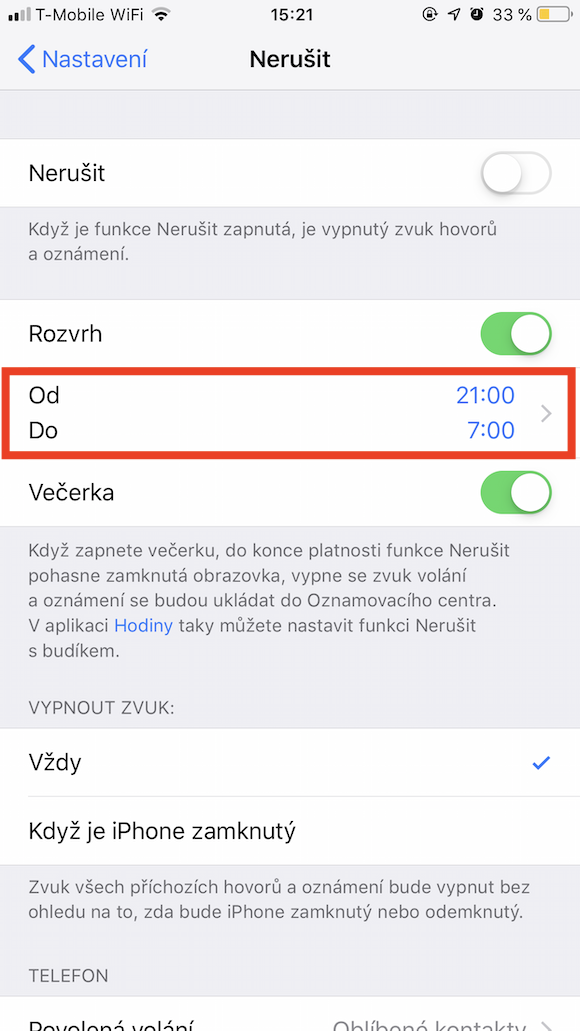
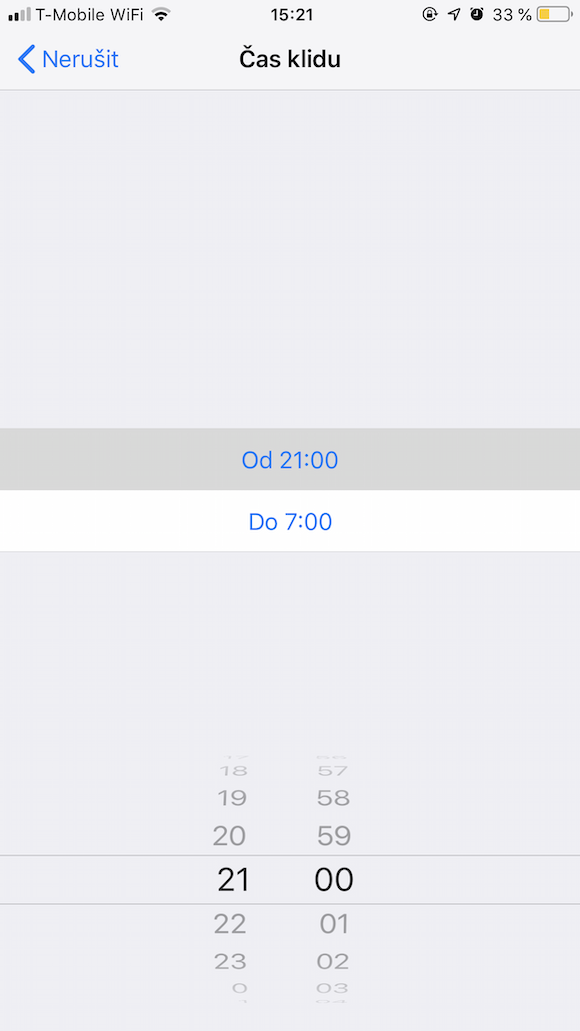
Apple products have a great feature that all iPhones offer, of course. This is the so-called Do Not Disturb mode, thanks to which your phone will not ring or vibrate in the event of an incoming call, and it will also not give you the classic notification. Pro In addition, you can set a so-called schedule for this mode, thanks to which the Do Not Disturb function is always activated during a certain time period. You can set this schedule through Settings, where you select an option Do not disturb, you activate on the slider Schedule and you choose a time range.
Site search
I'm often surprised how many people don't know about this great browser feature. Safari doesn't know. If you are looking for a given term or part of a sentence on a page, you can simply type this text into the address bar at the top. Then, you will see the Search option at the very bottom, which you just have to click on.
Selfie using the side button
If you're the owner of one of the newer iPhones, which already have a relatively larger display, you'll definitely agree that taking a classic selfie can take quite a bit of work. If you want to take a picture with, for example, a background or a group of people, you may not be able to easily reach the button to create a picture. In this case, you can hold the phone firmly in your hand and simply press some of the side buttons to change the volume.
How to get to the top as quickly as possible in the application or on the page
Do you know that feeling when you've finished reading a large text, for example in the Notes app or on a website, and you need to quickly go back to the top? A feature in the operating system can also help you with this. iOS and you don't even have to set it up. Once you arrive at theonec one of the mentioned documents, you just need to click on the clock in the upper left corner and you will immediately get to the top.
Create your very own ringtone
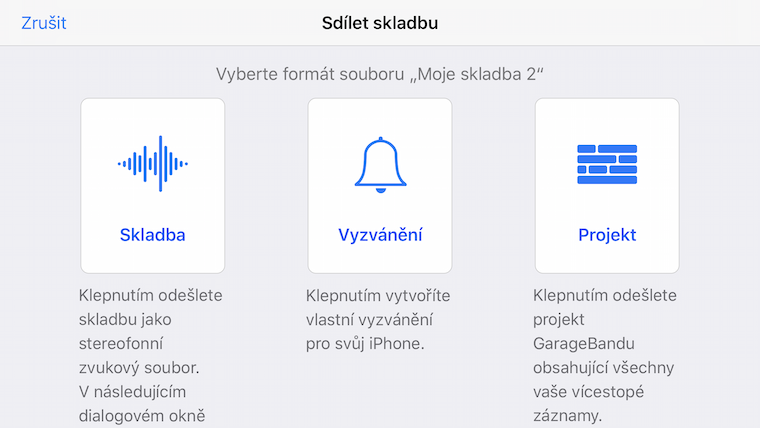
Have you ever thought about creating your own ringtone? Apple's GarageBand app can help you with that completely. You can create a thirty-second song and you're almost done. Then you just need to tap Share Options , select Ringtone and set the name of the song. In the last step, you just need to select the Use sound as option and confirm this option as Default ringtone.
Gallery



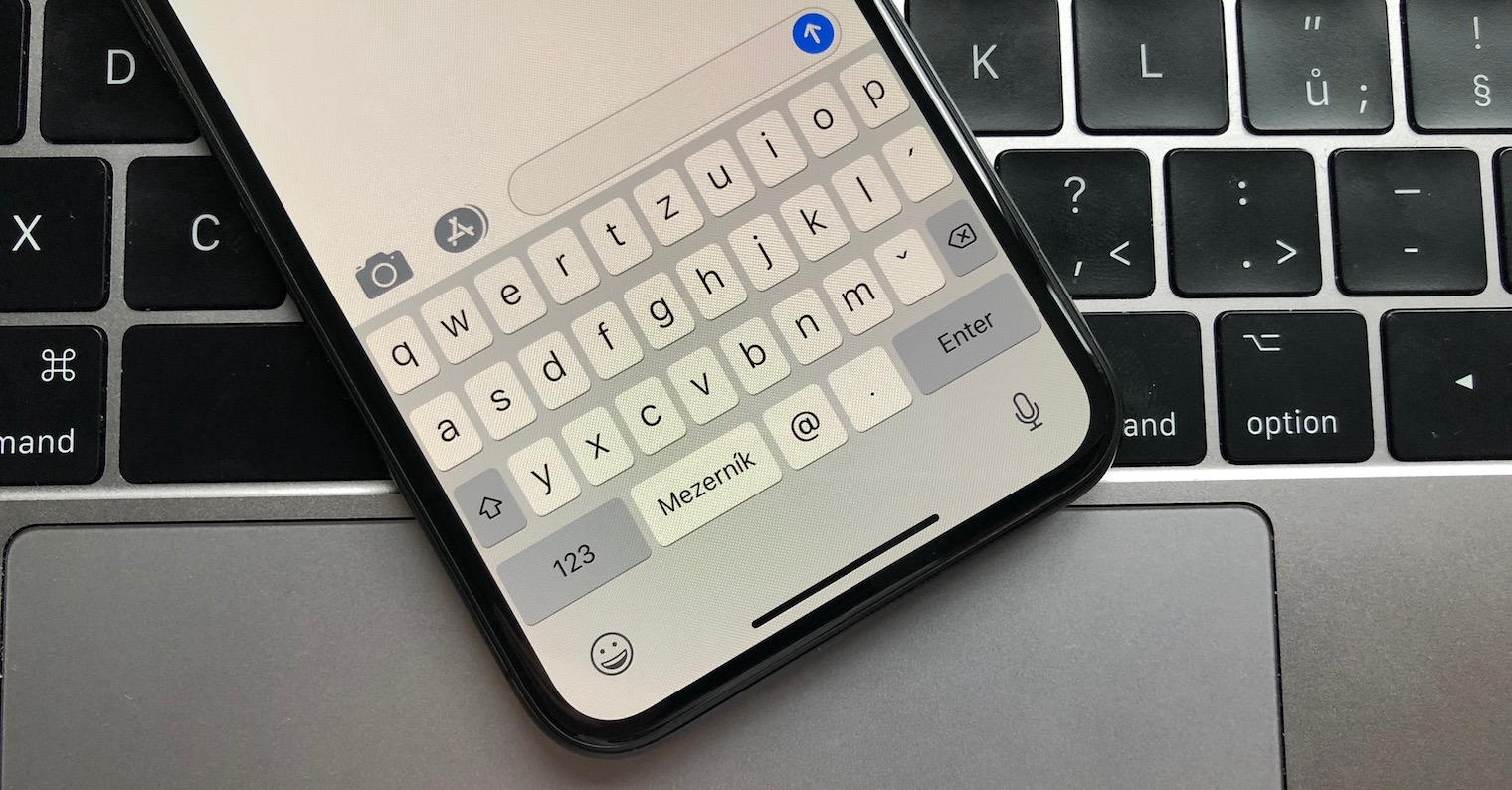
Did you accidentally delete an entire sentence? Shake your phoneonem
When deleting longer text, iPhone users can easily accidentally delete what they intended to delete.onechat. First, it deletes character by character, then words and then entire sentences. If you accidentally delete something like this, you can just shake your phoneoneYour deleted text will be returned to you.















Sir, I have a question.
In previous software versions, it worked that when I went to the web pageancIf I clicked and held in the top line where the web address is entered on the curved arrow on the far right, I had the opportunity to load the page in its entirety and not just in the mobile version.
In short, the page was read to me as full-fledged as it should be on a computer.
This function seems to have disappeared with the new version 13. Does anyone have any tips on how to load the page without having to set this in the menu? My point is that I only want to have some pages fully functional and some not. Thanks for advice.
Newly, it is in the address bar on the left, where there is "Aa" - among other things, this forced setting of the desktop version :-)
Patrick, thank you.