
If you read our magazine regularly, you have probably already noticed the fact that WhatsApp konesupports dark mode. Since then, practically all major social networks have dark mode. Thanks to dark mode, you can iPhonech with an OLED display can save a few percent of battery, and on the other hand, working at night with dark mode is much more pleasant. If you want dark mode on WhatsAppTo enjoy it to the fullest, you can set it to start after WhatsAppu automatically activated dark mode across the entire device, using automations.
You might be interested in
How to set iPhone to start in light mode WhatsApp automatically in Dark Mode
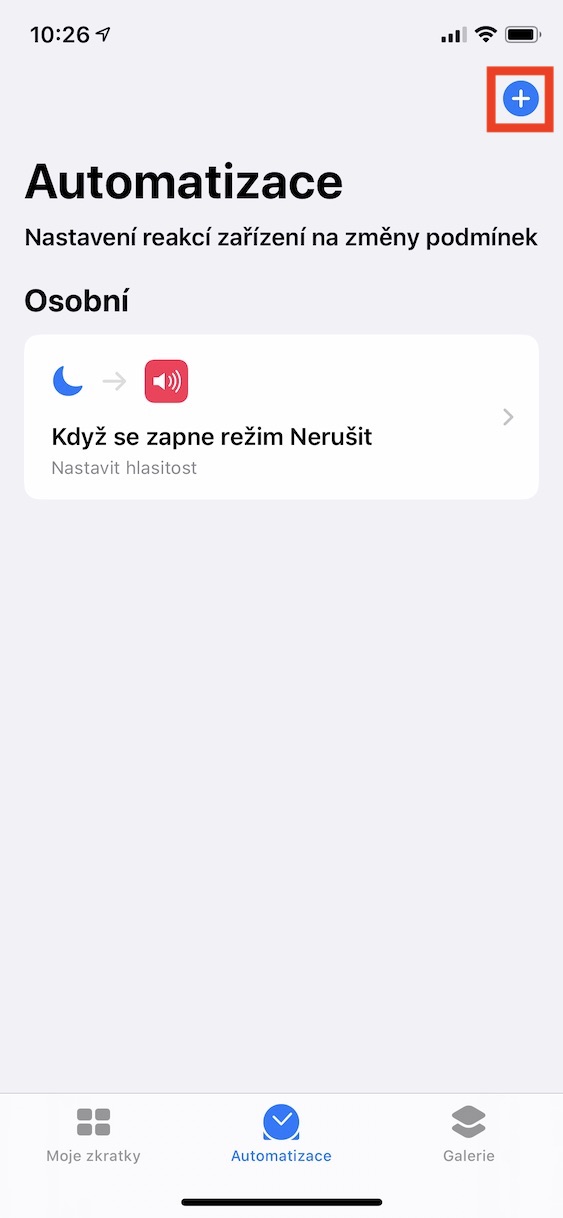
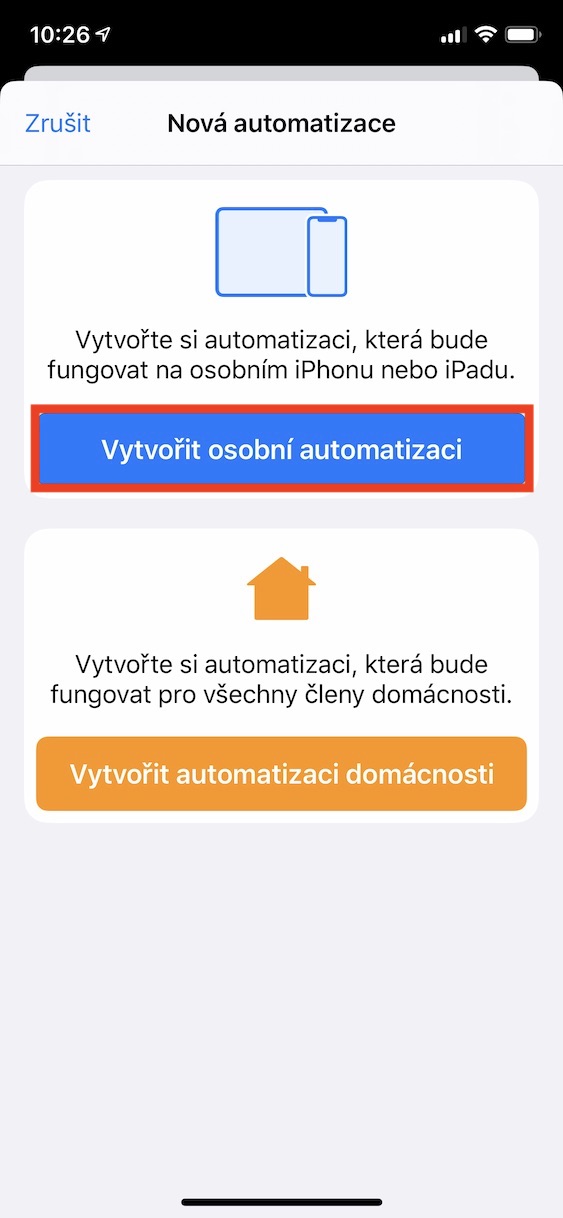
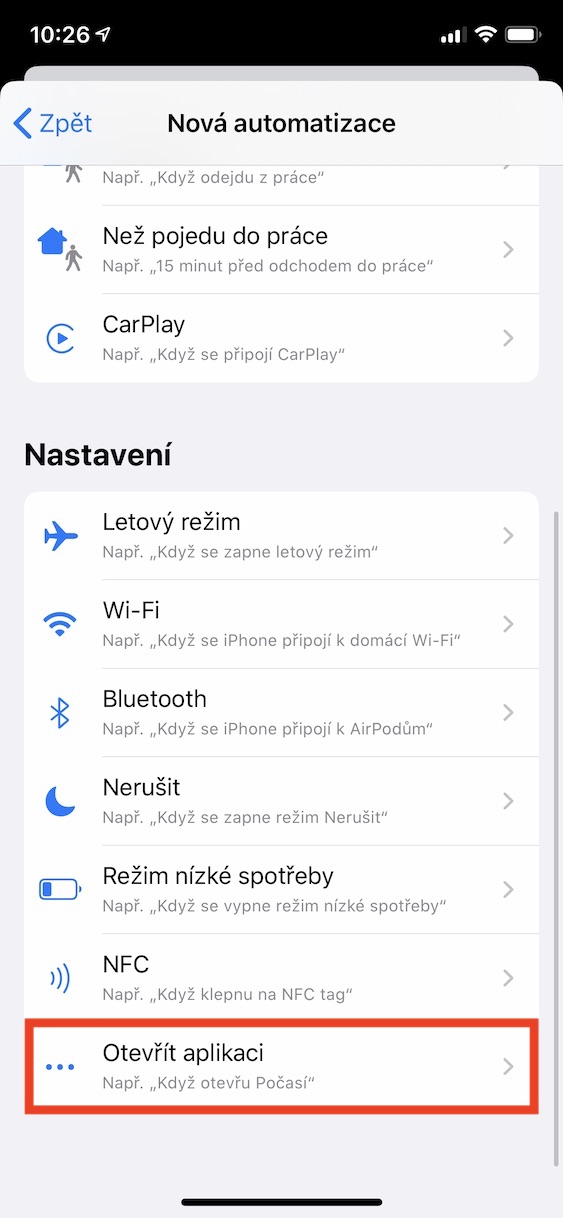
As I mentioned in the beginning of this article, we will perform this entire process using automations that you can find in the native application Abbreviations. First, launch this application, and then move to the section in the bottom menu Automation. Once you've done that, tap on in the top right corner icon +. Then just select the option Create personal automation. Then move in the new window all the way down and select an option Open the application. Then tap the button Choose, select from the list WhatsApp and click the button in the upper right corner Next. In the next window, click on the option Add action and move to the section Scripts. Scroll down to a category here Equipment and tap the option Set appearance. Then make sure the appearance is set to Dark. Then just tap the button again Next. nakonec toggle the switch next to the option Ask before starting do inactive positions so that you don't have to confirm the start of the automation every time. Confirm this choice by pressing the option Don't ask. Then just tap on Done in the top-right corner.
Gallery
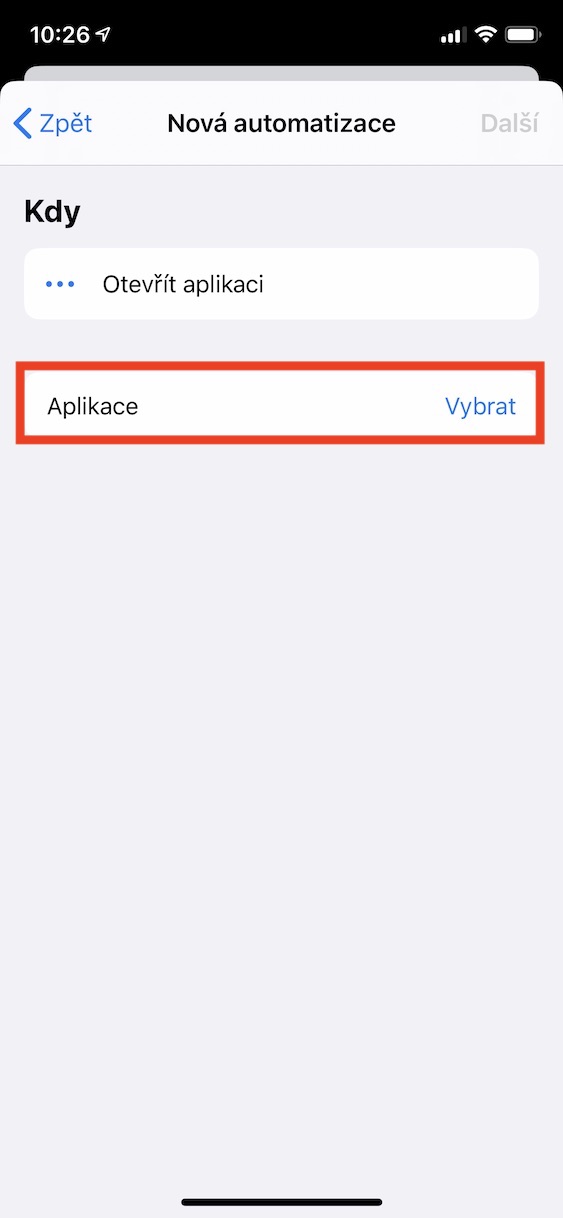
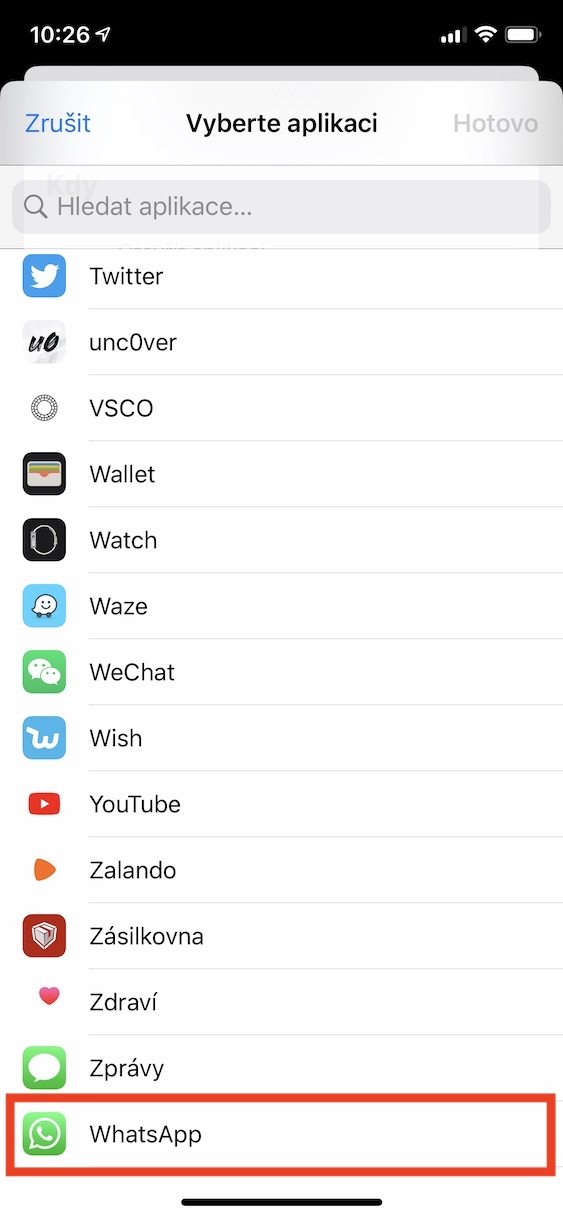
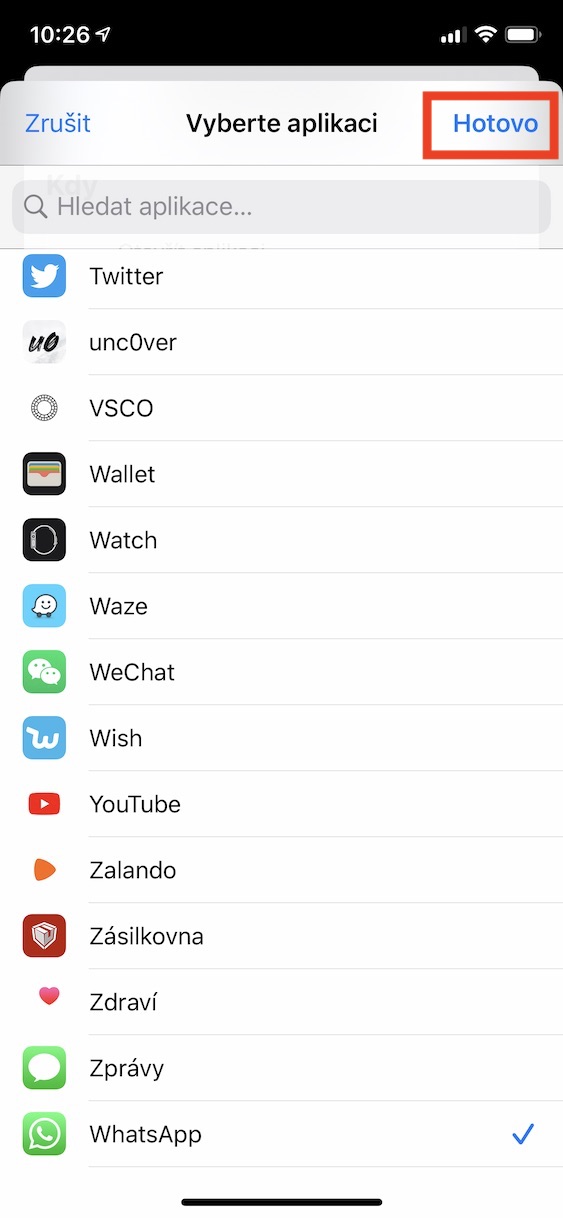
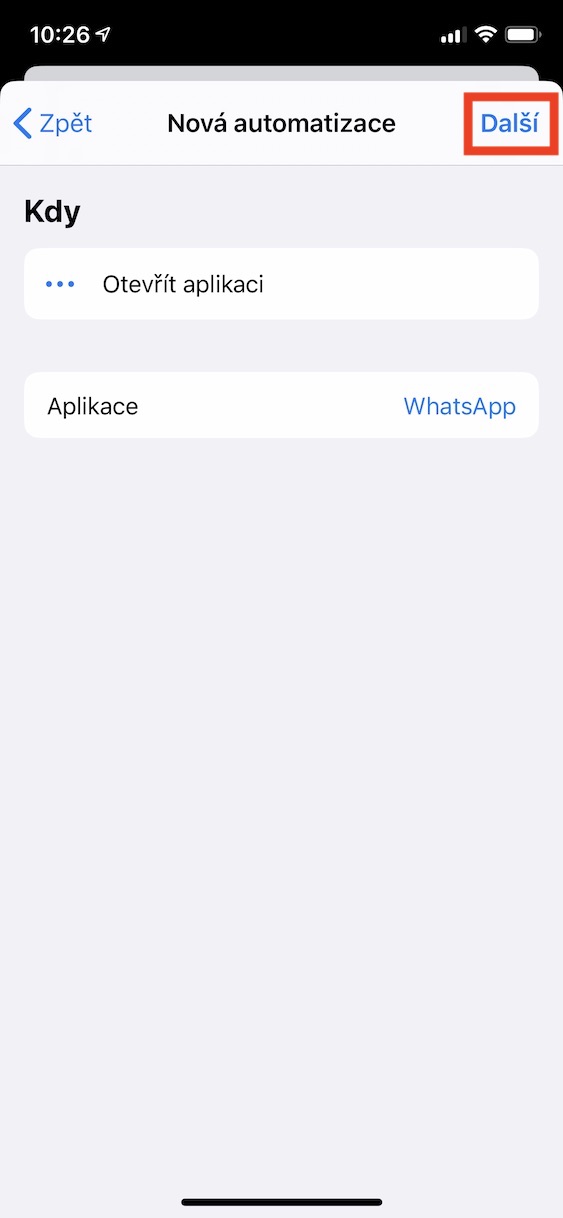
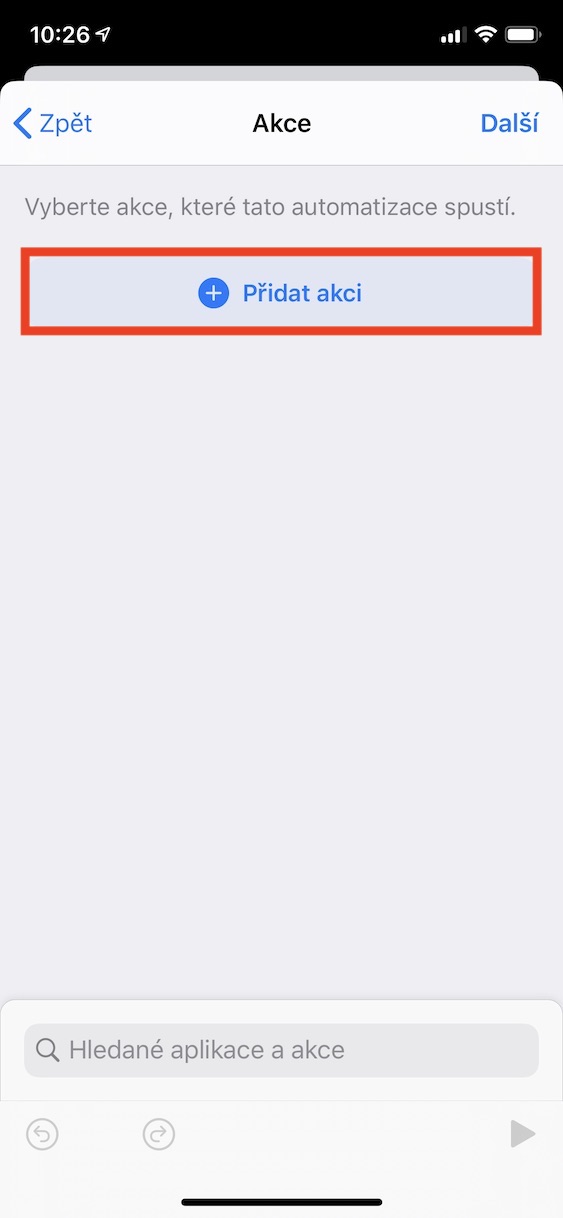
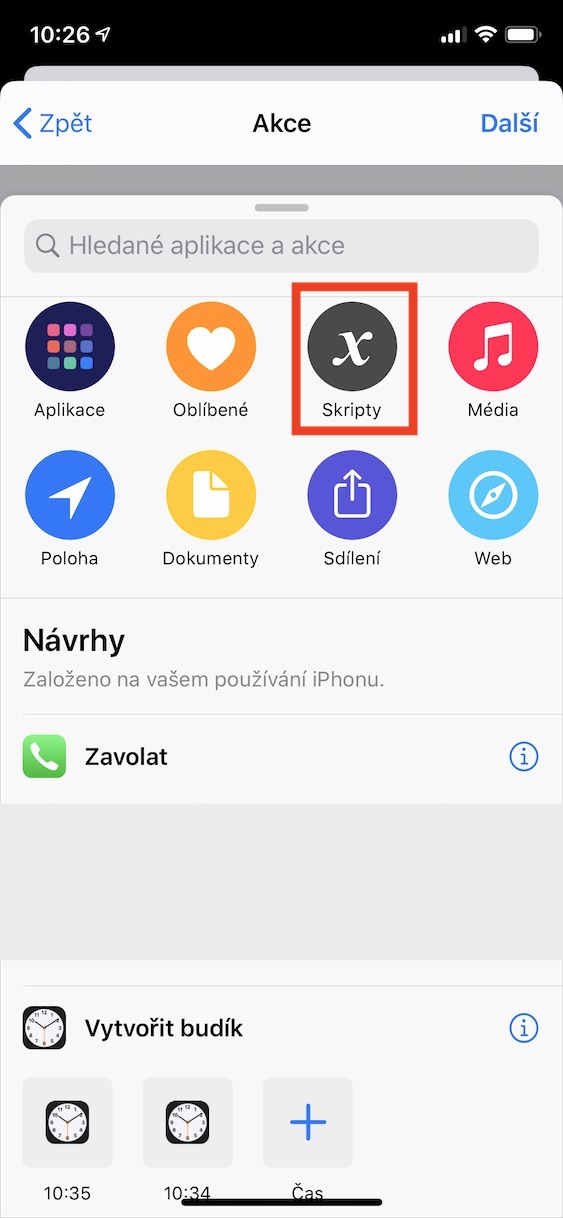
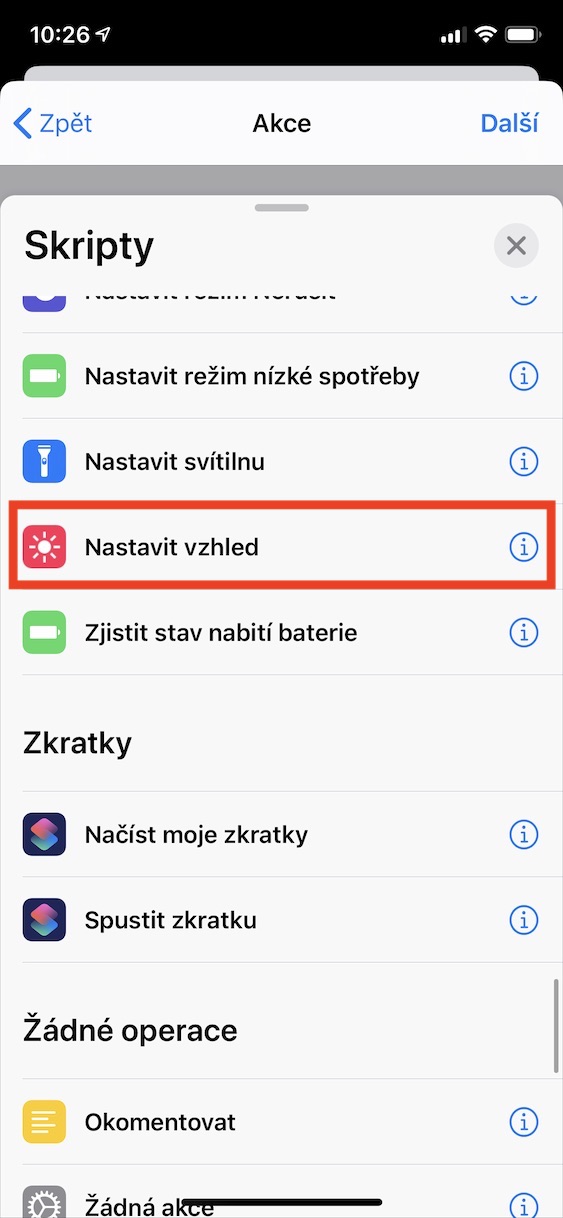
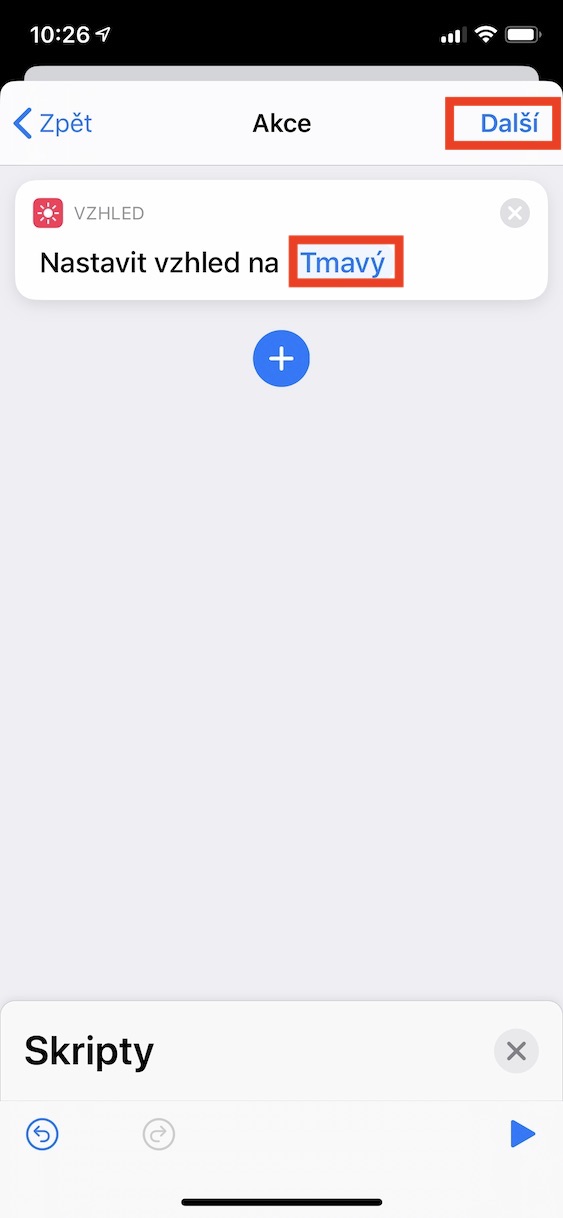
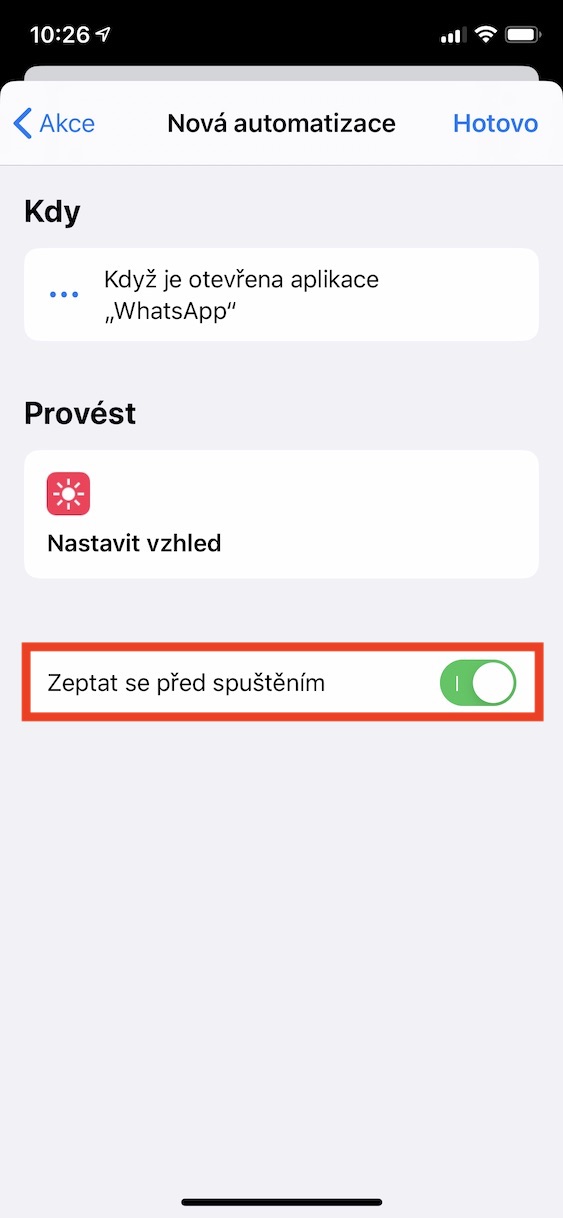
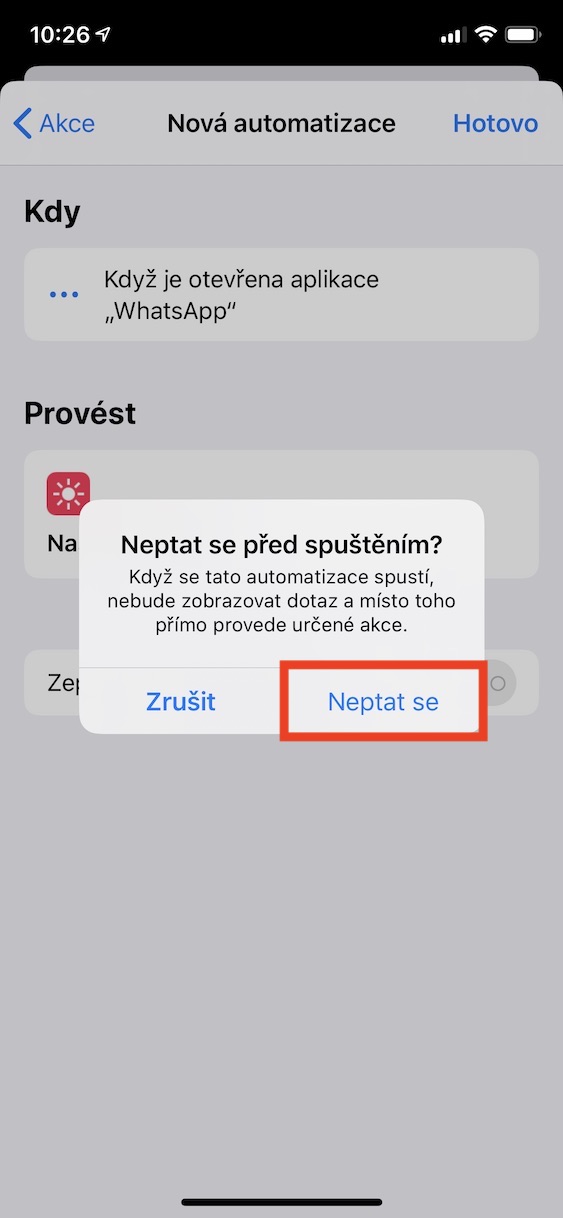
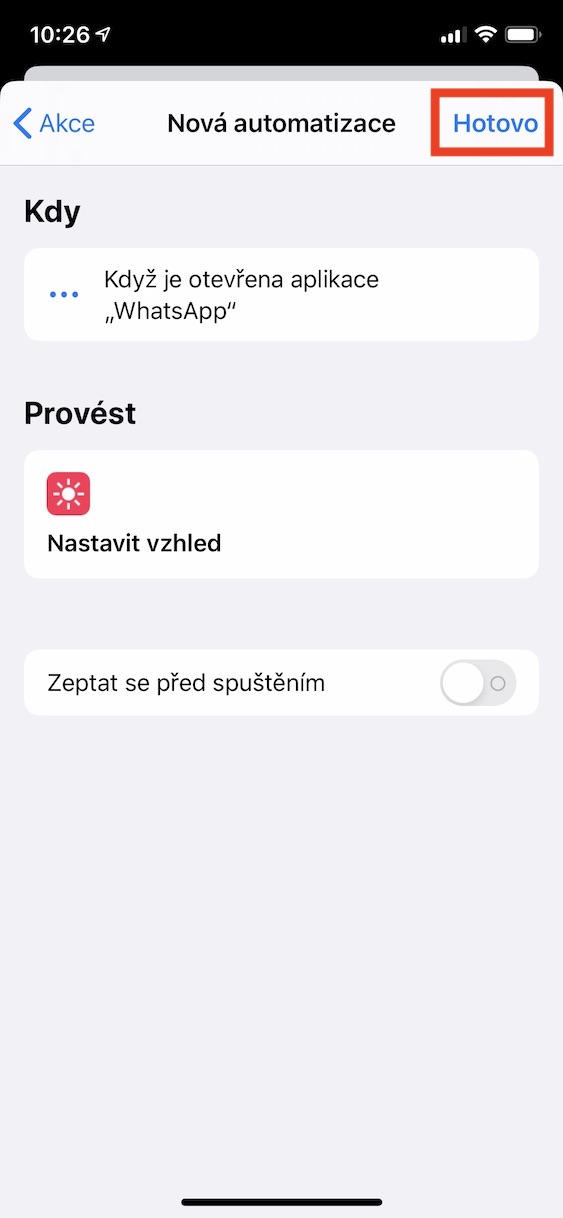
Now, whenever you open the app WhatsApp, then you activate dark mode in the entire system, including in WhatsAppu. Unfortunately, you can't use automation to set the appearance to change back to light after WhatsApp you will leave. Pro To change the appearance again, you must go to the settings, where you can toggle it, or to the control center, where you can also place the switch for changing the appearance.



They spent two years implementing dark mode, and the application doesn't have a fundamental feature like automatically activating light/dark mode according to the settings in iOSOh yeah.
During today's update, the app switched to dark mode on its own - at least on the latest version. iOS in iP X..
Unfortunately, the black is not black, just a very dark gray, thumbs down for that.
It is precisely because WhatsApp, unlike other applications, can do this automatically.
The article makes no sense to me. If I want a dark system in a dark wp, I do it in the control center or automatic switching in the system, for example after sunset.
Thanks for the info. I have the app up to date since yesterday and in the morning it was still dark mode, although iOS already light. I'll try reinstalling later app.
Apple runs away from users :D just not with the front but with the back. One does not have a simple option to choose dark or light mode in the settings, one has to do it through some shortcuts :D. iOS seems to me more and more laughable. I laugh when I realize that I have iPhone XR…
But this is not about that at all. Applu, but about the developer of the application.
Odor
What are you talking about here?
Yes, a hundred people - a hundred tastes. I would still understand the automaticity in system applications, but in a third-party application I would expect that everyone would be able to choose regardless of system settings.
It occurred to me that switching to light mode could be done the same way, just select a different application 😎
I would understand "automatic" to be strictly adhered to in all applications - I'm surprised AppI hope the developers don't mind. Yes, as a bonus, there could be a manual setting option for each application in addition to automatic switching, but we would expect too much from the developers...
Personally, I think it's completely unnecessary. Either I want dark mode or I don't (idelani is an automatic change based on sunset/sunrise or set time) - what is the advantage of having each application set differently?
It's simply not unnecessary at all. ProI've already mentioned that some apps look better in white. Furthermore, to your argument "it's easier on the eyes, etc.", I can say that I simply only use some apps during the day.
ProIt should be mandatory to have automatic according to the system and have a switch in the application settings. There are many such applications with a switch. For example, Spark, Tweetbot, Things 3 and I would definitely find other applications that have an automatic and a switch.