
One of the smaller new features brought by the operating system update for iPhones, iPods, and iPads is the ability to search in open panels in the browser. Safari. In the new version iOS 10 is possible notchat using certain keywords notchat display only those panels that contain the given word. This feature is especially useful for those who have a large number of pages open in their browser at once and often cannot find the panel they need.
Searching in panels in the browser Safari searches for a keyword only in the title of a website and its URL. It does not search the entire content of the page. This is done using the "On this page" search function.
You might be interested in
How to navigate panels better in Safari
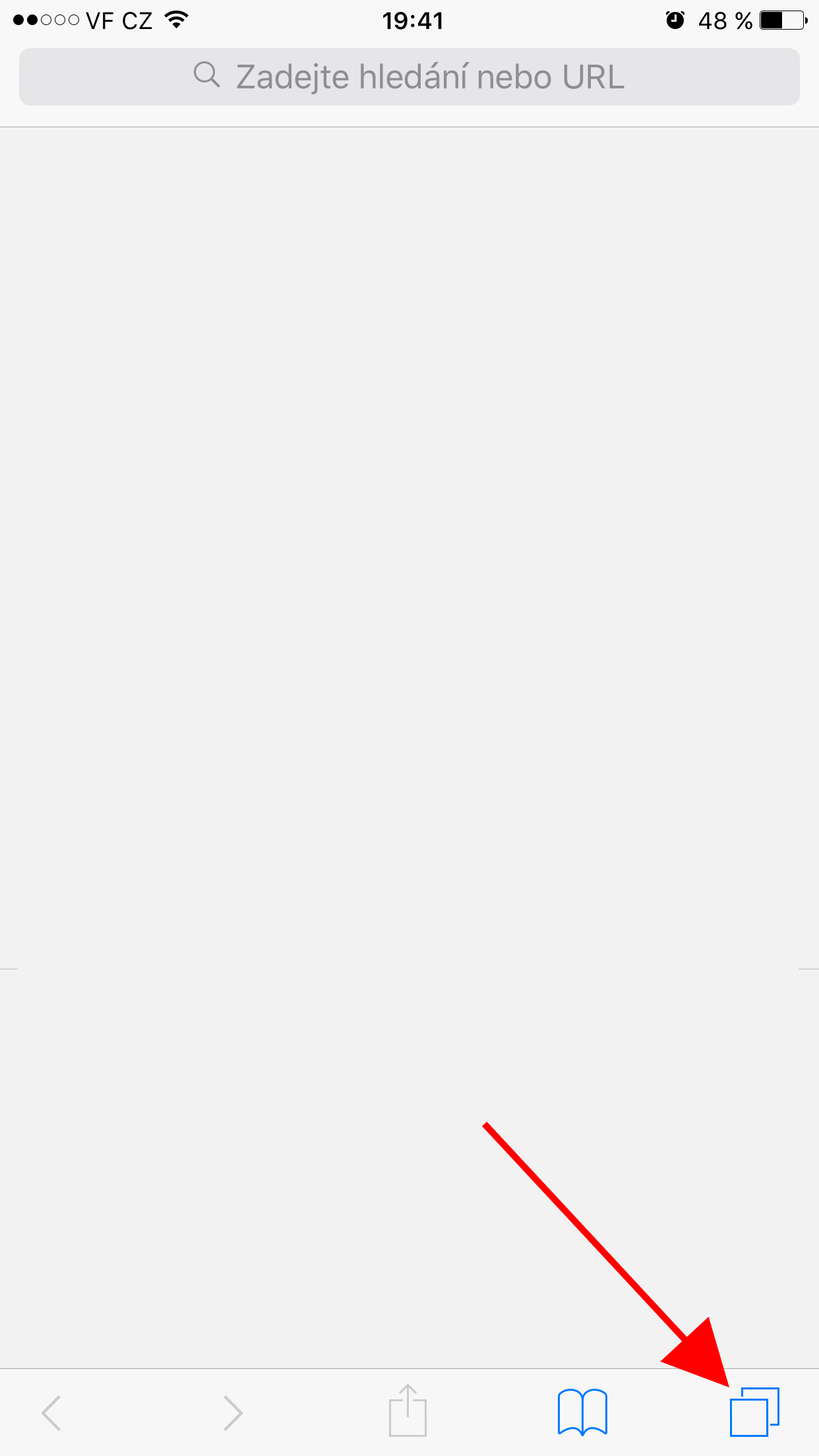
- Open it Safari and click the panels button in the lower right corner.
- if you have iPhone, turn your device sideways. This is not necessary on iPad and the search box will appear even in portrait mode.
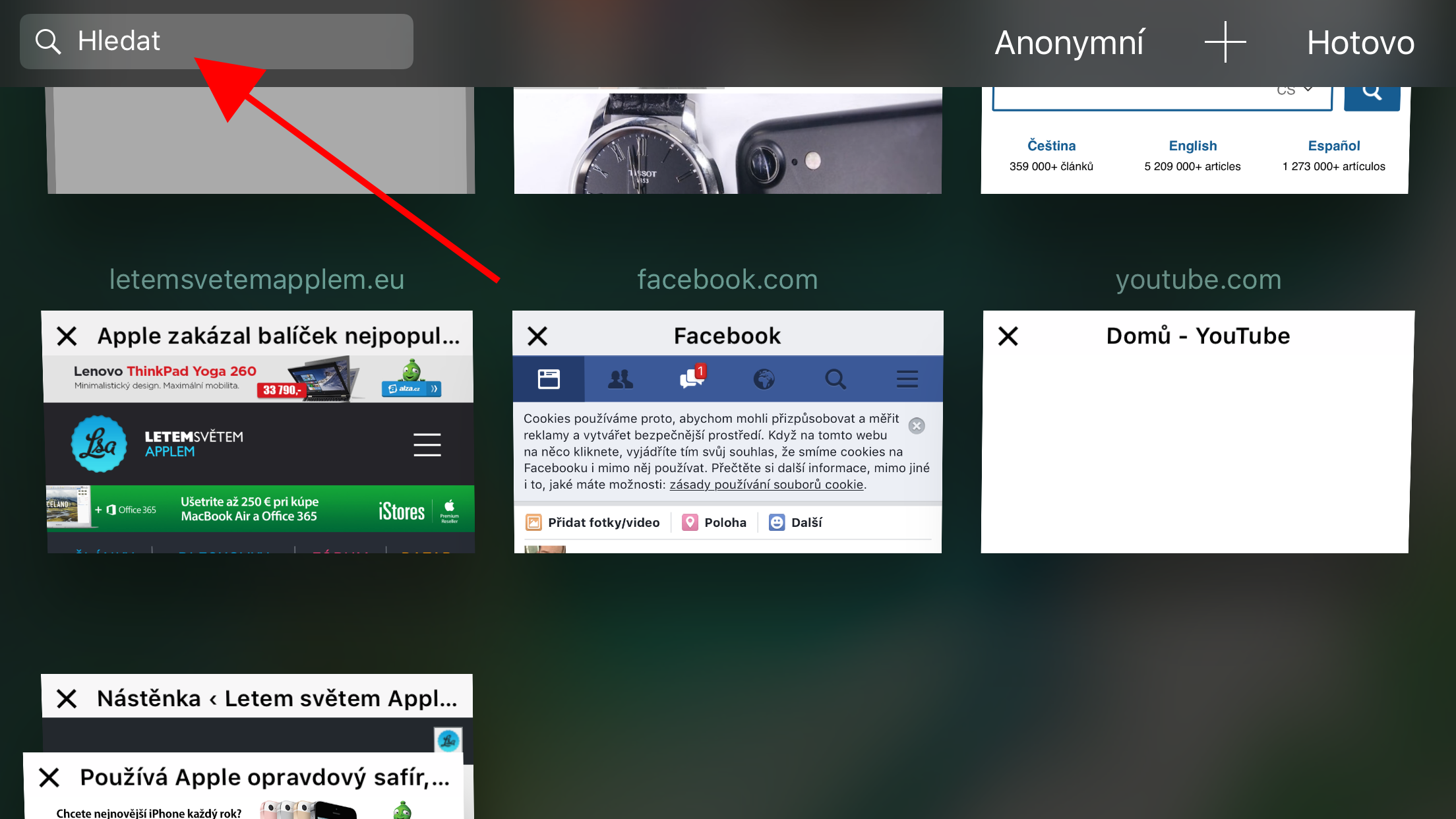
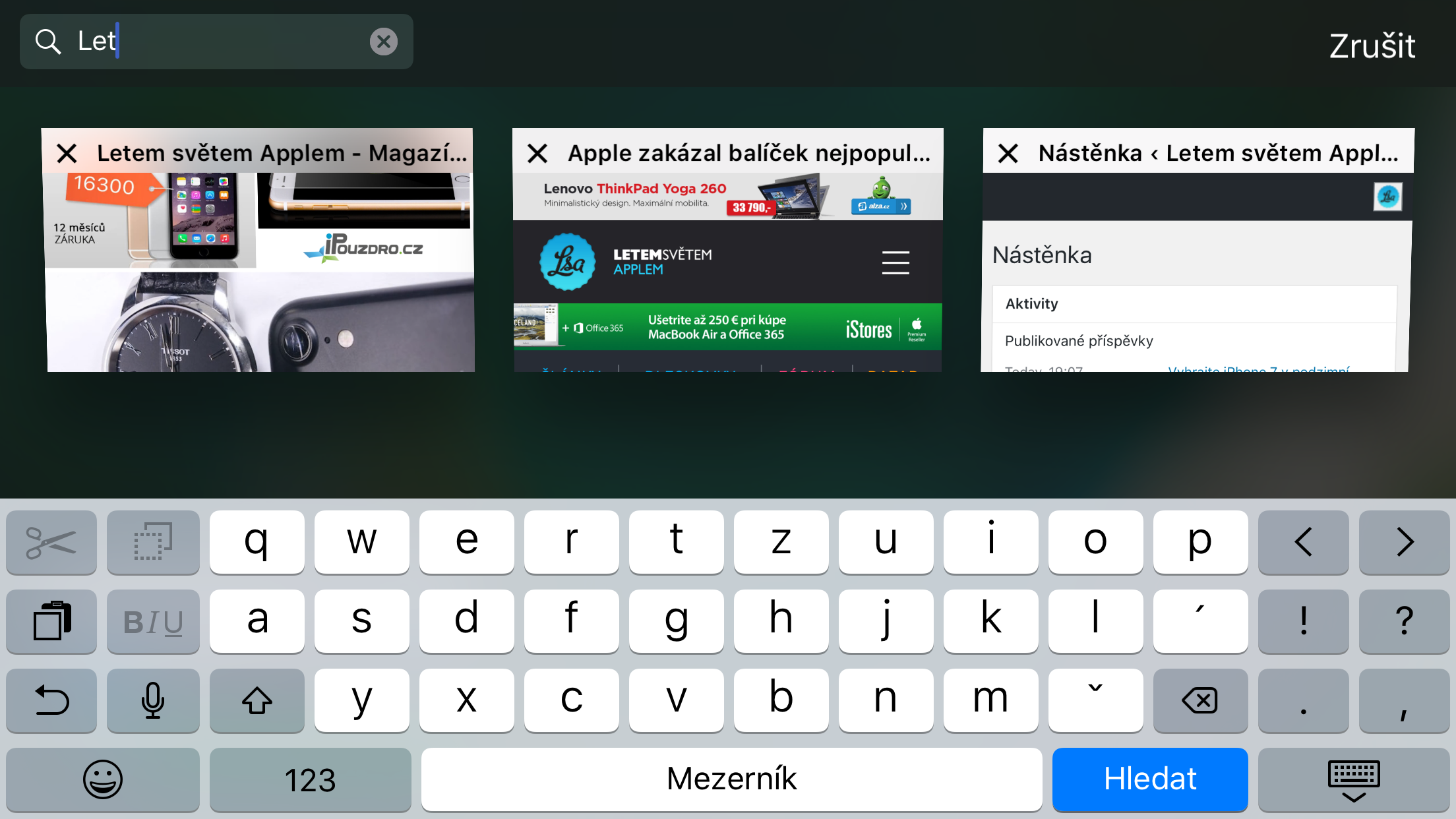
- Click on the search box in the upper left corner and enter the desired name to search. Matching pages will be displayed immediately.
If you're having trouble, make sure you have rotation lock turned off on your iPhone or iPod Touch. If you're having trouble iPhone If you can't rotate to landscape, you probably have the lock turned on. Pro To turn it off, swipe up from the bottom of the screen to open the Control Center. There you will find the option to disable it. The new feature is also only available on the latest major update. iOS 10.
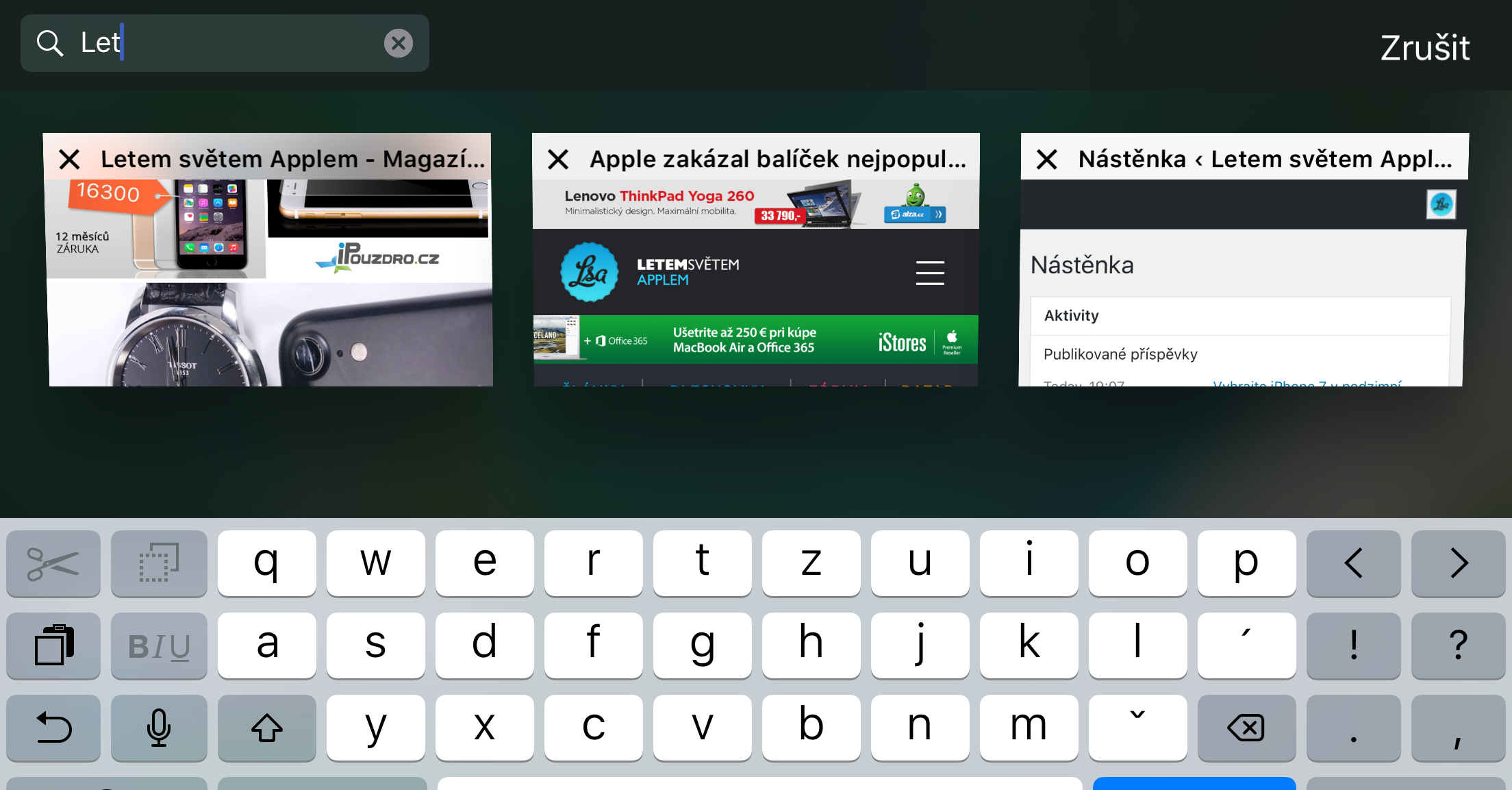
Source: osxdaily








Because I've already experienced various tumblrs in practice, I know that such articles are necessary :).