Komerční sdělení: Most of us collect far more material than we ever manage to use. A research PDF saved to Files, a recorded meeting in Voice Memos, and a dozen links parked in Safari Reading List. All of it holds something worth keeping. None of them is in a form you can present, publish, or send onward without an evening of work.
IvyCraft is a web-based AI workspace built for that step. You upload your own documents, recordings, and links into a project, question them in conversation, then generate finished material from the same library. Presentations, infographics, narrated videos, podcasts, comics, and written documents all come out of the sources you provided rather than out of a blank prompt.
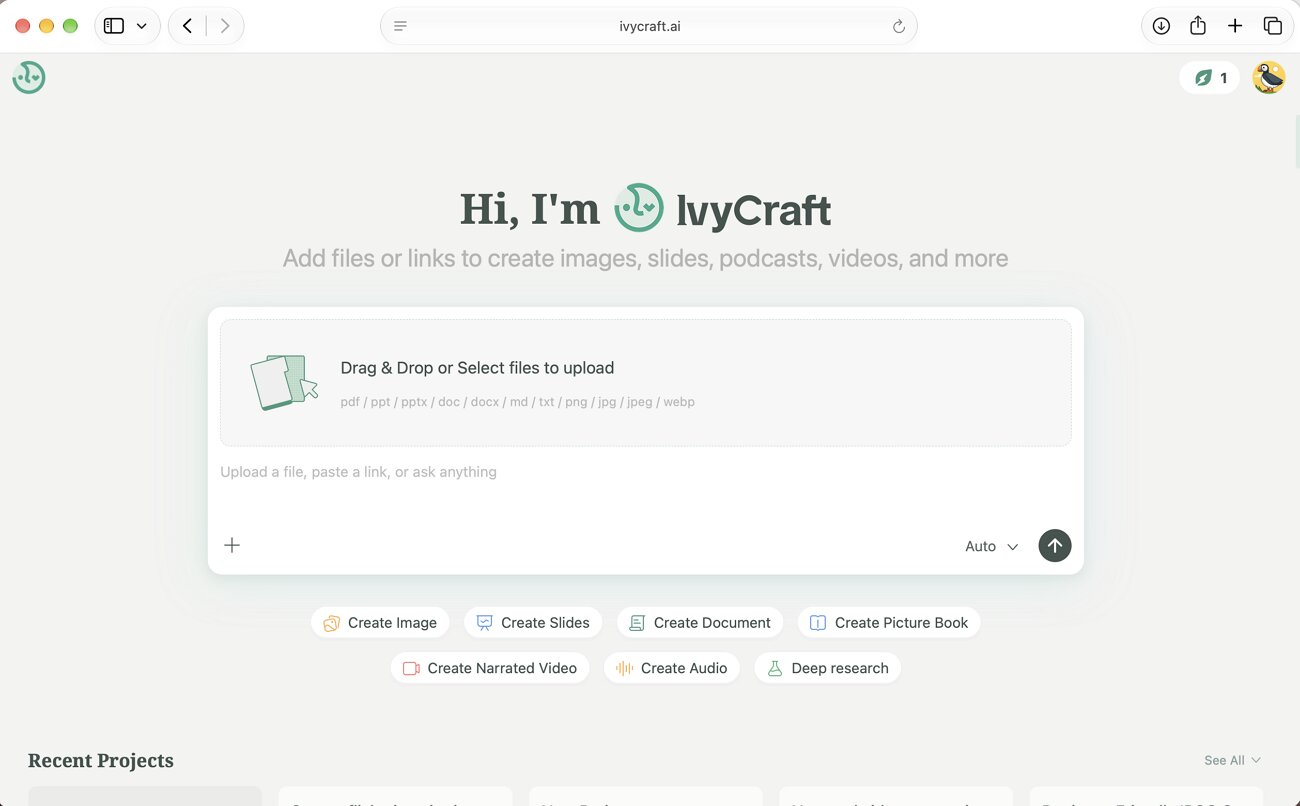
Image alt: ivycraft main interface
For anyone working across Apple devices, the practical detail is that it runs entirely in a browser. Safari opens it on a Mac, an iPad, or an iPhone with nothing to install. Reading on a tablet in the evening and building a deck on a desktop the next morning therefore stay inside one project.
The sections below cover how the workspace handles sources, what it produces from them, and where it saves time against doing the same job by hand.
Why IvyCraft Starts With Your Sources
That source-first design is the clearest difference between IvyCraft and a general-purpose chatbot, and it shapes everything the workspace does afterward. Instead of describing what you want and hoping the model invents something accurate, you hand it material you already trust.
Projects take PDFs, Word documents, PowerPoint files, images, articles, web links, video, and audio. Where a project starts with too little to work from, a “Deep Research” function gathers further material before anything is generated.
IvyCraft describes the underlying method as retrieval-augmented generation, meaning the system reads across every file in a project and answers from what it finds there. The workflow runs in 3 stages:
- Stage 1: Import your materials into a project, so every relevant file sits in one library.
- Stage 2: Question them in conversation. Answers are drawn from your own files, and each one cites the source behind it. Clicking a reference opens the original passage.
- Stage 3: Generate finished content from that same library, with no need to re-upload or re-explain the material.
The citation step is what separates a usable draft from one you have to verify line by line. Tracing a figure back to its original page takes seconds. That matters when the output is going into a report you will be asked to defend.
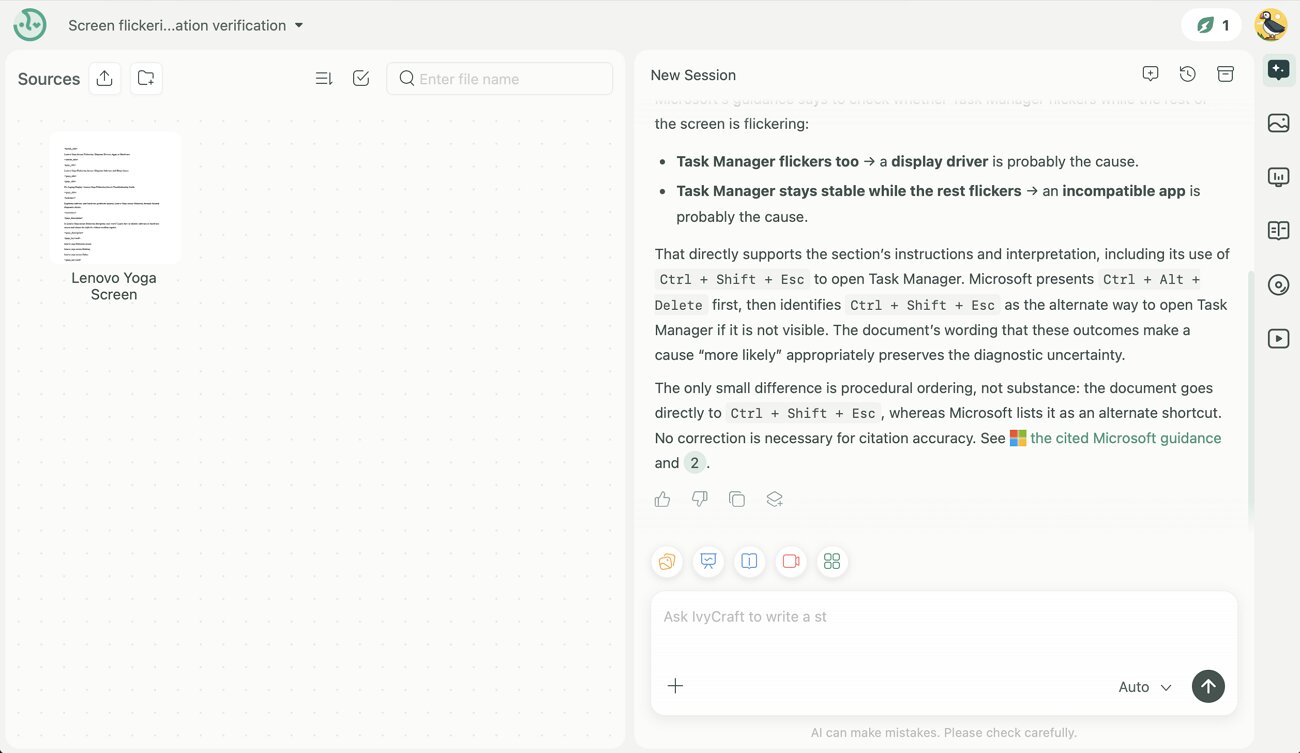
Image alt: performing on ivycraft
What a Single Project Can Produce in IvyCraft
Once sources are added and verified, the same library can support multiple content formats without requiring users to rebuild their research for each project. This shared source base makes it easier to turn existing material into different outputs from one workspace. Available creation formats include:
- Slides and presentations with PPTX export
- Infographics and visual layouts
- Narrated videos and explainer content
- Podcasts and audio briefings
- Comics, picture books, and visual sequences
- Documents, notes, and social content
One research report can therefore become a deck for Monday’s meeting, an infographic for a newsletter, and an audio version for the commute. Each is built from material uploaded once, and each carries the same citations back to the original files.
None of the output is locked once generated. An infographic opens in Edit Mode, where the style switches between formal and playful and the canvas changes between landscape, portrait, and square. Colors, fonts, and the visuals themselves can all be adjusted, then downloaded as a high-resolution PNG.
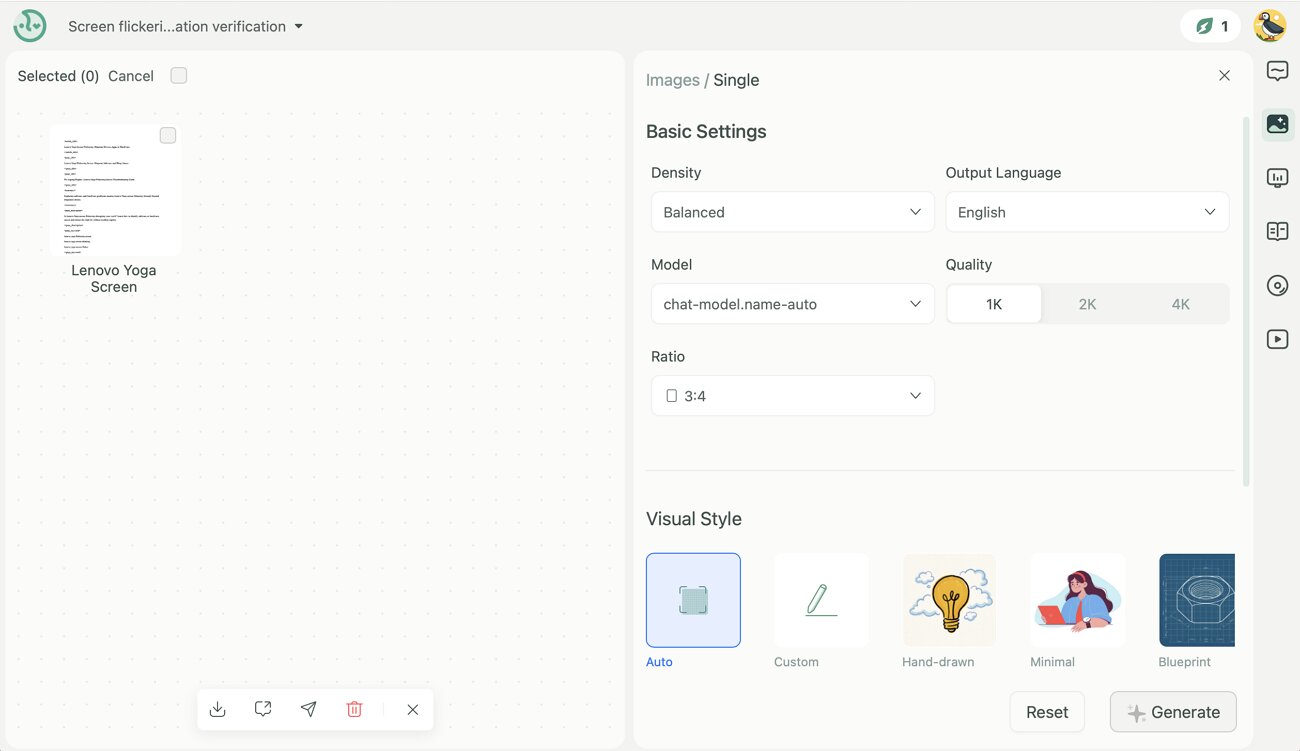
Image alt: edit mode in ivycraft
Where IvyCraft Saves Time Instead of Manual Work
These consistent outputs highlight the real comparison. It is not IvyCraft against another AI tool, but against how most people create content today. The manual process is not necessarily difficult, but it often involves repeating the same work.
You read the document, summarize it in Notes, rebuild that summary in Keynote, then design something separate for social media. At every stage, you check the wording back against the original file, because nothing carries the reference with it. The following details explain why the workspace version costs less time:
- Generated content remains connected to its sources, making it easier to verify claims through citations without searching the original documents again.
- Each project can handle a large source library, with paid plans supporting up to 100 documents within a single project.
- Users retain commercial rights to their generated content. IvyCraft states that this includes videos, presentations, images, podcasts, and other created materials.
- Uploaded files remain within the user’s workspace. IvyCraft also states that personal and business data is not used to train its underlying AI models.
IvyCraft names 3 groups it is designed around, and each maps to a familiar task. Students and researchers reviewing academic papers, professionals preparing slides or summarizing meetings, and content creators repurposing long material into shorter formats.
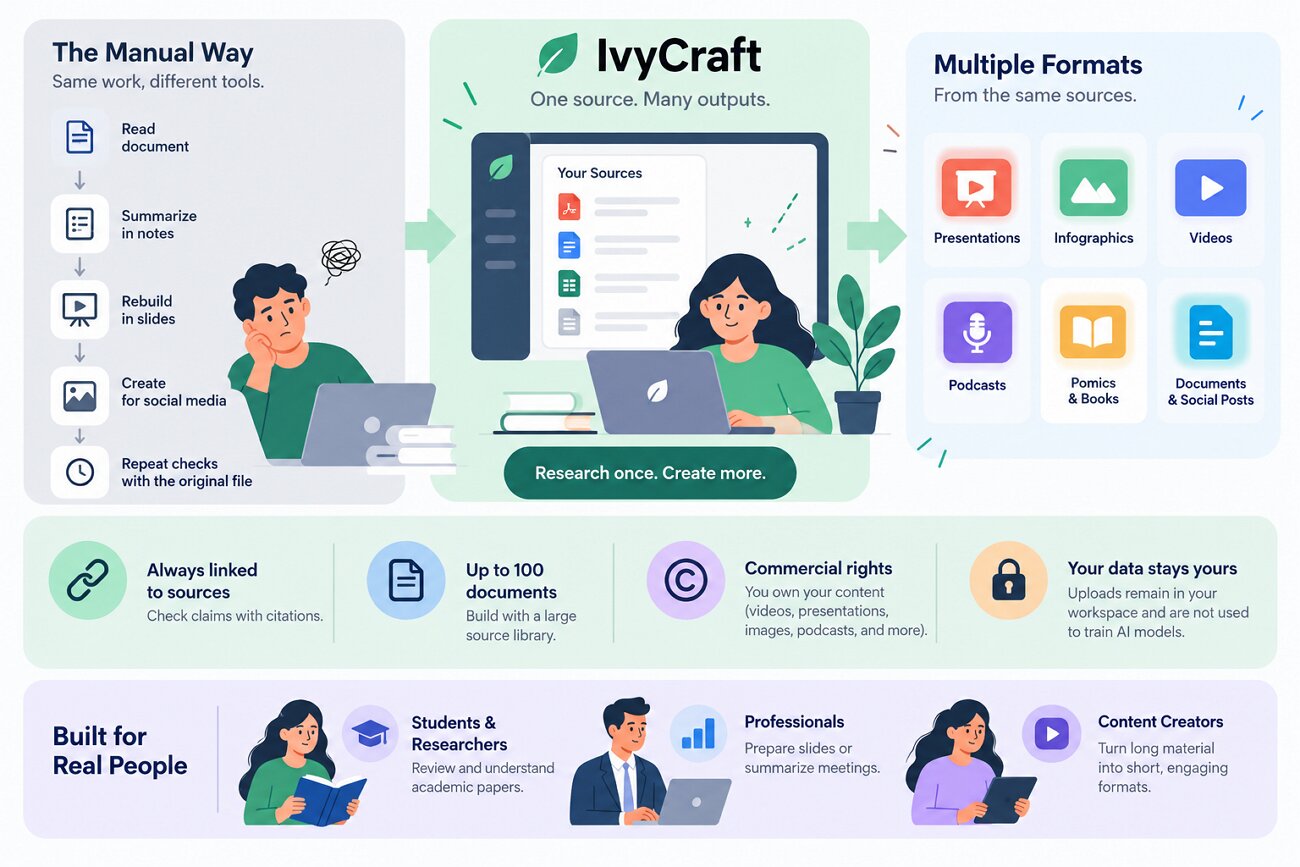
Image alt: how ivycraft excels
Try IvyCraft on Your Own Files
Those use cases are easier to judge with a document of your own than with a feature list. Output quality depends heavily on source quality. A report you have been meaning to summarize, or a recording you never wrote up, makes a fair first test.
Registration is free, and new accounts start with 1,000 credits. Exports on the free tier carry a trial watermark, which is worth knowing before planning anything for publication. You can create an account and work through your own material at ivycraft.ai.