The iPhone's alarm clock is one of those features that you often control before you even have time to wake up in the morning, so any change to its controls can be surprisingly noticeable. Apple in the present iOS uses a swipe gesture to completely turn off a ringing alarm on the lock screen, while snoozing it still requires just a tap. The idea is likely to reduce the risk of accidentally turning off the alarm while half asleep instead of snoozing it.
You might be interested in
However, not everyone will like the new controls. If you are used to the classic button tap or simply find it more comfortable than sliding a control element across the display, iOS allows you to return to the original control method. The setting is a bit hidden because you can't find it directly in the Clock app.
How to return to turning off the alarm with one tap
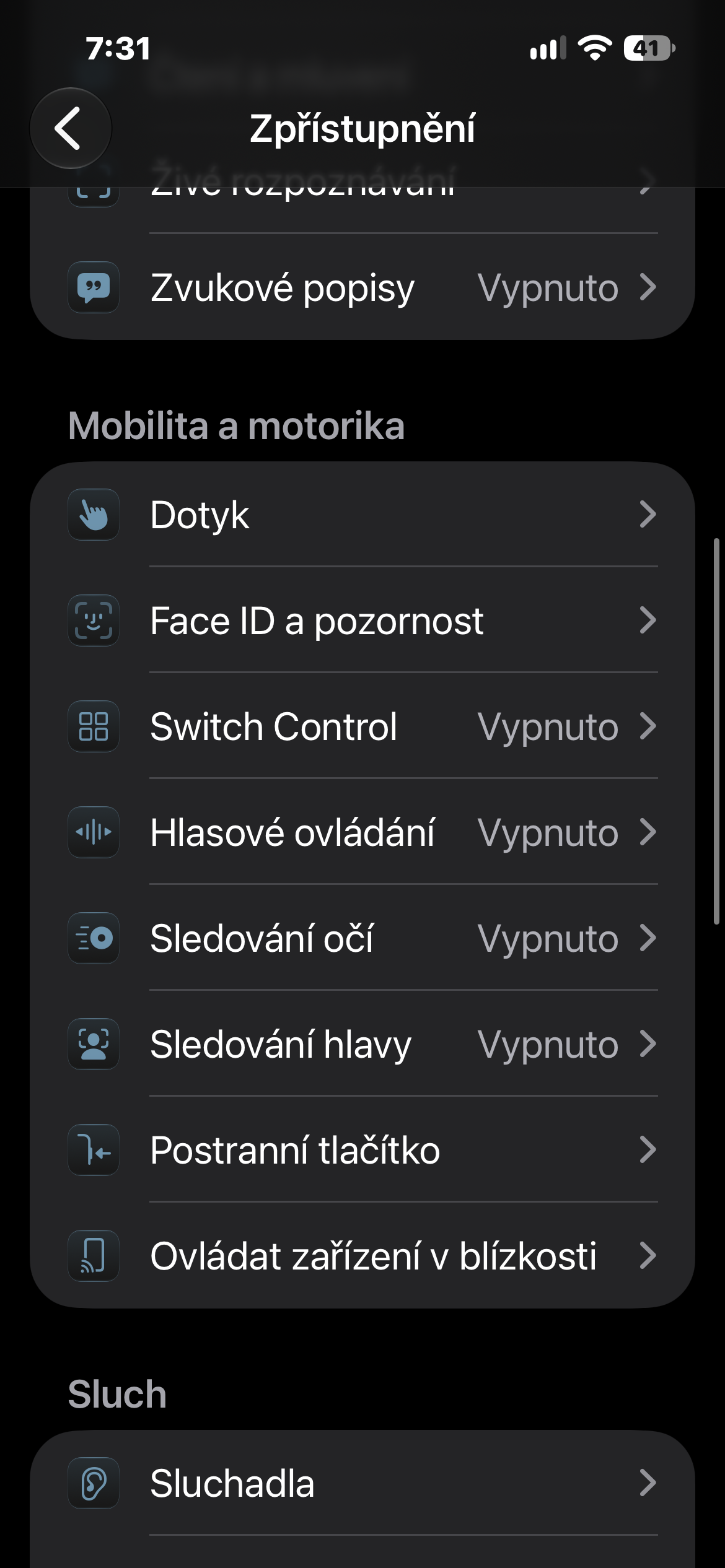
On your iPhone, open Settings and head to Accessibility. Under Motion & Motor, tap Touch and scroll to the bottom of the menu. Turn on Prefer Single Touch. The change will take effect the next time you set your alarm, and instead of using a swipe gesture, you'll be able to end it with a simple tap.
However, it's worth noting that this is not a setting specific to the Clock app. It's part of Accessibility, which generally prioritizes simpler one-touch actions where the system supports them.
Gallery
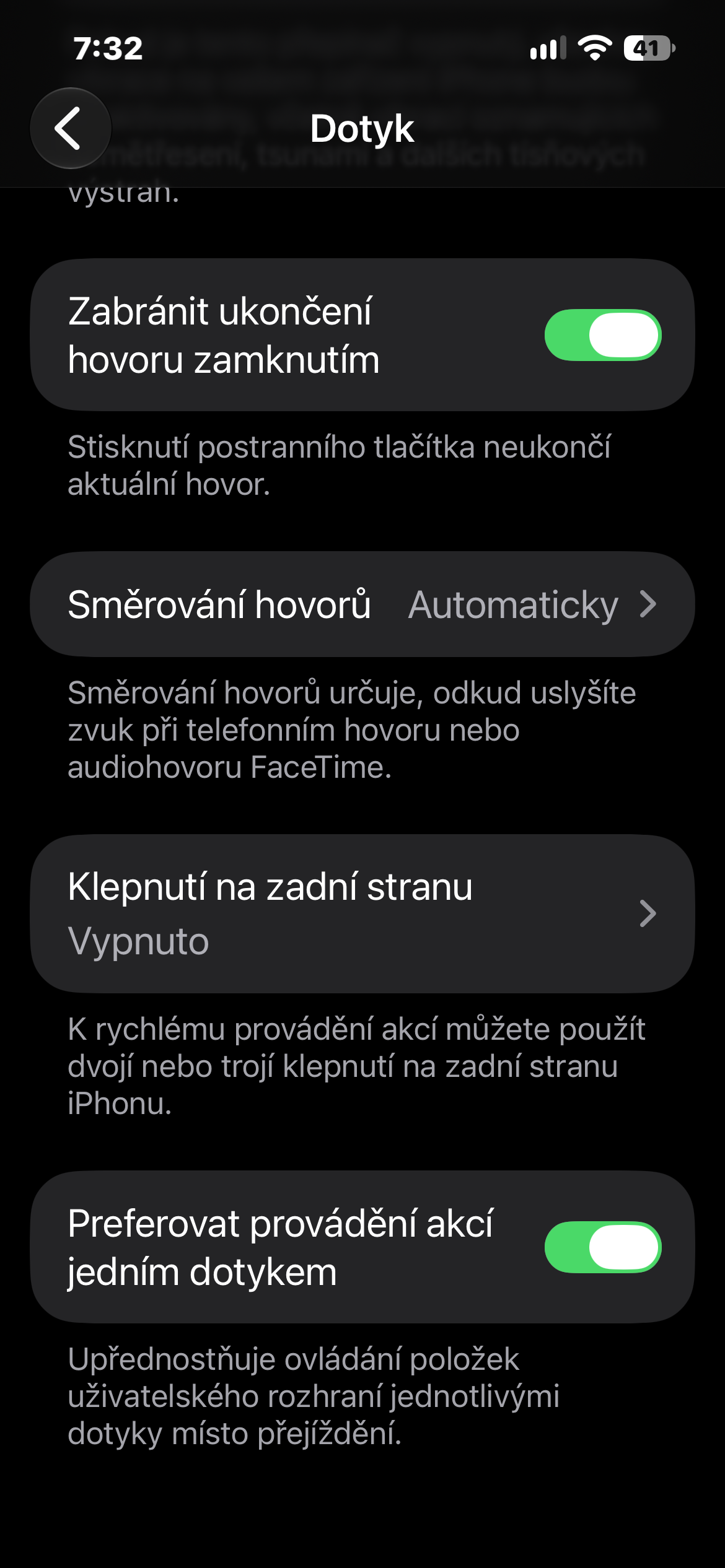
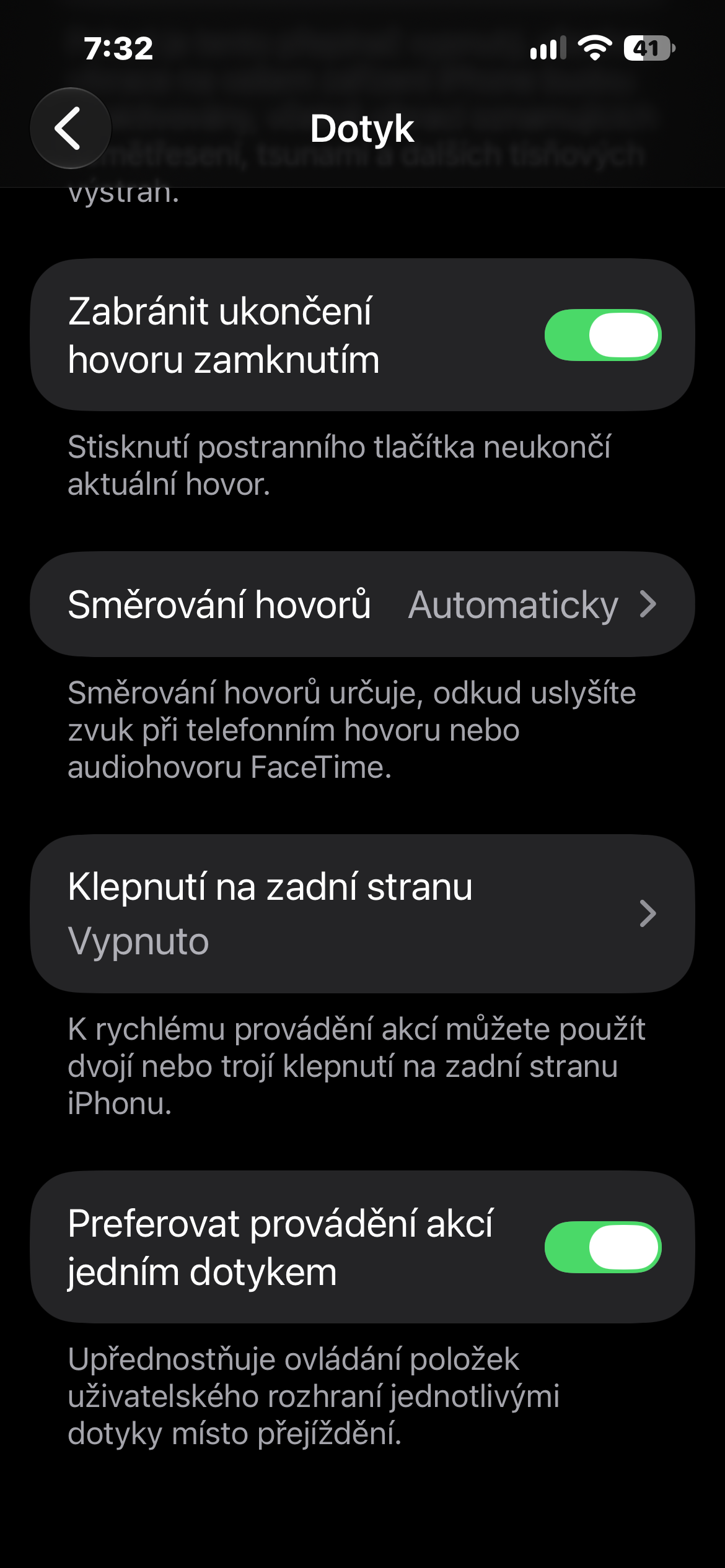
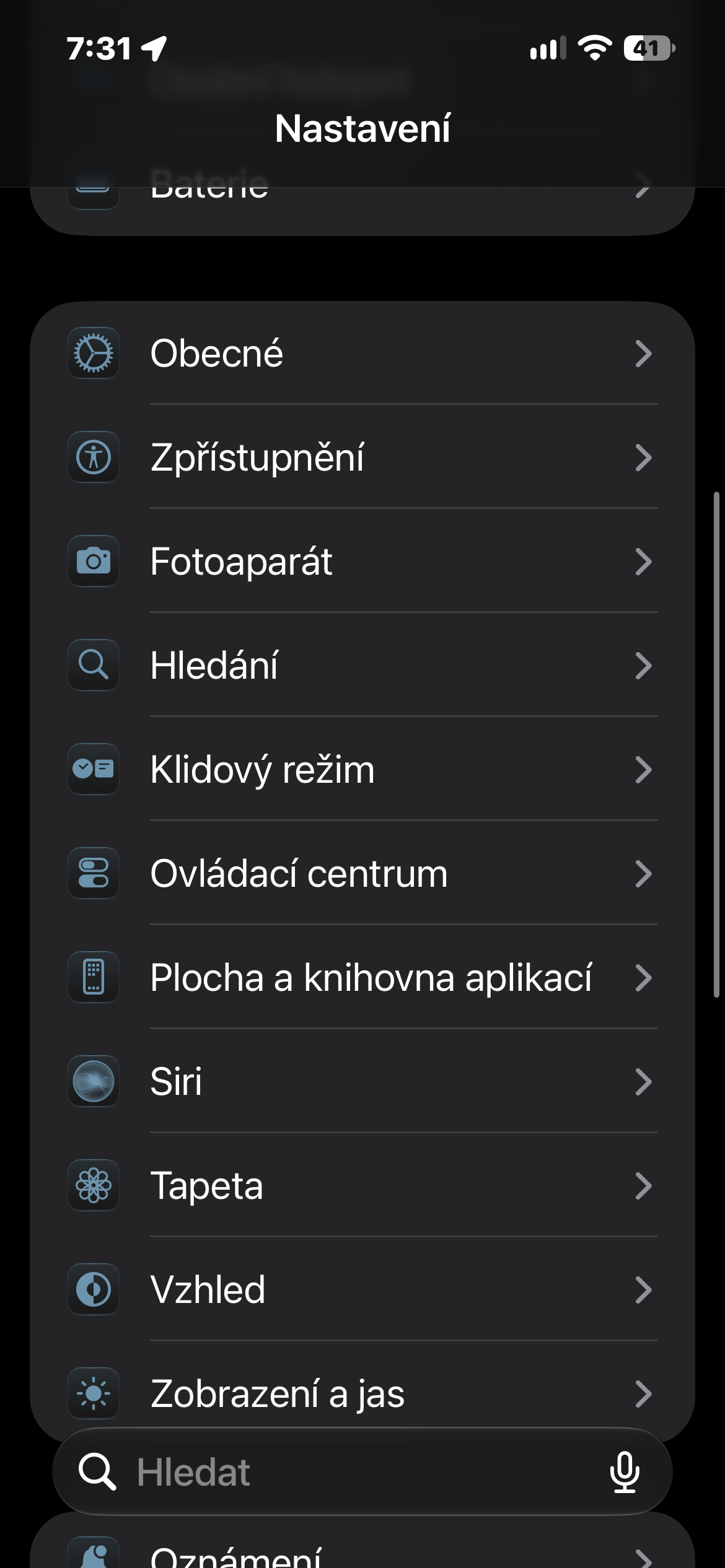
If after a few tries you find that the swipe gesture suits you better – for example, because it's harder to accidentally turn off the alarm – just go back to Settings → Accessibility → Touch and disable the Prefer single-touch actions option again.