There are features that, when they arrive, make you wonder why they weren't on the iPhone a long time ago. One of the subtle but very practical new features falls into this category. iOS 27. Apple namely tooneIt allows you to set the volume of classic alarms and timers independently of the ringtone volume.
You might be interested in
Until now, the two values were linked. So if you lowered the ringer volume in the evening, you also lowered the regular alarm. In practice, this was not ideal, because in the morning you could find that the alarm had rung, but much quieter than expected.
V iOS 27 this restriction is lifted. Apple added a separate setting that allows alarms and timers to be completely separated from the ringtone volume.
How to set your own alarm volume
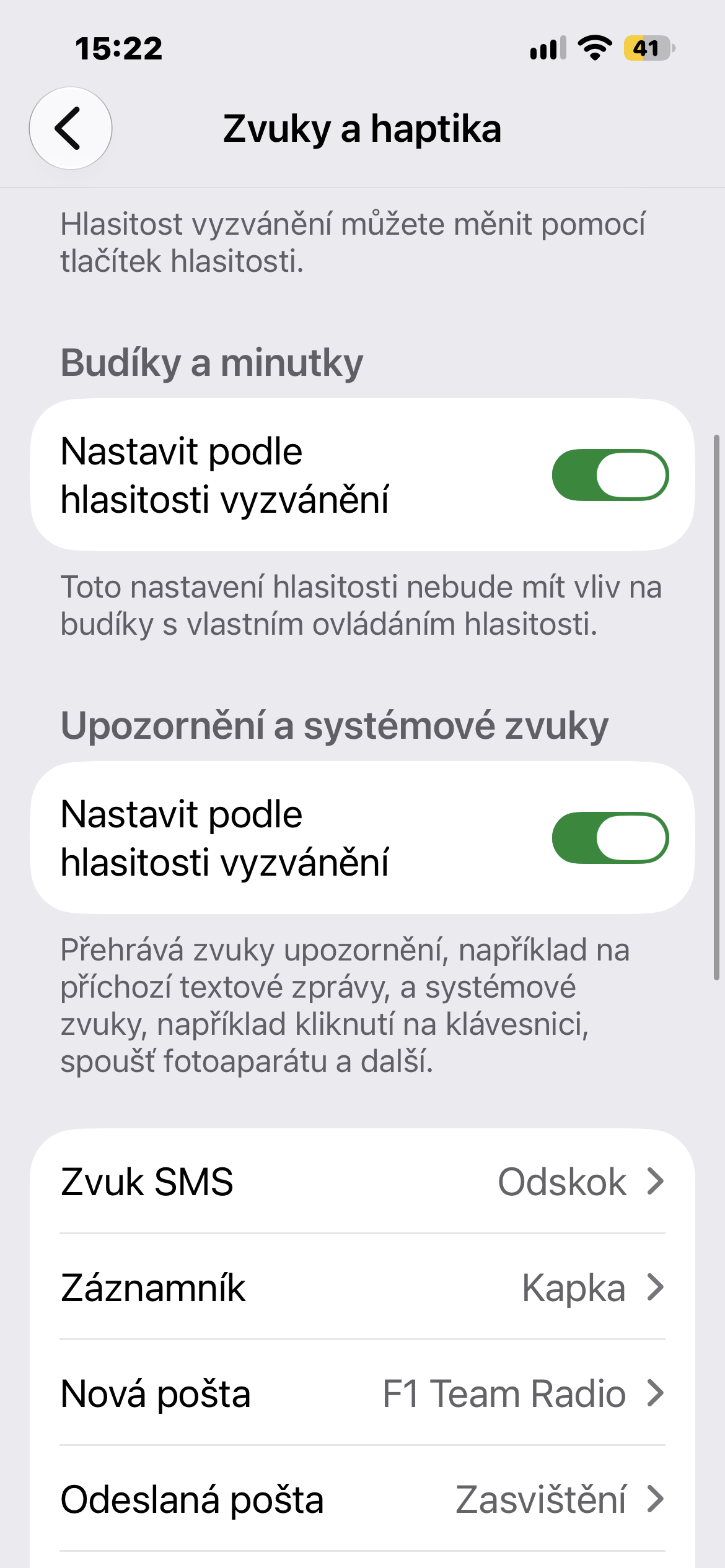
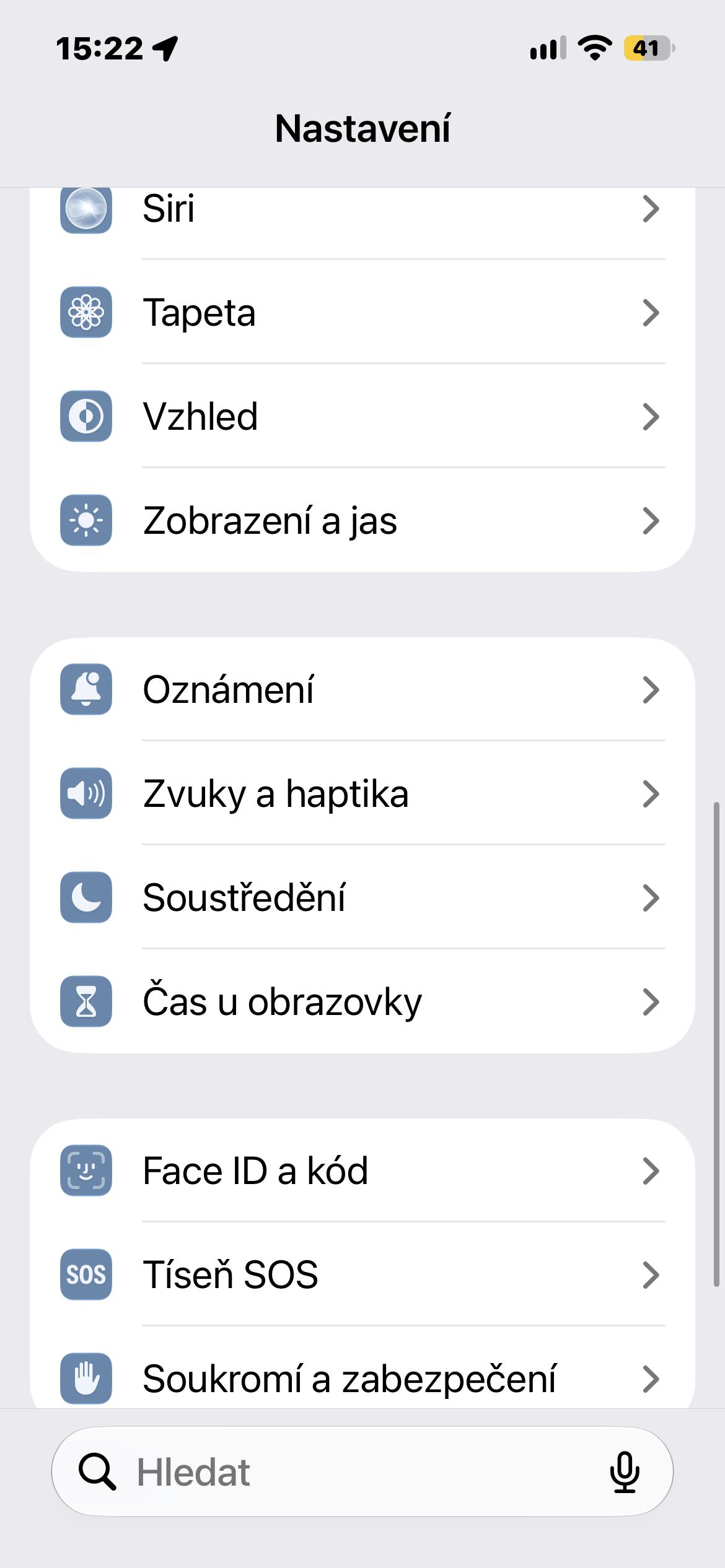
Open Settings on your iPhone and go to Sounds & Haptics. Here you'll find a new section dedicated to alarms and timers.
Turn off Match Ringt optionone Volume, i.e. adjusting the ringtone volume. Once you do this, a separate slider will appear, allowing you to set the volume of alarms and timers independently of incoming calls.
From now on, you can change the ringtone volume without affecting the alarm in any way. Likewise, you canonechat loud calls and set the alarm volume to a much quieter level.
An exception is alarm clocks that already have their own separate volume settings. This applies, for example, to a wake-up alarm connected to a sleep schedule. The individually set level remains unchanged.
If, on the other hand, you were satisfied with the original way of working, there is no need to change anything. Just ponechat Match Ringt optionone Volume is active and alarms will follow the ringtone volume as before.
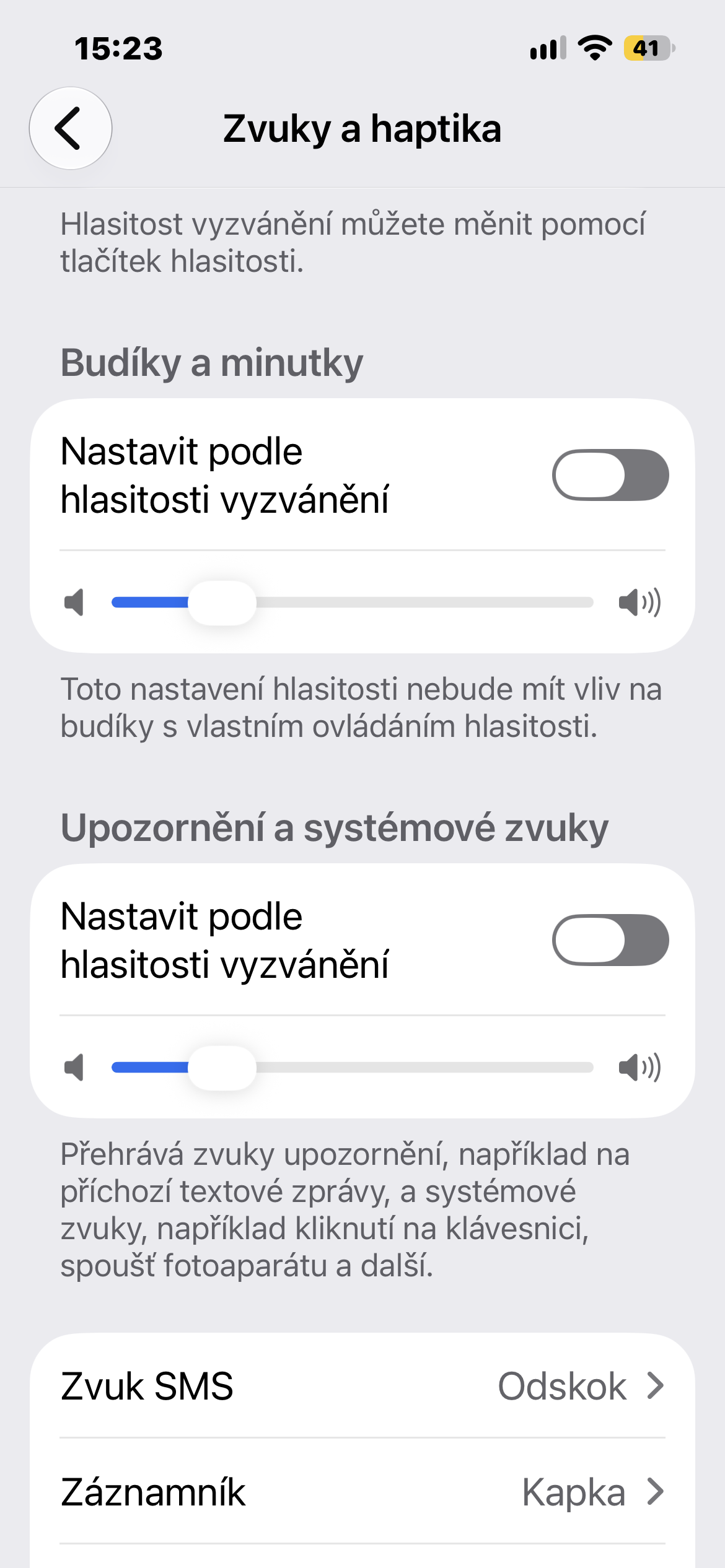
Other system sounds can also be set separately
Apple is v iOS 27 didn't just stop at alarms. The Sounds & Haptics section also added a similar option for notifications and other system sounds.
After disabling their connection to the ringtone, another separate slider appears. Thanks to this, you can, for example,onechat loud enough for incoming calls, but at the same time quiet down other system sounds.
In the end, it's not a groundbreaking feature that would change the way you use your iPhone. But it's little things like this that are surprisingly pleasant in everyday use. And the ability to separate the alarm volume from the ringtone is something that users have been waiting for for a really long time. iOS 27 is now available as the final update for supported iPhones.