You have installed iOS 27 and you feel like your iPhone's battery is suddenly draining significantly faster than before the update? This doesn't necessarily mean that there's something wrong with your phone.onem or something wrong with the battery. After major updates iOS namely iPhone It runs a number of background tasks for a period of time that can increase power consumption. However, if high power consumption continues for several days, it could be caused by a specific application, a setting change, a system error, or a combination of several factors. That's why we looked at the most common causes of high power consumption after installation iOS 27 and above all, what really makes sense to try.
You might be interested in

iOS 27 battery drains: quick solution
- Give your iPhone at least 24 to 48 hours after updating.
- check the consumption of individual applications in Settings,
- update all applications in App Store,
- reboot iPhone,
- check background activity and location services,
- check the battery condition,
- install the latest available version iOS 27
- If the problem persists, try resetting settings or the next steps below.
1. Higher battery consumption may be normal after an update
The first few hours or even days after installing a major update may iPhone consume more power than usual. The system may re-index photos and files in the background, analyze content for search, synchronize data with iCloudor optimize applications for the new system version. Some of these processes occur without significant user notification and may increase phone heating and battery consumption. If you iOS 27 was installed only a few hours ago, so don't jump to conclusions about battery life just yet. Give the phone at least one to two days of normal use.
2. Check which app is really draining your battery
Open Settings → Battery and look at the usage summary for the last 24 hours and the previous few days. If an app is suddenly using an unusually large amount of battery, the problem may not be directly related to the app. iOS 27. For example, an application may not be perfectly optimized for a new version of the system. Background activity is also important. If an application runs for a long time without you actively using it, it can have a significant impact on battery life.
3. Update apps
After a major update is released iOS developers often release new versions of their applications optimized for the current system. Open App Store, go to your profile and check for available updates. If the problem is caused by a bug in a specific app, updating it may be the easiest solution.
You might be interested in
4. Restart iPhone
It sounds simple, but a simple restart of your phone can resolve some processes that were left running incorrectly in the background after the update. If your phone freezes after installation iOS 27 heats up significantly or the battery drains quickly for no apparent reason, a restart is one of the first steps we would try.
5. Check apps running in the background
In Settings → General → Background App Refresh, you can control which apps are allowed to refresh content even when you're not actively using them. You don't have to automatically turn the feature off completely. It makes sense to limit it mainly for apps that don't need any background activity.
6. Check Location Services
Another common source of higher consumption is GPS and location usage by apps. Go to Settings → Privacy & Security → Location Services to see which apps have access to your location. For most apps, the “While Using App” setting is a better option than allowing permanent access in the background.
7. Check the battery health
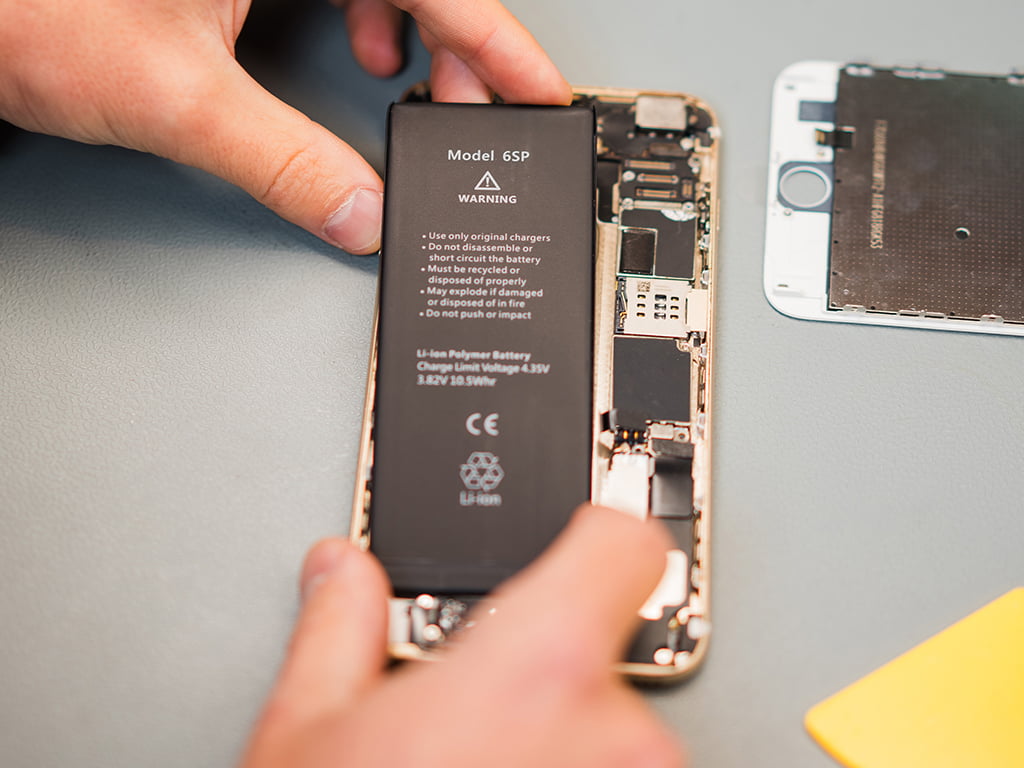
Sometimes a major system update just highlights a problem that already existed on your phone. If your phone has iPhone several years old and its battery is significantly worn out, it may not be the main culprit iOS 27. You can find the battery health in Settings → Battery → Battery health & charging. Significantly reduced maxMinimum capacity means that the battery can no longer hold the same amount of energy as when the phone was new.
When is higher consumption no longer normal?
If your battery drains significantly faster for a few days after an update, your phone is unusually hot during normal use, or it loses a lot of power overnight, it's time to troubleshoot the issue further. Always check the battery usage overview in Settings first. This will often show whether the problem is system-wide or caused by a specific app.
Will low power mode help?
Yes, but consider it more of a temporary solution. Low Power Mode limits some background processes, automatic downloads, visual effects, and other system activities. If you need to extend your battery life during the day, it can be a big help. However, if you have to use it constantly just to keep your phone going after an update, it's better to look for the real cause of the problem.
It makes sense to turn it off Always-On Display?
On supported models, turning off the Always-On display to save some energy. If after installation iOS 27 you are dealing with every percentage of battery, you can temporarily disable it and see if the battery life improves. However, disabling this feature alone will not usually resolve unusually high consumption caused by an app error or system process.
You might be interested in
It makes sense to restore iPhone to factory settings?
As a last resort. If the high consumption persists, the system and applications are up to date, and the battery overview does not show a clear culprit, a reset or, in extreme cases, a clean installation of the system may help. Always create a complete backup of important data before taking this step.
iOS 27 and battery
Higher battery consumption shortly after installation iOS 27 may not be a reason to panic. After a major update, the system takes some time to complete optimizations, synchronizations, and other background processes. If the battery life stabilizes within a day or two, you probably don't need to worry. However, if the battery drains significantly faster even after several days, start by checking the consumption of individual applications, updating them, restarting the phone, and setting background processes. After the public release iOS 27 we will continuously update this article according to real user experiences and any errors confirmed Applem. If none of the above options worked, it is worth considering buying a new battery.