
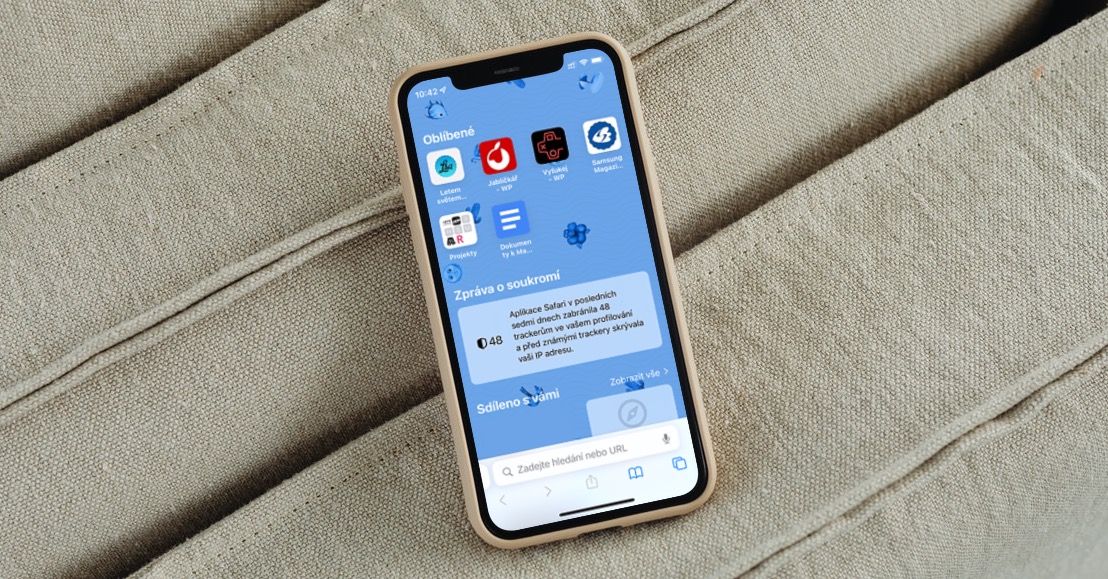
iOS 26 brought a brand new Liquid Glass design to iPhones, transforming the entire system environment. One of the applications where the changes are most noticeable is Safari. Apple has redesigned the toolbar and replaced it with a new compact layout. At first glance, it looks more elegant and frees up space for web content, but many users find that they miss the old features.
You might be interested in
Z Safari The full-fledged bottom bar, which we have known practically since the first iPhone, has disappeared. Many users miss quick access to bookmarks or an overview of all open tabs. These functions are still available via the (…) menu, but they require one unnecessary extra step. If you were used to reaching into the lower right corner of the screen, you will now have to relearn years of experienced movements.
Gestures as a solution?
Apple has added several gestures to the new bar that can partially replace the lost functions. If you want to quickly see all the tabs, just perform a quick swipe up gesture from the compact bar. Pro To open a new tab, you can swipe left, and to switch back, swipe right. Another common obstacle is the missing share icon. If you need to quickly copy a link, just hold your finger on the address bar and the copy or share option will appear.
How in iOS 26 return the old look Safari
If you don't like gestures and don't want to use the compact bar, there's a simple solution. Open Settings > Apps > Safari and in the Panels section, select the Bottom or Top layout. These variaThey take up a little more screen space, but they give you back the familiar comfort of bookmark buttons and tab overview.
Gallery
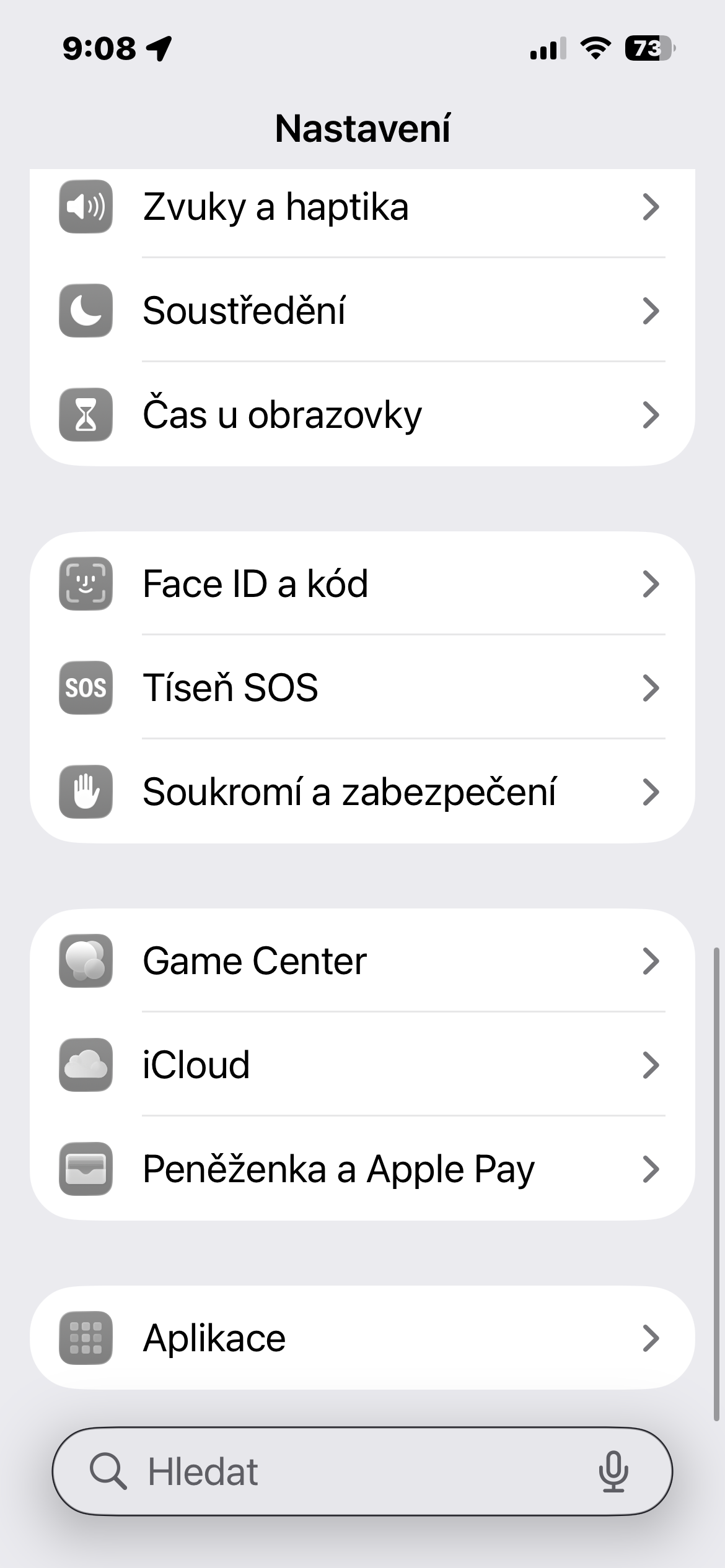
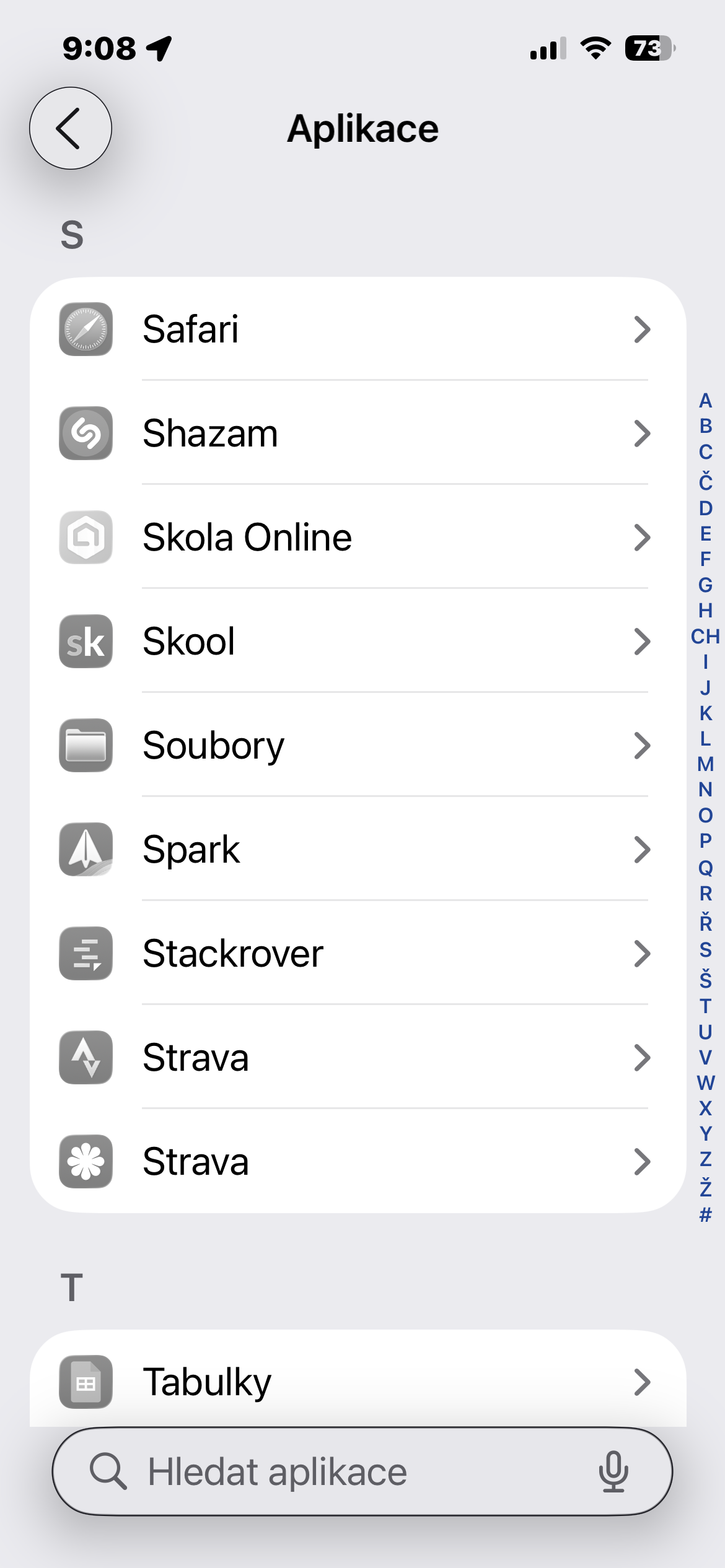
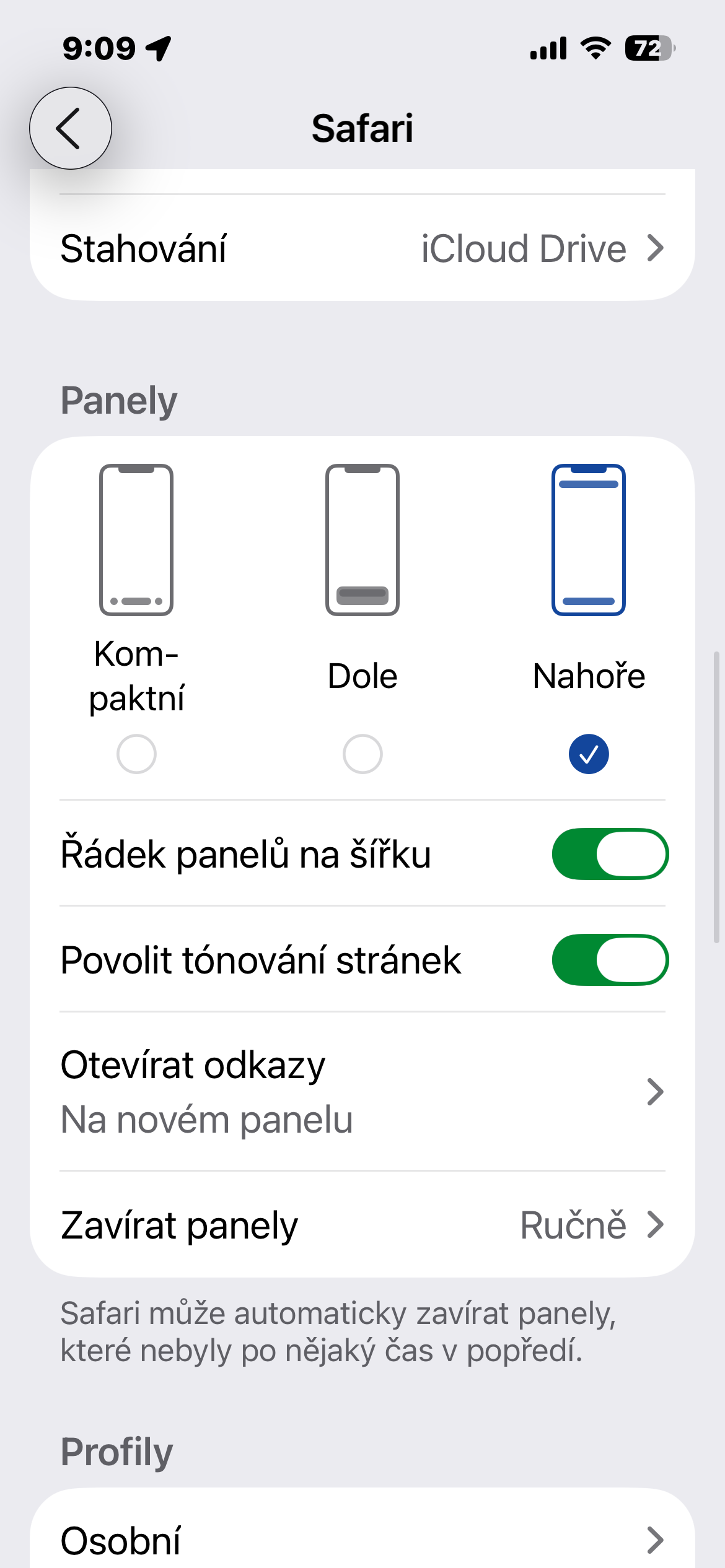
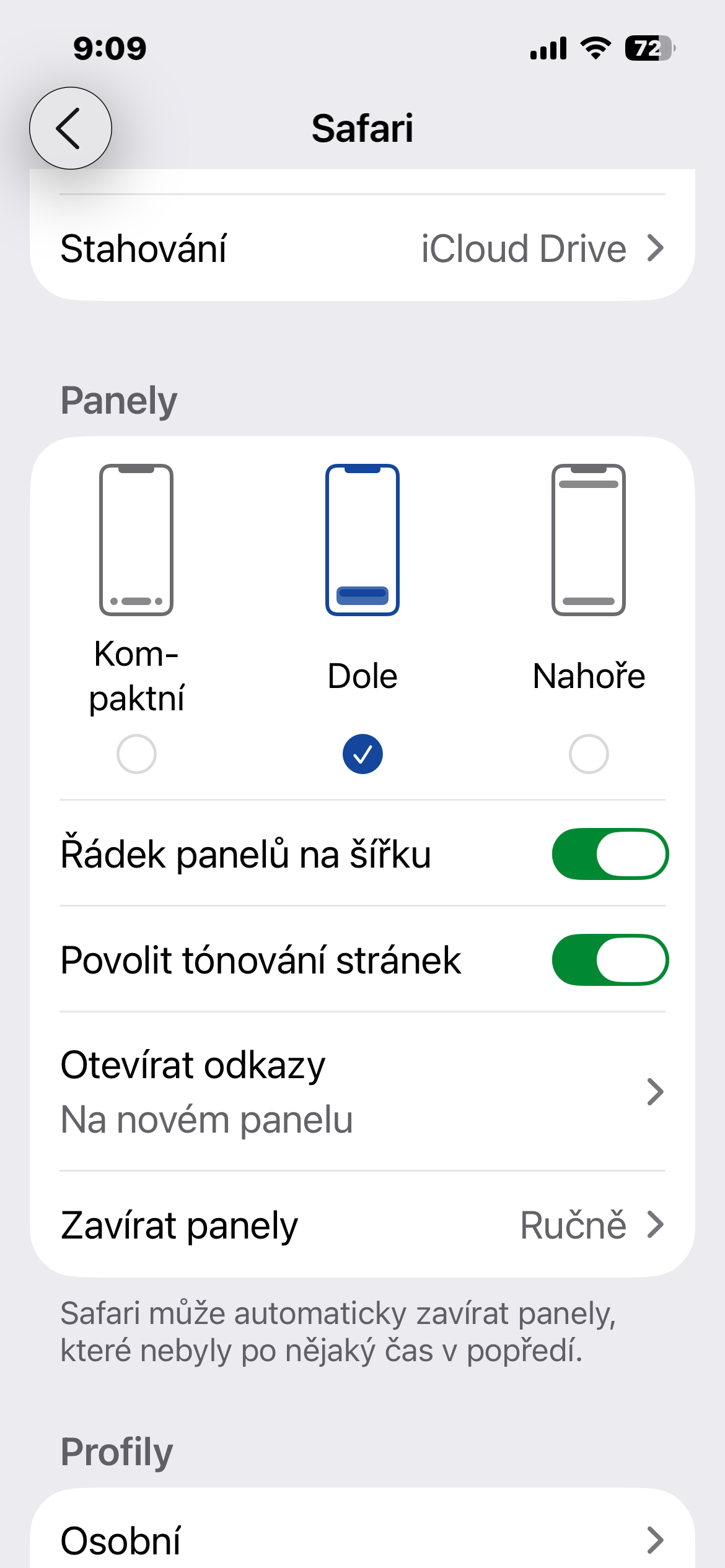
Safari v iOS 26 bet on a new minia minimalist approach that may seem modern, but it prepares users for years of familiar shortcuts. Fortunately Apple left a choice: either learn to use new gestures, or Safari you will return to the form you know from previous versions. In both cases, however, you can customize the system to your liking.

Na iOS Fortunately, you can return it, but unfortunately not on iPad and Mac ☹️