
Pro There are several applications you can use to manage your email inboxes on your iPhone. You can either use the native Mail app or choose one of the many third-party clients. In any case, until now, Mail has been designed for ordinary and undemanding users who just want to access their email and not deal with anything else. So if you wanted to have additional functions available, you had to use a third-party email client. However, it is worth mentioning that in the new iOS 16 added Apple to native Mail several long-awaited features that Apple users have been calling for for a long time, so the previous statement may no longer be entirely true.
You might be interested in
As iPhone set a repeat email reminder
Of course, our magazine covers all the latest news, not just from Mail, so that you can start using it as soon as possible. For example, we have already shown you how to cancel sending an email or how to schedule it. But it doesn't end there, as there is also an option to remind you of an email again. You have certainly found yourself in a situation where you opened an email but didn't have time to pay enough attention to it. While in older versions iOS you would probably forget about it, so in iOS 16 you can set the email to remind you again at a certain time. Just follow these steps:
- First, go to the native app on your iPhone Mail
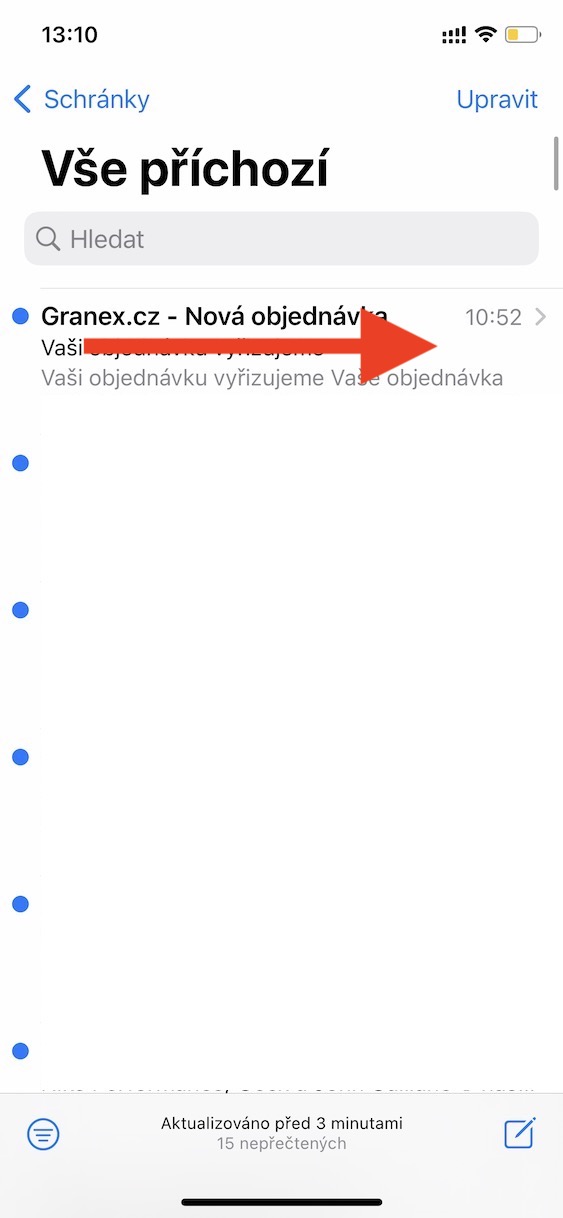
- Once you've done so, you'll be in your inbox emails, find the one you want to remind.
- Following this email swipe from left to right.
- Options will appear that you can tap to select from Later.
- nakonec you just need to go to the menu they chose when to be reminded of the email.
Gallery
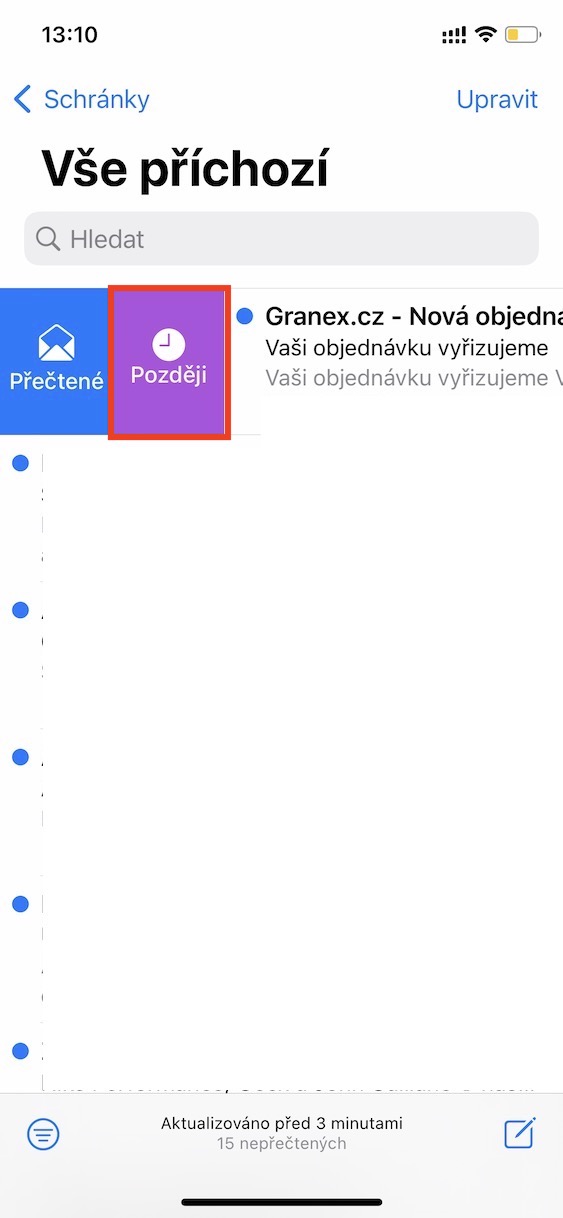
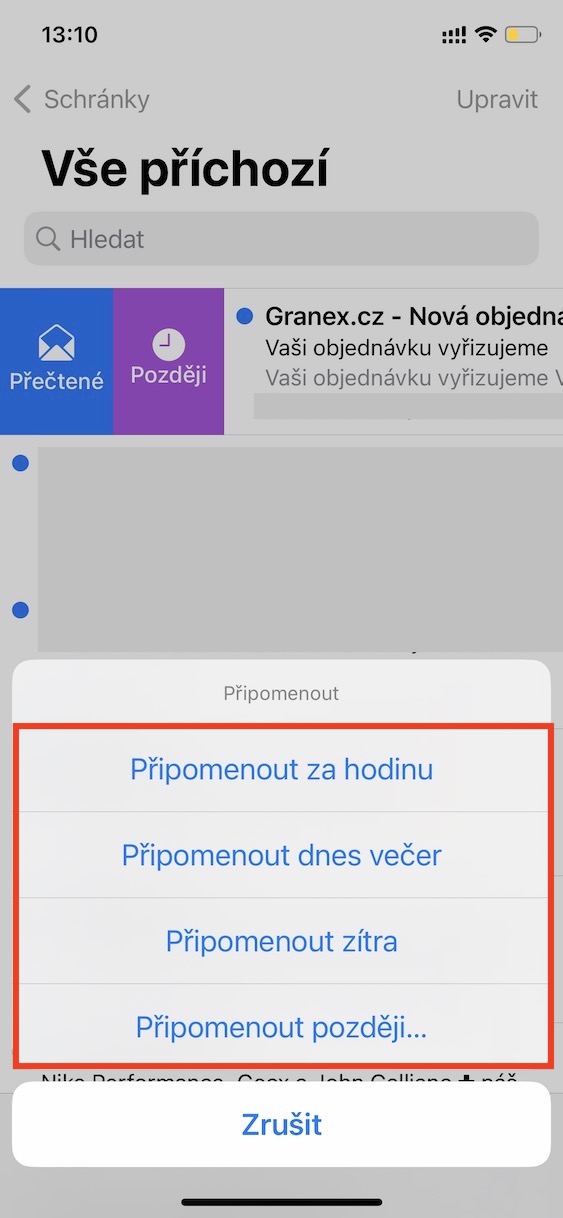
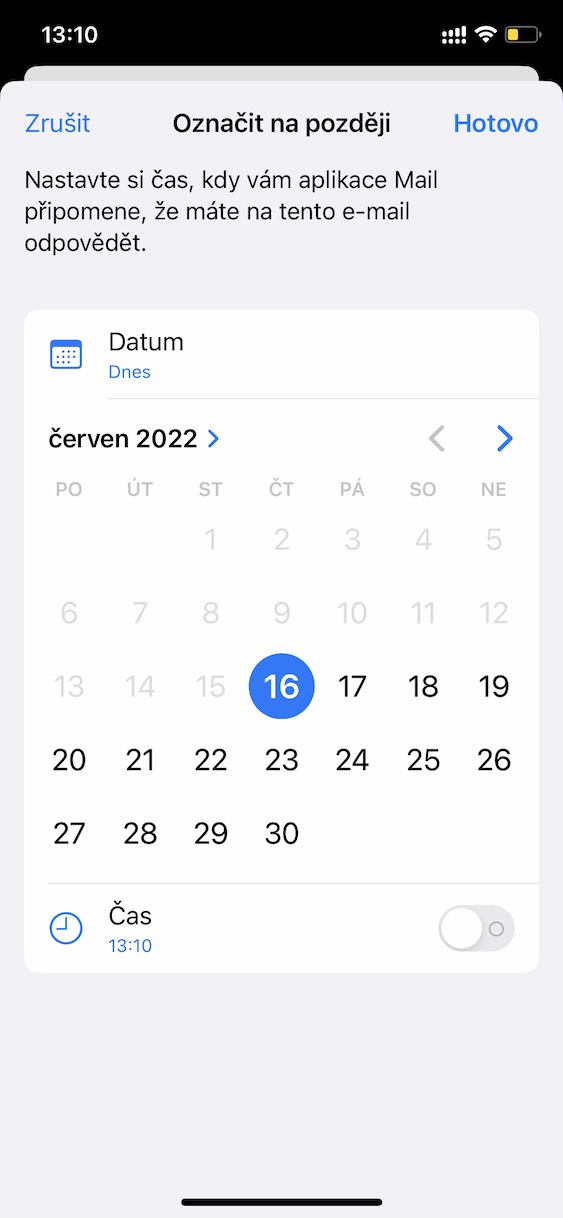
Using the above procedure, it is possible to set a reminder for an email on the iPhone in the native Mail app. Thanks to this, you can now nestYou won't forget it. Once you tap Later, you can choose from three pre-set reminder options: in an hour, tonight or tomorrow. However, you can also tap on Remind me later…, where you can then set the exact time and day when the reminder should occur again. After setting here, don't forget to tap the button in the top right All done.



Great thanks, that will come in handy.