
Operating system iOS and iPadOS 15, macOS 12 Monterey, watchOS 8 and tvOS 15 have been with us for several long months, so as part of beta versions. As for the release of public versions, we can look forward to them soon, which will certainly please every Apple fan. In our magazine, we regularly cover the new features that have been added to the aforementioned systems every day - and it should be noted that there are more than enough of them available. So if you also want to be prepared and know all the new features in advance, or if you have installed beta version and want to try out some of the new features, then keep reading. In this article, we'll take a look at another feature from iOS 15.
You might be interested in
iOS 15: As in Safari restore the original row layout with panels
As I'm sure most of you know, yes Safari within the framework iOS 15 has seen a significant change in the overall design. One of the biggest changes is the move of the top address bar from the top of the screen to the bottom. This is to Safari users to control it better, because on larger iPhonech does not have to reach the very top of the screen with your finger. But it turned out that many users do not like this change and all sorts of criticism began to be leveled at the new design on the Internet. Apple gradually modified the new layout in betas several times, but even then users were not satisfied. If you are one of them, then the good news for you is that in the last beta green iOS 15 you will be given a choice between the original or new layout. You can choose as follows:
- First, you need to have a iOS 15 moved to native app Settings.
- Once you've done that, scroll down and click the box Safari.
- Here, then scroll down again and locate the category Panels.
- Subsequently, here you will find a graphic that illustrates two specific layouts to choose from.
Gallery
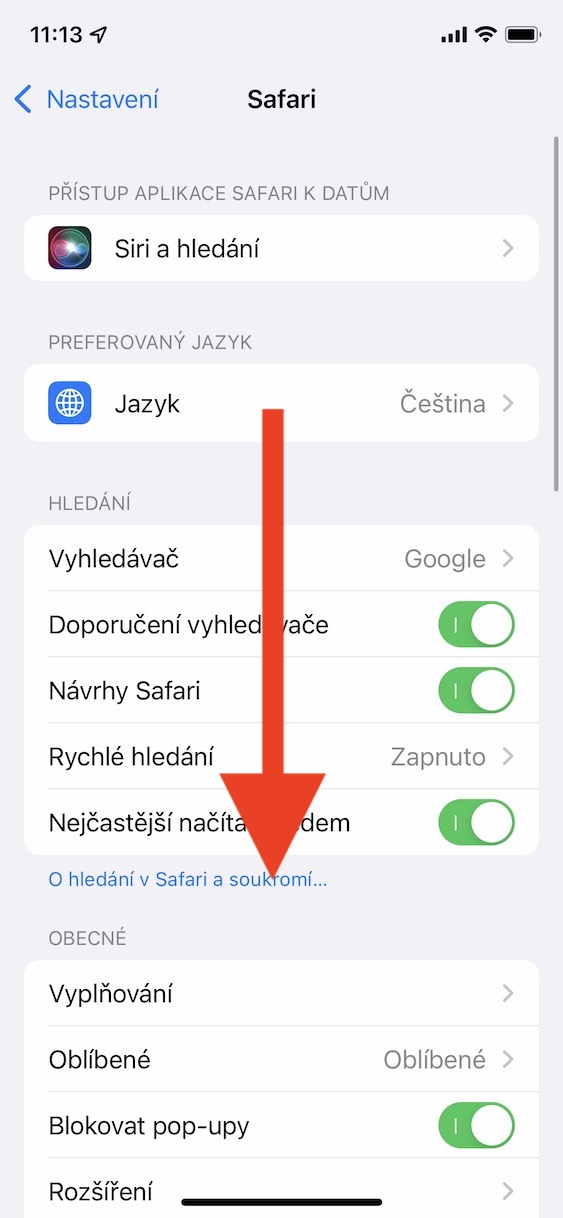
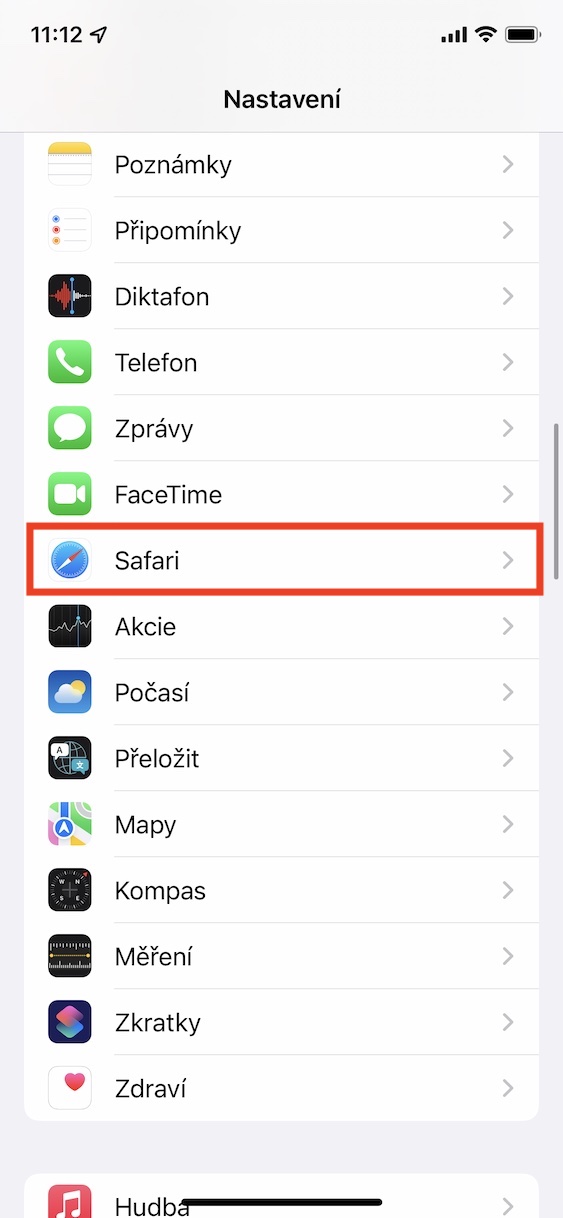
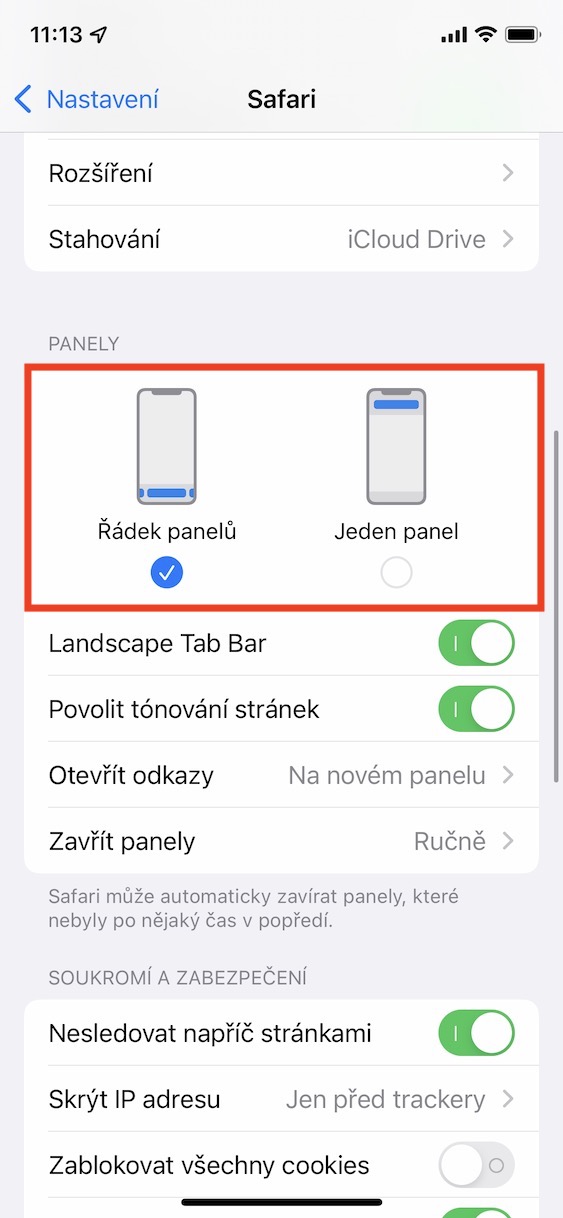
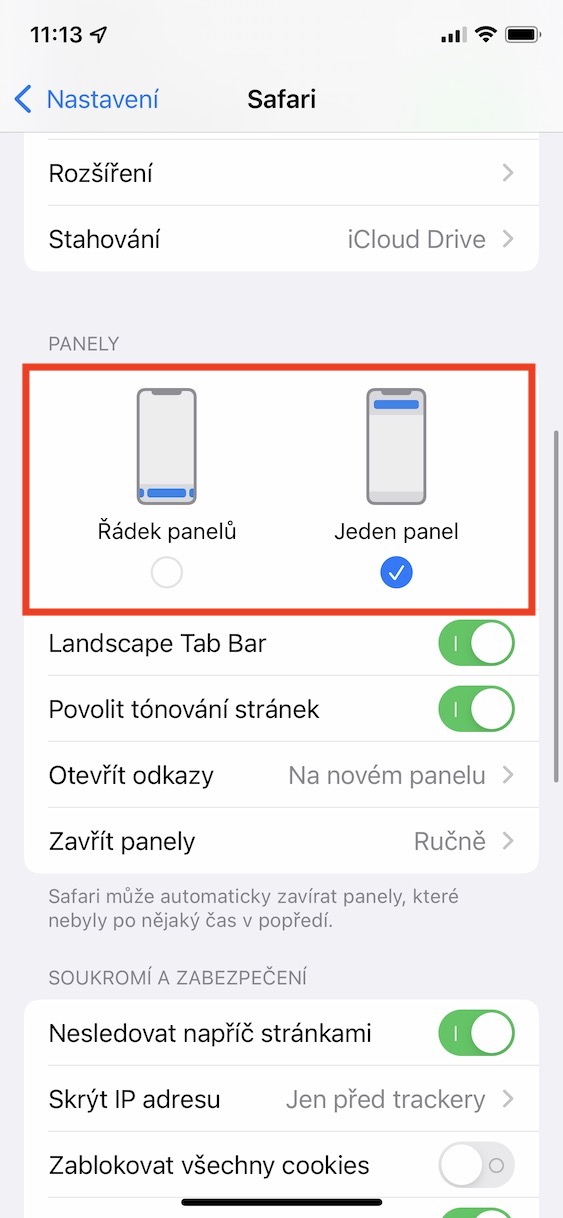


Using the above method, it is therefore possible to Safari v iOS 15 change the layout of the panels. You can choose the option row of panels, that is, a new layout located at the bottom of the screen, which offers several new functions. But if you choose One panel, this will set the original layout of the panels to the upper part. However, you will lose the ability to easily switch between panels. In addition, here you can (de)activate several other functions that have to do with panels.

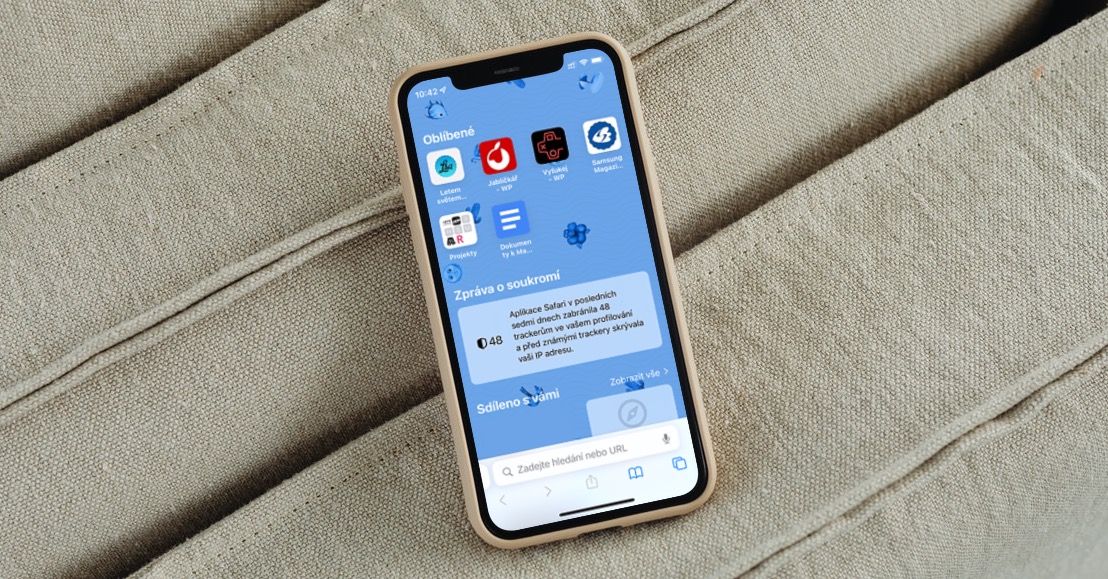








I'm definitely one of them, it was a nice strap - in other applications it was (and will definitely continue to be) mini(a few years ago) a similar line at the top, on the iPad it remained at the top and at safari and only on the iPhone was it at the bottom – i.e. logic. It doesn't even mention access to bookmarks – you had to tap 3 times to get to them….