If your MacBook If you take it everywhere you can, you probably often use a personal hotspot to connect to the Internet. Let's face it, Wi-Fi networks in cafes and other public places are often not very fast and not at all secure. That's why it can come in handy onen hotspot. But how MacBookHow do I tell my computer (or Mac) to automatically connect to this hotspot if there is no known Wi-Fi network nearby? We'll look at that in this article.
You might be interested in

How to set up automatic hotspot connection in macOS
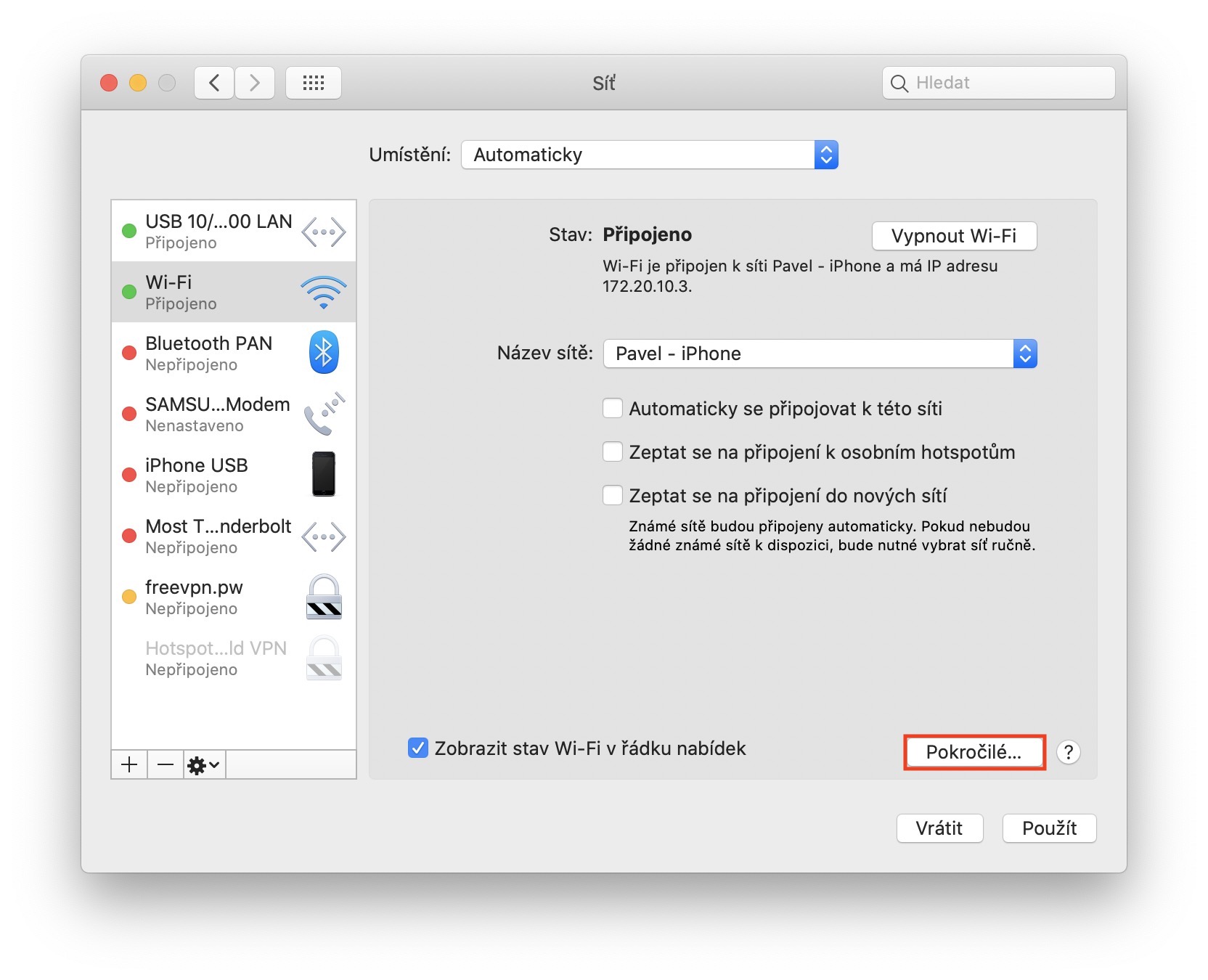
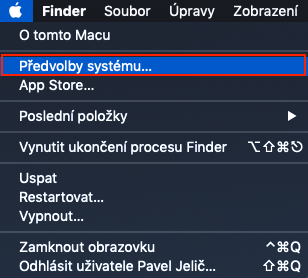
If you want to on your Mac or MacBookTo set up automatic connection to the hotspot, first move your mouse to the upper left corner, where in the top bar click on icon. After clicking on this icon, select an option from the drop-down menu that appears System Preferences… After that, a new window will appear on your screen, in which you will find all the system preferences sections. Here it is necessary that you move to the section named Sew. Once you have done so, move to the box in the left menu Wi-Fi access. Now click open menu next to the text The name of the network and select the one resort of choice. (or another Sew) that you want to connect to automatically. After you select it, all you have to do is go to the menu ticked possibility Connect to this network automaticallyThis will ensure that your Mac or MacBook connect automatically.
Gallery
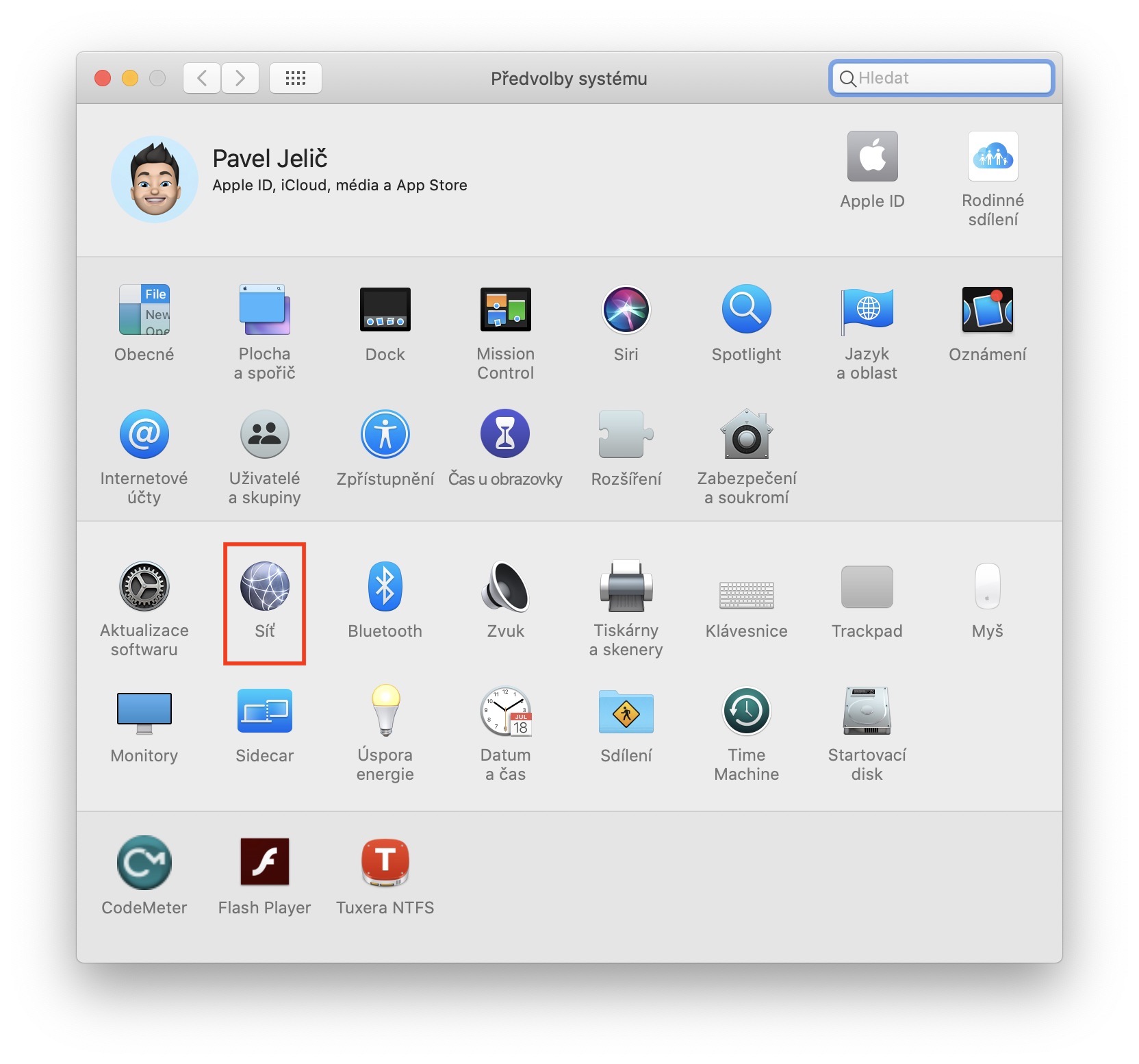
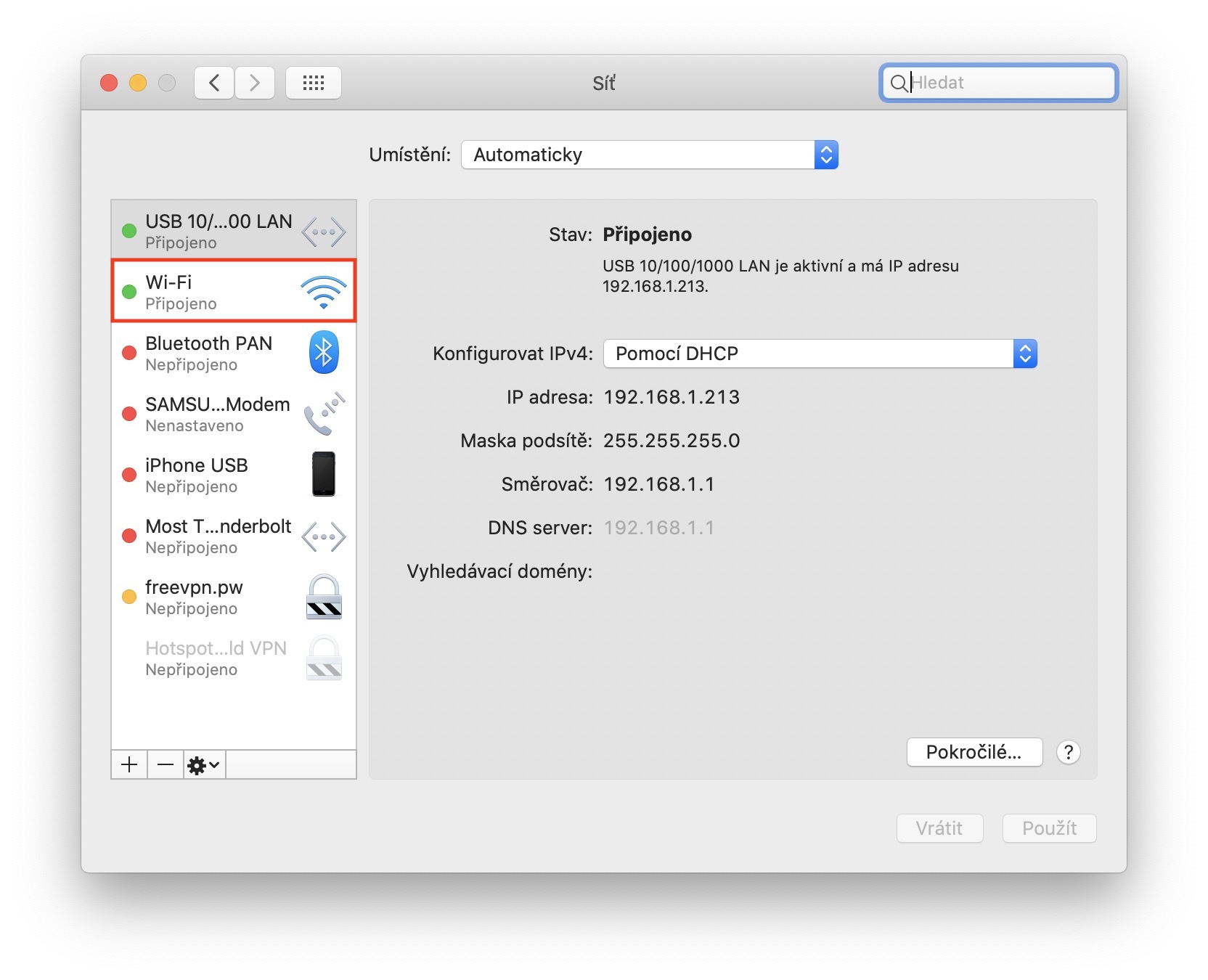
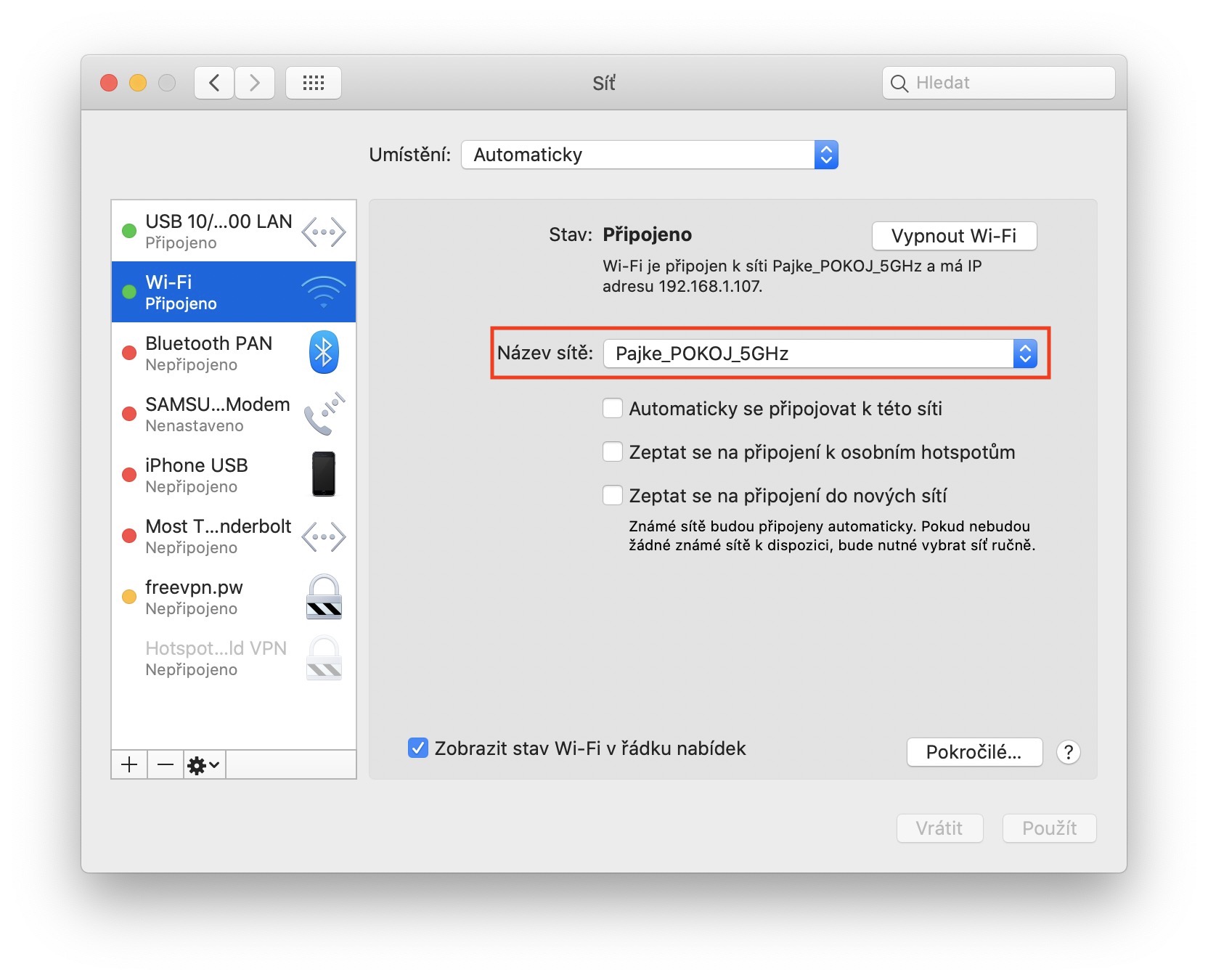
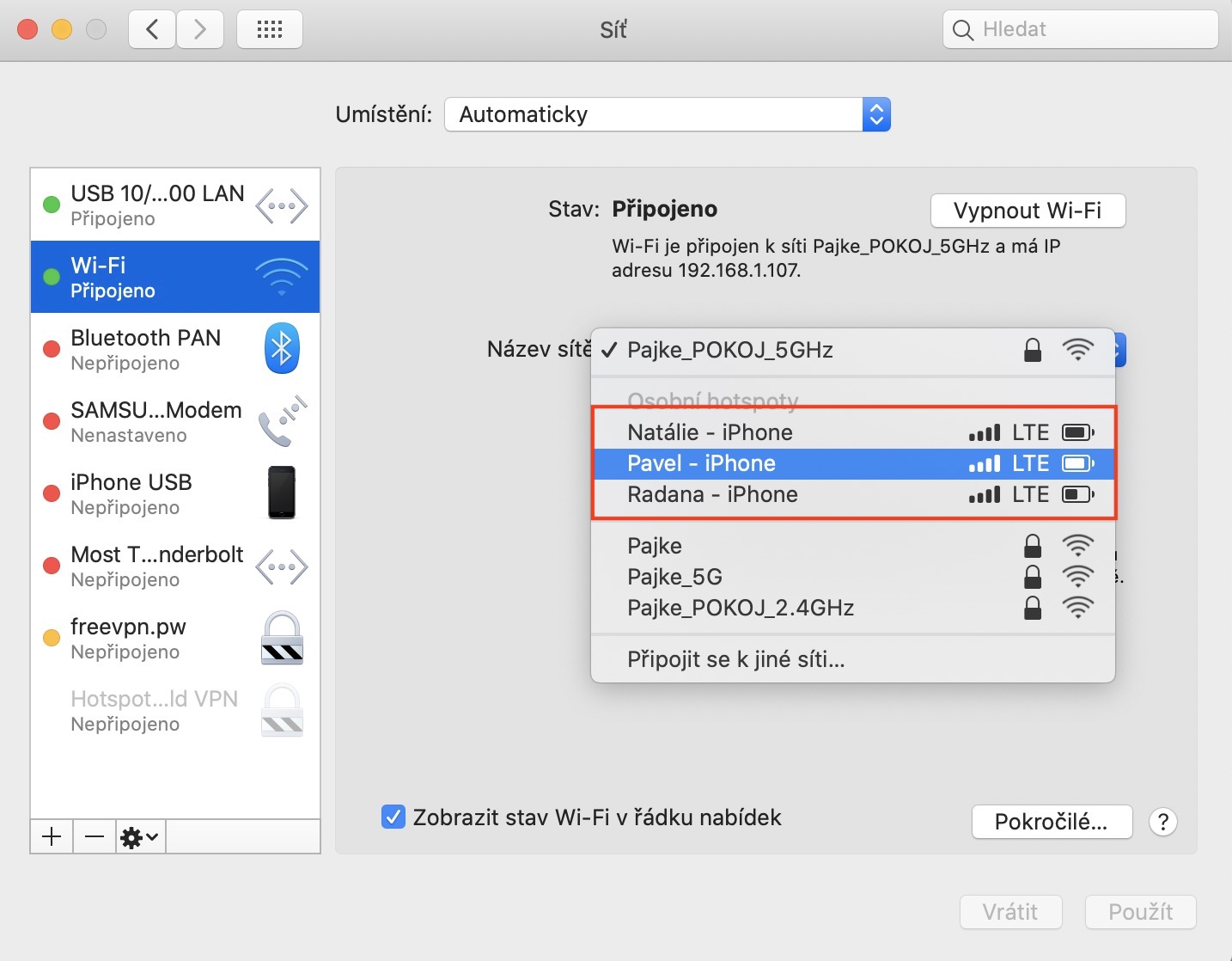
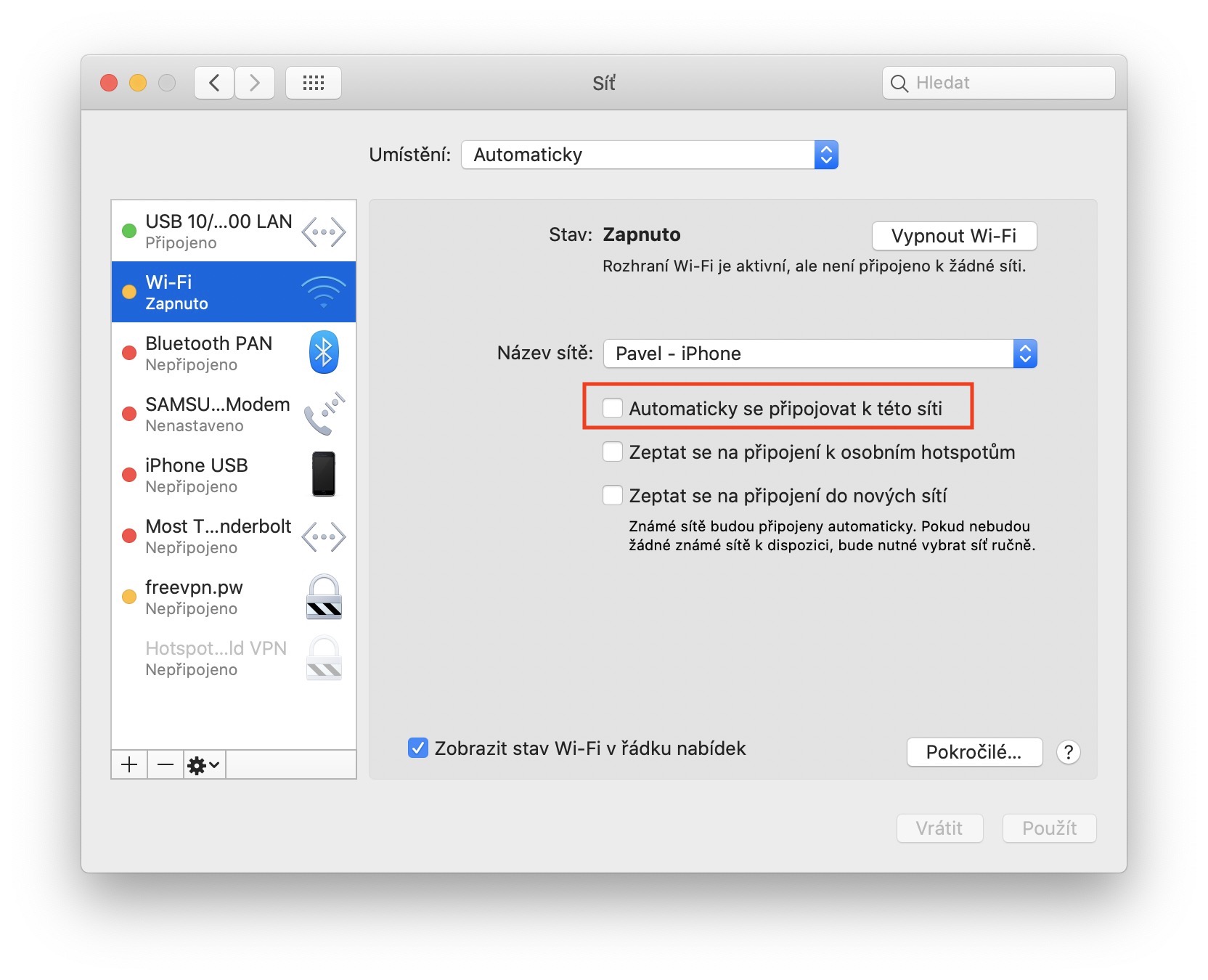
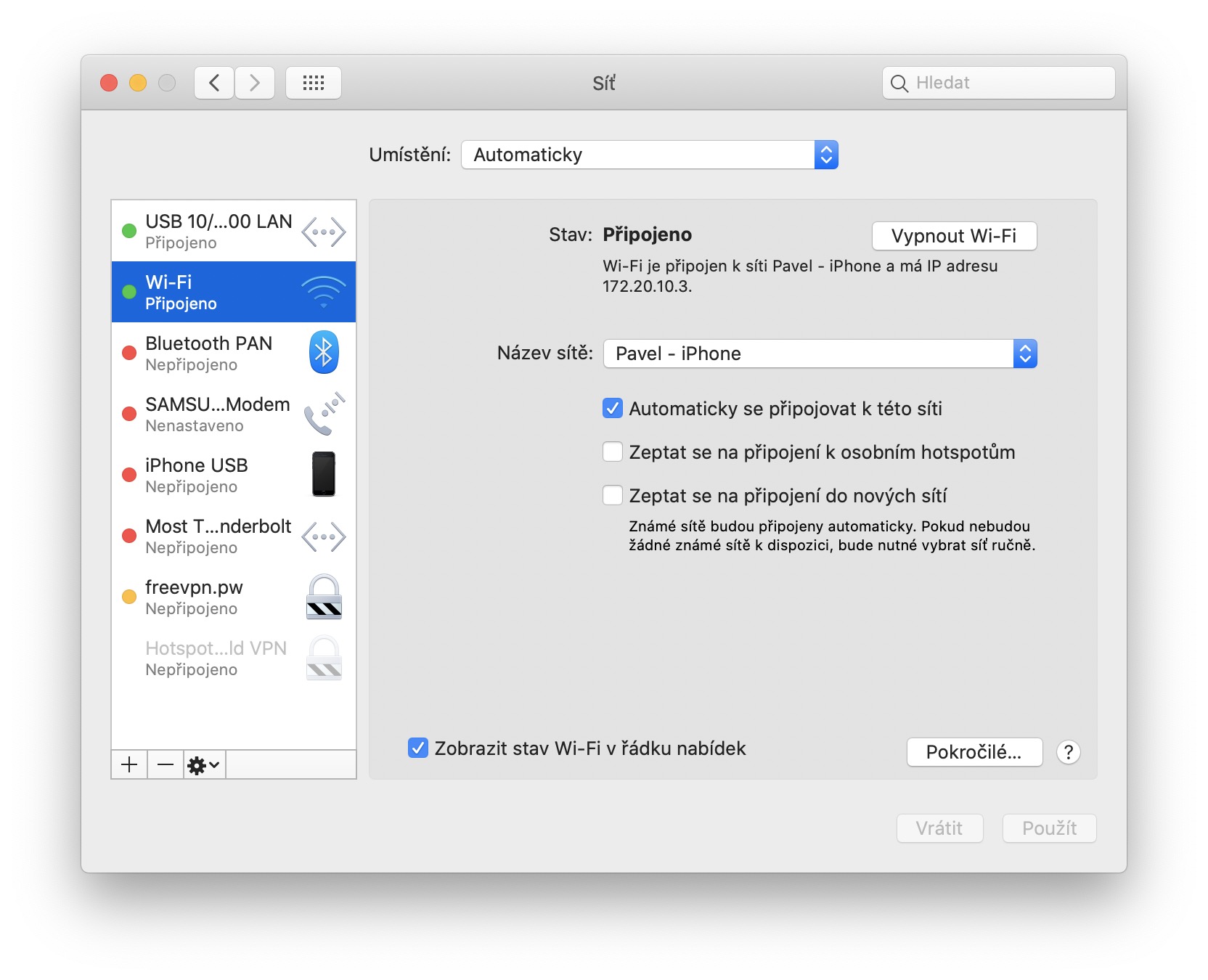
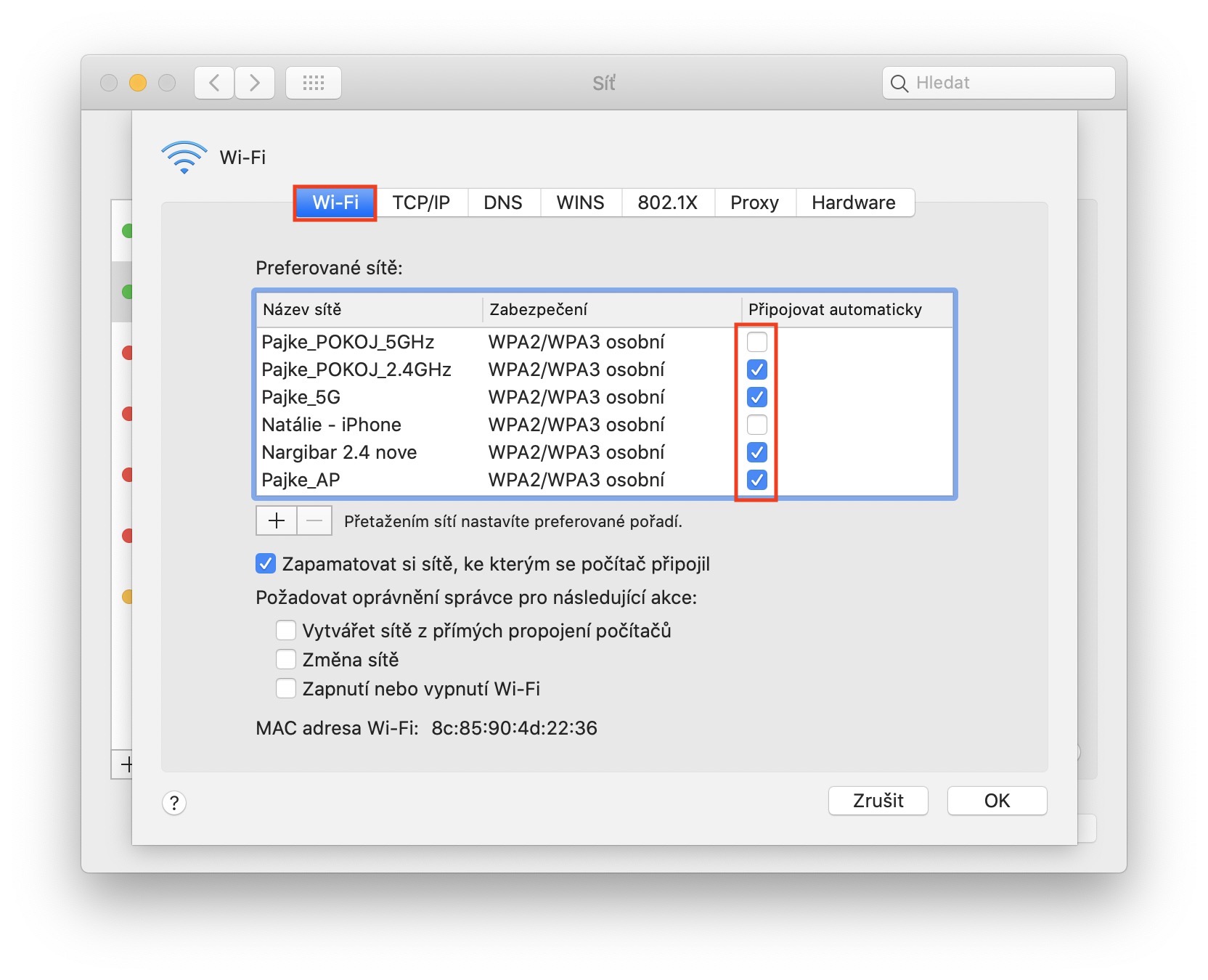
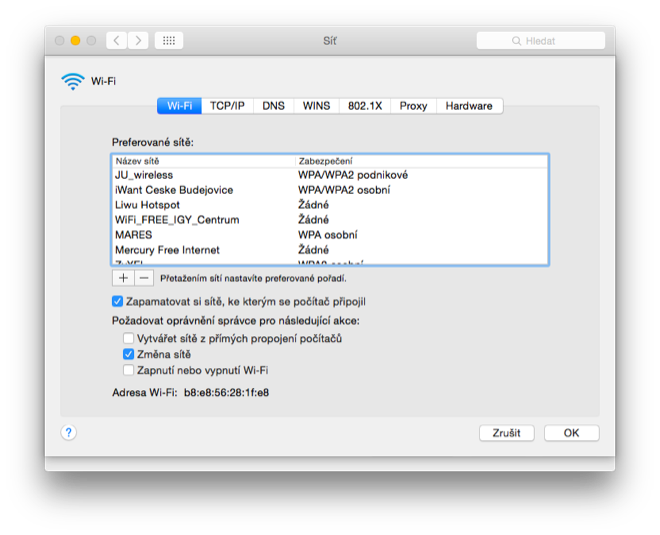
If the network is not nearby and you cannot find it in the drop-down menu I mentioned above, click the button in the lower right corner of the window. Advanced… After clicking, a new window will appear in which you can move to the section in the top menu Wi-Fi access. It will appear here list of all Wi-Fi networks and hotspots, which you have ever joined. If you want to set for a certain network automatic connection, so it's enough for you to be with her ticked box Connect automatically. Once you're done, tap on OK and thenonec click on the option Use bottom right.
Gallery