
Even though T-Mobile is currently offering unlimited free data until April 1, 2020, other carriers are not offering similar deals. This means that all users have to rely on their regular data package, which is often less than a few gigabytes. From time to time, for example, when traveling or when Wi-Fi is down, you may need to use your Mac or MacBookYou can connect to your iPhone's cellular data hotspot via a hotspot. Learn how to save cellular data on your Mac when connected to your iPhone in this article.
You might be interested in
TripMode: When you need to save data from your mobile hotspot
Although it may not seem like it at first glance, on your Mac or MacBookThere are many things going on in the background. Whether it's traditional processes or various network operations happening on your Mac. These can include sending data to iCloud, or for example downloading updates for various applications. In this case, your Mac will definitely not ask you whether it can or cannot perform these tasks. And this is exactly what the application does for you. Tripmode – simply to your Mac or MacBooku will tell me to it didn't send out any data when activated. After downloading the TripMode application, it will appear in the top bar small icon, which automatically identifies when you connect to a hotspot—and then automatically activates the saving mode.
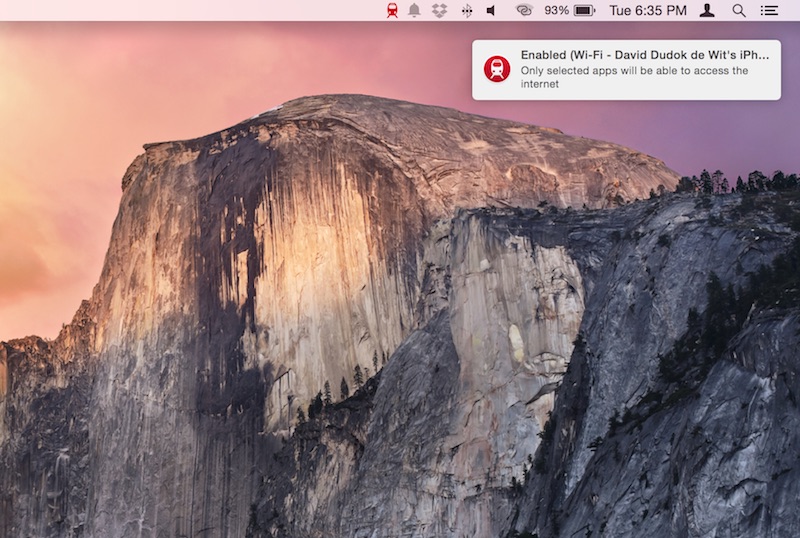
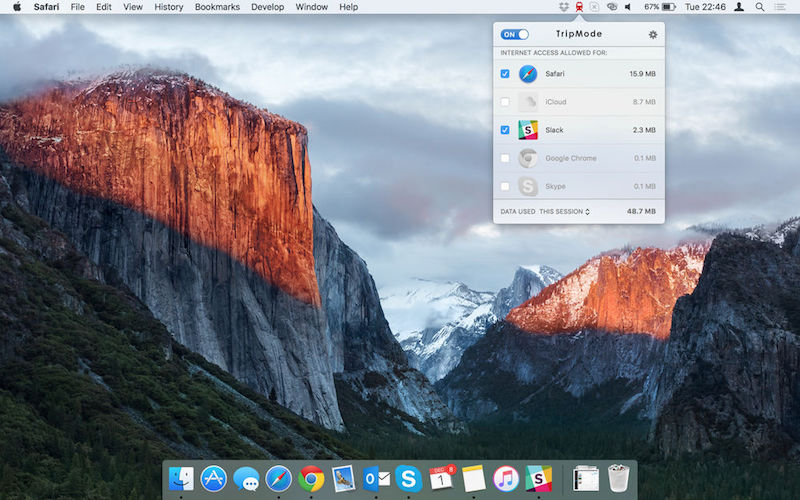
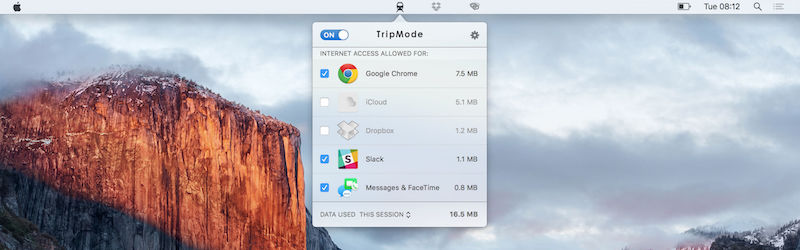
If you open the application icon in the top bar, you can simply use the switches to set which applications you want to allow data transfer and which ones you don't. Of course, you can use the switch to set TripMode to automatically start on a specific Wi-Fi network you are currently on. That's practically all this application can do. However, it should be noted that what it does, it does perfectly. You can download TripMode from the developer's website for 175 crowns, or you can use the seven-day unlimited free trial version.










Definitely recommend. OSx can handle data nicely. Something that is in windows the standard here is for an extra fee, but it's not a waste of money.