Products from Applu are definitely not intended only for the youngest generation, which is usually more technologically savvy than the older generation. It should be noted that the Californian giant is trying to make its products accessible to absolutely everyone – whether you are 9 or 99 years old. However, older people often have problems with their eyesight and Apple is aware of this. Prothis is done within the macOS operating system (and of course also iOS) is full of features that help overcome this obstacle. Let's take a look together in this guide at how you can Safari set the font size to not be too small on the displayed pages, and to convert it to a larger font size if necessary.
You might be interested in
How to on Mac Safari to set minithe minimum font size that will appear on pages
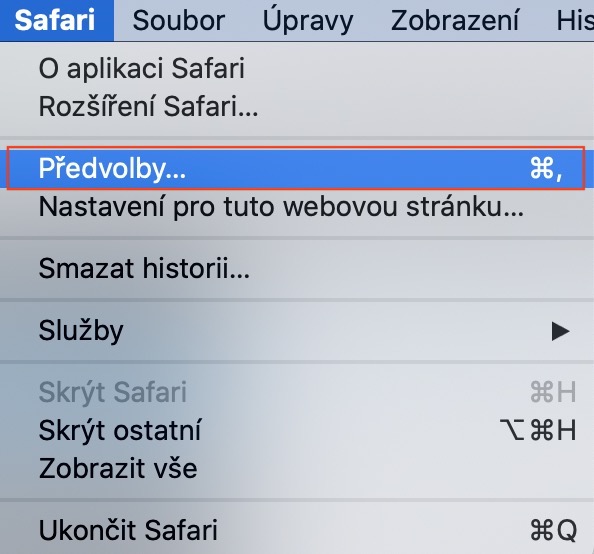
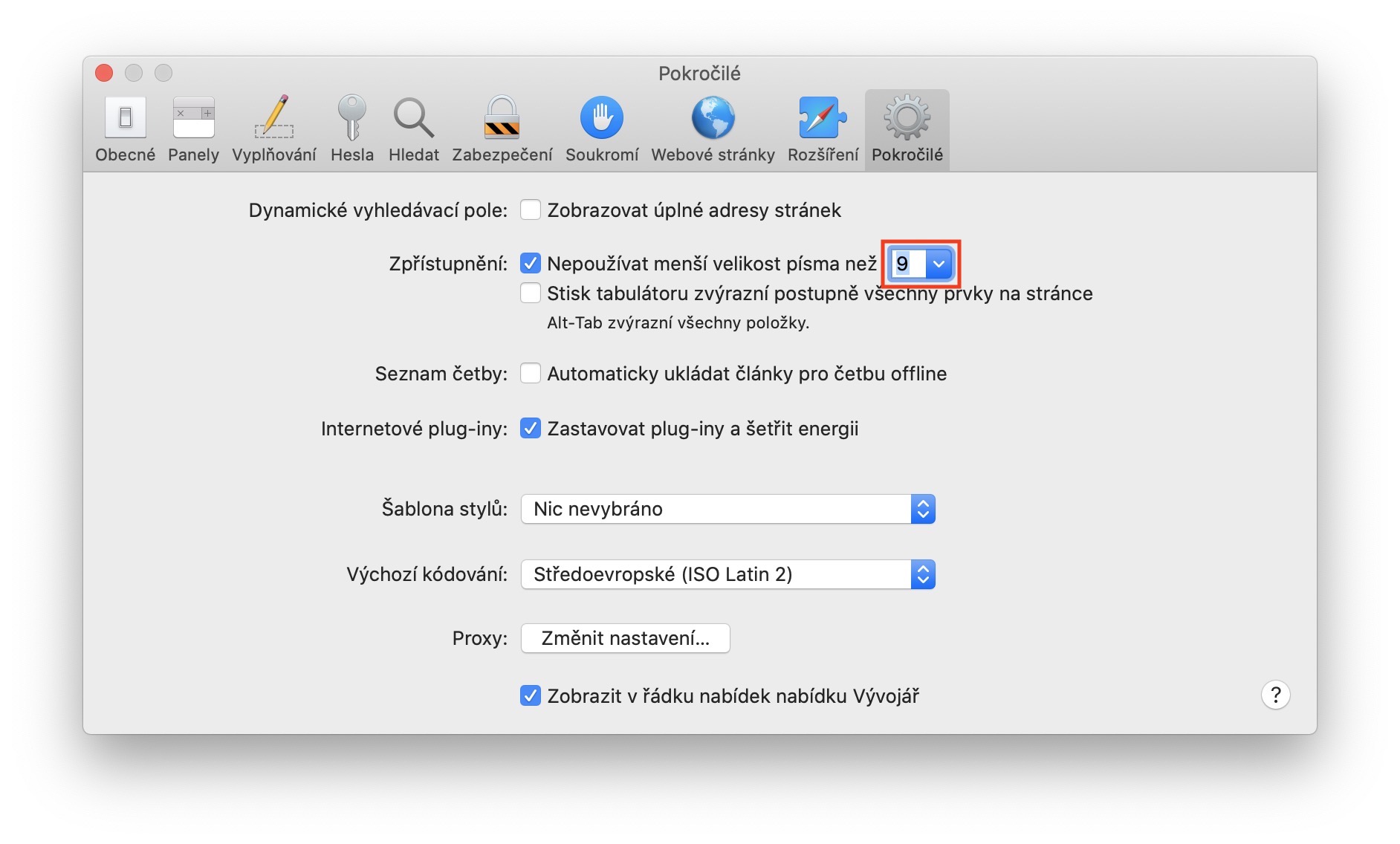
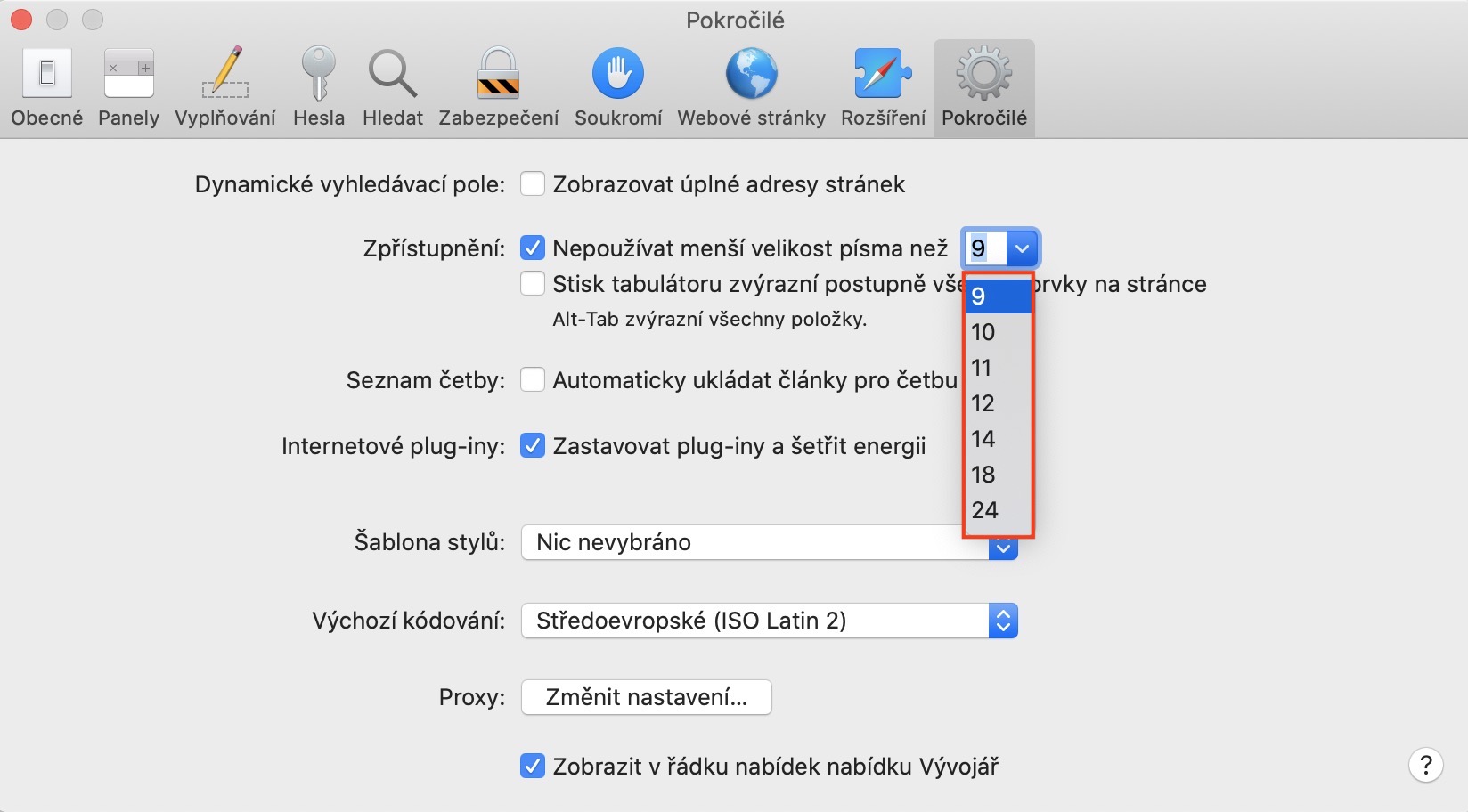
If you want to on your Mac or MacBookto set minismall font size on websites, so first move to the active application window Safari. Once you've done that, tap on the option on the left side of the top bar Safari. Select an option from the drop-down menu that appears Preferences… (or use keyboard shortcuts Command + Spacebar). A new browser settings preferences window will then open Safari. In its top menu, move to the section Advanced. Here it is enough that you ticked the second option from above, that is Do not use a smaller font size than. In drop down menu then set next to this option minismall font size, which may appear on the website.
Gallery
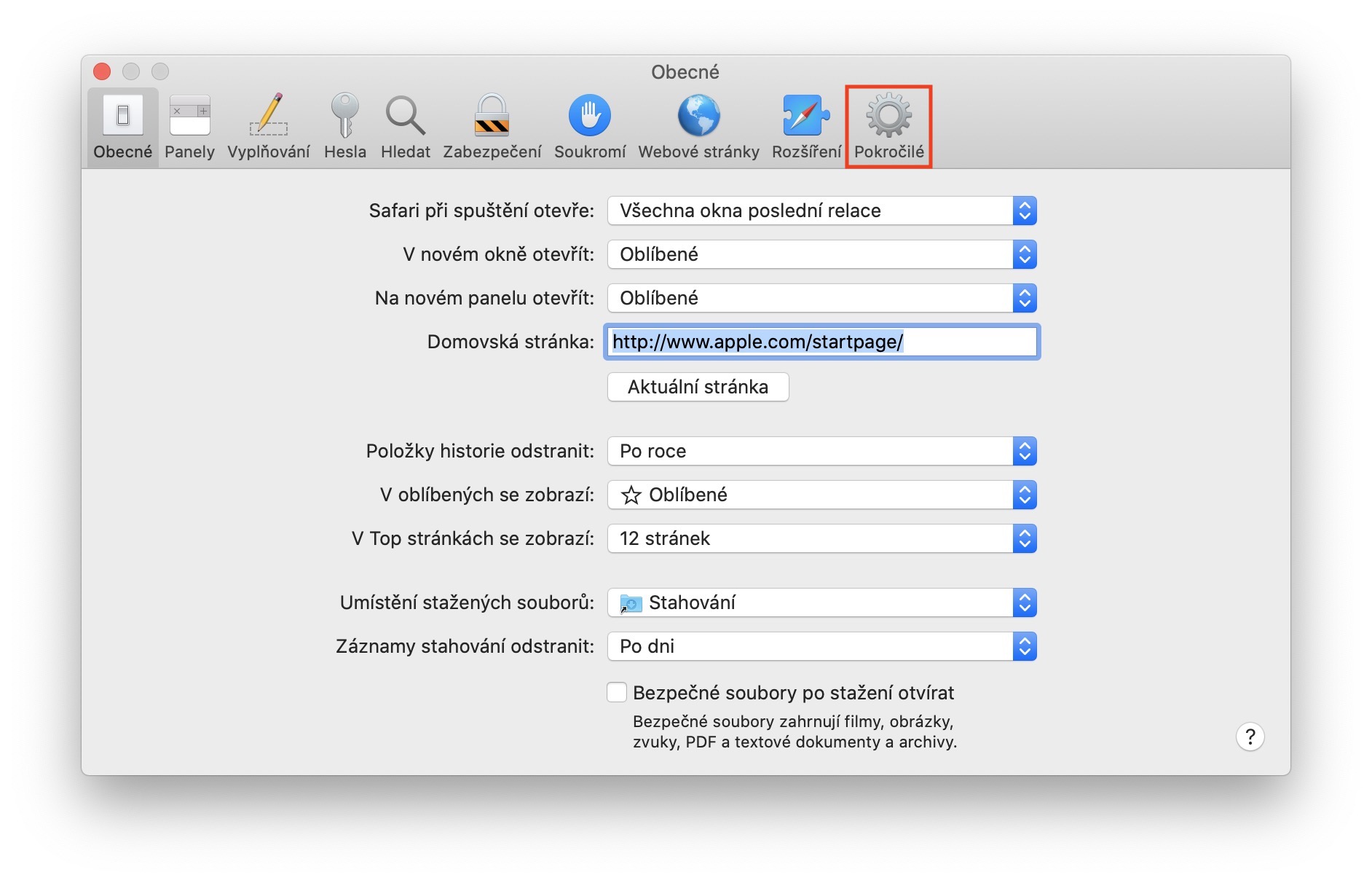
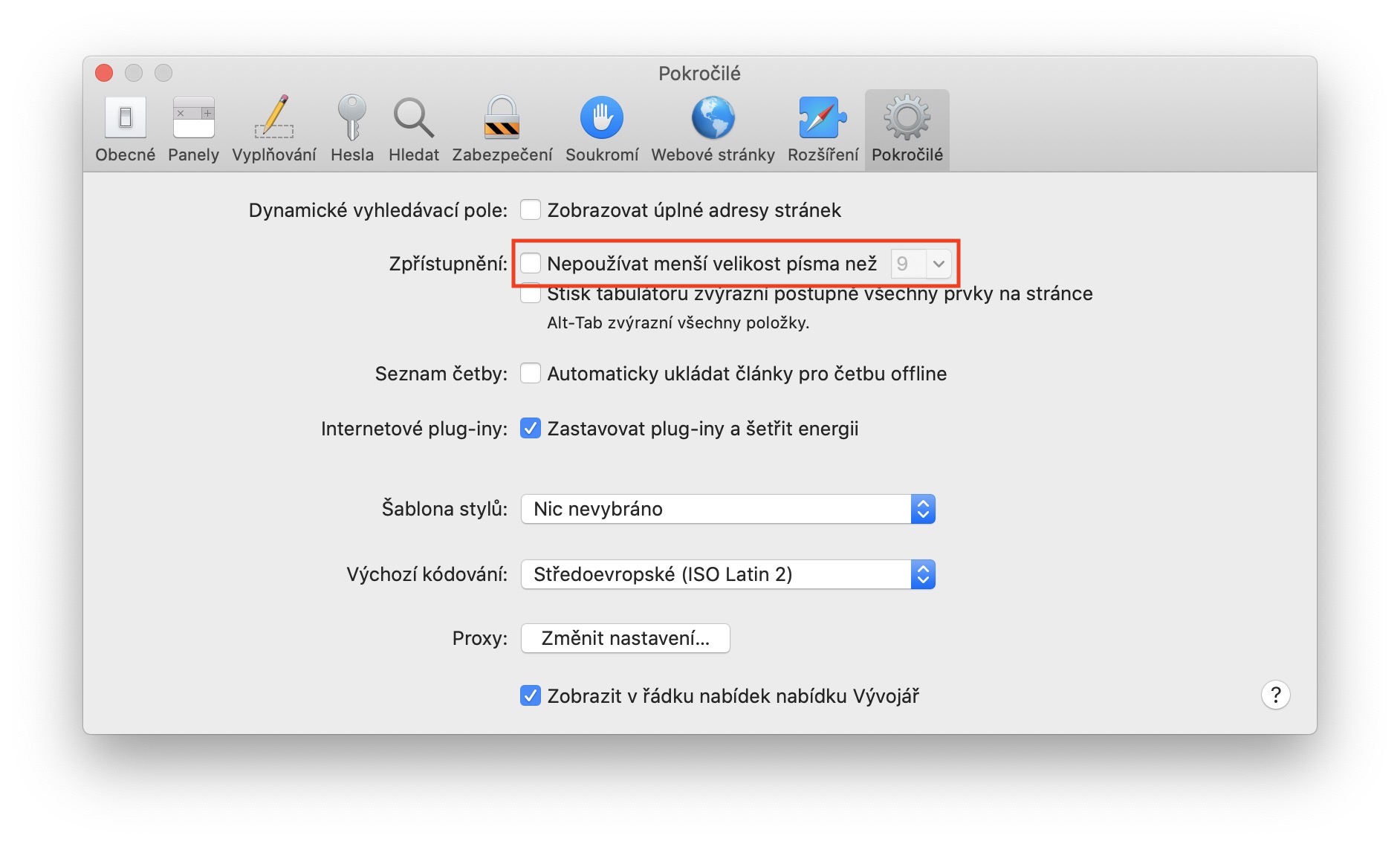
In this preferences section, you can also set, for example, that the entire address is displayed in the URL bar and not just the domain name. You can also set, for example, automatic saving of articles for offline reading, stopping plug-ins, or you can activate a special developer menu.