
If you are one of the users who owns an older Mac or MacBook, I have great news for you. Even for older Apple computers, where Apple has cut support for the latest macOS 10.15 Catalina, this operating system can be installed. Although this is not an official procedure and you have to use a smaller tool that allows the installation, you will still get a full and genuine version of macOS 10.15 Catalina as a result. Developer dosdude1 was responsible for creating a tool that allows installing Catalina even on older devices. The installation procedure is a bit more complicated, but it's nothing you can't handle with the provided video tutorial.
You might be interested in
Compatibility
Gallery
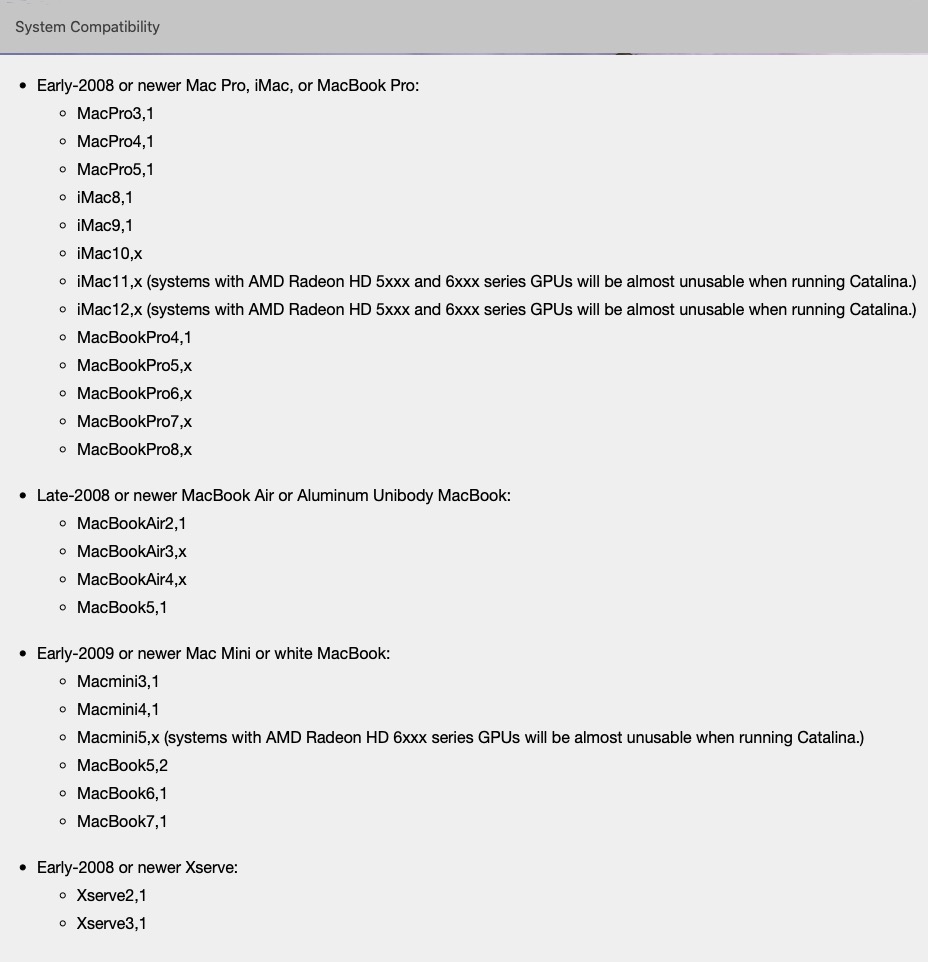
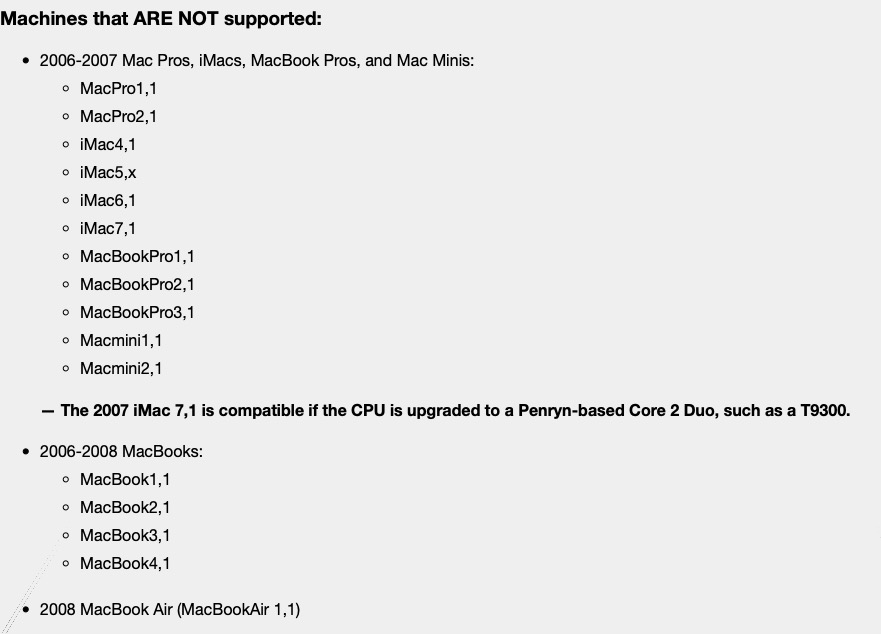
The tool with which you can install macOS 10.15 Catalina even on older devices can be used on practically all Macs and MacBooks released since 2008. On the contrary, you cannot use the tool on devices older than 2008, and also on specific devices directly from of 2008. You can find a complete overview of supported and unsupported devices in the gallery next to this paragraph.
Before installation
If you have checked compatibility and are one of the users who owns a Mac or MacBook from the list above, you can proceed further. Before the installation itself, it is necessary that you have the latest installed BootROM. It is installed together with macOS 10.13 High Sierra, so if you are already running on High Sierra, you do not need to install the latest BootROM. Otherwise, go to this link, from where you will install the BootROM. Once you have done so, you can proceed with the actual installation of macOS 10.15 Catalina. If you are installing Catalina on MacBook, so it connect to a power sourceto happen MacBook did not discharge during installation.
Installing macOS 10.15 Catalina
Gallery
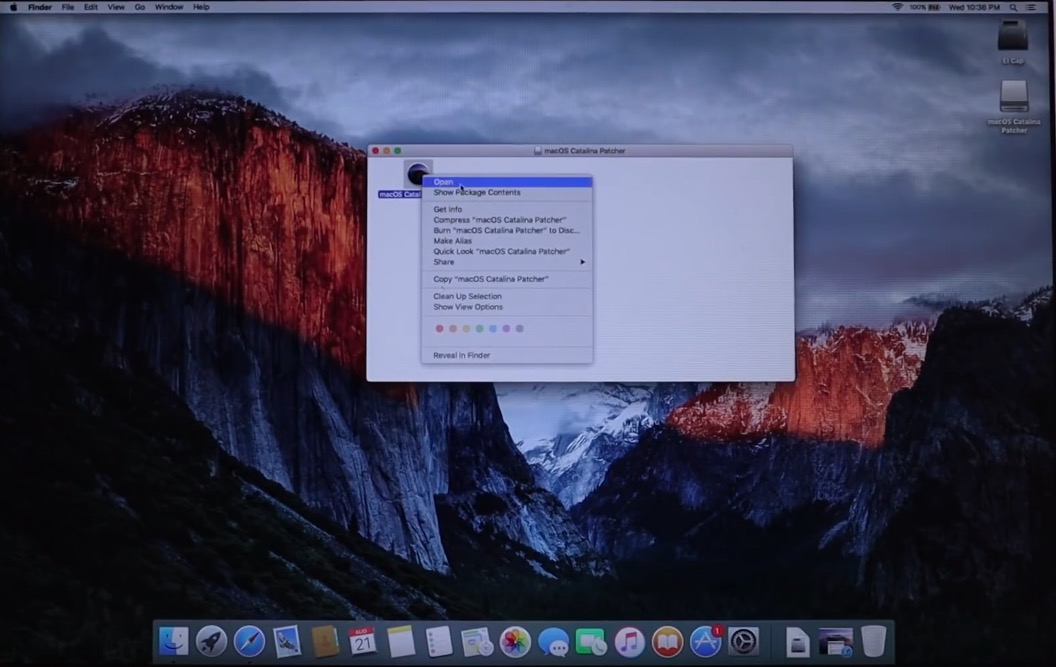
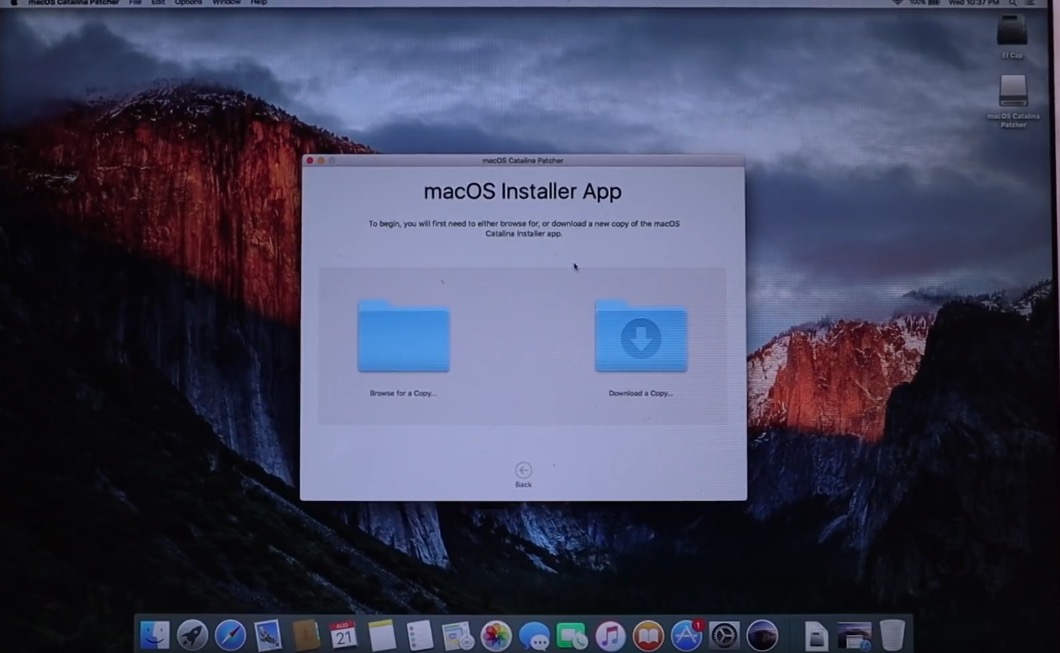
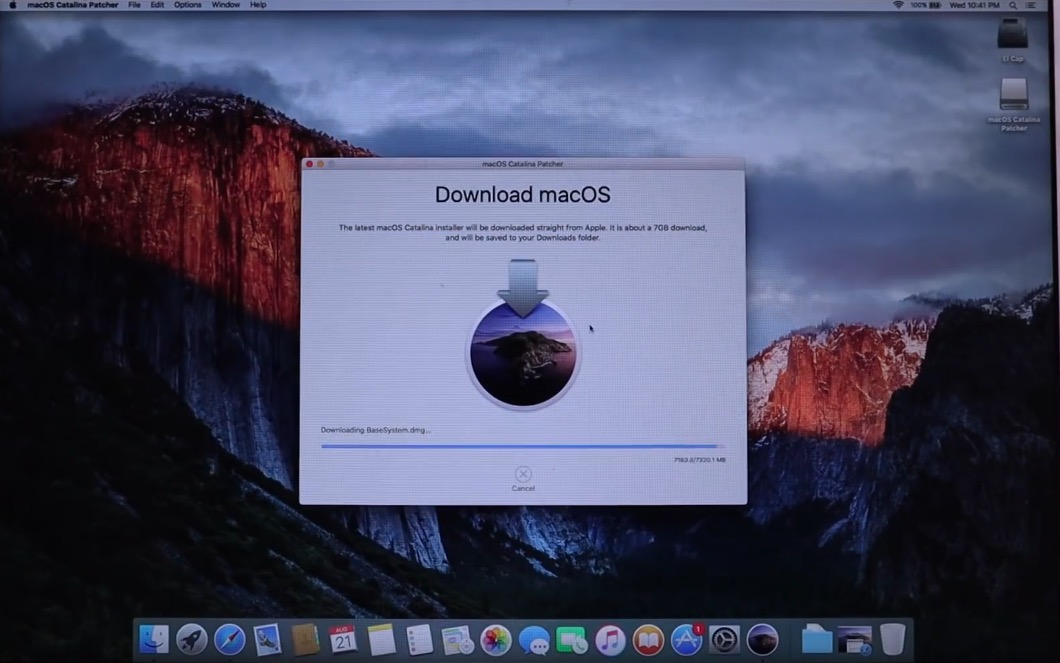
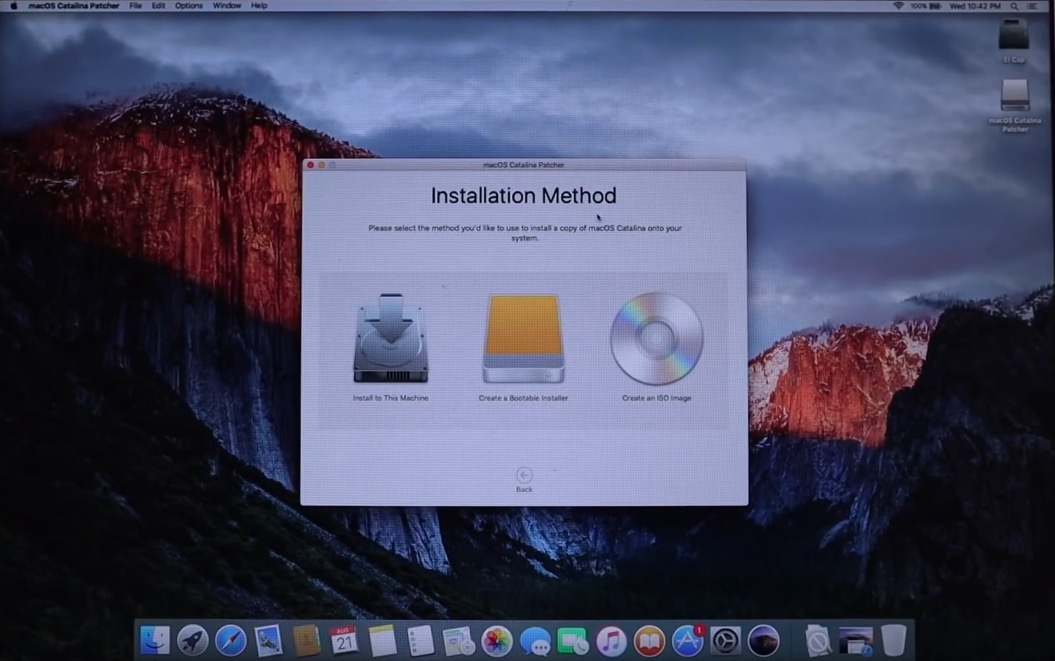
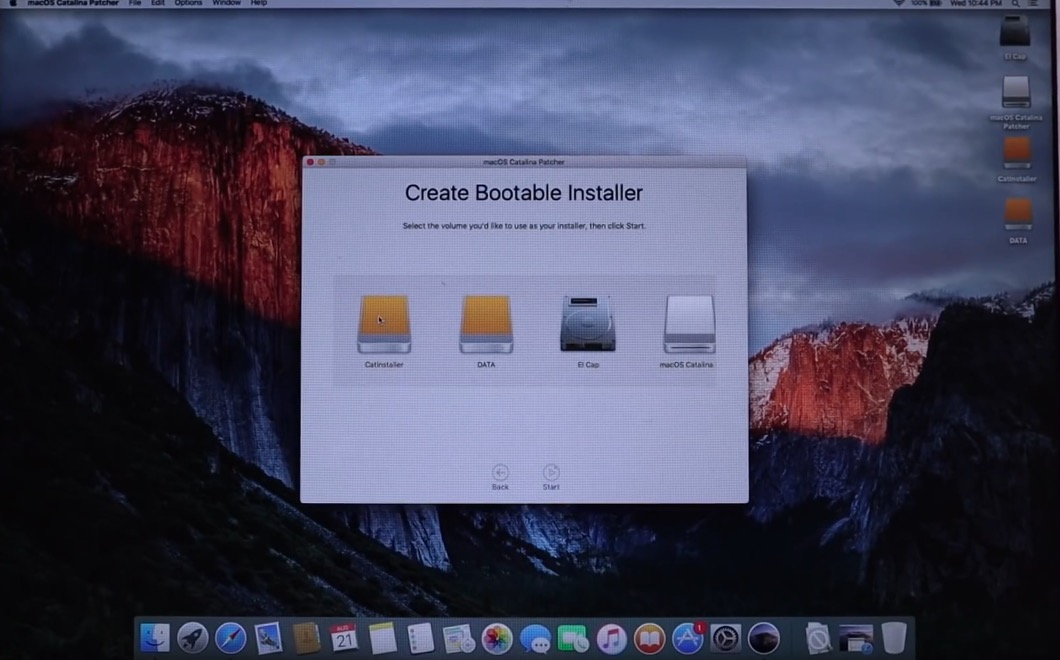
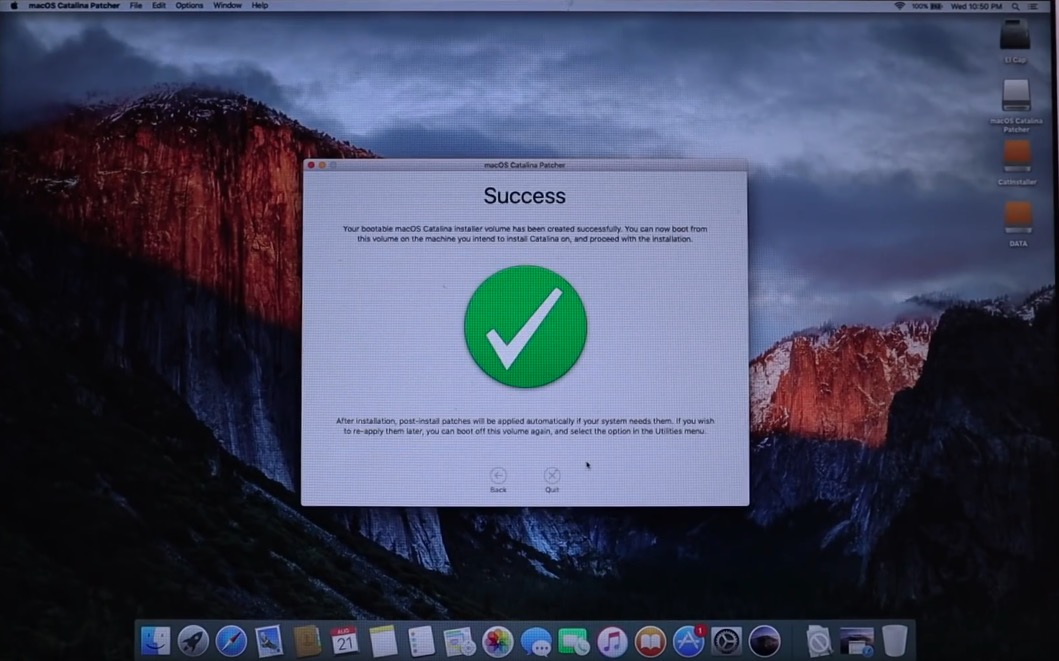
After checking the compatibility and possibly also after installing the BootROM, you can rush into the installation of macOS 10.15 Catalina itself. First, go to the developer site of the tool using this link and click the button Download Latest Version. The tool will be downloaded to you in DMG format, which then open. Once done, click on the application in the new window macOS Catalina Patcher right click, and then select an option Open. Once opened, click on the option Download and Copy… to download the macOS 10.15 Catalina operating system itself. The size of this operating system is around 7GB, so expect it to take some time to download. As soon as macOS is available, you will have a choice of several installation methods - either directly to your Mac's disk, or to keep create a bootable flash drive, or create an ISO file. In case something goes wrong, it is not recommended to install directly to your Mac's disk. Proyou can use this to create bootable flash drive, from which you will then install macOS 10.15 Catalina. If you choose the option to create a bootable flash drive, then using Disk Utilities flash drive first format on macOS extended. Once you've done that, go back to tools a select the formatted flash drive as the destination saving your macOS installation. Then confirm everything and wait until the bootable flash drive is created.
Gallery
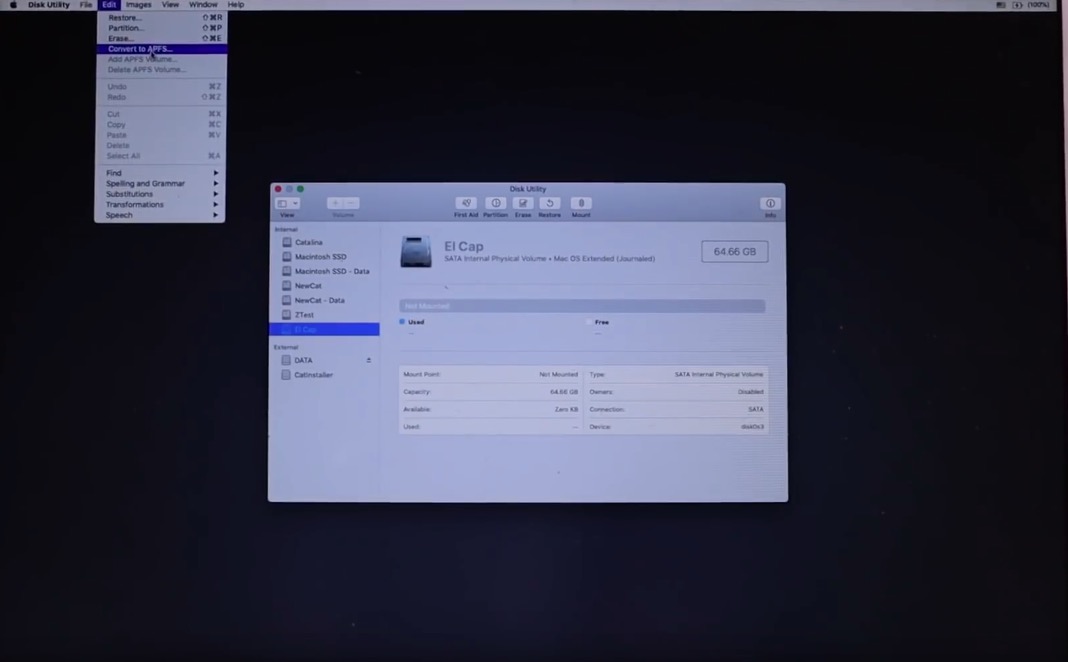
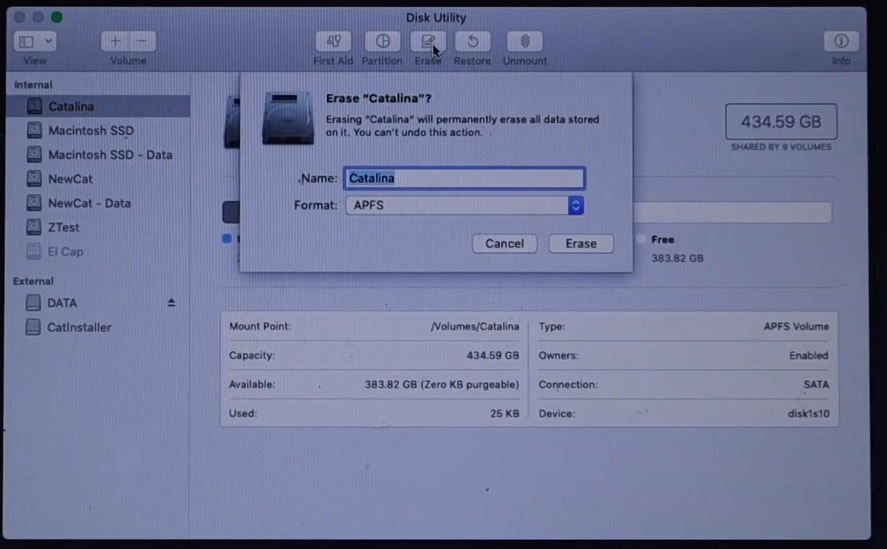
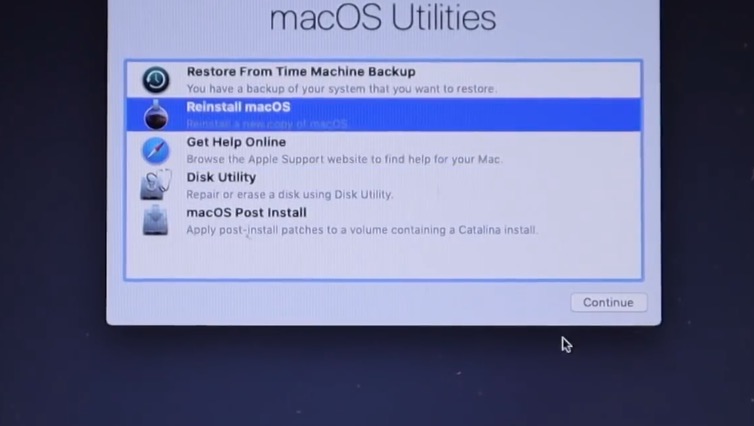
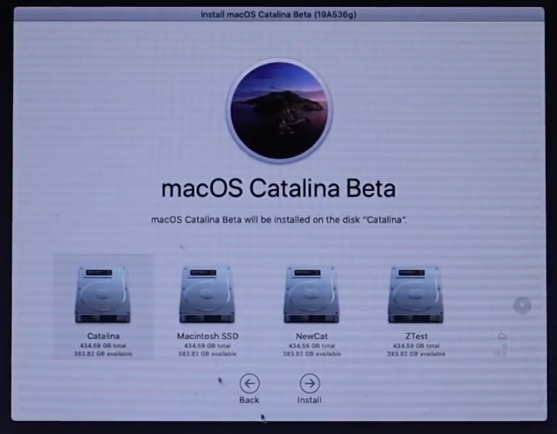
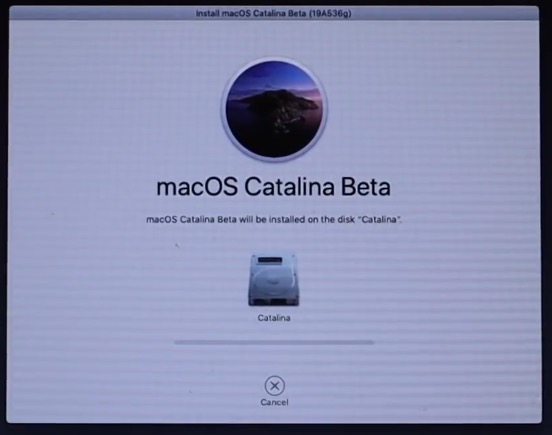
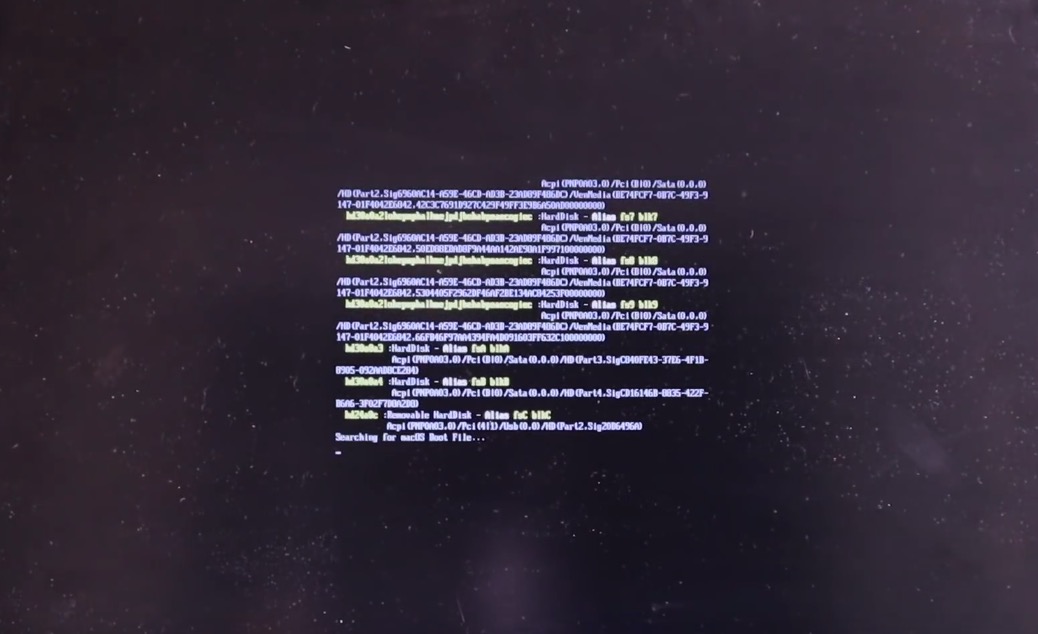
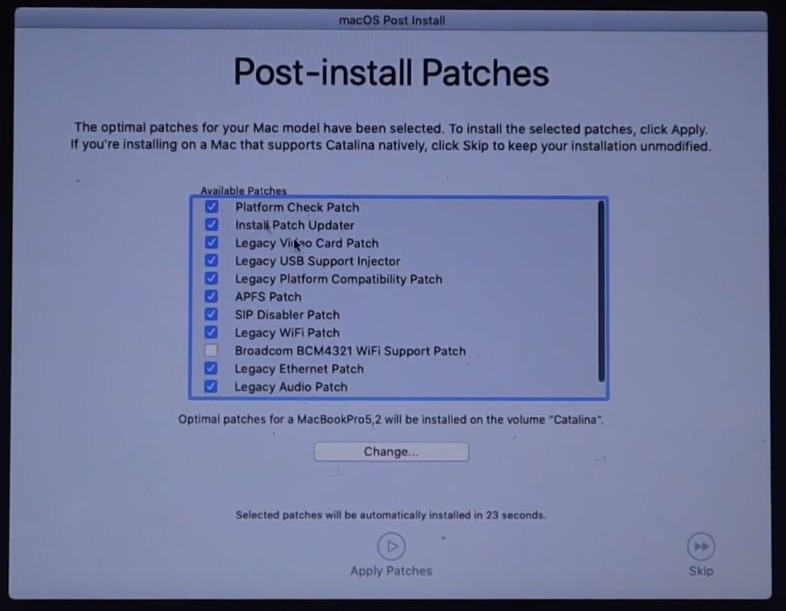
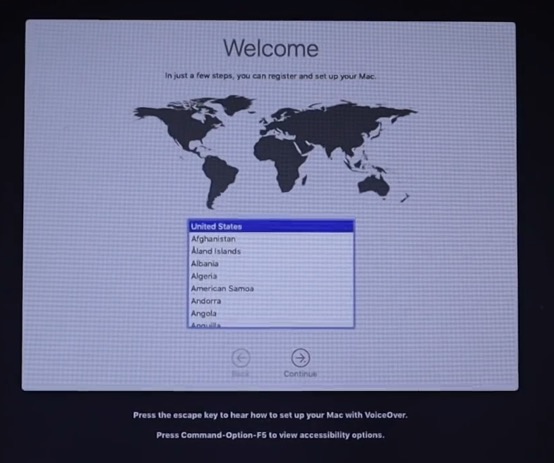

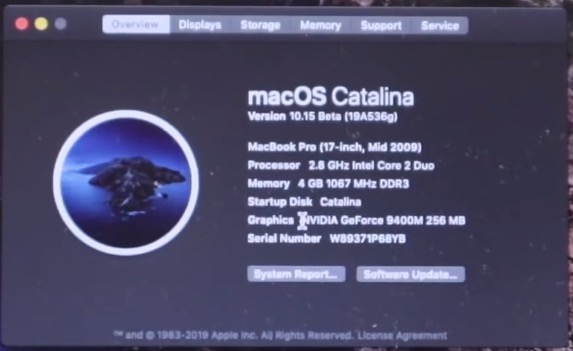
Then all you need is a Mac or MacBook restart, and then hold the key while booting the system Option. Choose from here flash drive, on which the macOS 10.15 Catalina installation resides. This will get you to in no time recovery mode. If you want to keep your data, then here you need your previous hard drive disconnect, and then convert help Disk utilities for APFS format – in disk utility it mark and then select a tab in the top menu Edit and click the option Covert to APFS. If you don't care about the data, the drive is simply APFS format. Once you've done the formatting, choose the option Reinstall macOS. Then you just have to choose disc, on which to install macOS 10.15 Catalina (must be APFS). After installing the Mac reboots. It appears on the screen when the system starts command lines. There is definitely nothing to worry about, this is about implementing the APFS file system on your Mac. These command lines will appear every time you start macOS, so you'll have to get used to them. As soon as everything goes correctly, the classic logo will appear on the screen Apple and there will be installation complete. You will then reappear in the interface macOS recovery, where you select an option macOS PostInstall. Then select the model of your Mac, so that they can be installed correctly additional drivers and confirm the choice. After that, the procedure is almost exactly the same as if you opened your Mac for the first time - you log in to your Apple ID, set your preferences and you're done.
Unlike the classic version, the modified version of macOS 10.15 Catalina includes the so-called Patch Updater , which ensures that all Catalina features work on your unsupported Mac – such as dark mode, etc. It is therefore necessary to use the Patch Updater from time to time for updates. And that's all, now you can enjoy macOS 10.15 Catalina to the fullest! If you are a less advanced user, I have attached a video tutorial from the author himself below , according to which you will definitely succeed in the installation.
záver
Since this is a modified version of macOS 10.15 Catalina, there are some shortcomings in this system. According to the developer, graphics acceleration is impossible for some graphics cards. In the comments under the YouTube video with the installation process, information appeared that some native applications sometimes crash, including Preview when viewing photos in the format RAW. Apart from these few bugs, the operating system is reportedly working flawlessly and people are just cheering. One comment even has an interesting thought "by the way, you saved the planet from more trash with this". So we can only hope that Apple does not disable this installation option in any way. If you've embarked on the process of installing macOS 10.15 Catalina, let us know how you got on.




Prowhat? apple doesn't want users to install this new system on older devices? He'll probably have a good reason for that. I would be afraid that the system will be slow on these devices, for example.
I put it on Macbook 12 (2017) and iMac 27 (2019). Browsing directories on an external drive is slow, starting applications is slow (flashing icon and waiting), constant confirmation of access, …
Then return to macOS Mojave and in the terminal command:
sudo software update –ignore "macOS Catalina"
I'll see how it goes with version 15.1
Install UBUNTU or Fedora there, it'll be a breeze, NB buddeSuddenly it's like lightning, you won't even be able to work, how fast it will be ;-)
Slow but still functional. So, as a user, I can choose, either I wait and get some functionality (for example, animation) or I buy a new machine for about 40k. For me, the system without animations is leading. He used to
Apple is SEROŠ to its users, unprecedented in the world of technology when Apple it does not allow you to install your system on your device, even though users can install there Windows 10, or some Linux distribution and thus have a normal OS.
Windows 10 = normal OS?
Yes normal, imagine that approx. 90% of PC/NTB users use it.
If something is used by 90% of people, it doesn't have to be normal :-)
Installed just out of curiosity on the old, corporate one macbook pro 2010, so far everything works without problems, we'll see in time
I installed on MacBook Pro 2011. Everything is going as it should, satisfaction.
Installed on MacBook Pro (13-inch, Mid 2009) and so far so good :)
I had Mojave installed like this on a MacMini 4.1. 128 GB SSD, 12 GB RAM. Now Catalina-slape at 98%. iMovie opens and crashes. Photoshop, Illustrator version CC 2017 run without problems, Adobe Acrobat X PRO will not open. MS Office version 15.13.3 doesn't work. What bothers me the most is the Aperture application, which still worked in Mojave, but no longer in Catalina. A few unsupported things like UnrarX, Torrent, but that's fine. I regret the Aperture one the most. I guess I'll go back to Mojave. Otherwise satisfaction.
Hey guys, I installed Catalina on my iMac mid 2011 model and I have to say that the iMac has been incredibly slow since then, almost every animation is cut off, the colors of the frame in applications are not rendered correctly... windows are flickering, etc... not to mention that since I installed Catalina on it, the iMac can't be put into sleep mode... that's what's bugging me the most, does anyone know what to do about it? Proyou're the computer can't go to sleep and it's still on... thanks for the answer...
So I tried it on an iMac mid 2011 and it failed. It always ends about 4 minutes before it finishes preparing to install with an error. Note: I am installing it on an external TB SSD disk!
I would like to thank the author of the article for the excellent tip. The installation went perfectly smoothly on MacBook Pro from mid-2009 exactly according to the instructions on the installation USB. ProIntel Core processor Duo, 6GB RAM, SSD 256 GB. Original OS El Capitan. The start-up was a bit awkward and I had doubts whether it was a good choice. The laptop slowed down slightly, not everything worked. I threw out old apps, unfortunately also Office 11, cleared of ballast, bought Office 19, installed Sticky Password, Mozilla, Google Chrome and gradually with each restart the laptop got smarter, until now it runs as before, not even the graphics cooling is working. ProI am completely satisfied. The laptop is like new after the HW and SW upgrade and I saved another xx thousand on buying a new one Apple.
please, and how to proceed, (I now have Catalina 10.15.3 through this procedure, BUT how to upgrade to Catalina 10.15.7 or Big Bur? The patcher no longer sees the update to 10.15.7 and cannot even install Catalina 10.15.7 downloaded manually from apple.com? (only it is not enabled for this mac)
Yeah and after installation I lost Airdrop.! which annoys me the most!
I got it Macbook mid2010 NSPARKLE Fusion 256GB SSD / 1TB HDD / 16GB RAM 1067 DDR3. Intel Core 2Duo 2,4GHz. I don't know if I should go back to the latest working Mojave to get Apecture and Airdrop working, or what about that? I can't even install the new MCAfee total protection? What do you advise? Thanks.
Alternatively, please send me feedback at hladik.michal@seznam.cz