
For several days now, we have been providing you with guides on new operating systems in our magazine. iOS 13 and iPadOS 13. These new systems have been available to the public for a few days and at first glance it may seem that they don't offer much compared to previous versions. However, if you look under the hood, you will find that there are really a lot of features. In addition to the popular dark mode, there is, for example, a new Find app, or perhaps a redesigned Photos or Reminders app. One of the neglected features in iOS However, 13 is also Optimized Battery Charging, which is mainly used to make your iPhone's battery last as long as possible.
You might be interested in
How does Optimized Battery Charging work?
The first thing to remember is that batteries are consumables. They lose their capacity over time. It is known that batteries like to be charged between 20% and 80%. Proso you shouldn't have your iPhone unnecessarily worry about a battery that is too discharged, or on the contrary, an "overcharged" battery. Optimized battery charging means that if your iPhone If you charge overnight and set an alarm, it will charge the battery to 80% at night and then pause charging. It will then start charging again before the alarm so that the battery can be charged to 100% just before the alarm goes off. This way, you save battery power.
How to (de)activate Optimized battery charging?
Gallery
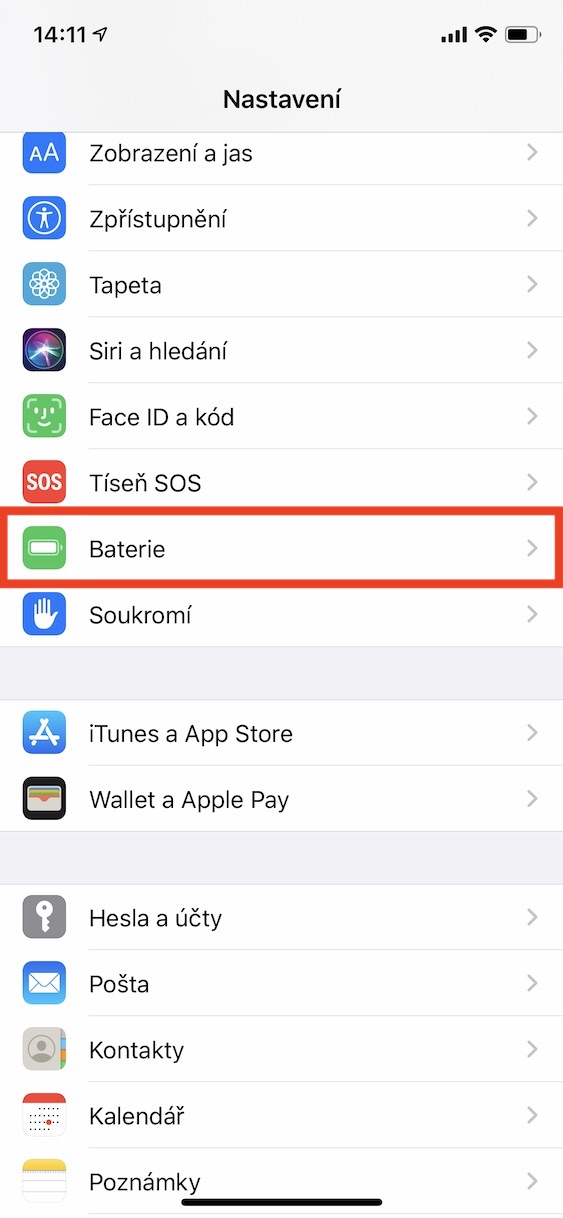
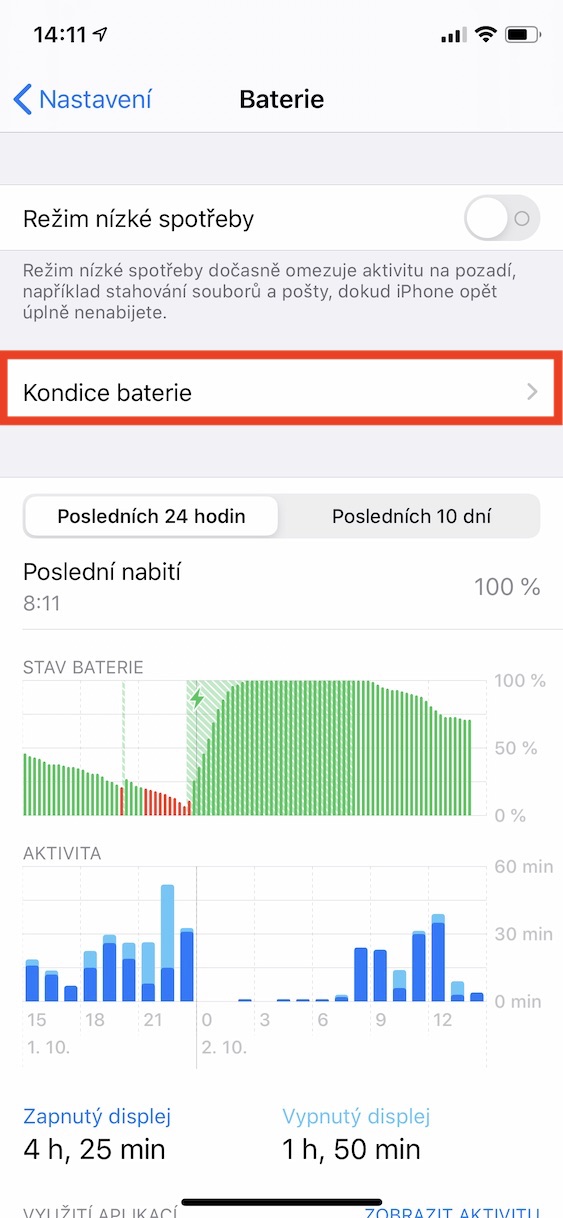
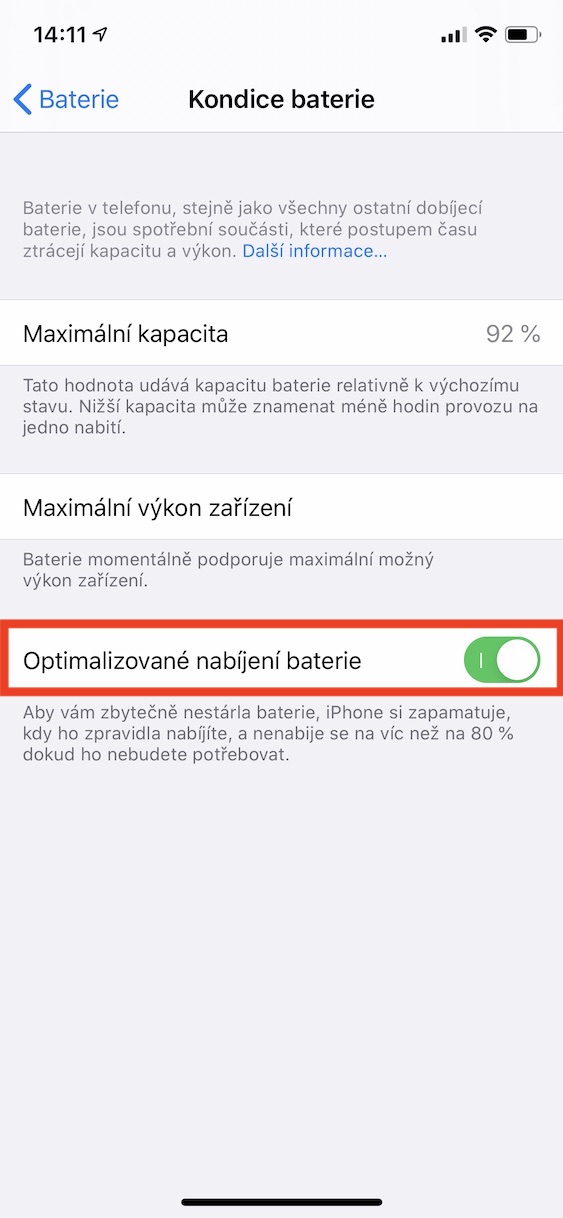
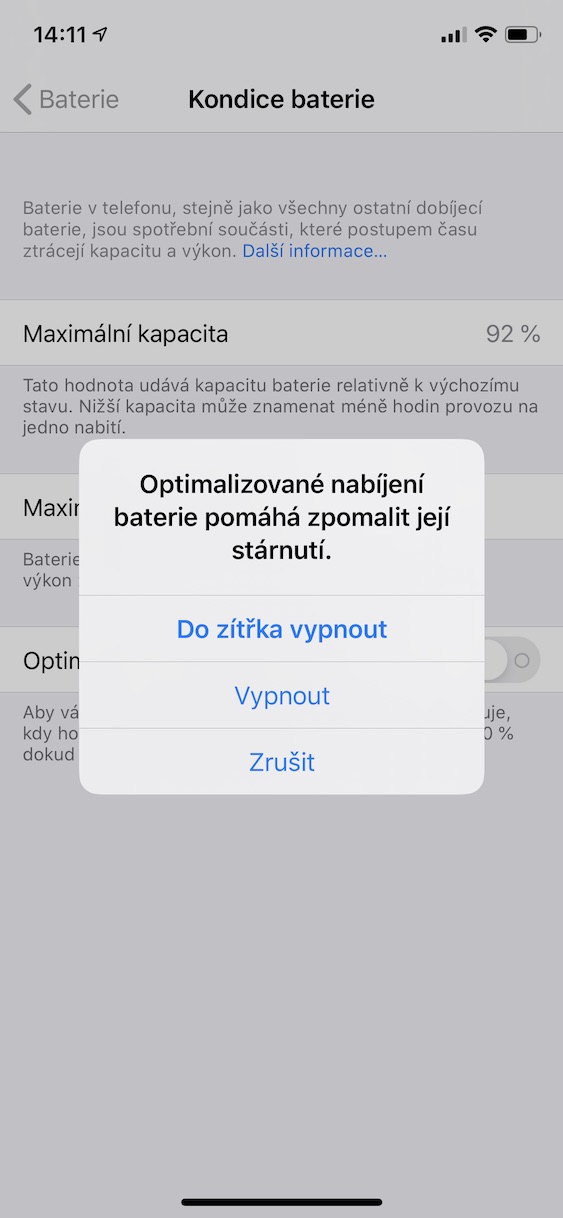
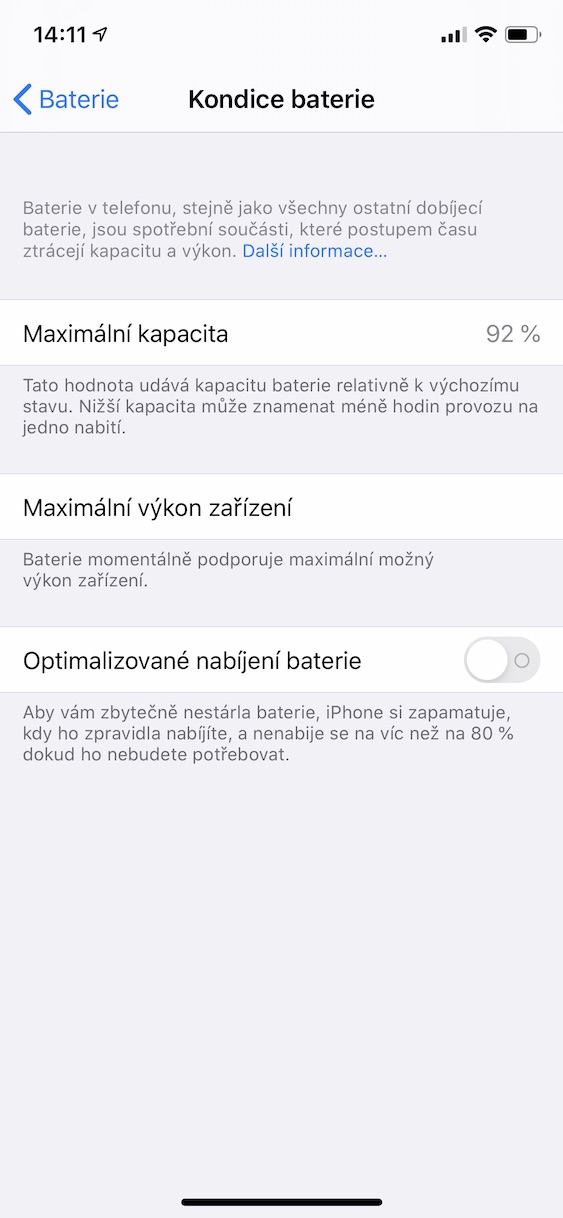
On your iPhone, which is updated to iOS 13, move to native app Settings. Once you do, get off below and click the tab with the name Battery. Then click on the option here Battery health and function switch Optimized battery charging activate or deactivate. In addition to this function, you can also view the battery health in the Battery health section. maxWhat is the minimum capacity of your battery and whether it still supports it? maxthe maximum possible performance or not. If by chance the battery shows extremely low maxminimum capacity, so it will prompt you for service.











Hello, does the Optimized charging option also work for the convenience store function? Or only for the Alarm Clock? Thanks
And is this function really tied to the alarm clock? If I don't use the alarm clock, there will be no optimization?
It doesn't work. My alarm clock is set for 06:00. I went to sleep at 22:30, the battery was at 43%. I woke up at 2:30 in the night and the flashlight was showing me 100%
I see it the same way
This won't work for people with irregular schedules. If you have it regularly and think it's not working, wait a little longer. It's not simply by the alarm, but the phone has to learn the schedule first, so it takes a while. The moment it starts working, you will see it during charging and on the lock screen, where the function can be turned off for that specific charging, so that you can charge immediately.
I have a pretty regular schedule. After two weeks since he iOS 13, he could learn it by now, right?
I have the feeling that it has to somehow learn when and how you charge the phone and optimize the charge accordingly, not according to the alarm clock.
Optimized battery charging gradually learns based on when you go to bed and when you wake up. On this occasion, however, the alarm clock is also taken into account. So if you have a regular regimen, ie. you go to bed at 23:00 p.m. and wake up at 7:00 a.m., so the function should learn this mode. However, if you break this mode after some time, for example with an alarm clock, it should adapt.
This probably only works in theory. In the Battery menu there are charging and consumption graphs and it can be seen that the phone charges the battery at 100% and then keeps it fully charged until morning.
It doesn't just work in theory. iOS I've been using 13 since the first beta, i.e. for several months now, and the battery only started charging to 80% at night after a month, when the phone created a mode. So just have a regular mode and wait.
Pavel Jelič: you could have included this in the article, that it is necessary to wait until the system learns it and include at least an approximate time period for how long the system learns.
I would like the option of charging up to 80% without a schedule, i.e. permanently. It would help, for example, in the car with the navigation running when a person has to have the phone connected to the cable for several hours.
yeah, that's exactly what I would like too. I almost never need to charge it. 100%, I would easily turn this on to save battery life. On the other hand, I haven't had a phone for more than 2 years, so it doesn't bother me that much.
I see no reason not to charge the phone in 100%. The problem is discharging to zero. My 3GS lasts 10-5 days instead of 3 in 4 minutes. I charge it constantly on 100%. And this is a completely pointless feature, if it works as described here. Does anyone charge their phone only at night while sleeping or what? I charge it when the battery drops to 20%, day or night.
And is it always exactly 80%? My charging has stopped twice now, once at 79% and yesterday at 74%. I use the alarm quite irregularly. Thanks