Komerční sdělení: If you’ve ever sat down and edited hours’ worth of footage, you know the drill. First, you spend a couple of hours going through raw footage and cutting out the awkward pauses. Then comes the part where you try to fix the background noise before you even get to the part of storytelling. This is where AI comes in to do your time-consuming grunt work. AI video editing tools don’t just eliminate grunt work but also help you enhance the video.
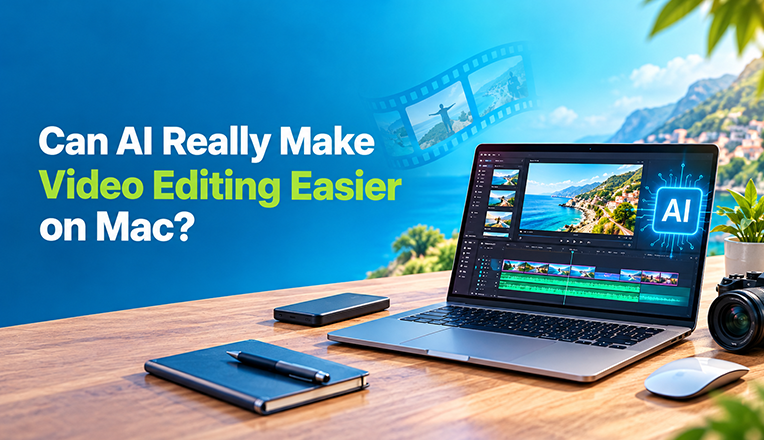
Note: On your Mac, you will need a traditional video editor with AI features to speed up your video editing process.
In this article, we’ll look at why AI isn’t just a marketing buzzword and why it makes video editing easier.
Fewer Performance Issues
For those who don’t know: Traditional video editing relies heavily on the computer’s processor to render each frame. So when you start doing resource-intensive tasks like color grading and visual effects, things can slow down pretty quickly(if the specs aren’t strong enough). You won’t encounter this problem on Mac, especially when you’re using the integrated AI features on a traditional video editor.
Tools like Adobe Premiere Pro and Filmora offer a variety of generative AI tools. And there’s no need to worry about these tools slowing your Mac, as it’s capable of handling almost all major video editing tools out there. The only reason it could slow down is if your editing timeline becomes too long or complex.
Main Highlights:
- Using a powerful AI video editor is meaningless if your computer doesn’t have suitable specs. Advanced video editing software requires powerful processors to handle resource-intensive tasks.
- AI makes your video editing process easier on any platform. The only thing that can slow down this process is old specs on your computer. But Mac users like you don’t have to worry about this because M-series chips can handle workloads without slowing down your system.
Generative AI in Video Editors
If you’ve been keeping up with the AI news, then you’ll know that traditional video editing software has evolved past basic trimming and transitions tasks. Video editors feared that generative AI might erode the video editing job market. But this is what happened: Industry-standard video editing software that editors relied on ended up embracing and integrating AI features.
Although the demand for video editors for caption generation and other repetitive tasks has gone down, the need for creative storytelling is still there. Generative AI features such as AI Extend analyze the last frames of the video and generate new frames. Tools like Filmora have become popular for these as well as advanced manual editing features.
Choosing an AI Video Editor for Your Mac
- What editing software to use on your Mac?: I’d recommend using Filmora, as it provides an easily understandable UI and advanced editing features.
- Are Filmora’s AI features expensive?: No, they offer affordable pricing by providing a variety of plans for different budgets and allowing users to apply active Filmora coupon codes at checkout. You don’t have to purchase the AI features separately, as they’re already included with the video editor.
- Will Filmora slow down your Mac during the editing process?: No, Macs are built for video editing processes, but it could occasionally slow down the system if you are editing high-resolution videos.
Key Takeaways:
- It is easier to generate ambient sound, fresh B-roll, and parts of your video using AI features.
- Using the AI features still requires human oversight. The same can’t be said for features that handle repetitive tasks. We will look into this in detail in the next section.
Where Does AI Save Time?
AI features don’t make creative decisions, but it at least takes away the tedious grunt work that usually takes hours of your day. For example, take the basic task of rough cuts. Instead of going through the timeline to find a specific line of dialogue, the AI feature transcribes all dialogue into text so you can trim the video clips simply by deleting words from the transcribed script.
Other tasks like fine-tuning, background noise removal, and caption generation that used to take a while now happen in a single click. This is how AI handles repetitive tasks so that you can look into the storytelling part of video editing process.
Main Takeaways:
- AI has made video editors less dependent on equalizers and noise gates. It’s okay for new video editors with no technical skills to use AI features for background noise removal.
- You can get rid of raw footage by deleting words from the video transcript.
- AI can generate captions instantly and save a lot of time.
Avoid Overusing AI
I agree that AI tools are great for speeding up the workflow, but relying on them too heavily could ruin your final video. I have seen so many creatives become more reliant on AI over time, which affects their critical thinking. It always starts with using AI for repetitive work(which is fine), then it becomes about AI voice-over generation or overusing AI denoisers that make your final video sound synthetic and unnatural.
It doesn’t matter if you’re using a Mac or a Windows PC; you must rely on your own eyes and years before making the final edits and rendering the video.
Key Highlights:
- Use AI in video editing like you use salt when cooking food. It is there to assist you in improving the final product and not for automating the entire process.
- AI is incapable of understanding human emotion, timing, or authentic storytelling. Only you can be the judge of that.
Let’s Wrap It Up
So, can AI really make video editing easier on Mac? Yeah absolutely. You don’t need to worry about cutting silent gaps, audio cleanups, and background removal, as AI can easily take care of it. However, it is an assistant, not a replacement for your creative judgment. Therefore, be open to trying every AI feature in your video editor, but just be honest with yourself about whether it’s adding value to your video or not.