
Although I was a fan of the new Camera Control button from iPhones 16 (Pro) was quite skeptical at first, but over time I found my way to it and now I only launch the camera on my phone through it. However, to make it so, I had to play around with the settings a bit in an attempt to make launching the camera this way more enjoyable on my maximum. And since I discovered one setting during this customization that I don't think everyone knows, it's worth mentioning it at least briefly.
You might be interested in
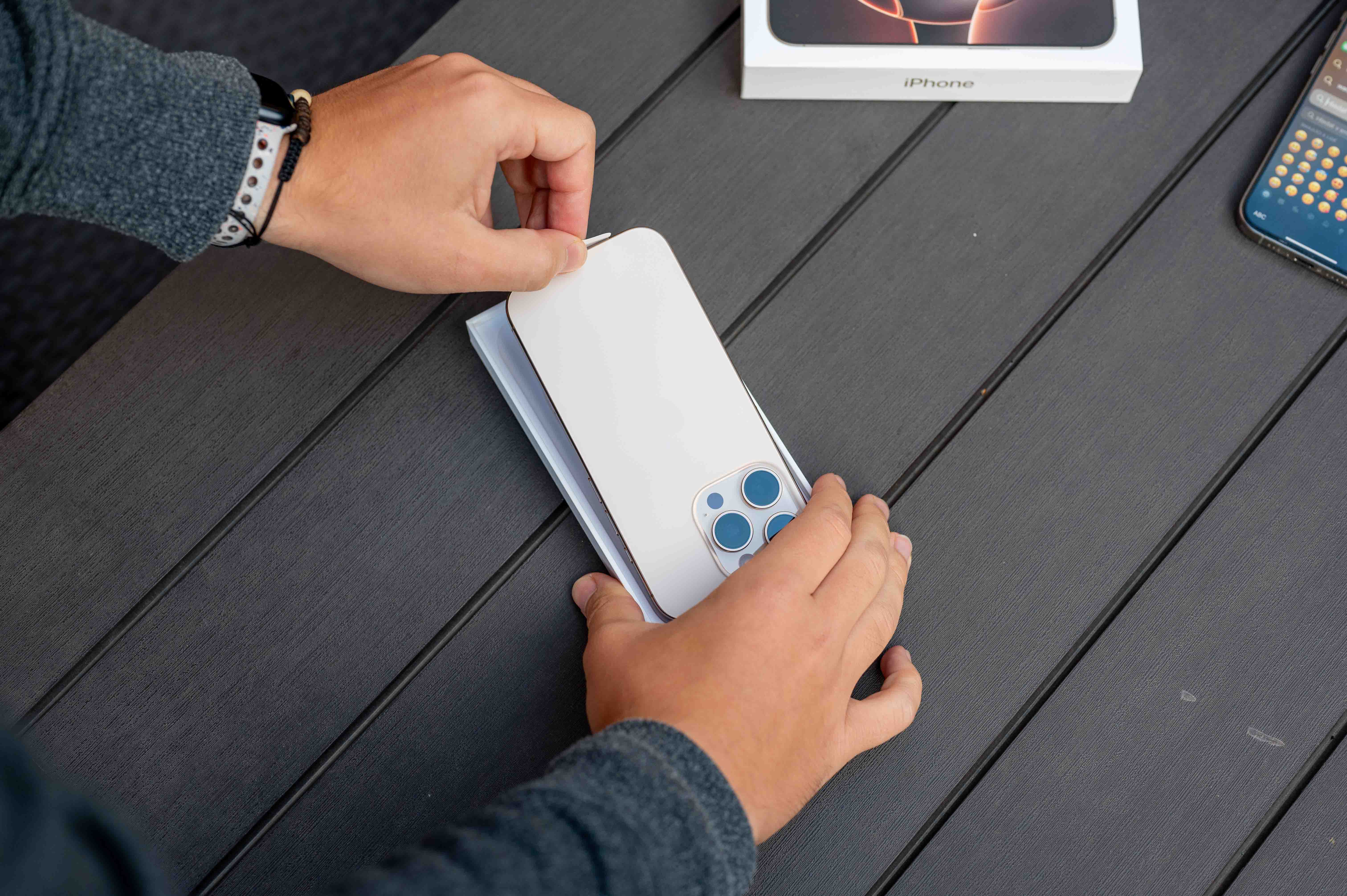
Specifically, it's a good idea to adjust how the button behaves when pressed when your phone's display is off. When taking a photo, precious seconds are often at stake, and delaying turning on the display, even just by picking up the phone, is not always ideal. Apple Fortunately, the solution is hidden in the iPhone settings. Specifically, you can disable the Display & Brightness section of the camera control so that the display must be turned on to launch the camera using the button. This feature is enabled by default, so if the display is not on, the camera will not launch when you press this button. However, once you disable it, you can launch the camera by pressing the button very quickly and easily, although of course at the cost of the camera being launched in your pocket if you accidentally press the button.
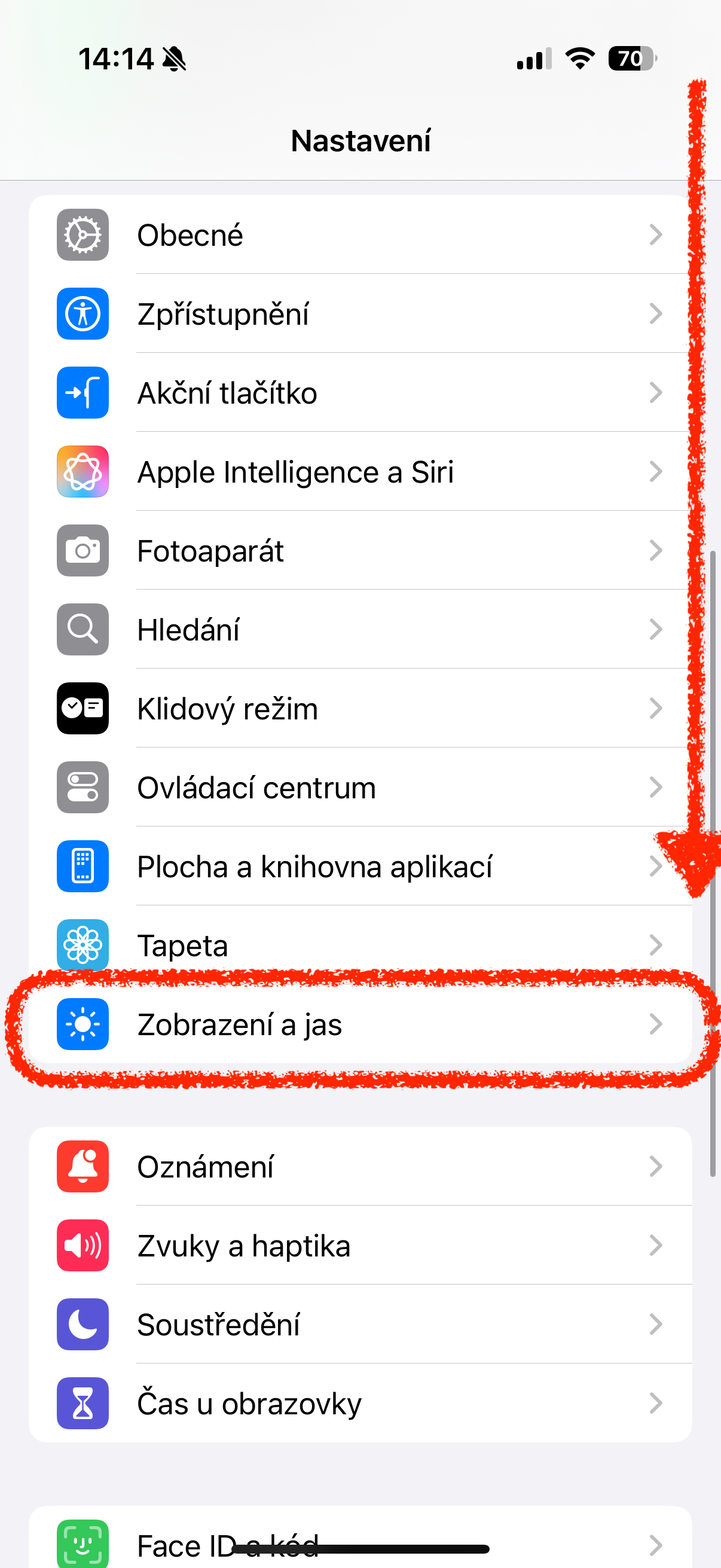
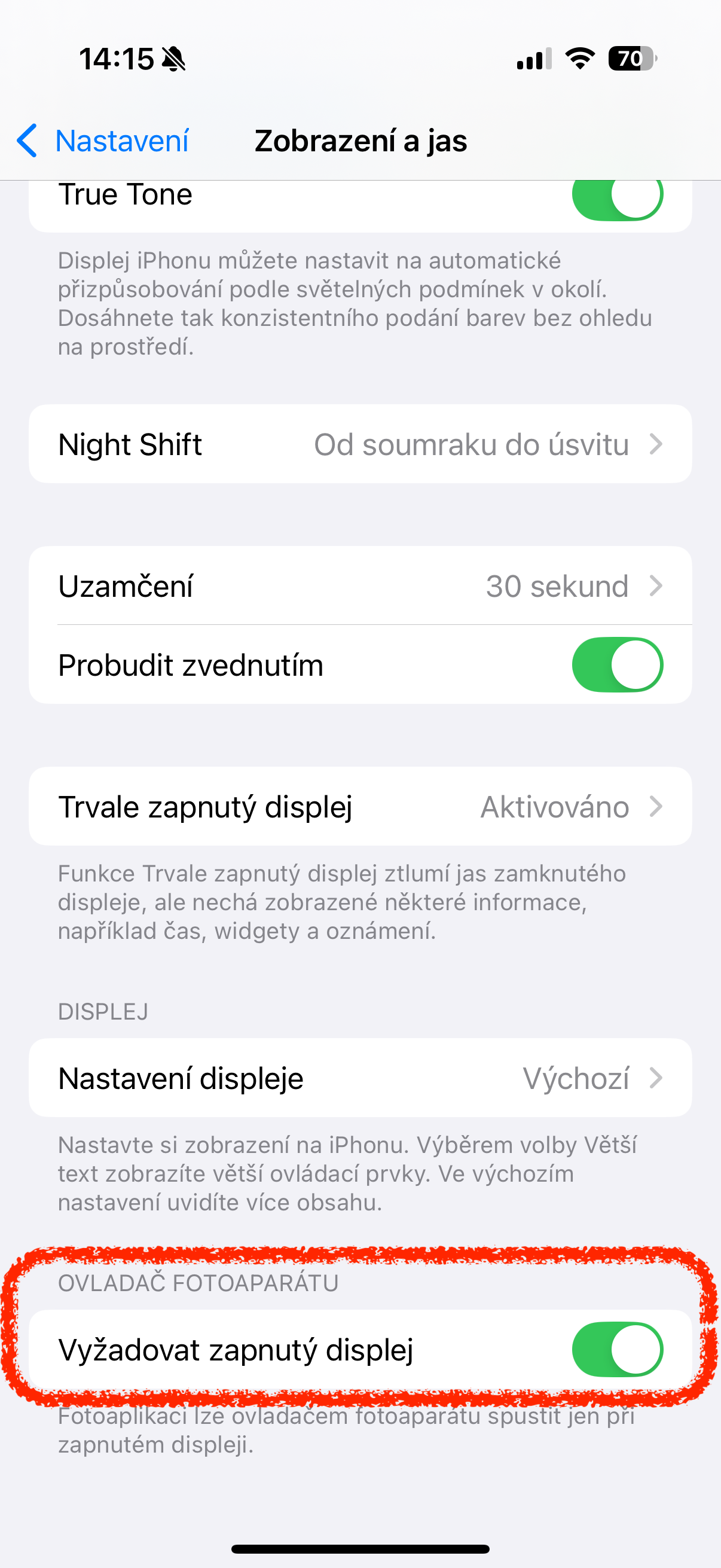
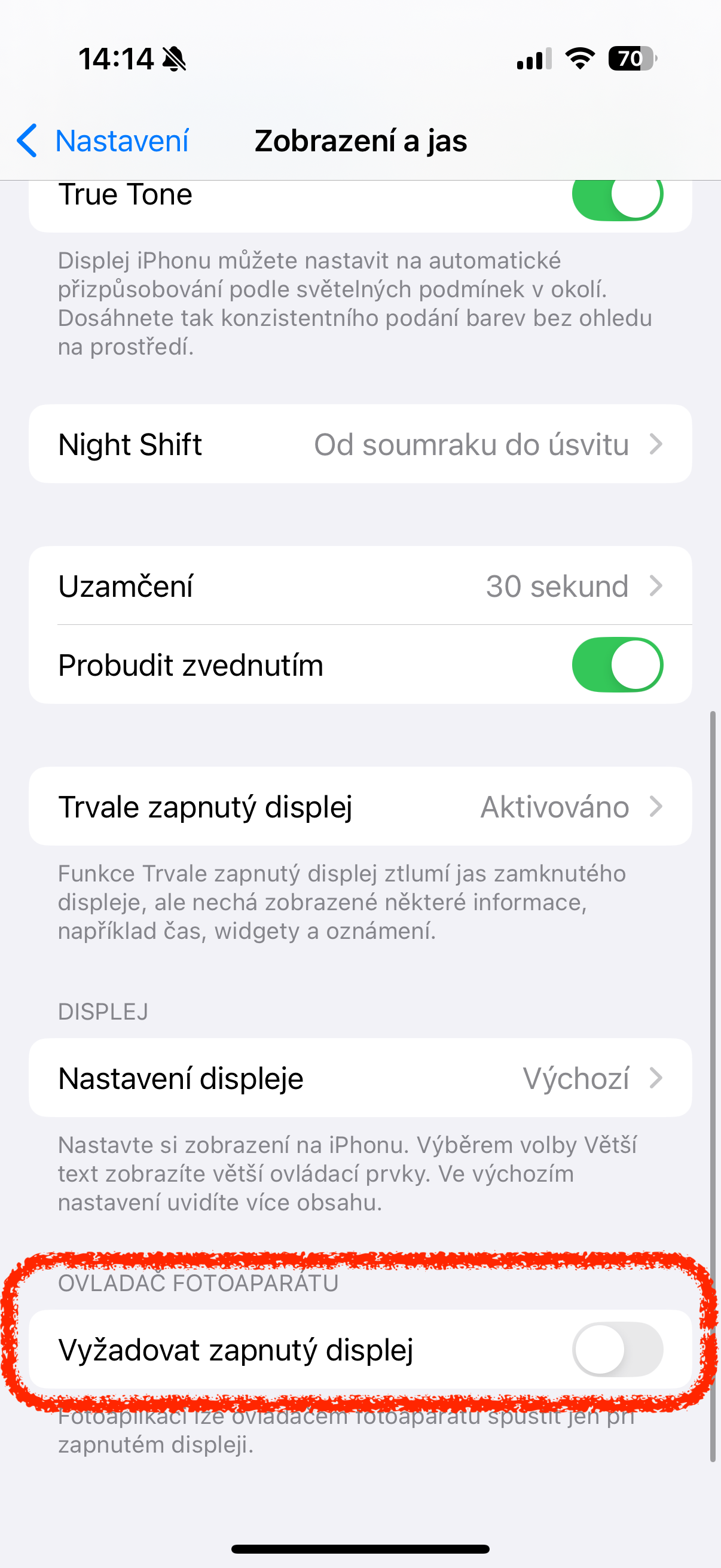
So if you use the camera button to quickly activate the camera on your iPhone, like I do, you should definitely know about this setting and try it out. It's not bad at all and can improve user comfort quite a bit in my opinion.


Unfortunately, this is probably the only benefit of the entire button.
It makes taking photos look terribly unnatural, I don't understand why no one said during testing that it was too far away.
It's made for portrait photography and it's right there.
Anyway, with this setup, the button makes perfect sense.
From April 18.4, this setting will be in the Camera -> Camera Driver -> Require Display On section.