Apple released the first set of features today Apple Intelligence, which is available to iPhone, iPad, and Mac users as part of a free update iOS 18.1, iPadOS 18.1 and macOS Sequoia 15.1. Apple Intelligence is a personal intelligence system that uses the power of chips Apple to understand language, generate text, recognize and create images, perform actions across applications, and draw on personal context to simplify and speed up everyday tasks. At the same time, this artificial intelligence (AI) solution places a special emphasis on user privacy. The first set of features is available today, with more to come in the coming months.
“S Apple Intelligence they enter iPhone, iPad and Mac into a new era. They offer completely new capabilities and tools that push the boundaries of what users can do,” he says Tim Cook, CEO of the company Apple. "Apple Intelligence builds on years of innovation in AI and machine learning and integrates generative models Apple to the core of our devices. It thus brings users a personal intelligence system that is easy to use and at the same time protects their privacy. Apple Intelligence is generative AI in a form that only it can offer Apple. We are very excited about how it will enrich the lives of our customers.”
"Apple Intelligence "It brings amazing new features that make everything you do on your iPhone, iPad, and Mac even smarter and more useful. For example, writing tools help you rephrase text, summaries highlight the most important things in notifications, and you can search for almost anything in photos and videos simply by describing it," he adds. Craig Federighi, senior vice president of the company Apple for software development. “And the whole system is built with privacy in mind. Our new, groundbreaking approach, which combines on-device processing with private cloudcomputing, brings privacy and security from the iPhone to the cloudto keep user data safe. To the first set of features Apple Intelligence users have access starting today. And that's just the beginning."
-
Gallery
Enter the gallery
System-wide Writing Tools
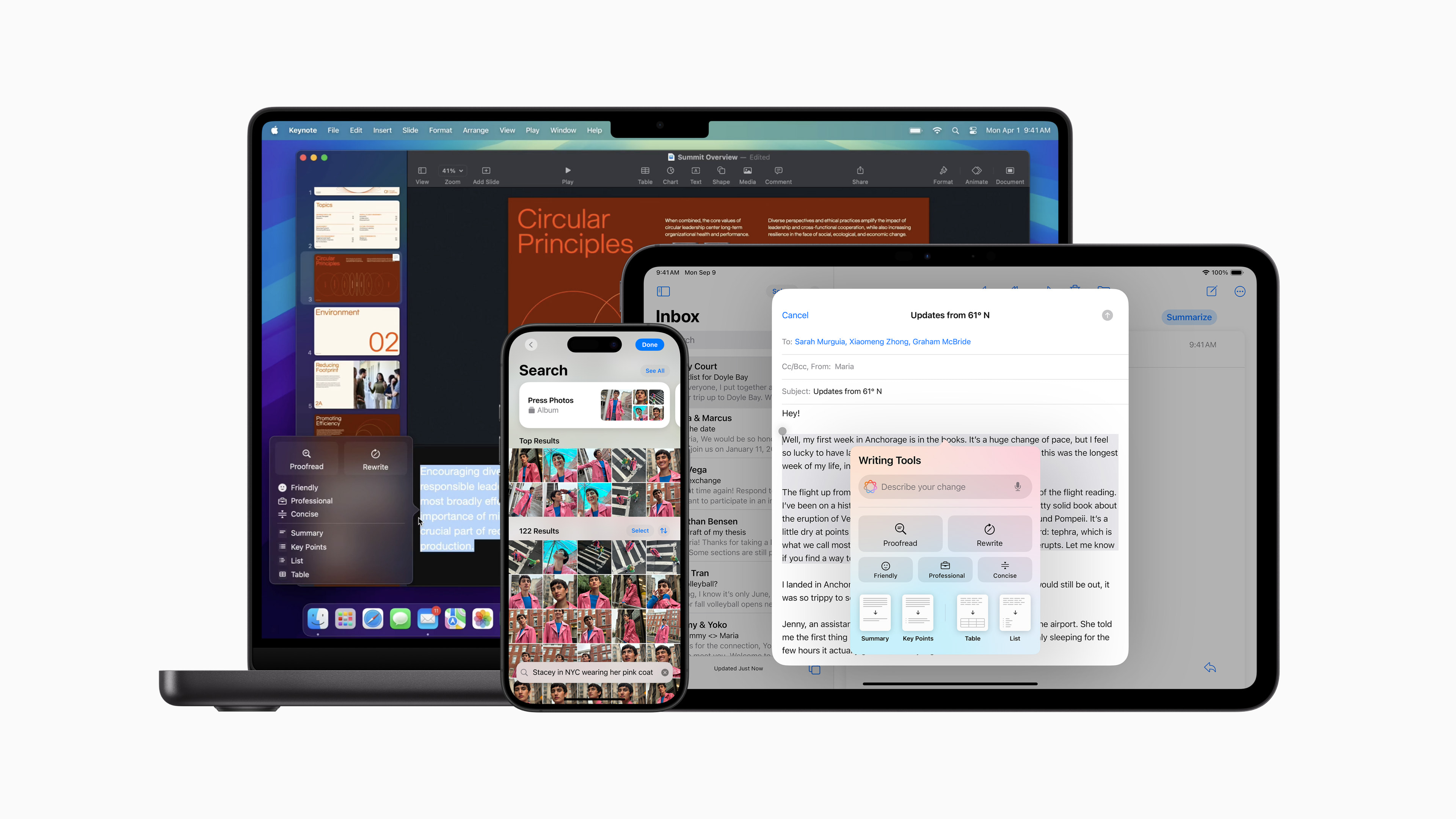
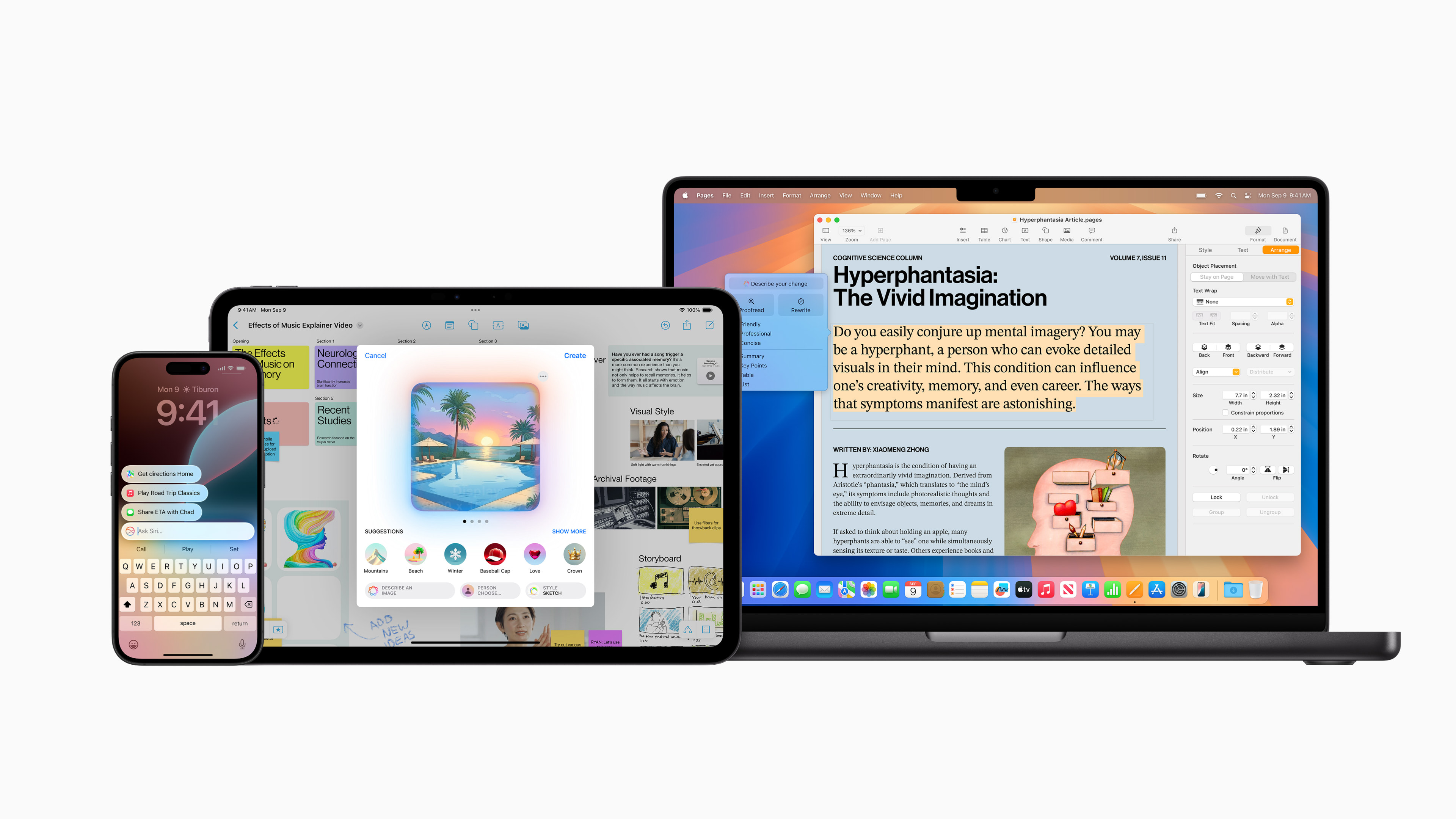
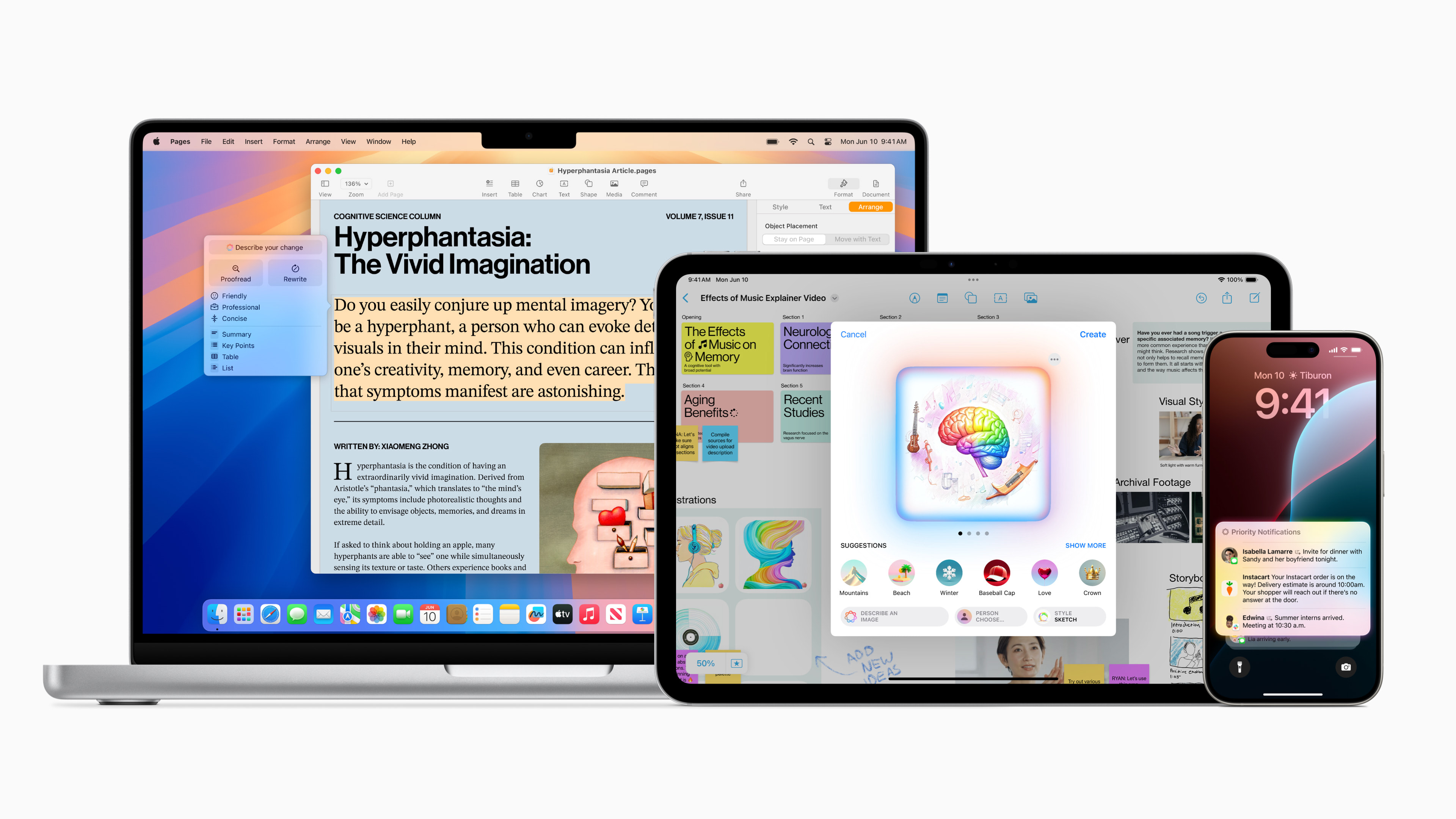
Writing tools are deeply integrated in iOS, iPadOS and macOS, helping users rephrase, proofread and summarize text virtually anywhere they type, including Mail, Messages, Notes, Pages and applications from other developers.
Thanks to the Overwrite feature built in Apple Intelligence users can choose from different versions of their written text and edit it to sound professional, concise or friendly, depending on the target audience and purpose. Proofreading checks grammar, word choice and sentence structure, and suggests edits with explanations - users can review them or accept the changes straight away. It is also possible to select some text and notchat summarize it in one short paragraph, bullet points, table or list.
More natural communication Siri
Siri is more natural, more flexible and more deeply integrated into the system. It has a completely new design – whether on an iPhone, iPad or in CarPlay active, the edges of the screen glow elegantly. On Mac, users can place it anywhere on the desktop for easy access while working. They can interact with it by typing at any time on iPhone, iPad, and Mac. And they can help them get through everyday tasks faster with the ability to use Siri seamlessly switch between text and voice communication. Thanks to a more comprehensive understanding of language, Siri It doesn't get lost even if the user misunderstands and can take into account the context of subsequent requests. In addition, it has extensive product knowledge and can answer thousands of questions about product features and settings. Apple. It guides users on anything from recording a screen recording to easily sharing a Wi‑Fi password.
A smarter Photos app
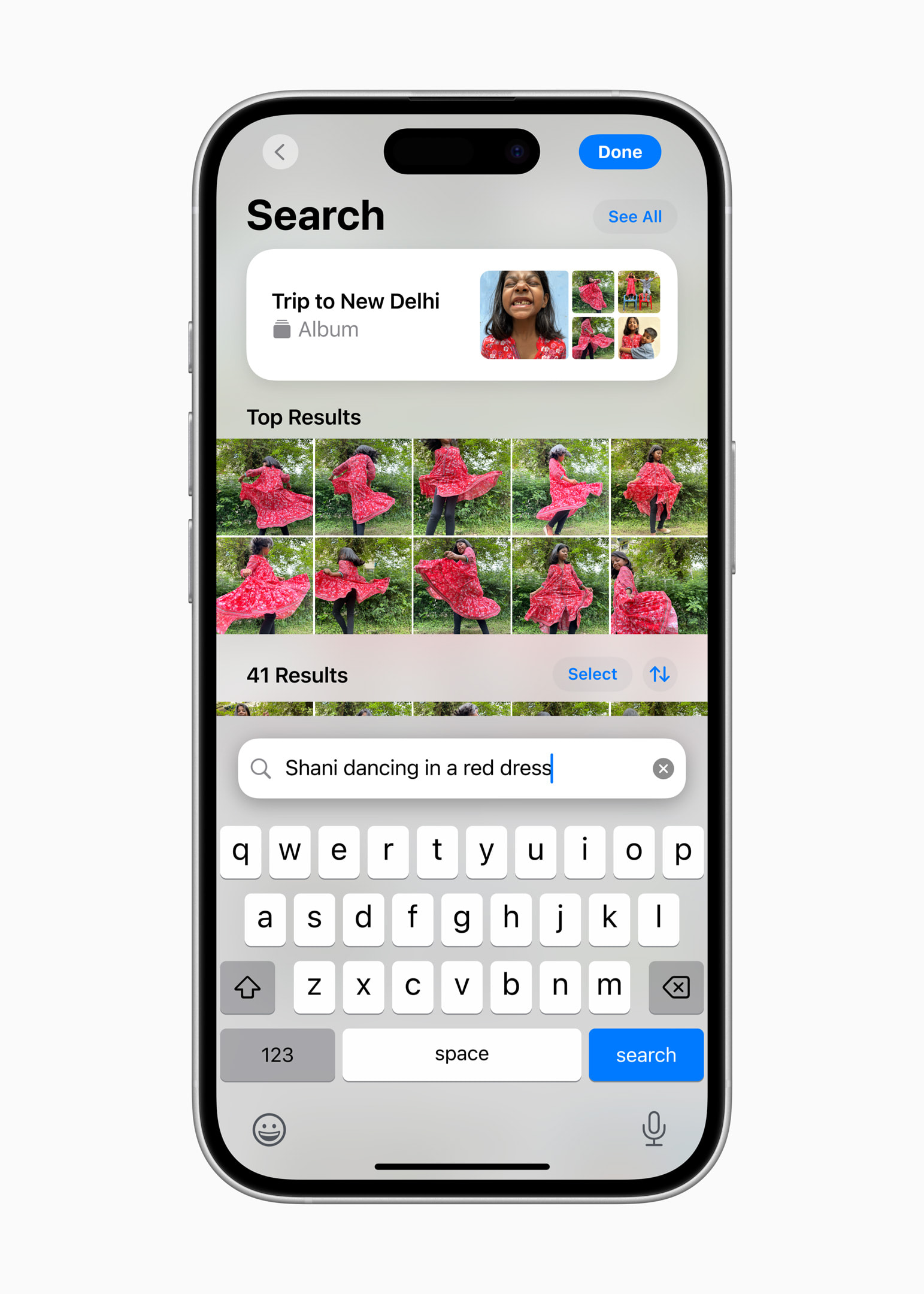
The Photos app is now even smarter and can do a lot of new things. Thanks to natural language support, users can find almost anything - they simply describe what they are looking for in their own words. Just enter, for example, "Maya skateboarding in a tie-dye shirt". It also works in videos, so users can search for something that happened in a specific part of the video and watch it right away. Search also offers smart suggestions to complete the search query so users can quickly find what they need.
When an object or a person that doesn't belong gets into the photo, you can remove the distracting elements from it with the Clean tool. So it will look exactly the way it was supposed to without losing its authenticity.
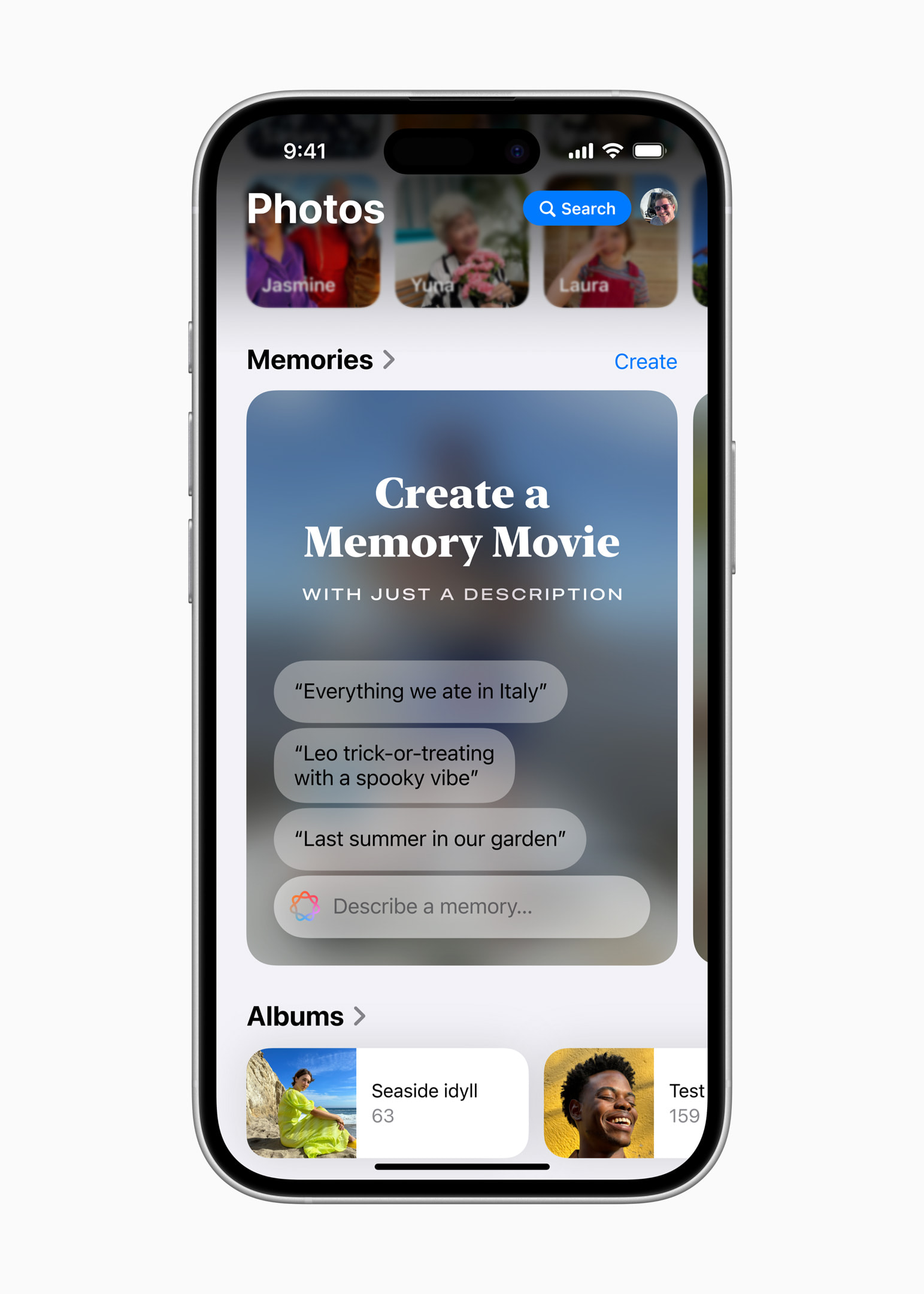
Memories now allows users to create desired movies simply by entering a description.1 Apple Intelligence Using language understanding and image recognition, it selects the best photos and videos based on the user's description, generates a script with chapters based on the motifs it recognizes in the footage, and arranges the photos into a movie with its own storyline.
New features for prioritizing and focusing
E-mails are easier to navigate than before. Priority Messages, a new section at the top of the inbox, displays the most urgent messages, such as a same-day lunch invitation or boarding pass. Users are shown message summaries in the clipboard without having to open them, and for long conversations, they can tap or click Summary to see the most important information. And Smart Reply suggests quick responses and recognizes questions in emails so none are missed.
To help users prioritize and focus, it creates Apple Intelligence Notification summaries to help them navigate long or stacked notifications, such as when a group chat starts chatThe most important information is visible at a glance on the lock screen. And the new Focus mode, Limit Disturbances, shows only the notifications that may require immediate attention.
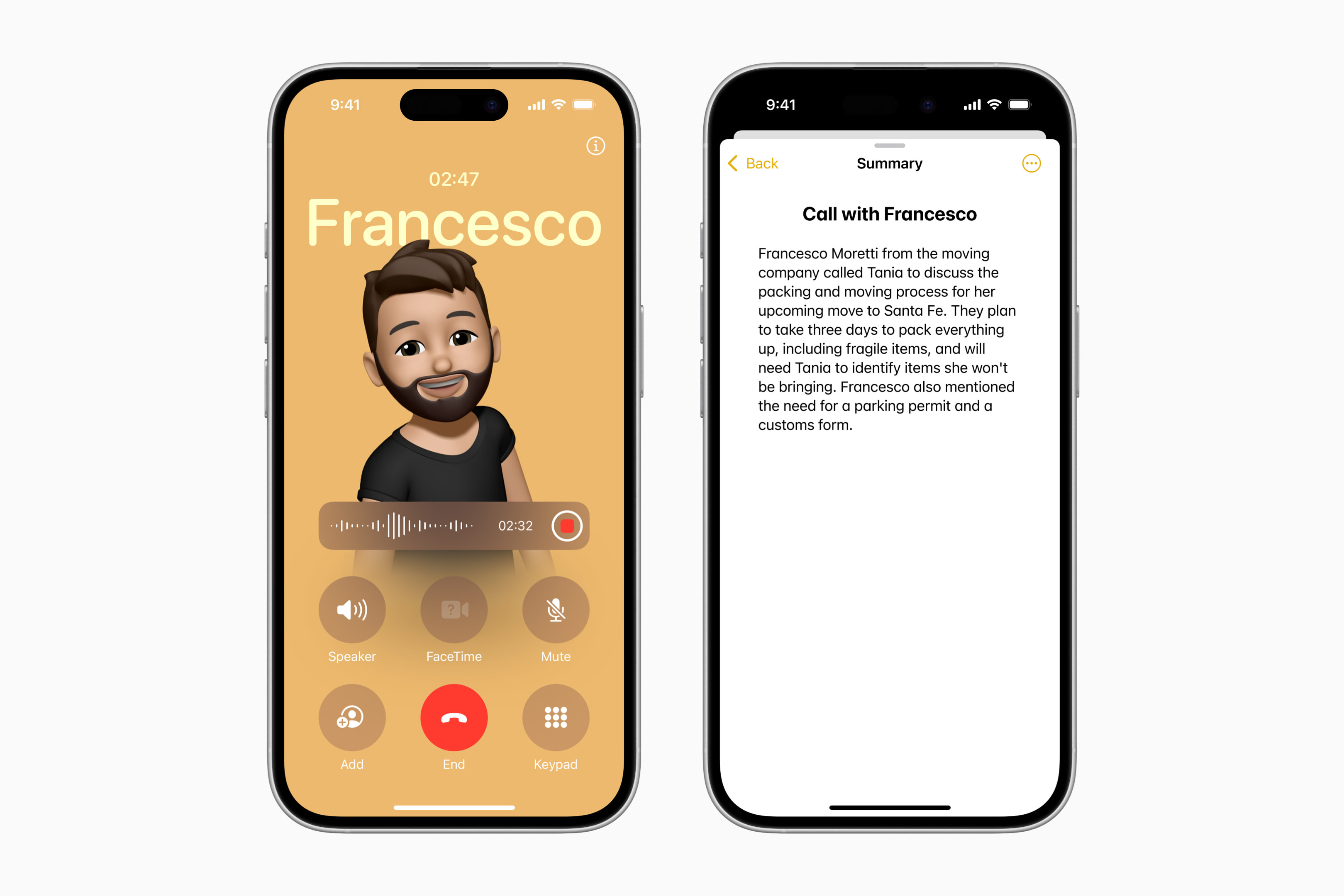
In the Notes and Phone apps, users can now record audio and notchat generate transcripts or summaries from it. When you start recording during a call in the Phone app, participants automatically hear a notification. And once the call ends, Apple Intelligence generates a summary to remind you of key points.
Gallery

Lots of other upcoming features
New features Apple Intelligence will be made available in December, with more gradually added in the coming months.
Apple Intelligence will offer users new ways to express themselves visually. Emoticons will be taken to a whole new level – users can create their own original Genmoji by simply entering a description, or using a photo of a friend or family member to make it more personal. Image Playground will allow users to generate playful images in a matter of moments. Image Stick transforms sketches in notes into painted-like visuals. When a user circles a blank space, Image Stick creates a graphic based on the surrounding context.
Starting in December, Writing Tools will be even more useful, allowing users to describe the desired text edit. For example, a price invitation should notchat rewrite it into a poem or add more dynamic action phrases to your resume. In addition, users will be able to use in Siri and Writing Instruments extensive knowledge of the service ChatGPT as well as its ability to understand images and documents without having to jump between different tools.
Another novelty planned for December is a new concept of visual intelligence built on Apple Intelligence, which will help users instantly find out information about objects and places using the new Camera Control in iPhonech 16.2This will allow users to quickly find information about the restaurant they are standing in front of and continue working with it, even if they don't want to.chat translate.3 Camera controls will also serve as a gateway to specialized third-party tools, such as Google search capabilities for finding where to buy a product or troubleshooting with ChatGPTUsers are in control of when third-party tools are used and what information is shared with them.
In the coming months, priority notifications will begin to highlight the most important and Siri It will become even more capable, providing users with tailored information based on personal context. It will also gain awareness of screen content and handle hundreds of new actions, not just in apps. Apple or other developers, but also between them.
Revolutionary privacy protection
Apple Intelligence is designed to protect user privacy at every step. It tries to process as many tasks as possible directly on the device, so many of its models run entirely on the device. For requests that require more processing power, it uses private cloudnew computing that extends privacy and security from devices Apple do cloudua makes even more intelligence available. User data is used exclusively to process the request within the private cloudelectronic computing and Apple never stores or shares them. For the first time in the industry, independent experts can review code running on chip servers at any time Apple, and thus constantly monitor compliance with the obligation to protect users' privacy. This is an extremely important step towards privacy-conscious AI.
Users can choose whether to enable the integration ChatGPT, which is available when using Siri, Writing tools and visual intelligence via Camera Control. They have the ability to use ChatGPT free without creating an account and with integrated privacy protection, where their IP address is hidden and OpenAI does not store processed requests. Pro those who choose to connect their account are subject to the policies OpenAI for data handling.
Availability
- The first set of features Apple Intelligence is now available as part of a free update iOS 18.1, iPadOS 18.1, and macOS Sequoia 15.1. It is available in most regions of the world on devices that have the system language and Siri set to American English.
- Mac users in the EU have access to Apple Intelligence in US English with macOS Sequoia 15.1. Features will begin rolling out to iPhone and iPad users in the EU in April Apple Intelligence. This will include many basic functions Apple Intelligence, including writing tools, Genmoji, redesigned Siri with richer language understanding, integration ChatGPT and others.
- support Apple Intelligence for other languages will increase rapidly. From December it will be Apple Intelligence available in English localized for Australia, Ireland, South Africa, Canada, New Zealand a United Kingdom and a software update planned for April will bring expanded language support. More will be added over the next year, including Indian and Singaporean English, Chinese, French, and more.ancUzbek, Italian, Japanese, Korean, German, Portuguese, Spanish, Vietnamese and others.
- Apple Intelligence is available on iPhone 16, iPhone 16 Plus, iPhone 16 Pro, iPhone 16 Pro Max, iPhone 15 Pro, iPhone 15 Pro Max, iPad with A17 chip Pro or M1 or later and a Mac with an M1 chip or later.
- The memory movie can be created on iPhone and iPad, and in the coming months it will also be possible on Mac.
- Camera controls are available on iPhone 16, iPhone 16 Plus, iPhone 16 Pro and iPhone 16 Pro Max.
- POI information will initially be available in the United States, with support for other regions coming in the coming months.






Good day, is it possible to delete objects from photos here too??
Yes, but it is necessary to change the localization of the phone, for example to the USA, and change the region Apple century, also, for example, in the USA.