
How to switch from beta iOS 18 the public version might be of interest to all users who couldn't wait a few months ago and installed it in advance beta green iOS 18. He will release it already on Monday evening Apple the first public version of its "eighteen" system, thus the initial beta will de facto close the testing and start the mode we are used to in public systems - that is, beta testing "only" its next versions. But how do you get out of the beta iOS 18 to get the public version?
How to switch from beta iOS 18 to the public version
Transition from beta iOS 17 to the public version this year thanks to changes that Apple made within the framework beta Testing is extremely simple. All you need to do is:
- Open Settings – In general – Software Update
- Open subsection updates beta versions – to set Off
- Once you do this, it's done and your phone will start searching for only public versions of the system
Gallery
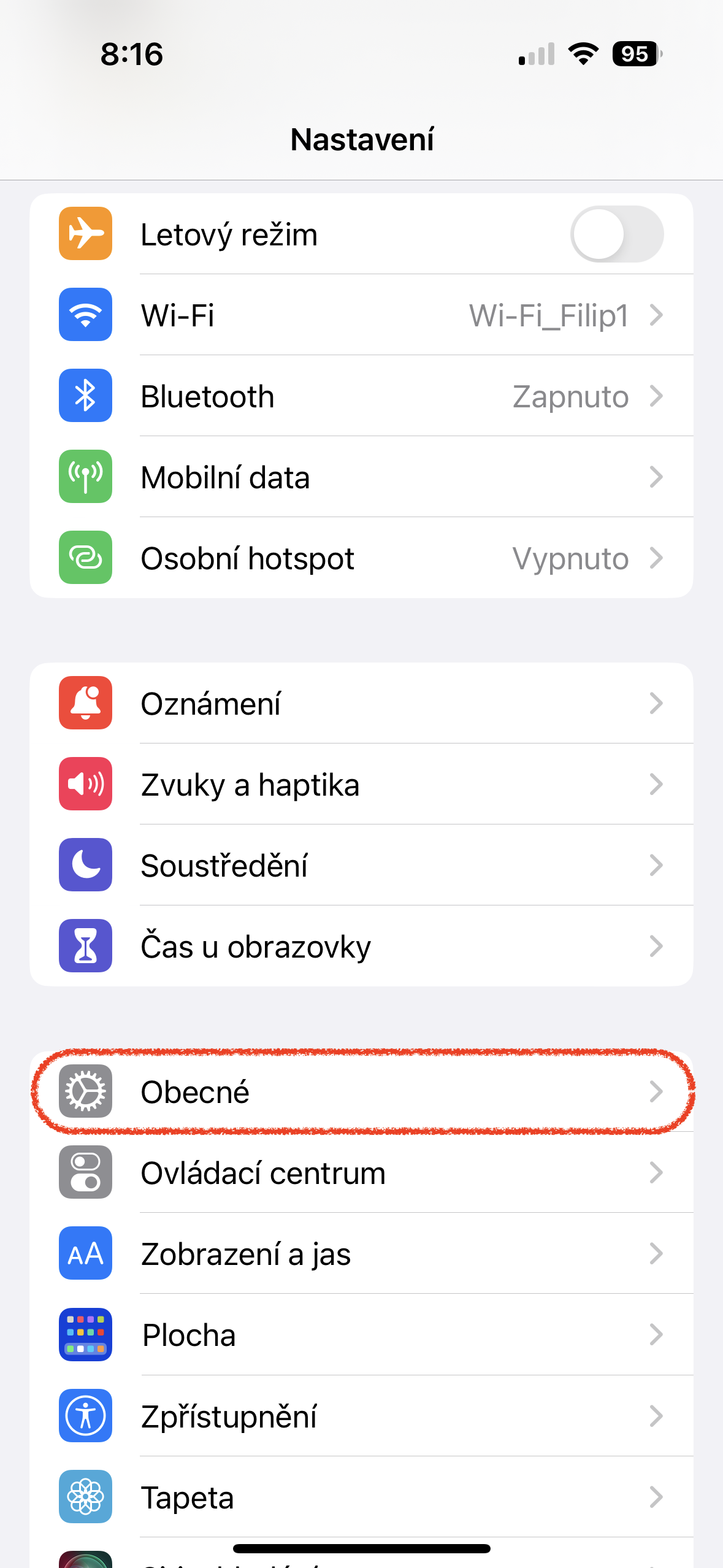
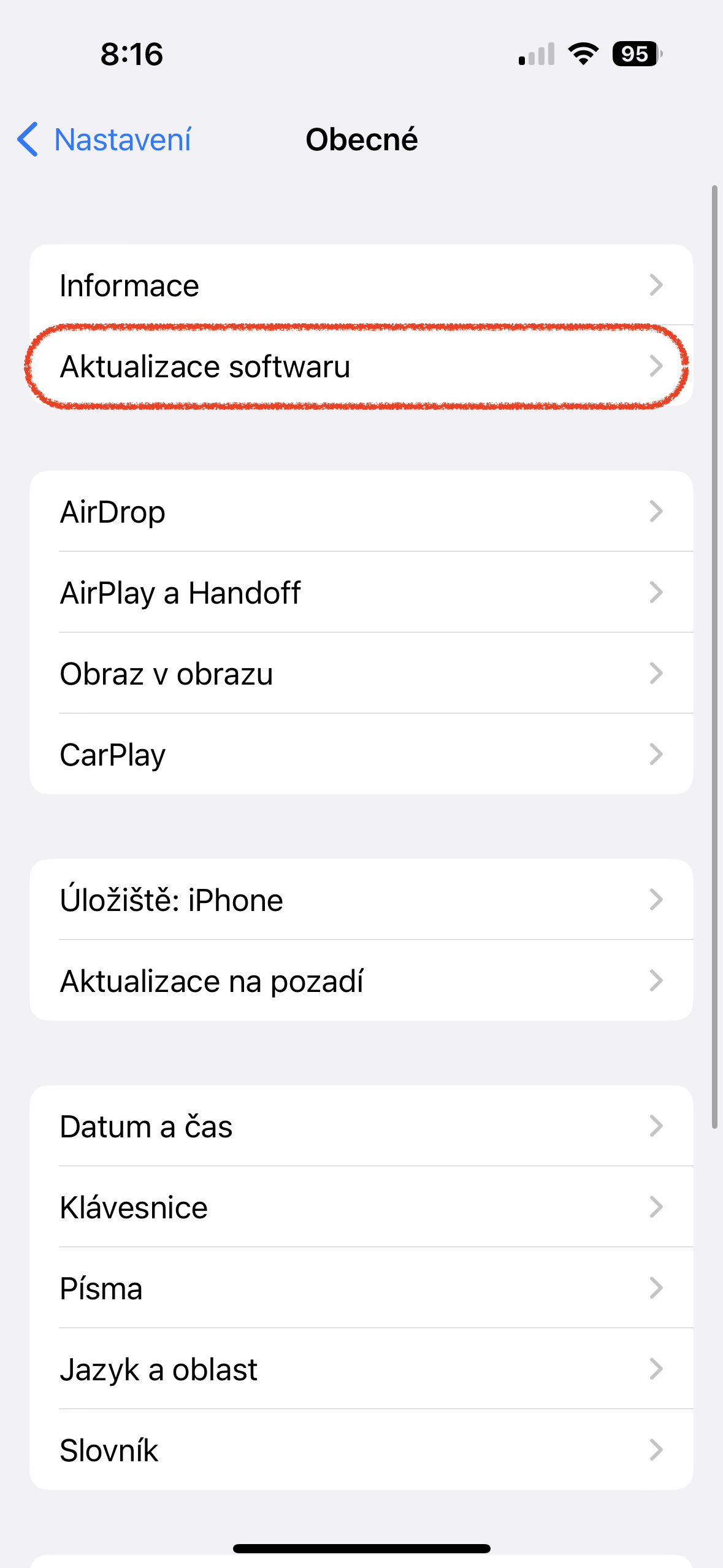
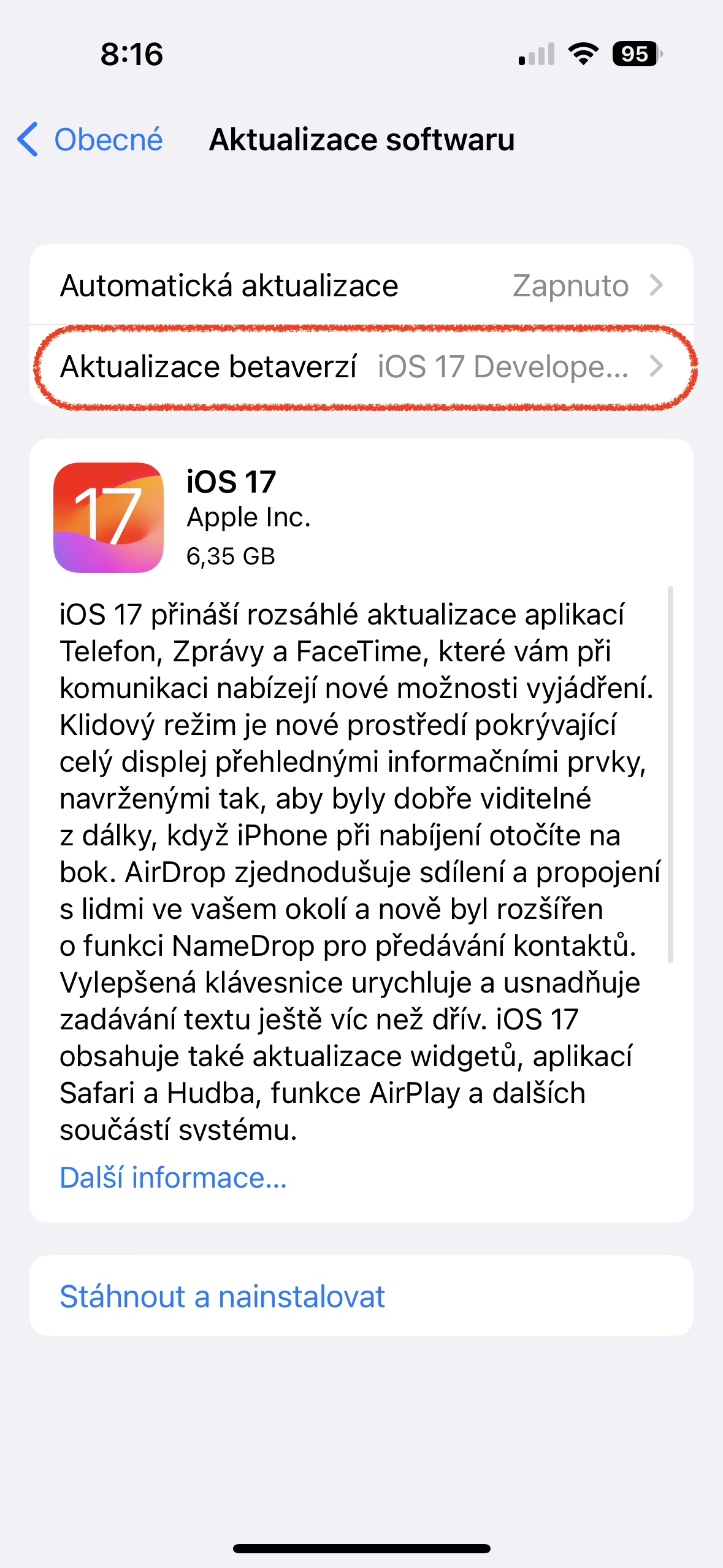
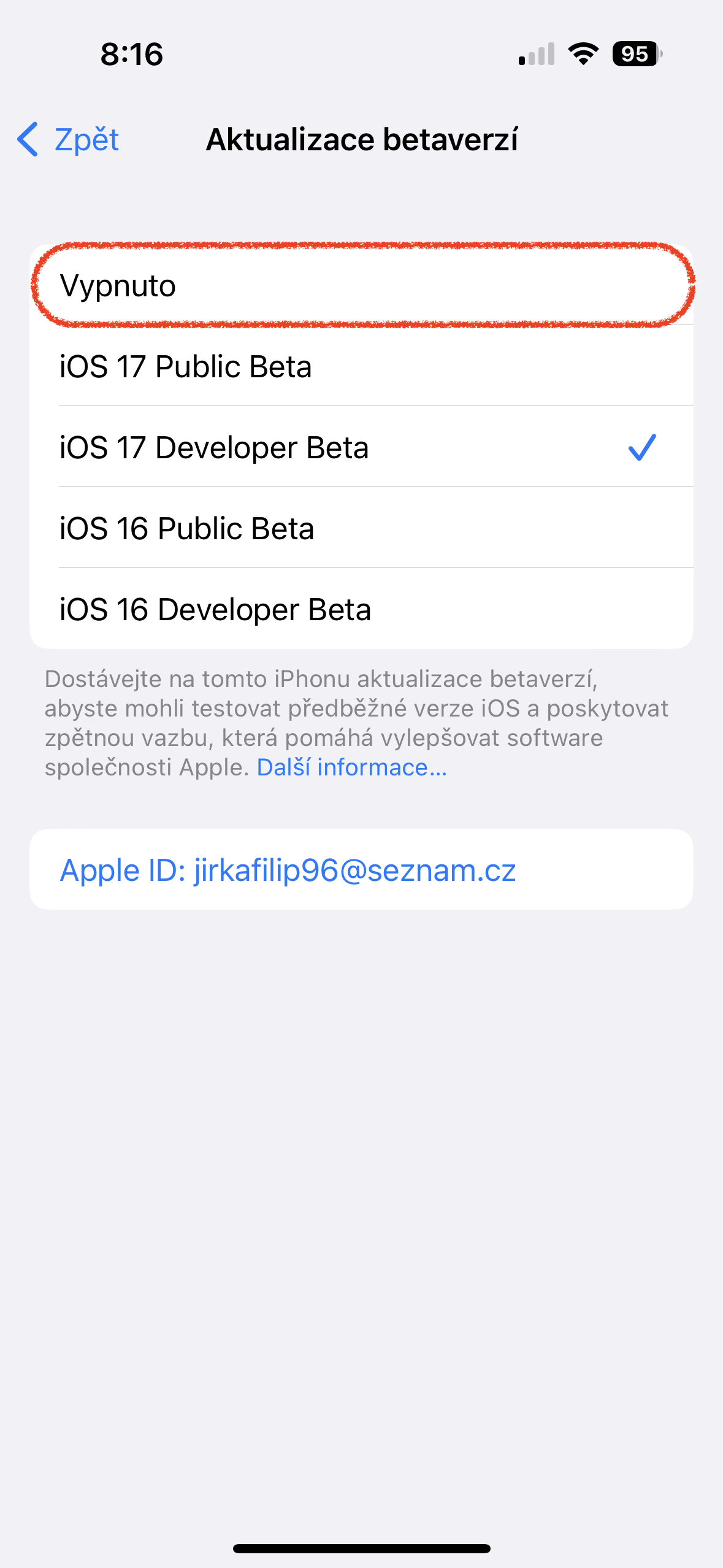
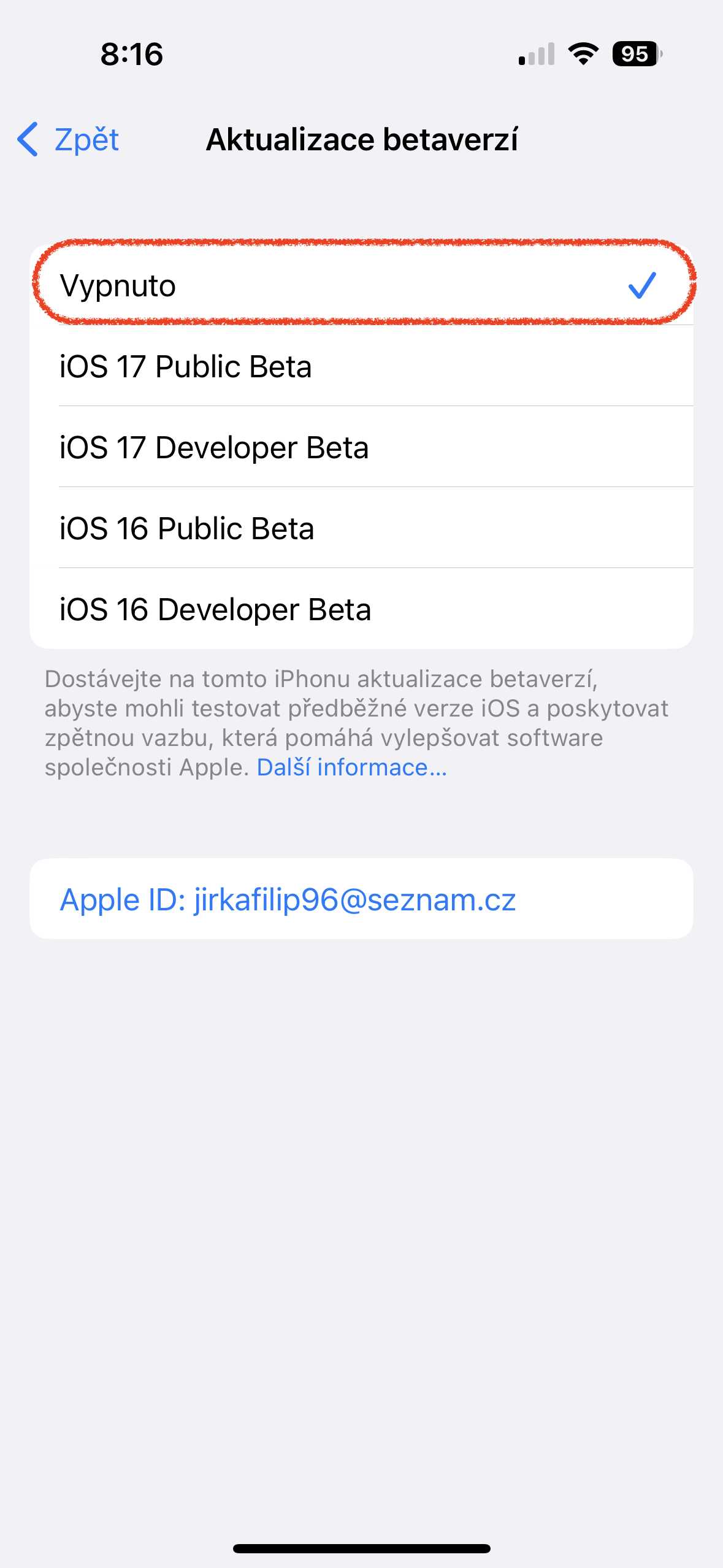
If you would beta If you haven't unsubscribed from testing, you would still receive other developer updates as usual. beta iOS 18. It is important to note that you must do this before installing the so-called Release Candidate (RC) version. If you do not do so or have not done so and this final beta green iOS you install, you will have to wait for the next public version to be released iOS, so probably iOS 18.0.1 so that you can switch to the public version. It is not possible to switch from beta version iOS to get to the same or older public version of the system. However, since the RC version is the same as the public version, there is no need to address this issue in any way.




I had beta IOS 18. I turned off beta but it doesn't offer me any update. Will I have the public version or not?