
How in iMessage How to filter unknown users on iPhone? They constantly bombard you iMessage from unknown numbers and profiles? Get rid of annoying spam and marketing messages by activating the smart filtering feature on your iPhone. Learn how in this article.
You might be interested in
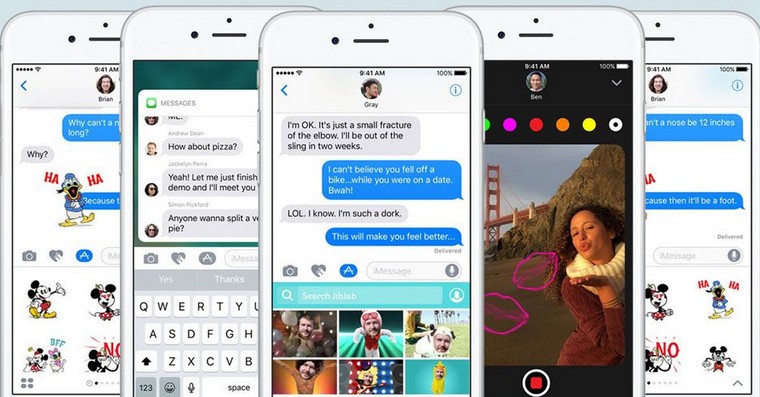
Spam messages, marketing offers, and fraudulent contact attempts can all be hidden behind unknown numbers and profiles in the Messages app on your iPhone. Fortunately, there is a simple solution to get rid of these annoying messages and keep your inbox clean and tidy. The solution is the unknown senders filtering feature, which is available in iPhone Settings.
How in iMessage filter unknown senders on iPhone
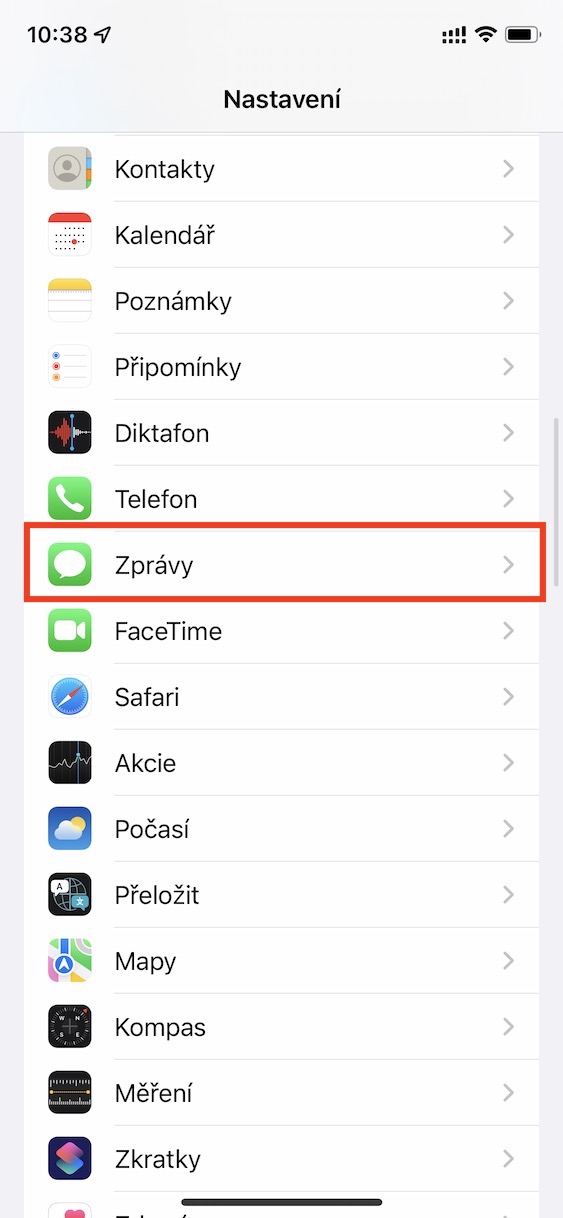
- Open the Settings app on your iPhone.
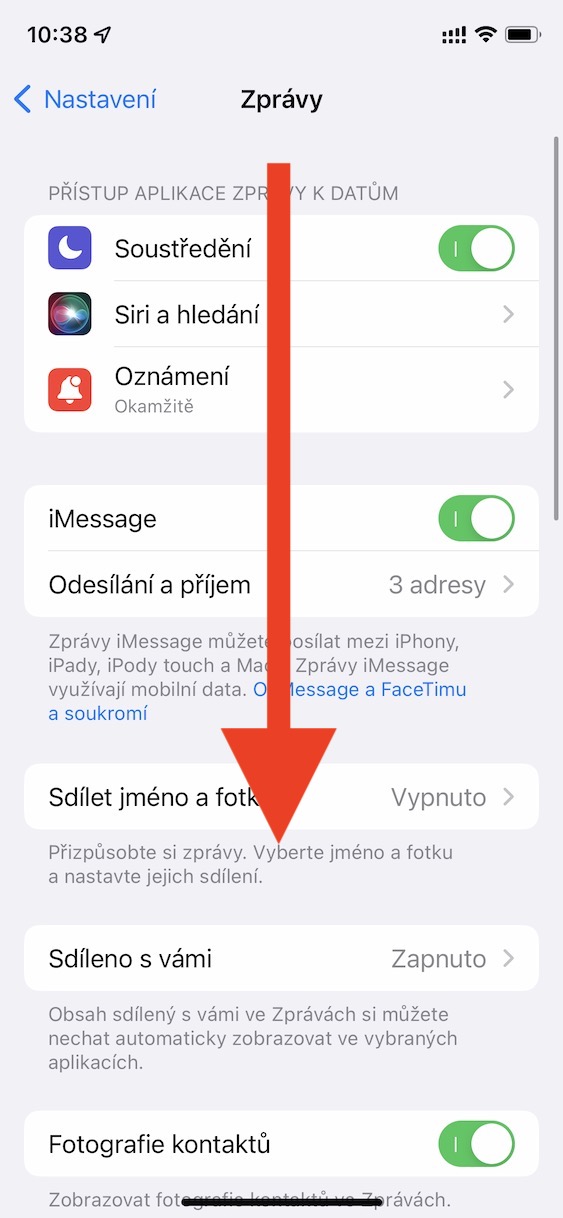
- Scroll down and tap on Messages.
- In the Message Filtering section, activate the Filter unknown senders switch.
Gallery
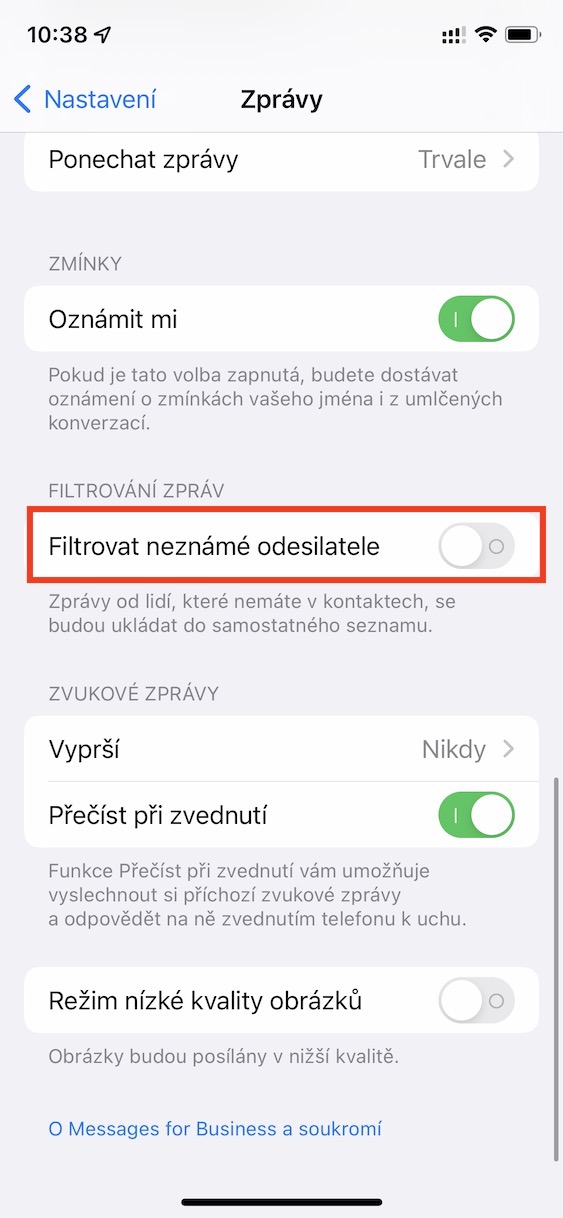
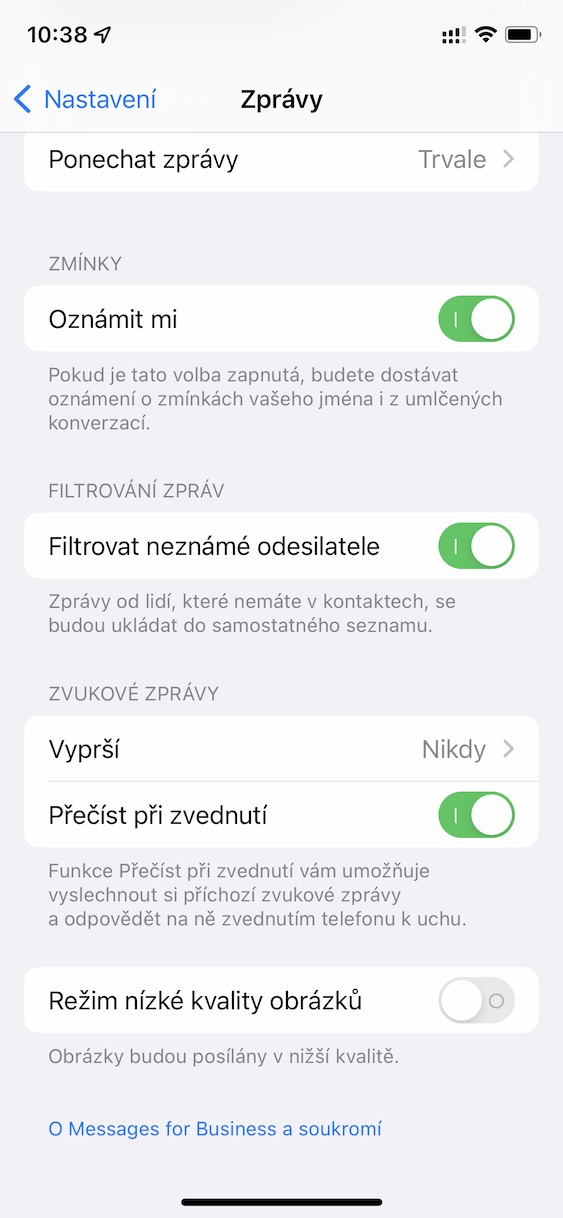
After activating this function, iMessage from unknown senders are automatically redirected to a separate folder called Unknown. This way, they won't clutter your main inbox and you'll be able to get to know them calmly and separately.




Proč so aggressively right away? Especially when you write untruths. The news will continue to circulate, just read the article. It says: "After activating this function, iMessage from unknown senders will be automatically redirected to a separate folder called Unknown. This way, they won't clutter your main inbox and you'll be able to get to know them calmly and separately." So 2FA messages will just be in a different folder.