Logging in using FacebookWhile logging into various apps or websites makes our lives easier, it also allows apps and websites to collect data that we wouldn't normally share with them. It's therefore a good idea to check from time to time where you're logging in using your Facebooku use and delete websites and apps that you no longer use or that you had no idea you ever logged in to. Let's take a look at how to delete website and app logins using Facebooku.
Log in to Facebook and in your profile, select Settings, where you will find the Apps & Websites item. Within this category, you will find all the apps and websites you have ever signed in to using FacebookIf you've never visited this section, you'll probably see dozens of apps and websites, some of which will have an orange Expired sign and some of which will still be active. Apps and websites can only take information from FB that you've allowed, but it can also be information that is not public and you quickly gave the app access to during login. It's a good idea to clean up your apps at least once in a while, which is something that Facebook itself is trying to do to some extent. FacebookIf you don't log in to an app or website for more than 90 days, then login sharing should automatically delete itself.
Gallery
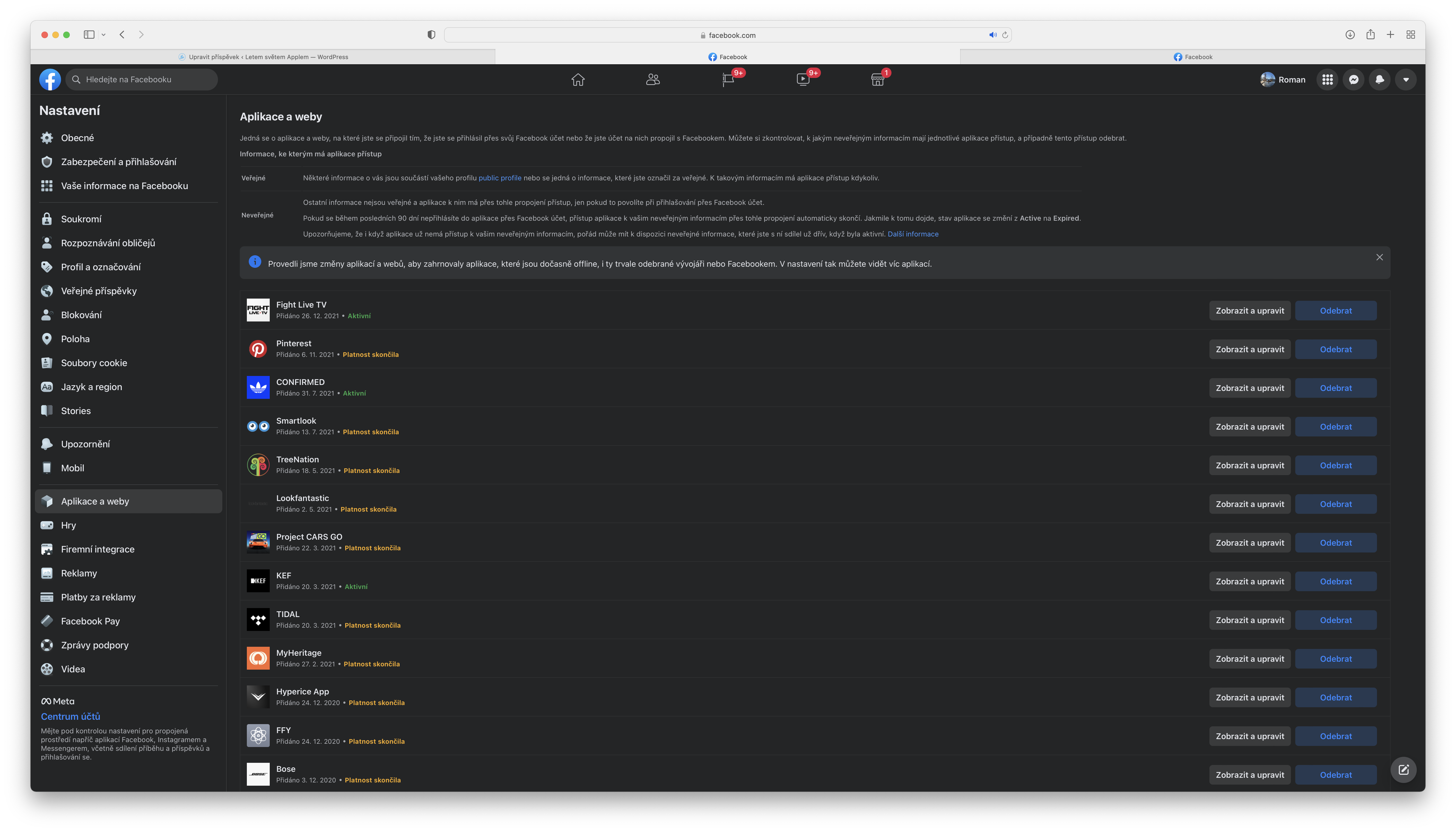
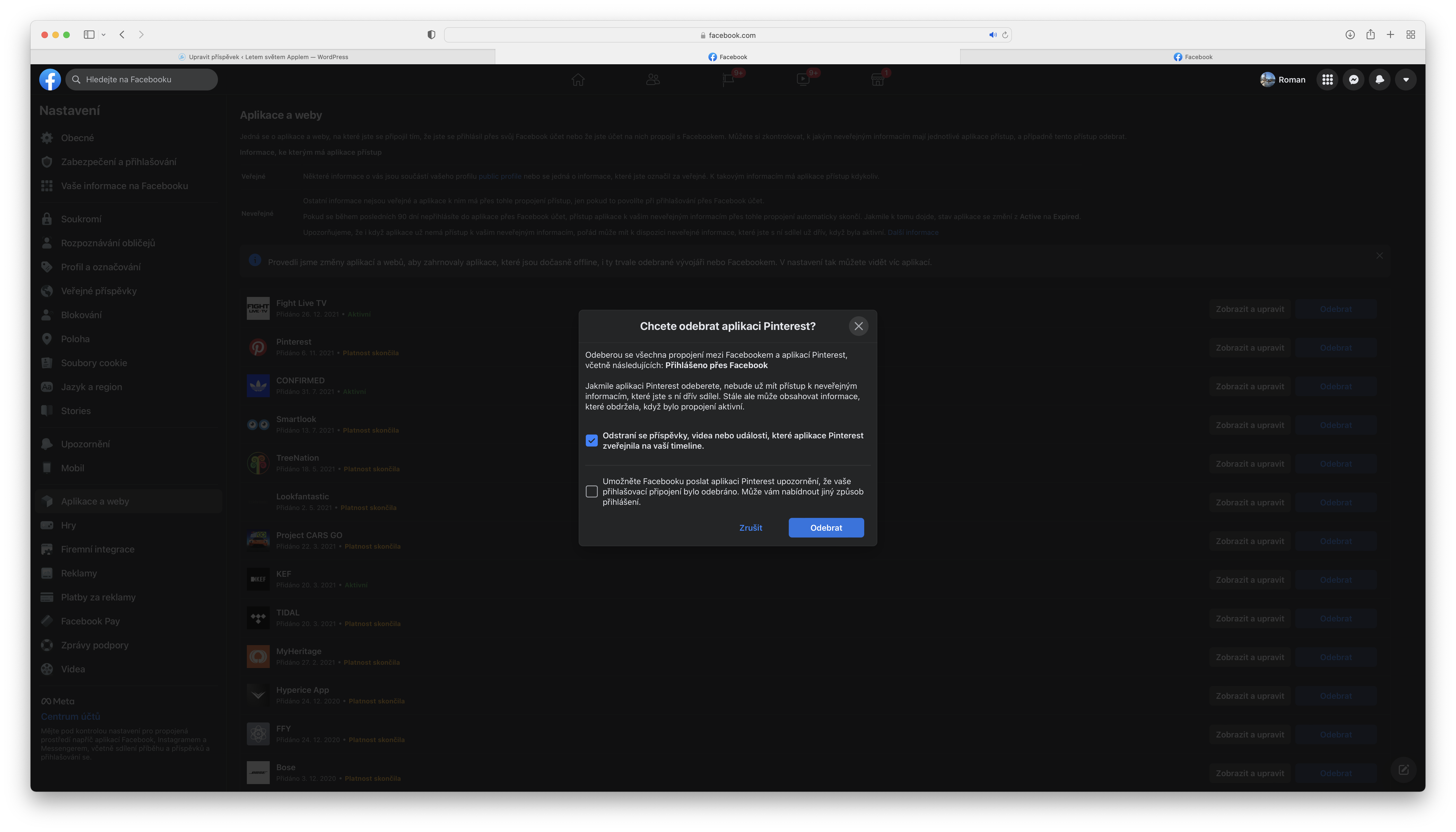
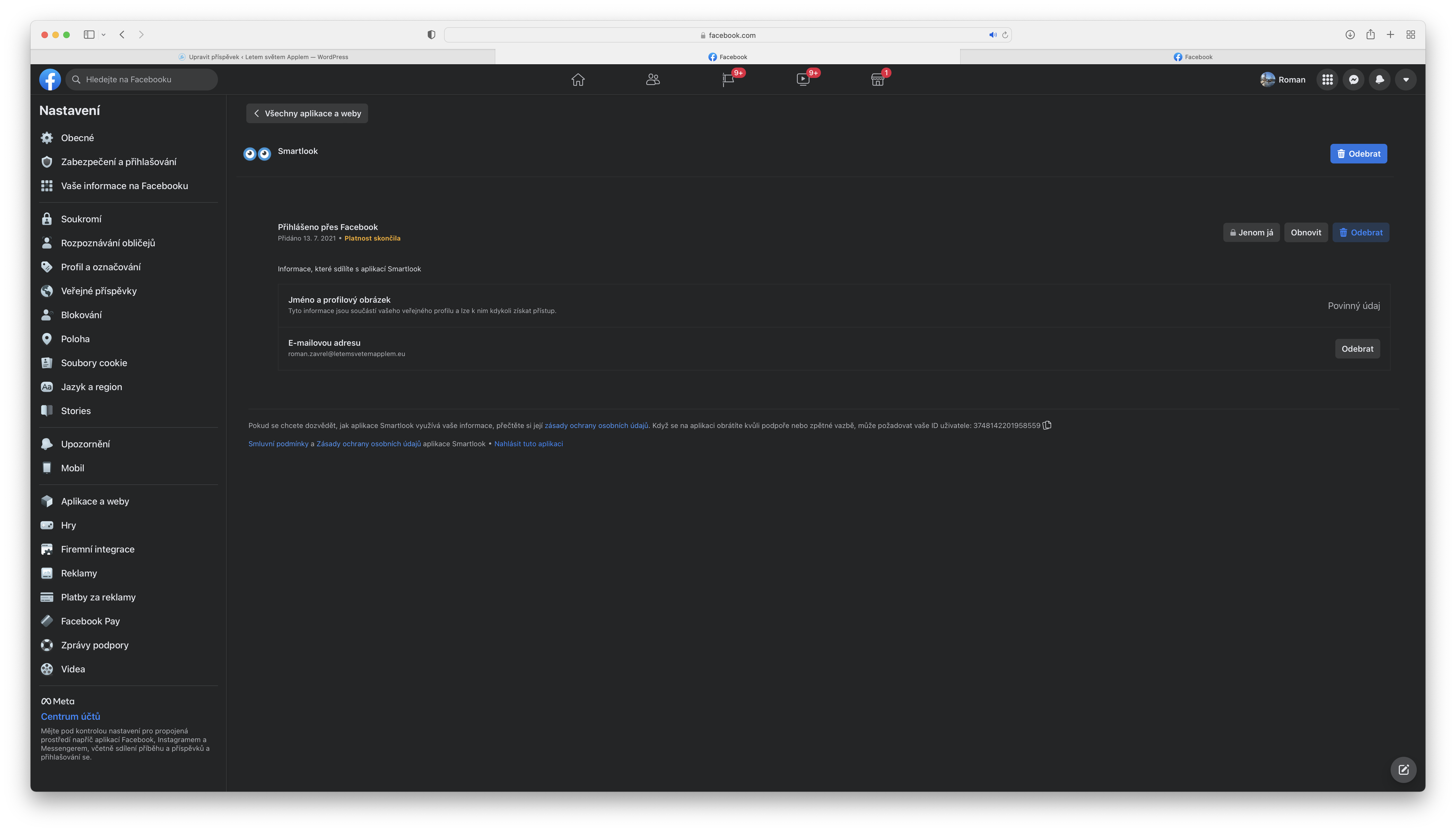
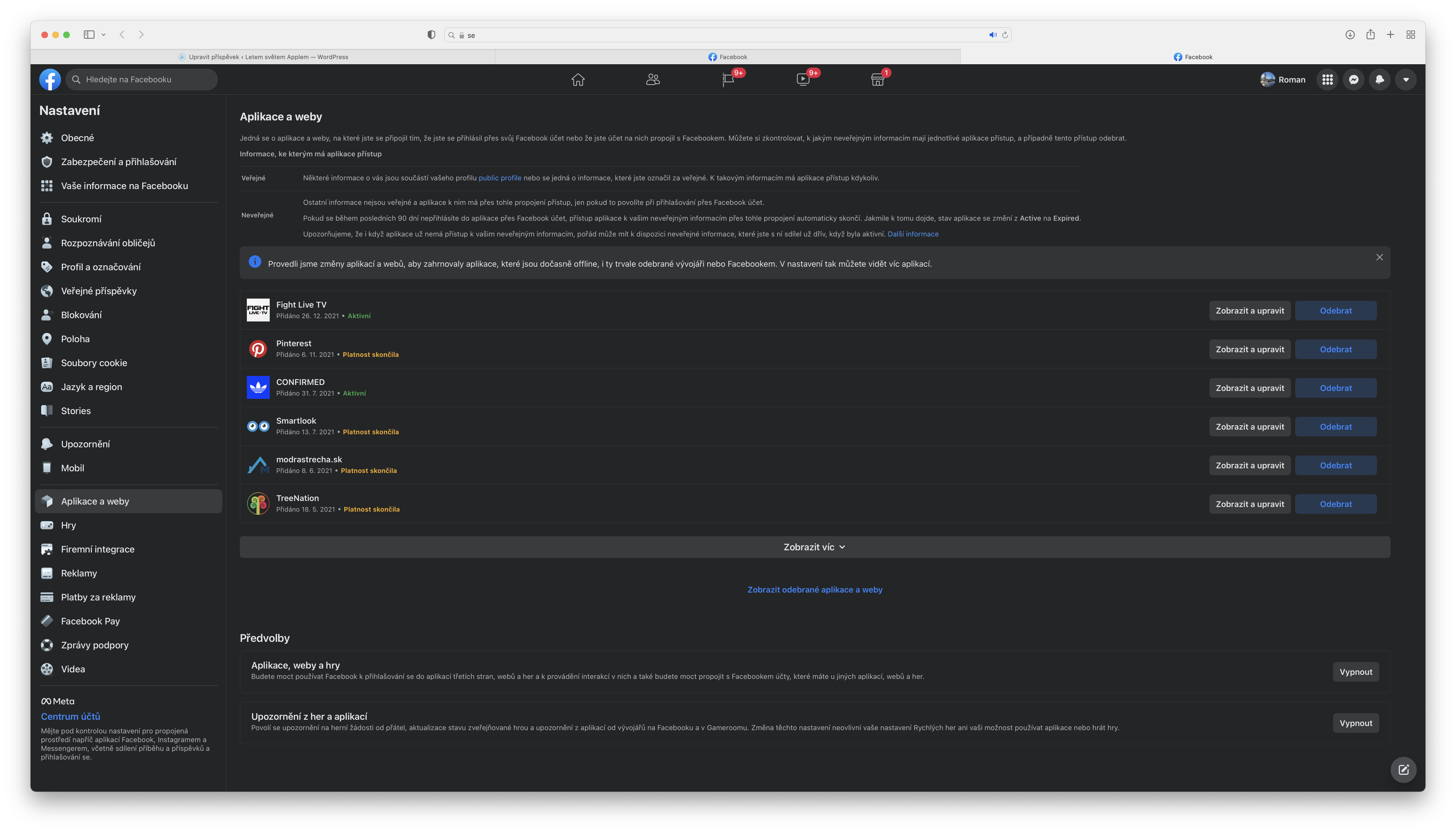
However, you can also manually block apps and websites from accessing your data, and I think that's definitely a good idea. miniat least for those that you don't use or visit. To know what information you share with an app or website, you can select the View and Edit option, where you can then edit what you share and continue to share. If it's a website or app that you no longer plan to use, just select the Remove option. Here, you just choose whether you want to remove what the app shared on your profile and whether you want it to be deleted. Facebook sent information that you have removed the login option. I definitely recommend taking the time from time to time to remove unused logins and delete everything you no longer use.