
Yesterday evening we went tooneThey have finally seen the release of public versions of new operating systems. Apple specifically released iOS and iPadOS 15, watchOS 8 and tvOS 15. This means that any of us can now install these systems - all we need is a supported device. iPhone, i.e. 6s or later. These operating systems of course come with a number of new features. We can mention the redesigned FaceTime, the new Focus mode or, for example, the new Safari. And just now Safari have users in iOS 15 huge problem. Apple because he came up with a design innovation and moved the address bar from its original position, i.e. from the top, to the very bottom of the screen.
You might be interested in
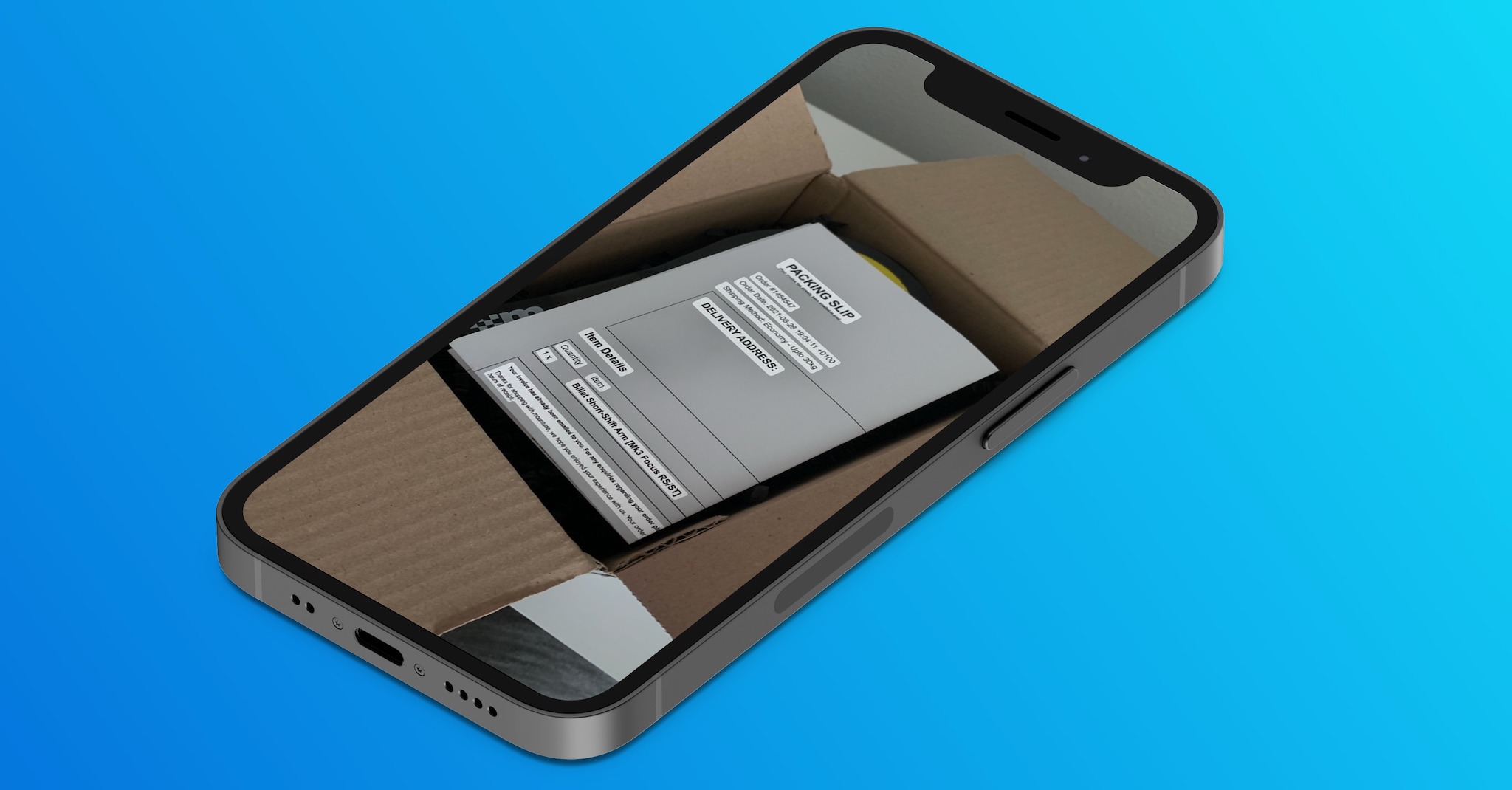
As iPhone v Safari return the address bar from the bottom back to the top
Good news for all users iOS 15 but you can move the address bar back from the bottom to the top – and it's not complicated. Already within beta version had to Apple facing a lot of backlash against the new design with the address bar at the bottom of the screen. He decided to give his users a choice. So they will either use the new layout or simply revert to the latter:
- First, on your iPhone with the installed iOS 15 go to native app Settings.
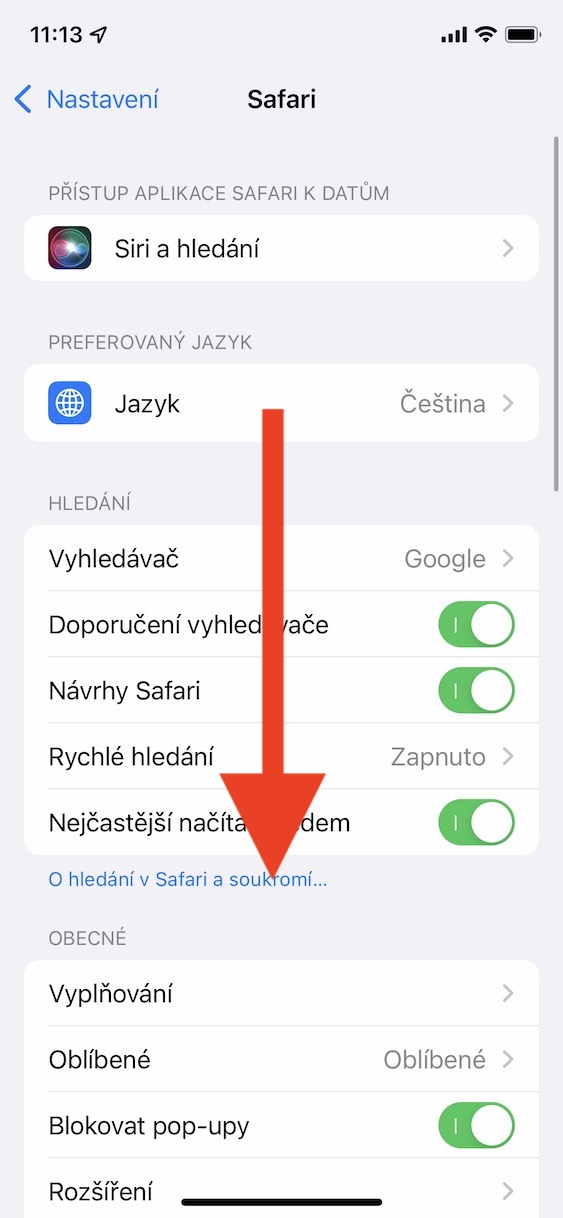
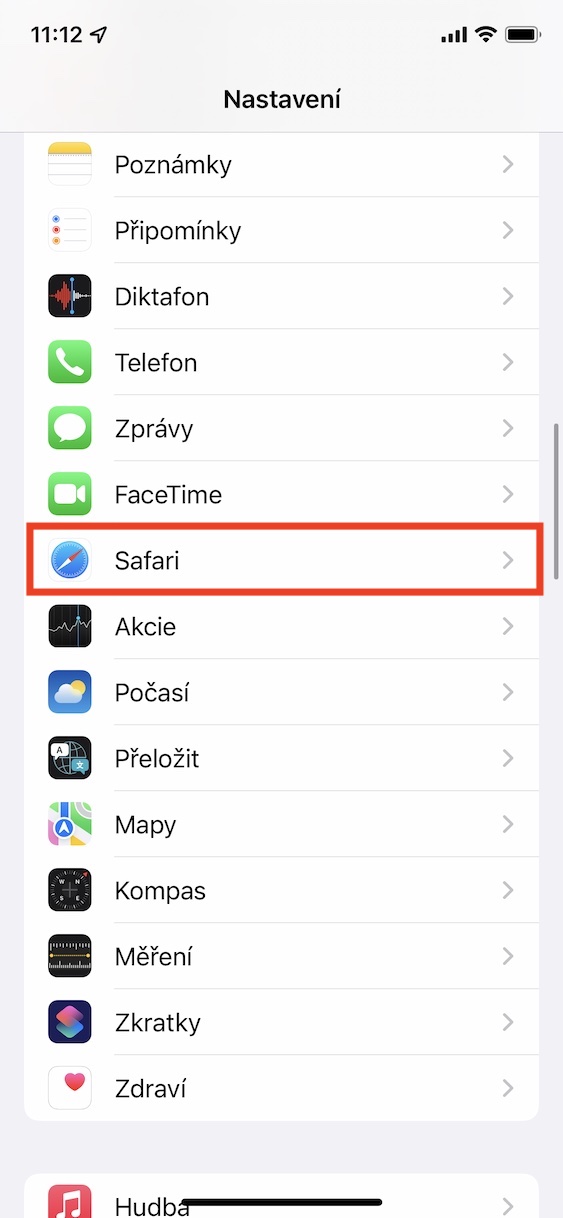
- Once you've done that, go down a notch below and click the tab Safari.
- Here, then go down a bit again below and locate the category Panels.
- Subsequently, here you will find a graphic that illustrates two specific layouts to choose from.
Gallery
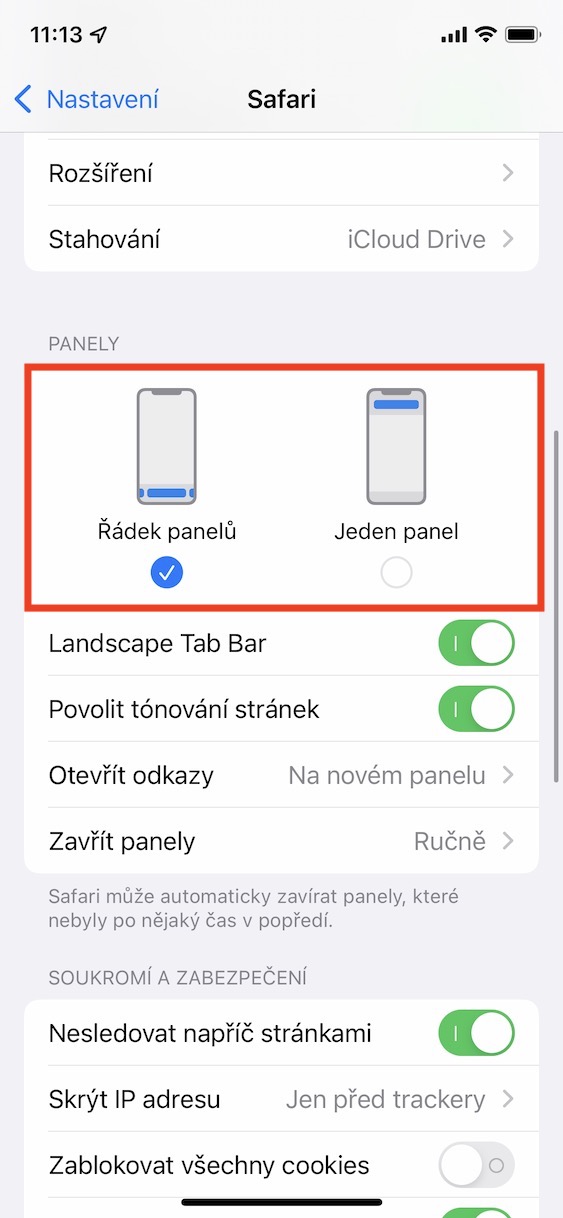
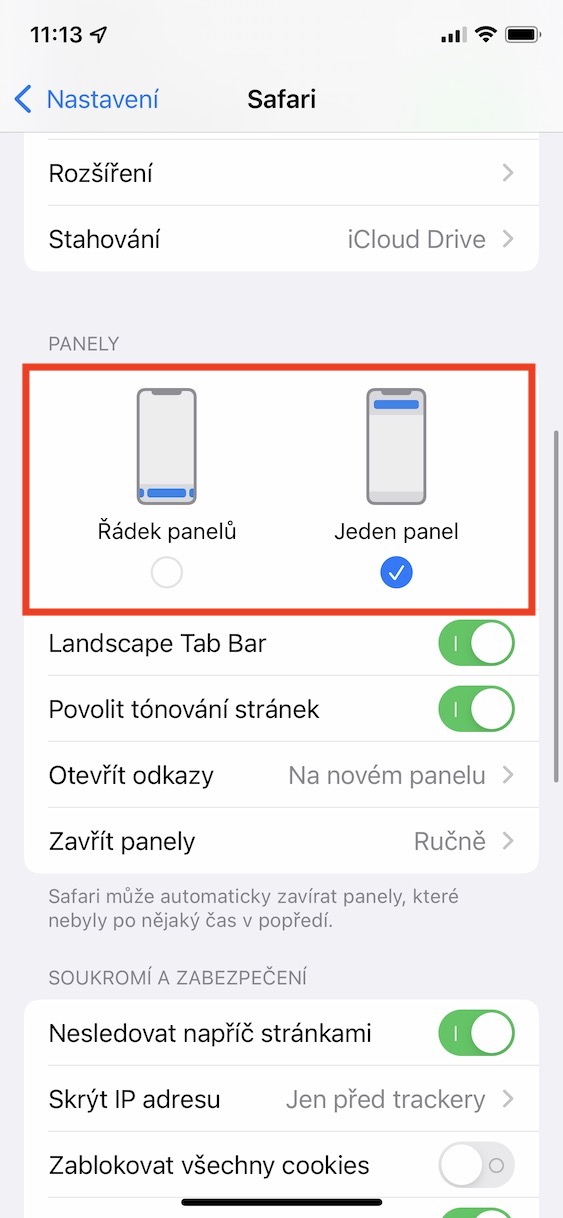


Prothrough the above method it is therefore possible to Safari select the address bar layout. Specifically, there is an option row of panels, a new layout where the address bar is located at the bottom of the screen. If you choose this layout, you are also able to use new gestures for control Safari, which, for example, make it possible to simply go back or forward a page, etc. The second option is One panel – if you set it, the address bar layout will move back to the top of the screen, just like in previous versions iOS.



I'd rather be interested in whether there's a way to return the tab list back to the "browsing" list. I don't know what else to call it. Now the list of open pages is made the same as in, for example, EDGE or Chrome, which doesn't suit me at all and was actually the main reason why I used it on my mobile Safari.
I flipped it up because the cutout at the top without the bar is an eyesore.
I didn't even notice it until you mentioned it… it doesn't bother me now either… I don't know what you all have with the cutout. I like
For me, the address bar at the bottom is one of the best things iOS 15. The comfort of control, especially with one hand, is completely different than with the top row.
I have exactly the same feelings. Previous Safari was more original. The current form is uniform with EDGE a Chrome. Too bad.
So I put it back up, it still works. Let everyone set it up as they want.
Can the cards be set as before?
Hello Petra, for God's sake, please, how to return the bar to the top, I'm going crazy, thank you very much Pavel
Too bad you can't set DNS manually :(
I don't really understand privacy.
What does it consist of?
In an illusion?
If the address bar were to be at the bottom, the page header would also have to be at the bottom, otherwise it doesn't make sense and you still have to feel around and it's far more impractical than when everything is at the top.