
While on the competing Android operating system, users are accustomed to using various keyboard-sharing applications, among users iOS is the most popular native keyboard. Most users are also afraid that installing a third-party keyboard could result in data collection, or that the app developer could get all your keyboard input. Within the native keyboard from iOS and iPadOS you get a simple look and feel. In addition to the classic keyboard with letters, you can display special characters, an emoji keyboard, and keyboards with other languages. However, if you have decided to type the degree symbol, °, on your iPhone or iPad, you certainly know that this character is not on the keyboard. Let's take a look together at how you can easily type this character.
As iPhone write the degree sign
If the user cannot find a character on the keyboard, or if he does not know how to write it, he usually searches for this character in Google and copies it. But let's face it, this option is not entirely elegant - who would want to copy various signs, in our case the degree sign. Therefore, below you will find a procedure with which you can write the mentioned character quickly and easily:
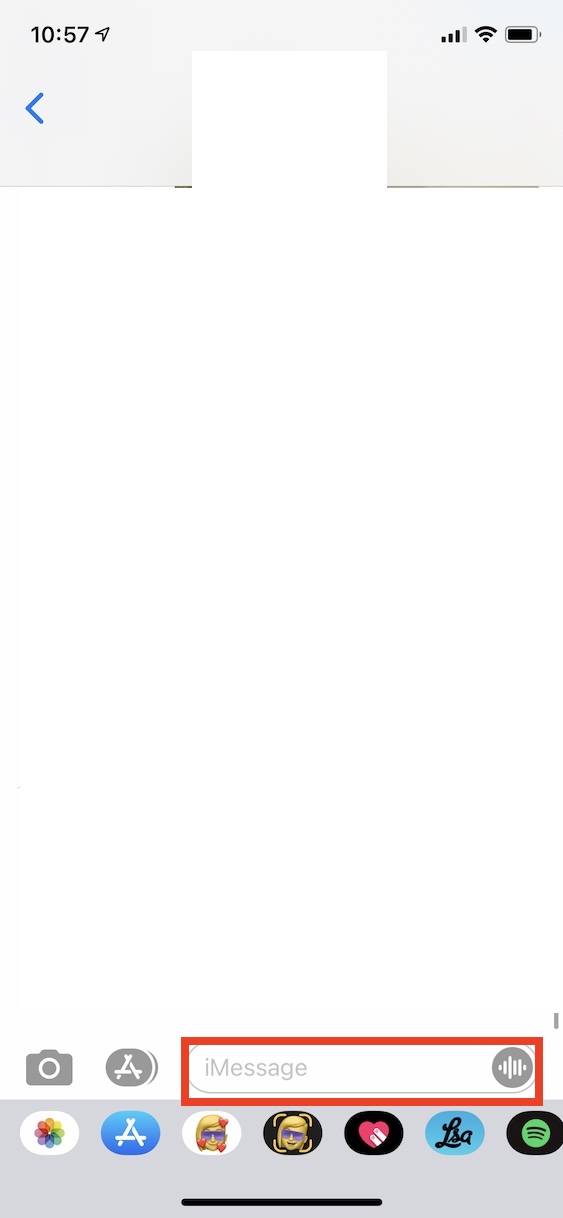
- First, of course, it is necessary that you iOS or iPadOS devices moved to application, in which you want to write the character.
- Once you've done that, tap into text box, whereby will display native keyboard.
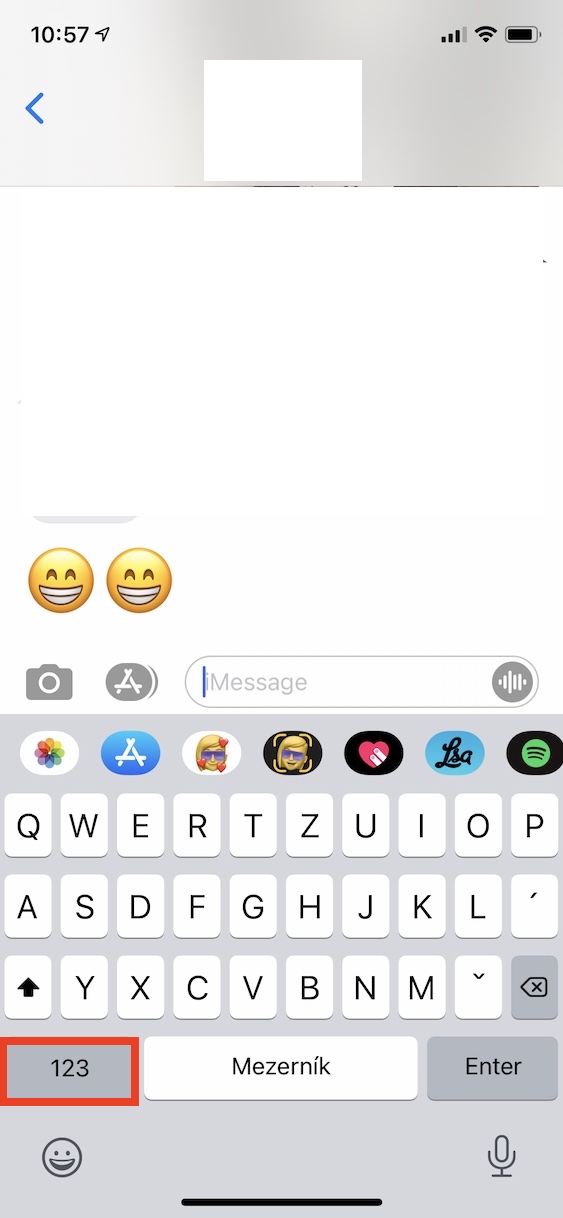
- After the keyboard is displayed, you need to click on the button in the lower left part of it 123.
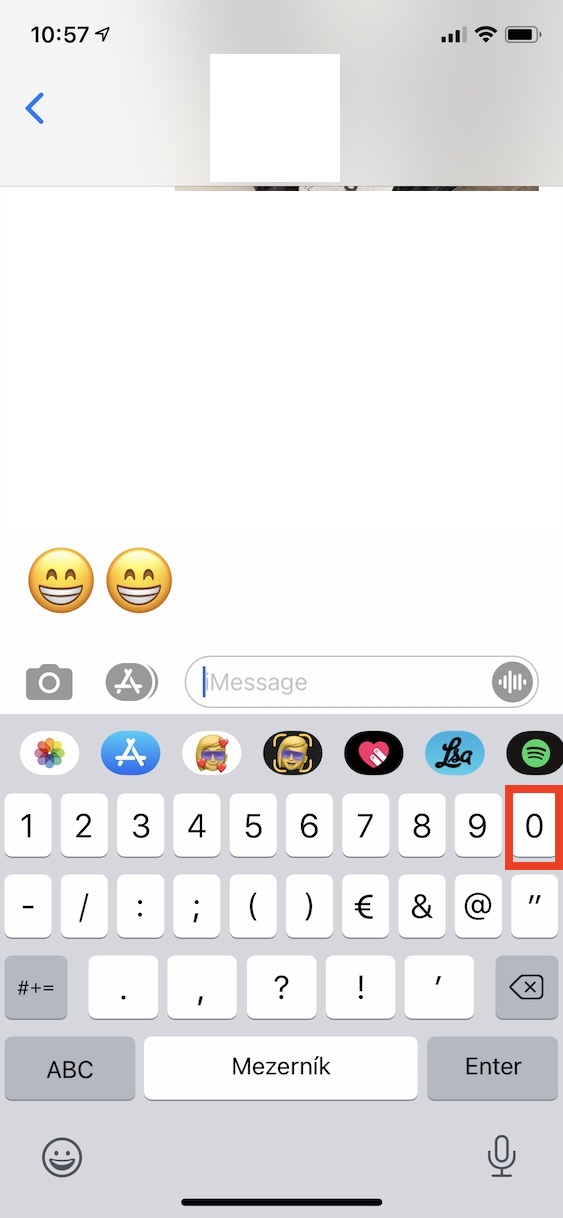
- This will display on the keyboard series with numbers, together with some basic characters.
- If you want to write a degree sign, now it is enough to they held their finger on zero - 0.
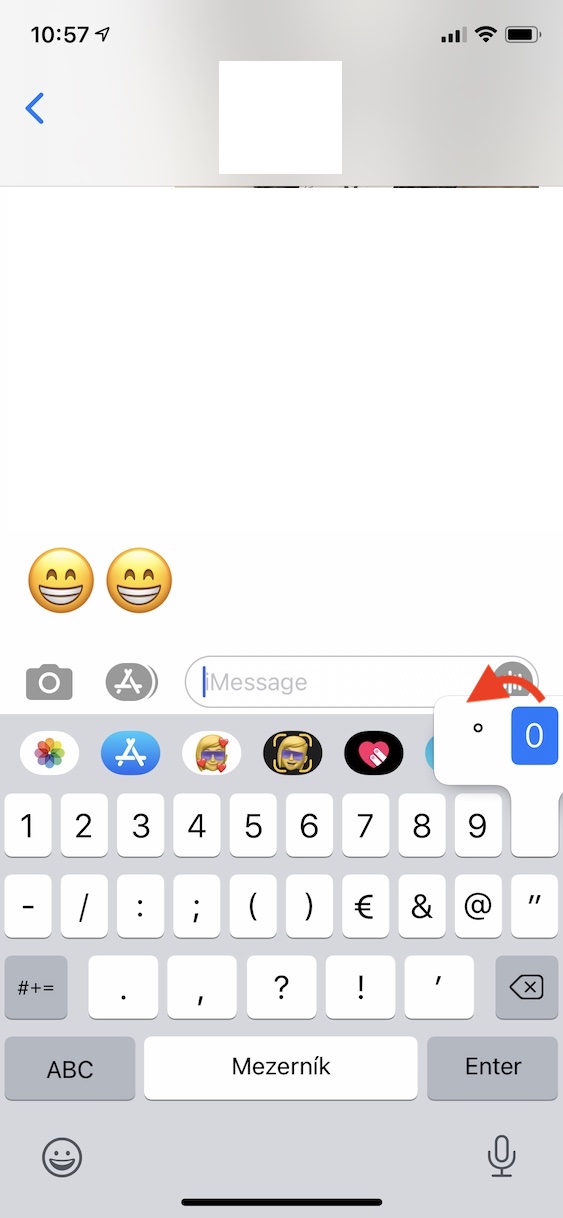
- After a short hold, it will appear above 0 small window where a finger is enough swipe to °.
- Once you move to °, you can lift your finger from the keyboard.
Gallery
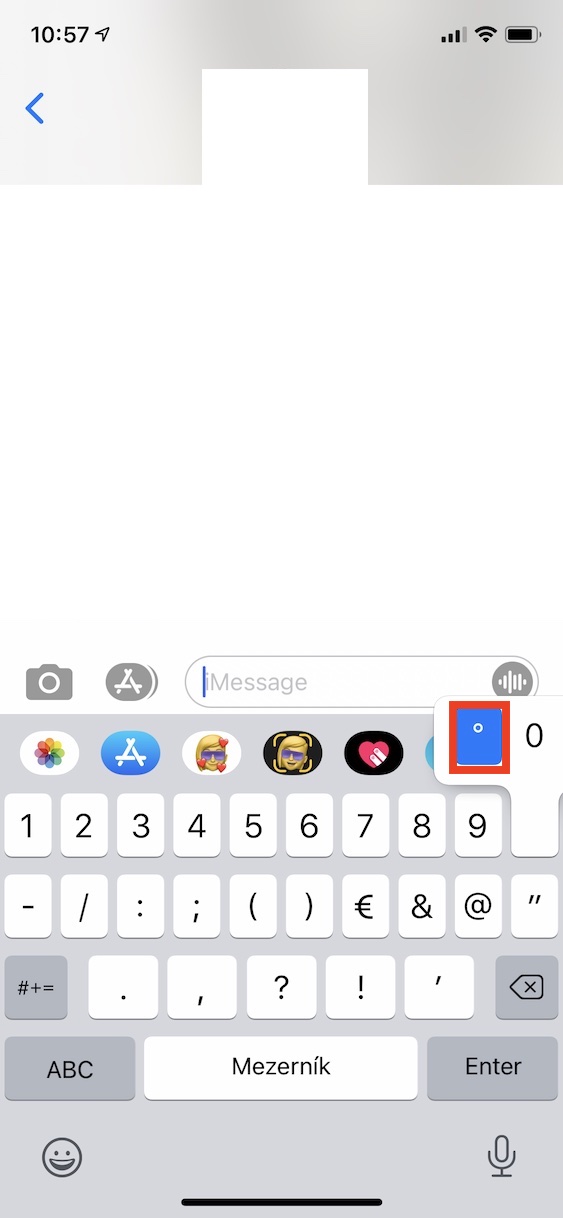
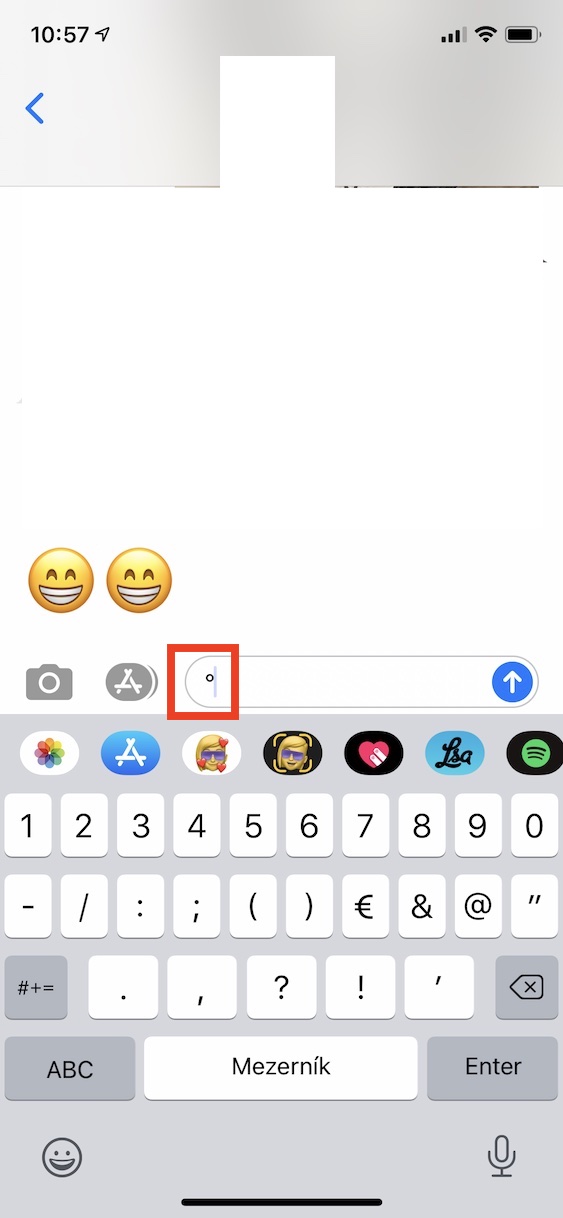
In the above-mentioned way, it is possible within iOS or iPadOS simply write the degree sign. So, if you ever need to express a temperature or an angle in the future, you will no longer have to write the word "degrees", but directly, for example, 24 °C in the case of temperature or 180° in the case of angle. The procedure above is of course very simple, but I think that few of you know this trick.


Will you describe the entire alphabet and all the characters like this? 🤣 🤦♂️🤦♂️🤦♂️🤦♂️🤦♂️
No, we won't. Unfortunately, not everyone is in the system. iOS so knowledgeable to know that you can also type degrees by holding down the 0 key.
It's funny because I've looked for it a few times and couldn't find it. The question is, will I remember it..
According to the instructions, your readers don't even know that they have to raise their finger after hovering over the sign 🤣🤣 But I think you don't have to make us such morons again 😉
To some of the more skilled users, this effort to educate the less skilled is certainly laughable. Exactly this case Mronewhich is funny, since most users don't use similar characters that often. Anyway, when I see how many people are bothered by, for example, entering consecutive capital letters and constantly activating the shift key *tear*, I appreciate this initiative. (y)
I think about how many times in my life I needed to write this character... when writing the temperature, I prefer to write 10oC
Writing 10oC is not correct and why write something incorrectly when there is a simple option to write it correctly.
The main thing is that you are flaunting the correctness of writing degrees here, but you have already forgotten the space before the degree sign :) 24 °C is correct, 24 °C is not
http://www.nabla.cz/obsah/cestina/clanky/jak-psat-stupne-celsia.php
I've known for a long time (I guess since iPhone 4) and I use…
Great, thanks for the tip. It fits. For a long time I had no idea how it was done. If it was that I needed to write the temperature to someone :)
I just recently solved it, thanks for the tip 👍
Morning 4°C :(
ProHello, I searched for it on Google but I didn't find anything, what is the "Enter" button for? Could you please make an article about that too?
Thank you in advance.
Don't be put off by the rejpalas, though iOS I've been using it since the iPhone 4S, I didn't know this :-)
"In addition, most users fear that installing a third-party keyboard might lead to data collection"
And then they install Facebook.
That's what I needed. I have tried to find it several times. Thanks. I hope I remember it.
Iphone I've been using it daily since 5S. I didn't know this - thanks.
Pro Rejpaly, if you know this, you don't have to read it and waste time on something so stupid to you.
It can also be dictated.
Thanks for the enlightenment. It's embarrassing how many people I get illiterate messages from because they don't know the keyboard options.
Pro Conspirators: do not use, by clicking this symbol you are sending information about your location.
Thank you. Informative.
Thanks, I didn't know that and it comes in handy sometimes
I use word replacement, I couldn't find the sign anywhere, so I put it in google, there I copied "°C" and set that if I write, for example, 4 st. I immediately get 4°C.
The degree symbol has been solved everywhere in connection with the native keyboard many times, so it has been experienced that it iOS he doesn't have one. And he actually has one. I wonder if those who mock the article knew this or are just being clever. This is the first time I've read this information. I didn't know and thanks for the tip.
Hello, thank you for the tip 😀