In the previous part of our series How to Create a Simple Website, we looked at creating and managing sections and forms. In addition, we also showed you how to create subpages on your websites. Of course, you have to get to this second page somehow, so we also looked at creating a menu, which is most often located at the top of the website. In today's fourth part, we will look at how to add a favicon to a page (a page icon that appears, for example, in a bookmark), and we will also talk about what SEO is . Then we will take a look at password-protected websites, along with the option of connecting to the Google Analytics analytics service. So you already know what this part will be about, and now let's get straight to work.
You might be interested in

Adding a favicon
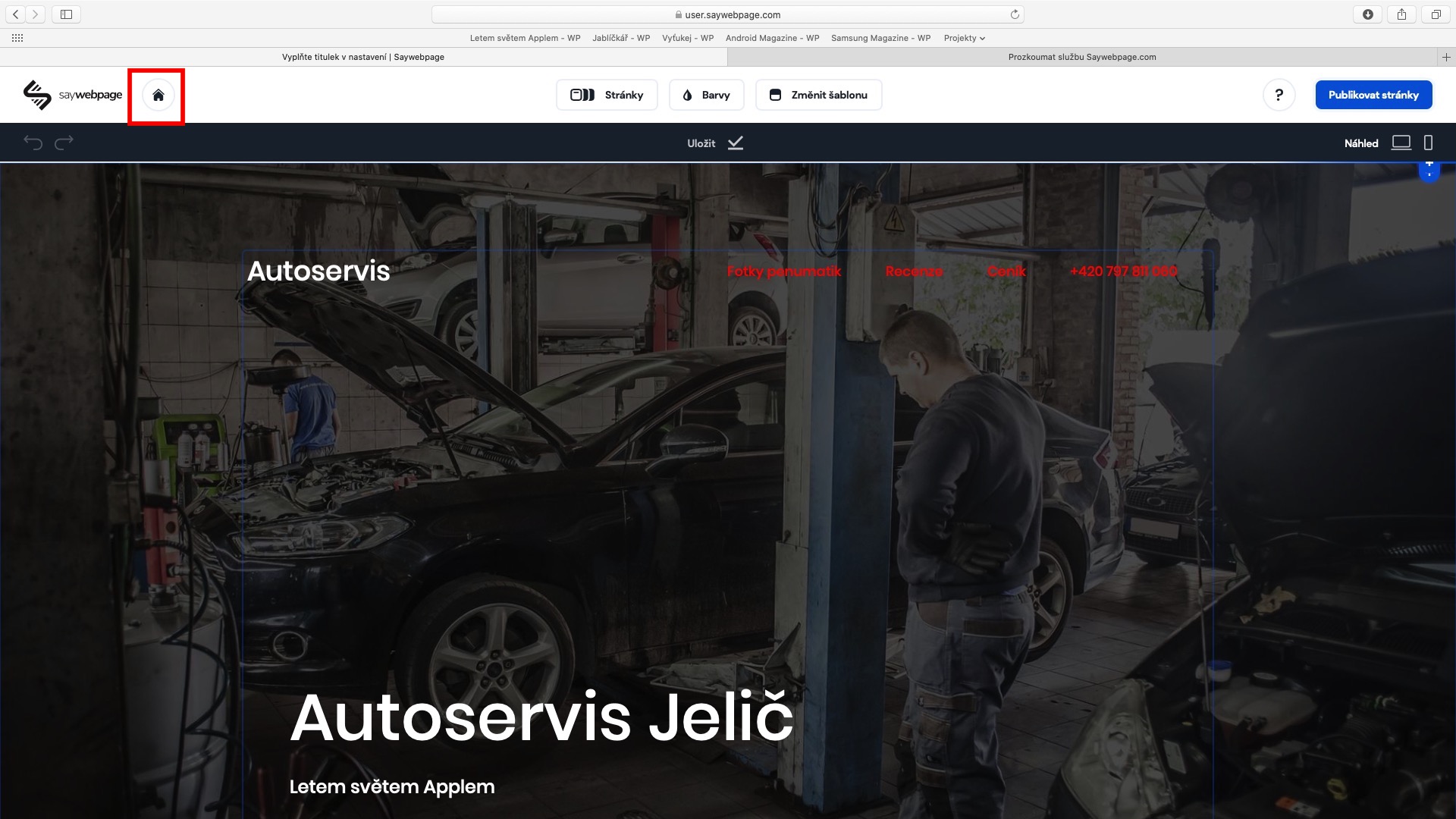
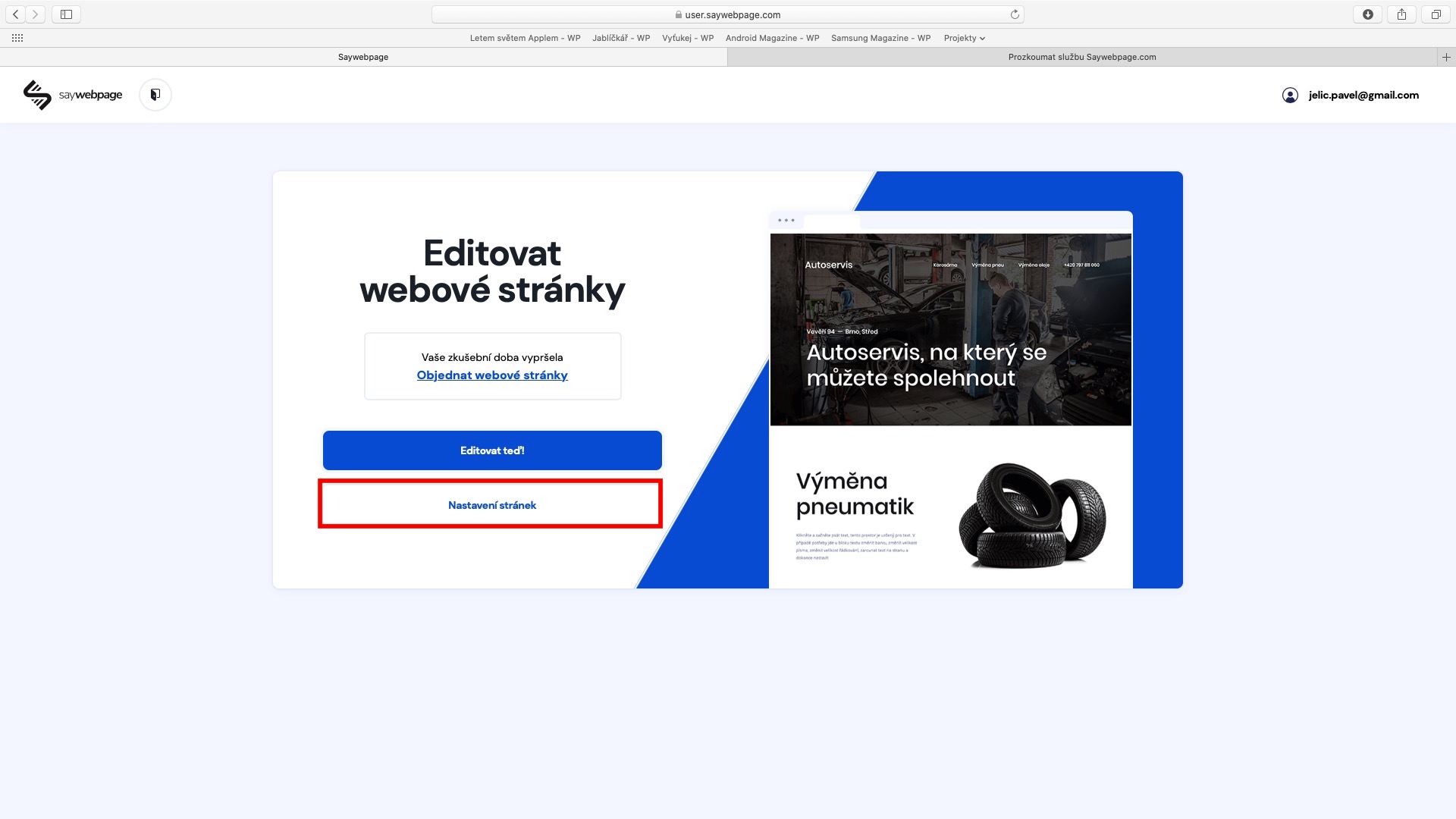
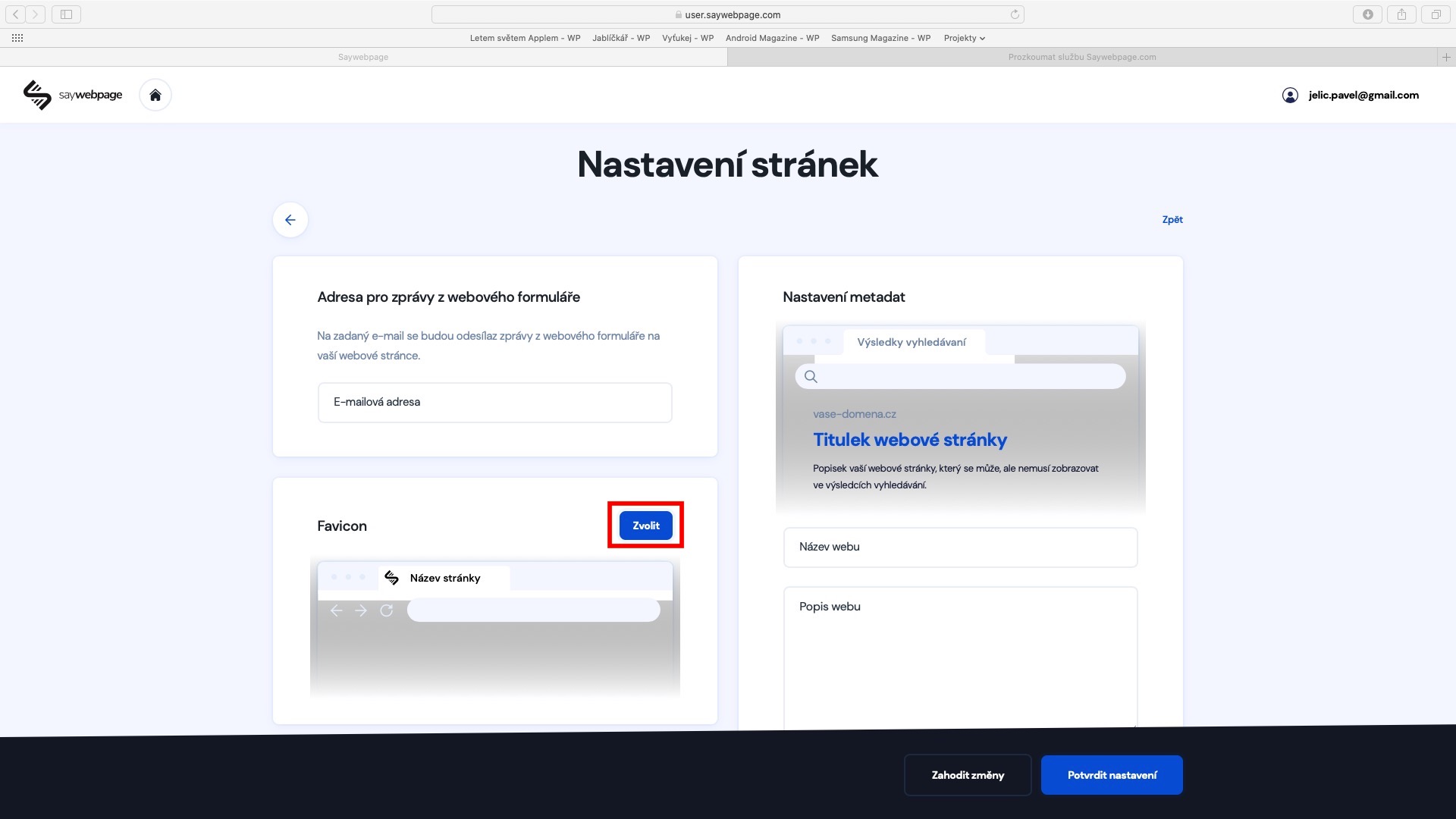
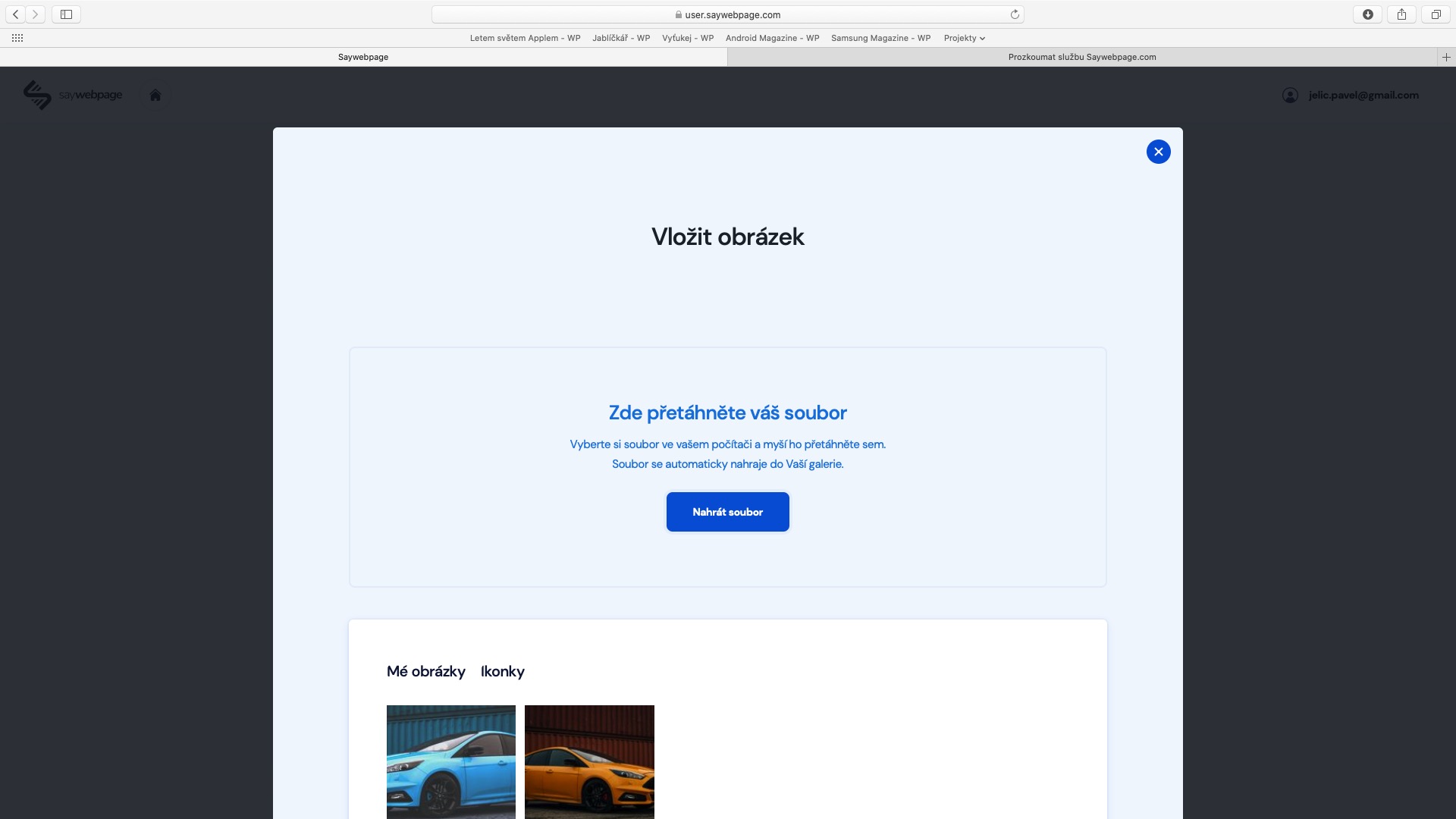
Favicon is simply put web icon, which is displayed, for example, in bookmarks or on the browser home screen Safari. The favicon should be chosen so that a potential visitor immediately knows what website it is, without having to look at the website name. So forget about any photos – in this case it is necessary to use, for example logo, or perhaps initial letter your company. For proper display on all devices, the favicon must be uploaded in 1:1 ratio. You should also consider the format PNG s transparent background. If you want to add a favicon to your website, go from the website environment to home screen (just press the top left icon a little house), and then tap on Site settings. Here, just click on the Favicon section Choose and upload it.
What is SEO?
SEO , Search Engine Optimization, can be very important for your website. Simply put, it is the position in which your website will appear after someone enters a certain phrase into a search engine - for example, Google, DuckDuckGo, Bing, and others. If your website does not have good SEO, it will probably appear in lower search positions, or not at all. If it has good SEO, it will probably appear higher.
How to set up SEO
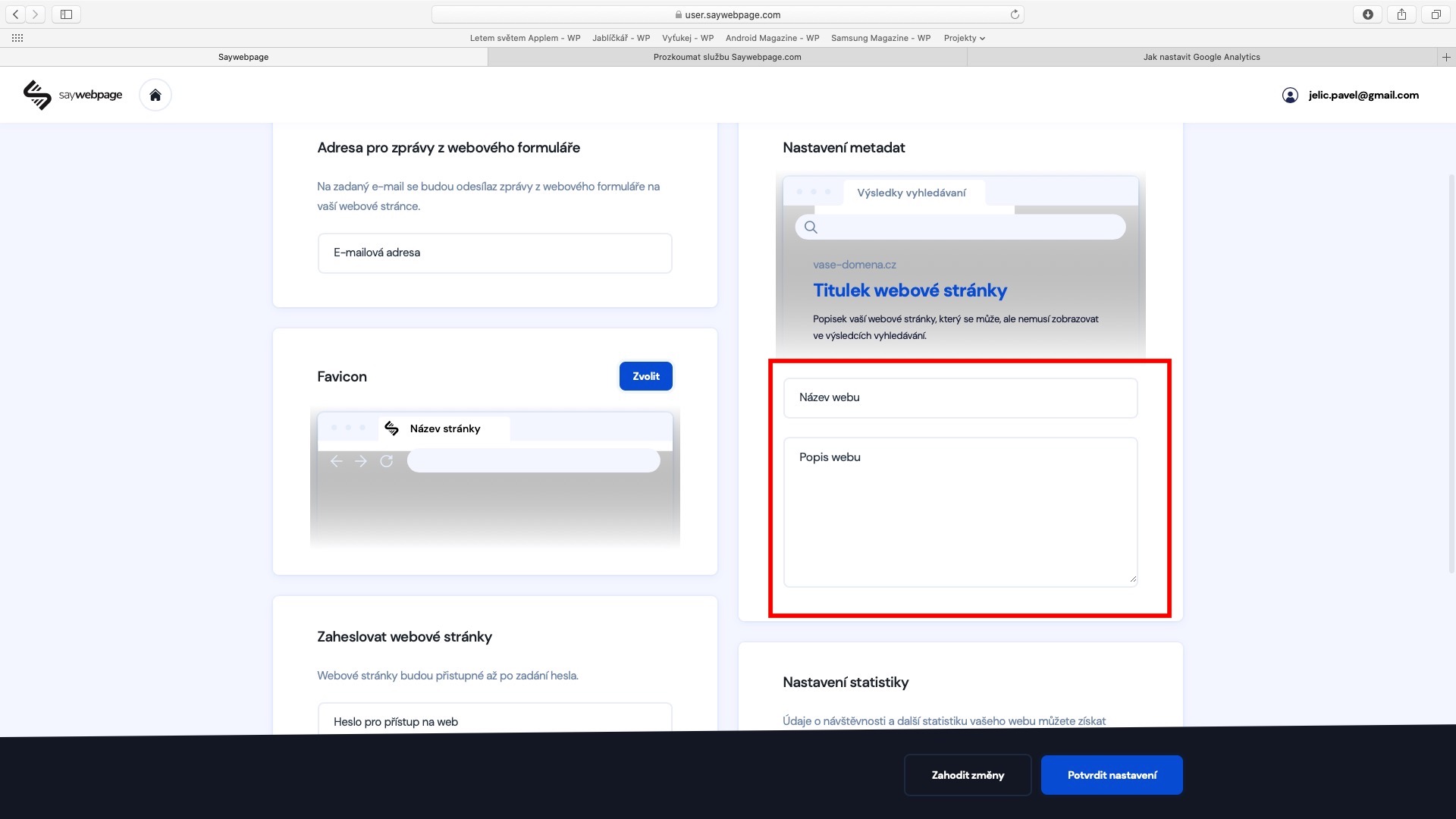
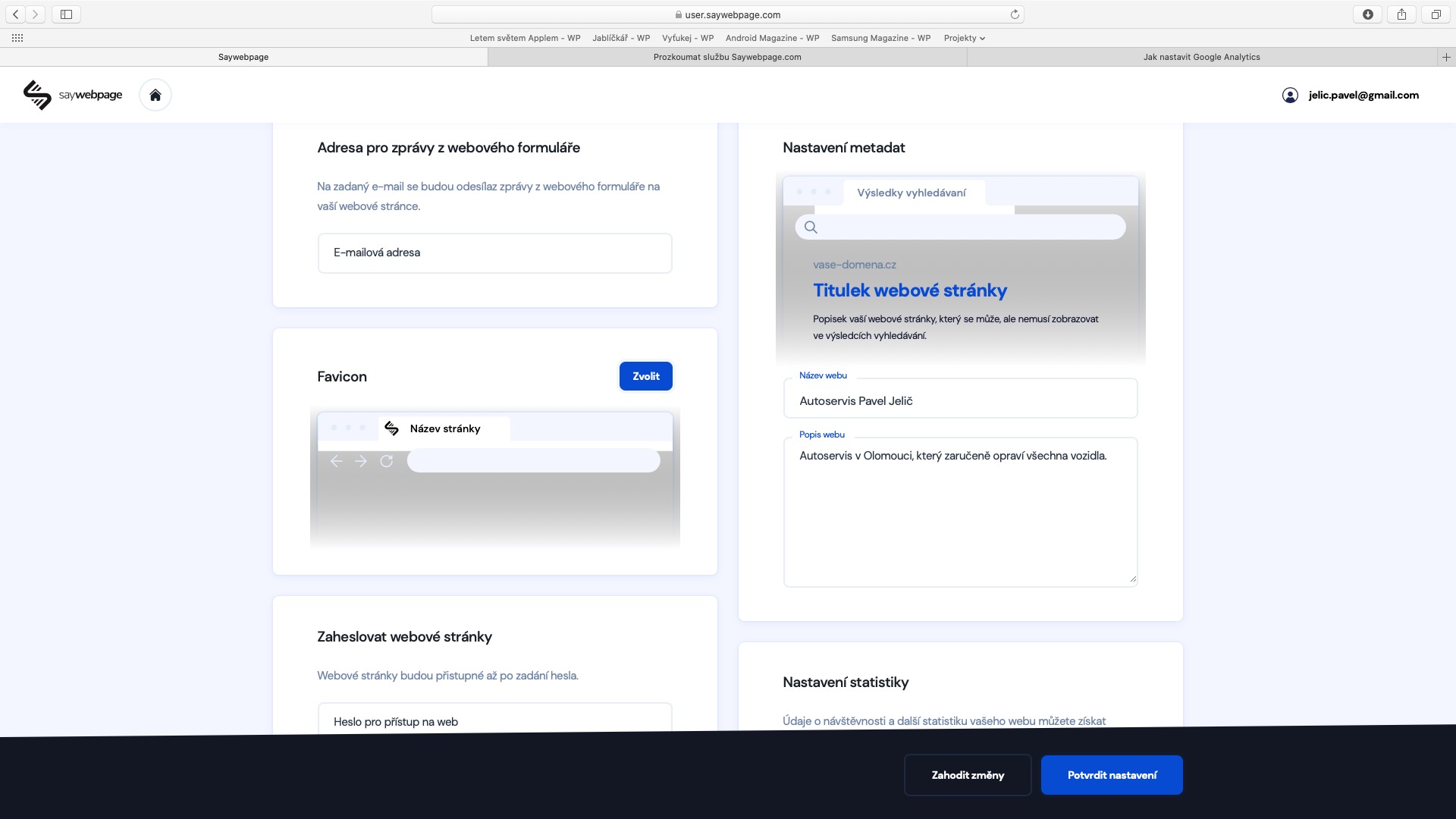
SEO is very complex a matter which simply you don't turn on switch. It is necessary to follow recommendations and experience. The main rule is, for example, use correct headings – which is one of the key factors. What is really important write Heading 1, less important things Heading 2, and so on. Definitely it is not suitable write everything like classic text and possibly only magnify font. Equally important is the setting title a website description (description). You can achieve this in the same way as in the case of the favicon, in the section Site settings. Pay attention here to set the site name and description just part of the screen that bears the name Metadata settings.
Site password
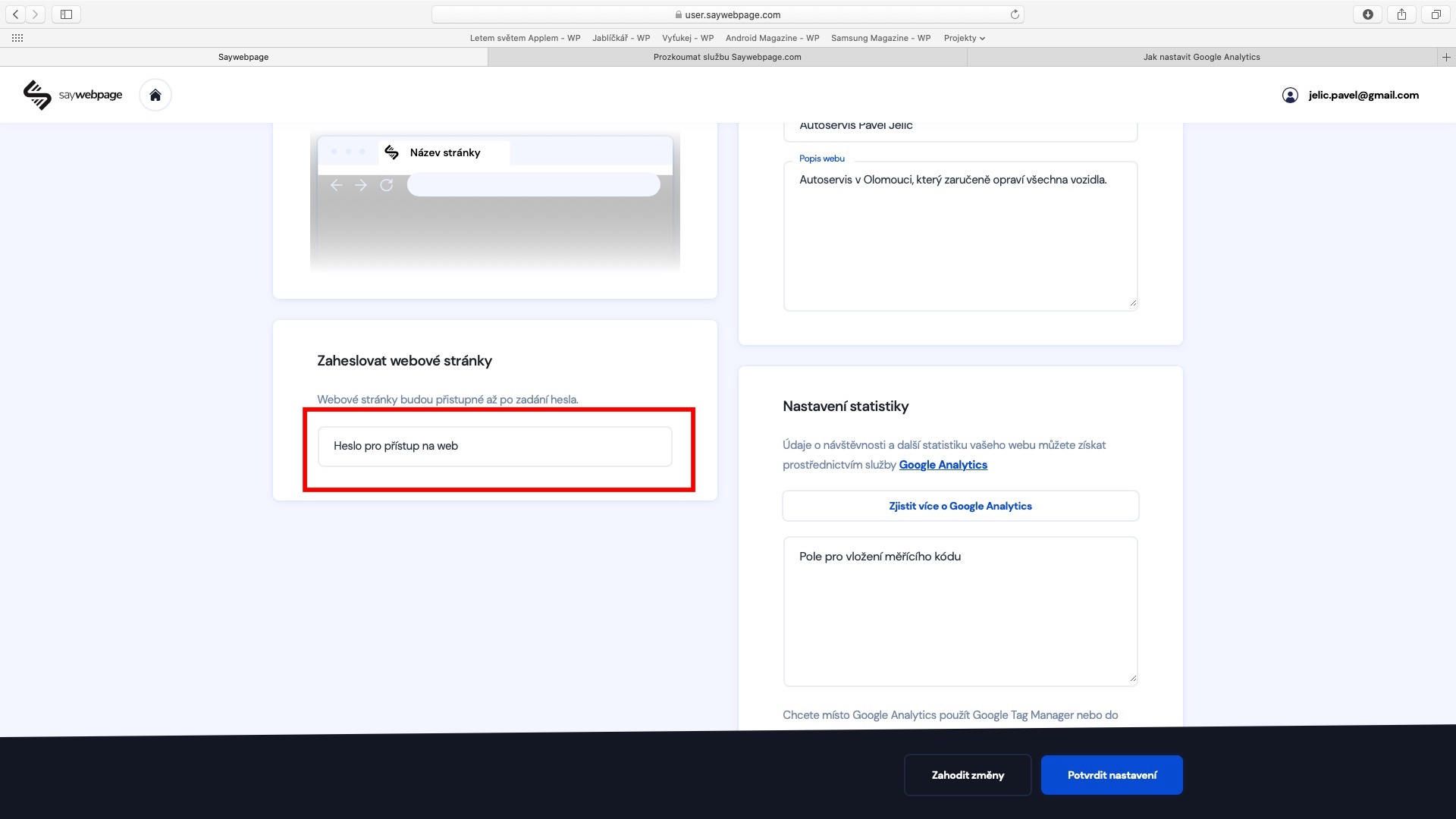
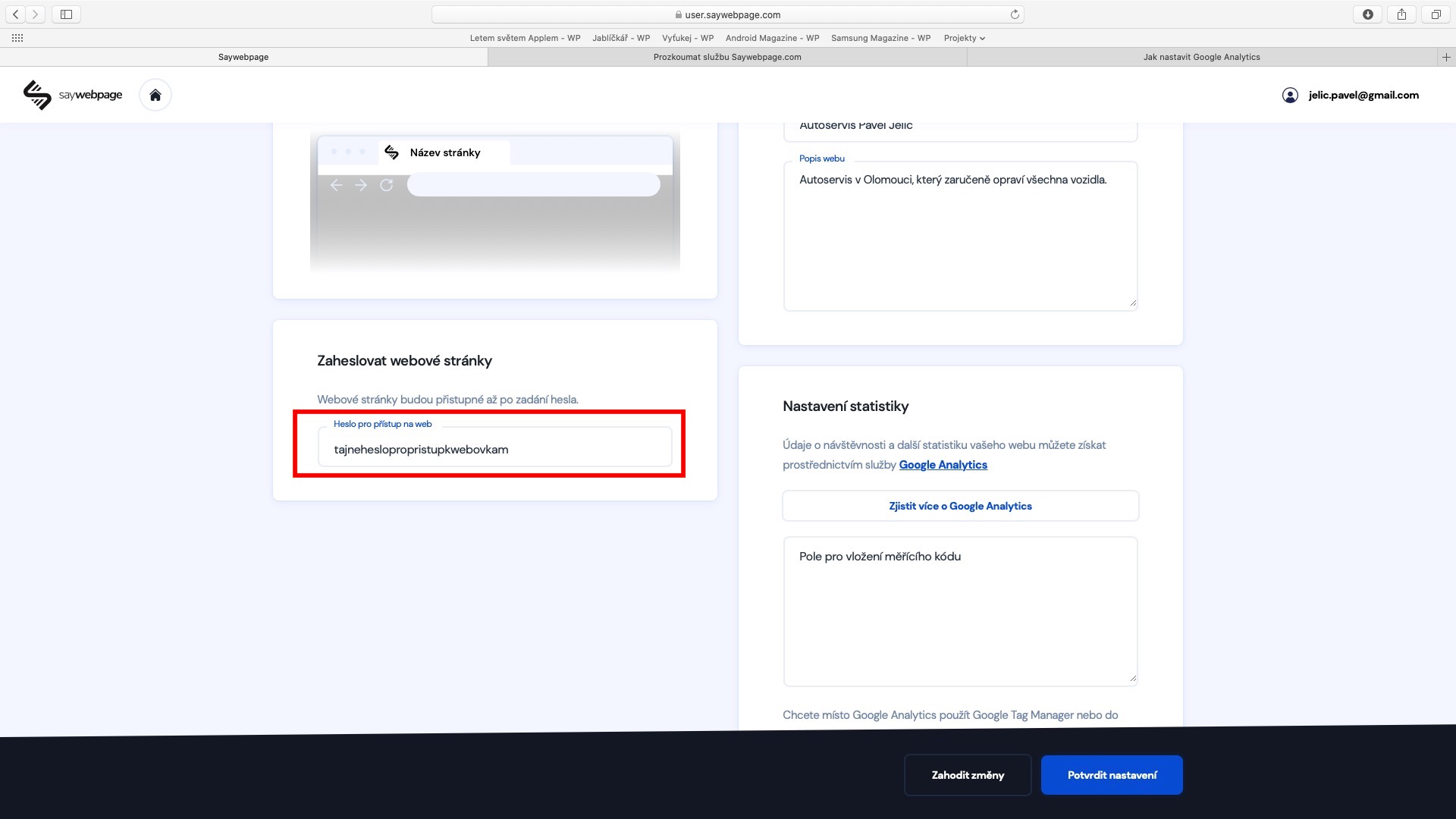
If you don't want anyone to access your website for some reason - for example, because you are making changes, the website is not ready, or it is only intended for friends or a specific group of people - the procedure is very simple in this case. Again, as in both cases above, move to the Site Settings section. Here, just scroll down a little to the Password Protect Website section , where you enter the password you want to use to secure the website in the text field.
Proconnection with Google Analytics
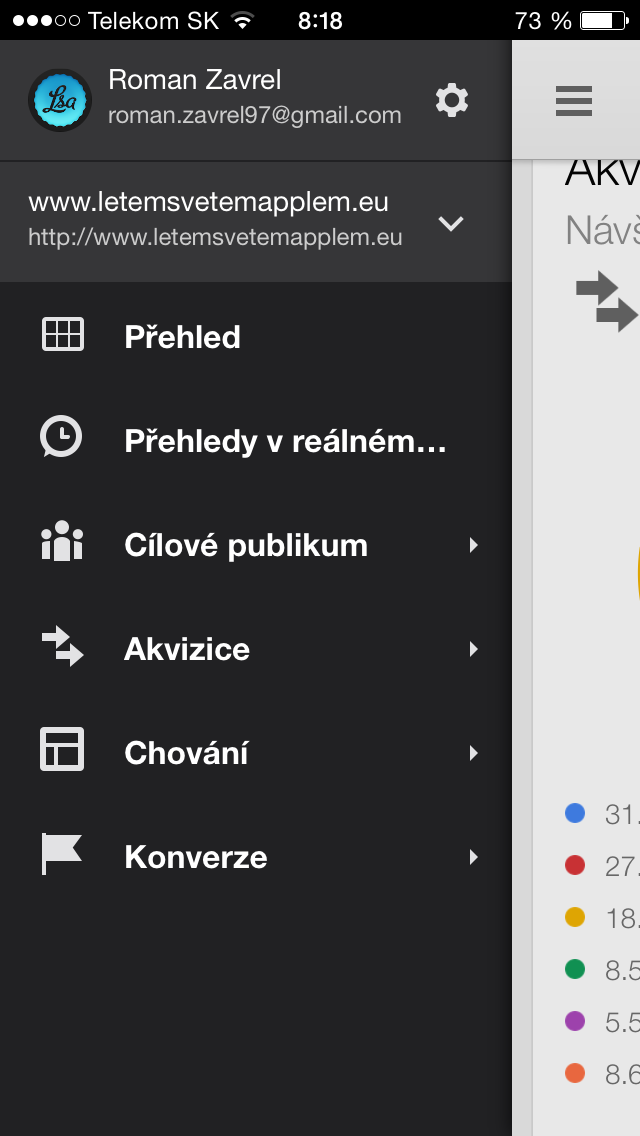
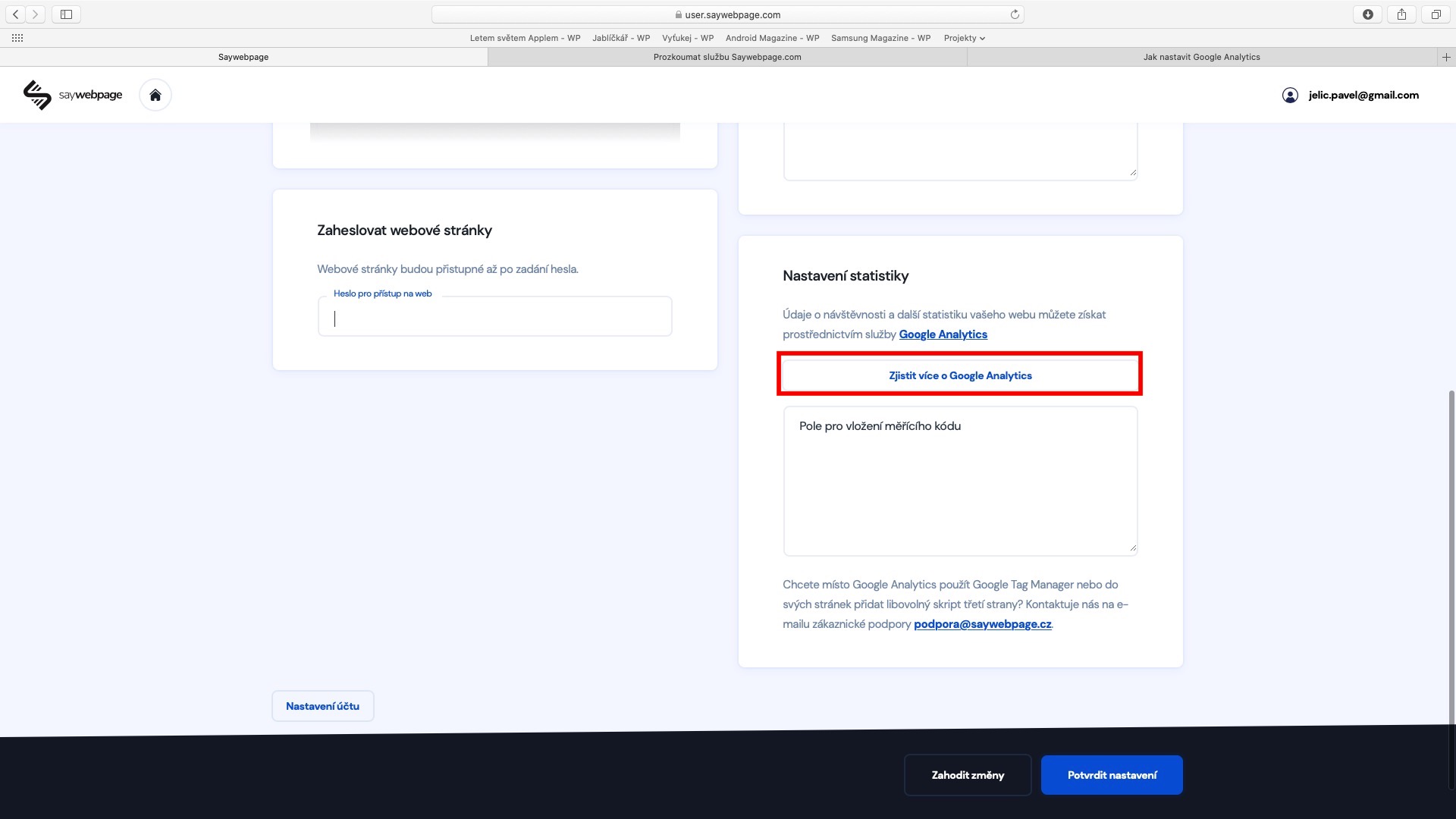
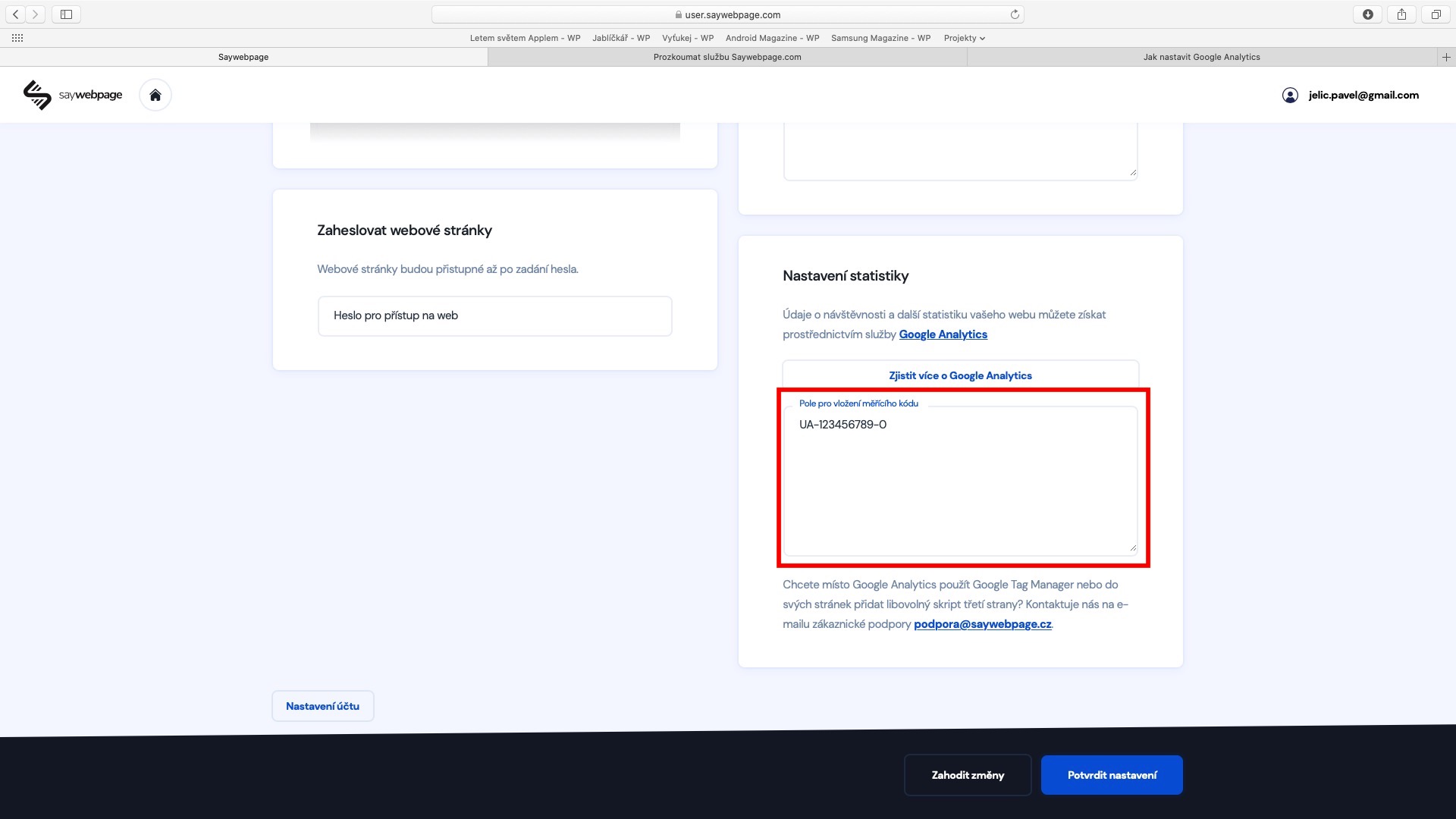
Anyone who owns a website needs to know how are you doing. There are a number of different services that can provide you with information about website visitors, but the most popular and comprehensive ones are undoubtedly Google Analytics. That's exactly why in the Sayweb environmentpage option available for simple connection with this service from Google. If you want to keep detailed information about your site statistics, so move to the section again Site settings, where to get off down, where right pays attention to the section Statistics settings. Then click on the buttons hereo Find out more about Google Analytics, which will show you detailed and accurate instructions for the correct settings. In short, it is necessary that you on your Google account transferred to service analytics, where you have to create new account and get so measurement code. This code is then enough insert do pole in the environment Saywebpage and that's it - your website is connected to Google Analytics. Note that the first data may appear in Analytics up to one day after insertion – be therefore patient. Don't forget all the changes confirm at the bottom of the page by pressing the button Confirm settings.
záver
In this fourth part, we looked at the detailed settings of your website – specifically, we blew up the favicon settings, we talked about what SEO is, we also showed the option for password-protecting the website, and also connecting to the Google Analytics statistical service. This entire series is slowly coming to an end – unfortunately, I have to inform you that the next part, the fifth in a row, will be the last part of this series. In it, we will look at setting global colors, setting the display of certain elements using the padding and margin tools, how to use headings and subheadings, how to use the invert function, and also editing websites from a mobile phone. So you definitely have something to look forward to in the last part!