
Nowadays, practically all global companies are trying to ensure that people lose their data as little as possible. For this reason, for example, they offer Apple your own clouda service called iCloud. On theCloud users can upload their photos or documents for a fee. In addition, if a certain application allows it, you can also upload data from downloaded applications here. Thanks to this, your data will be saved even if you delete the application and then reinstall it. However, in some cases, this is not entirely suitable, for example, if you want to start playing a game from scratch. This is not the only thing that the new tweak solves CacheClearerX from the developer alex_png.
You might be interested in
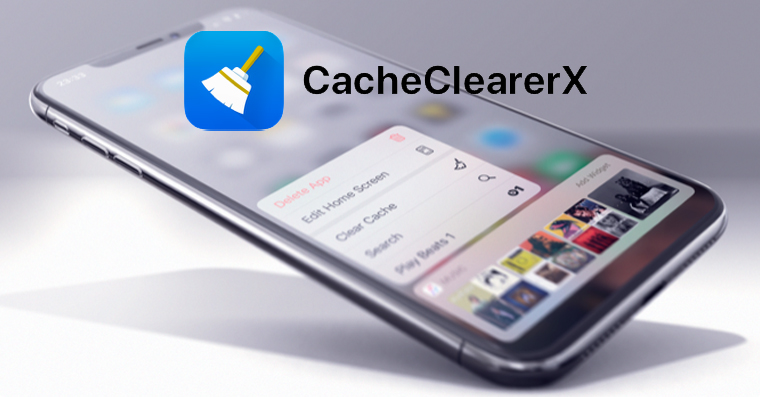
This tweak is based on the well-known CacheClearer tweak, which has been available in the repositories for several years. Unfortunately, this original tweak is not available for the latest devices running the operating system. iOS 13 and later. Since the original tweak is very popular, developer alex_png decided to create a version for the latest devices. In addition to the fact that the CacheClearerX tweak can clear all application data (i.e. the application will behave as if you had just downloaded it from App Storu), it can also delete cache data, which often takes up several megabytes or even gigabytes of space in the device's storage.
Gallery
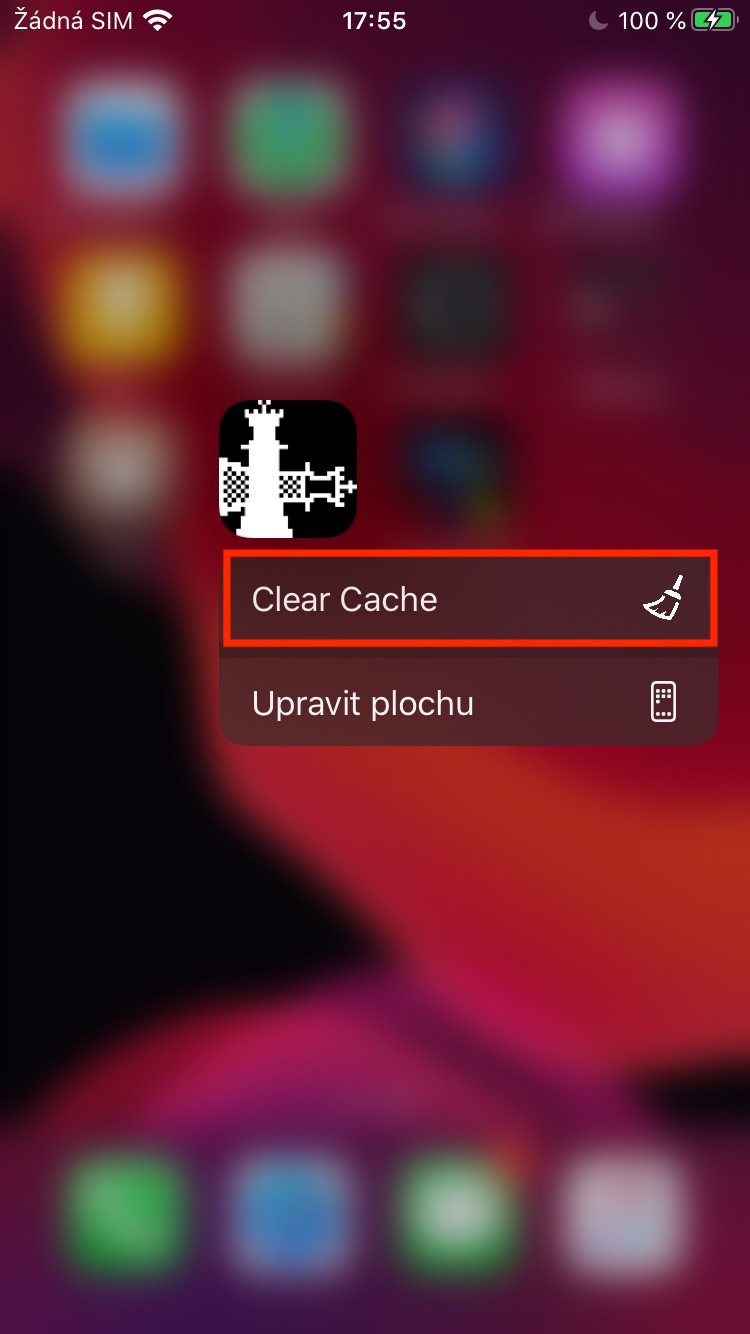
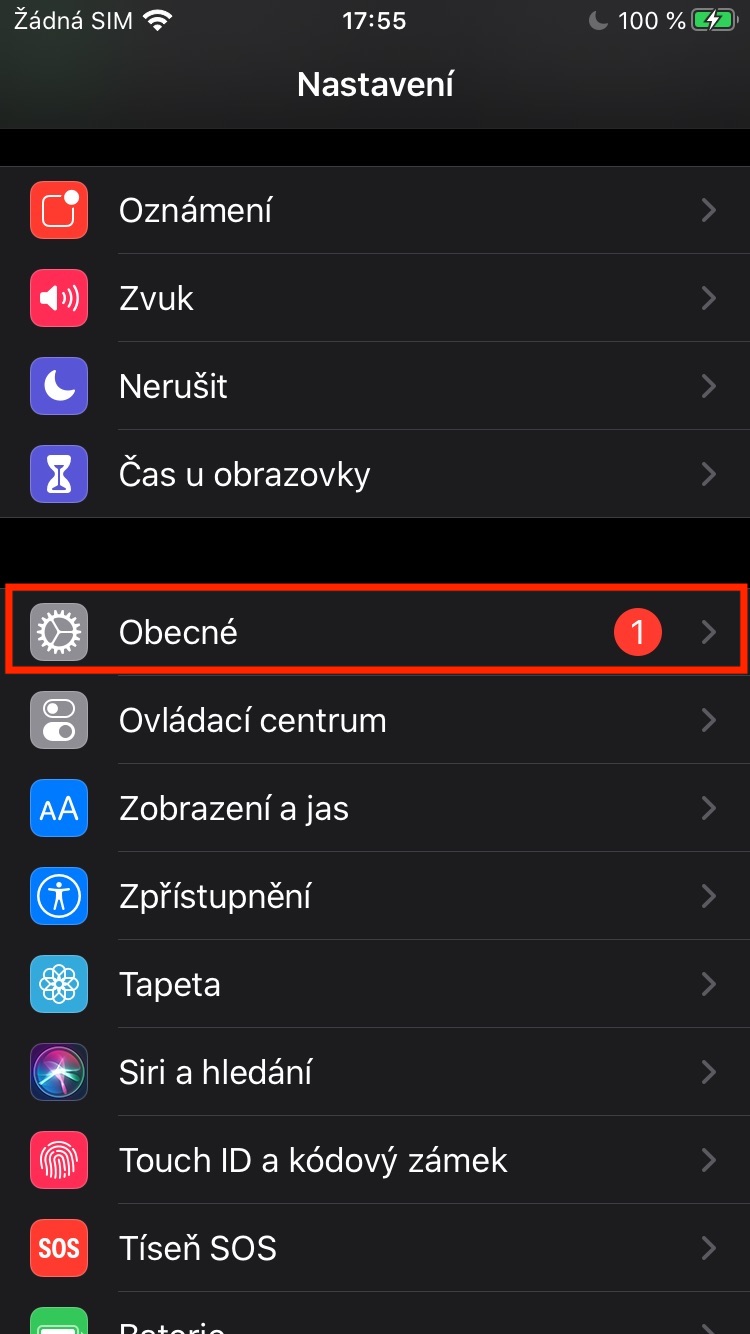
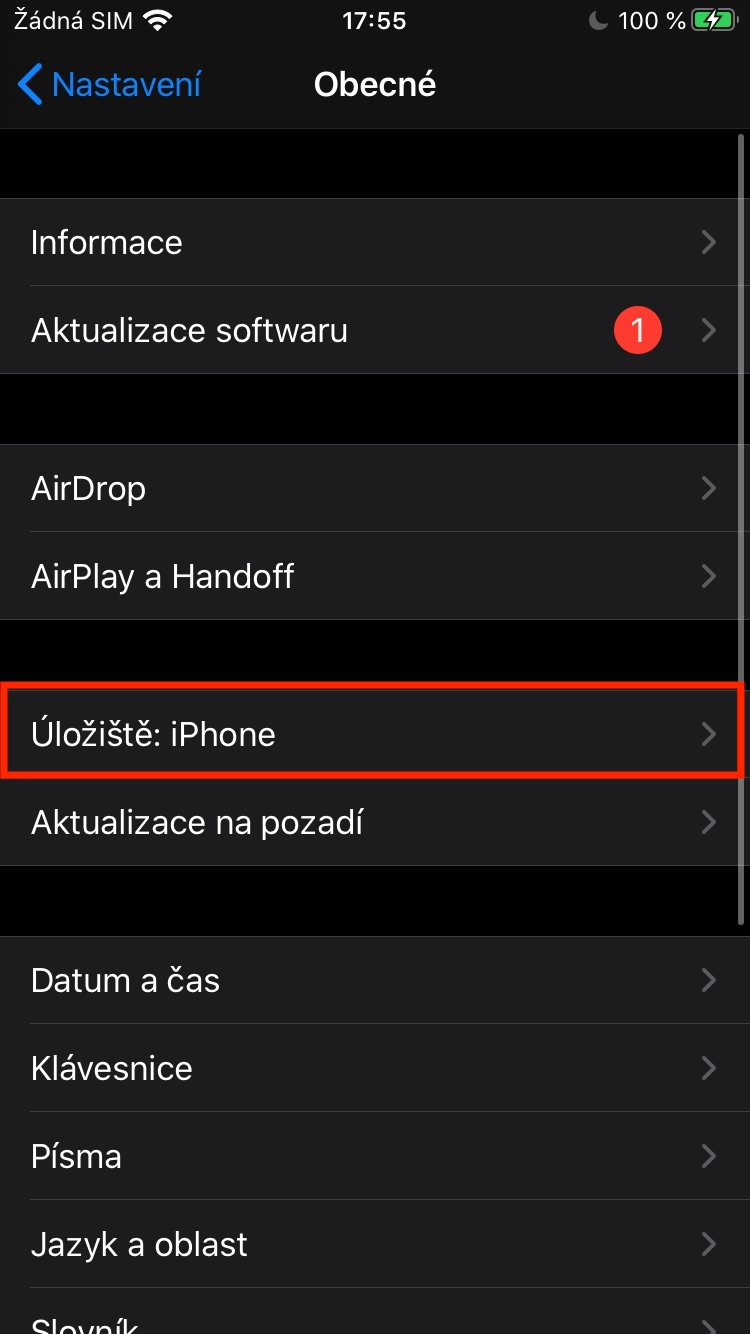
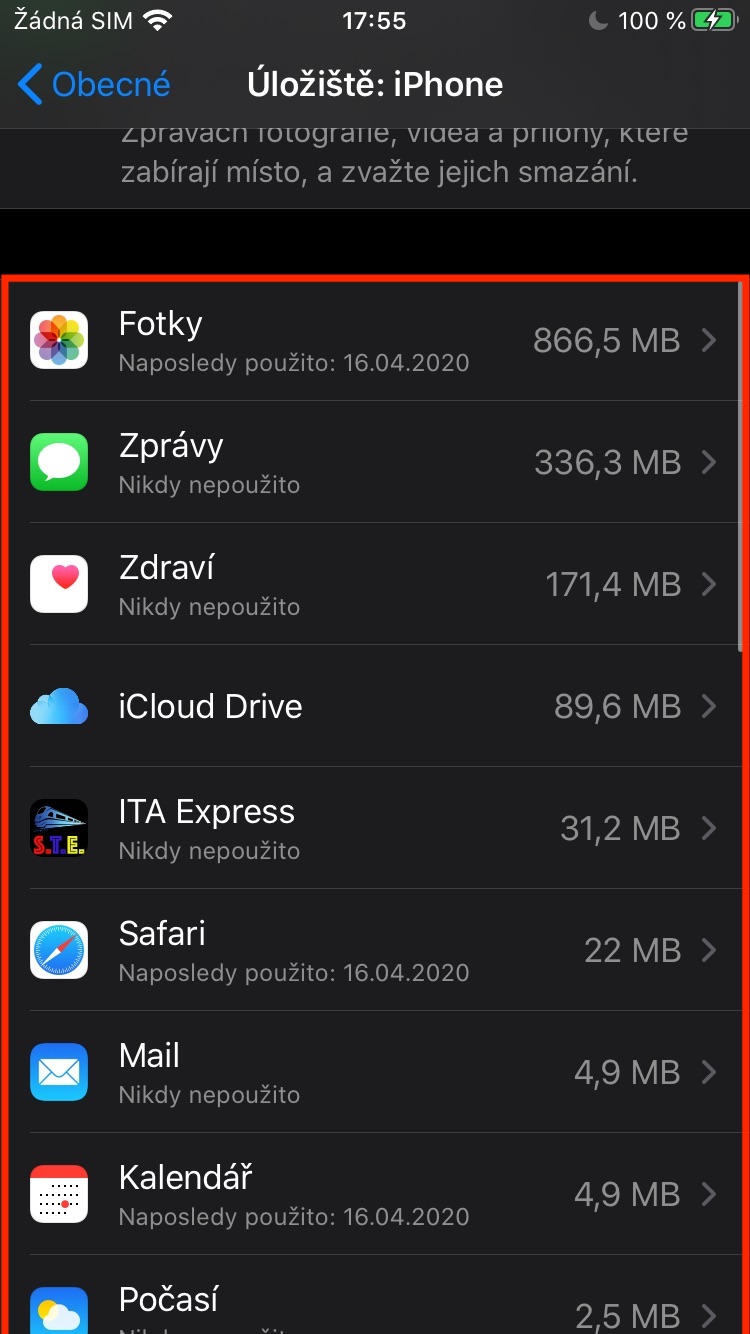
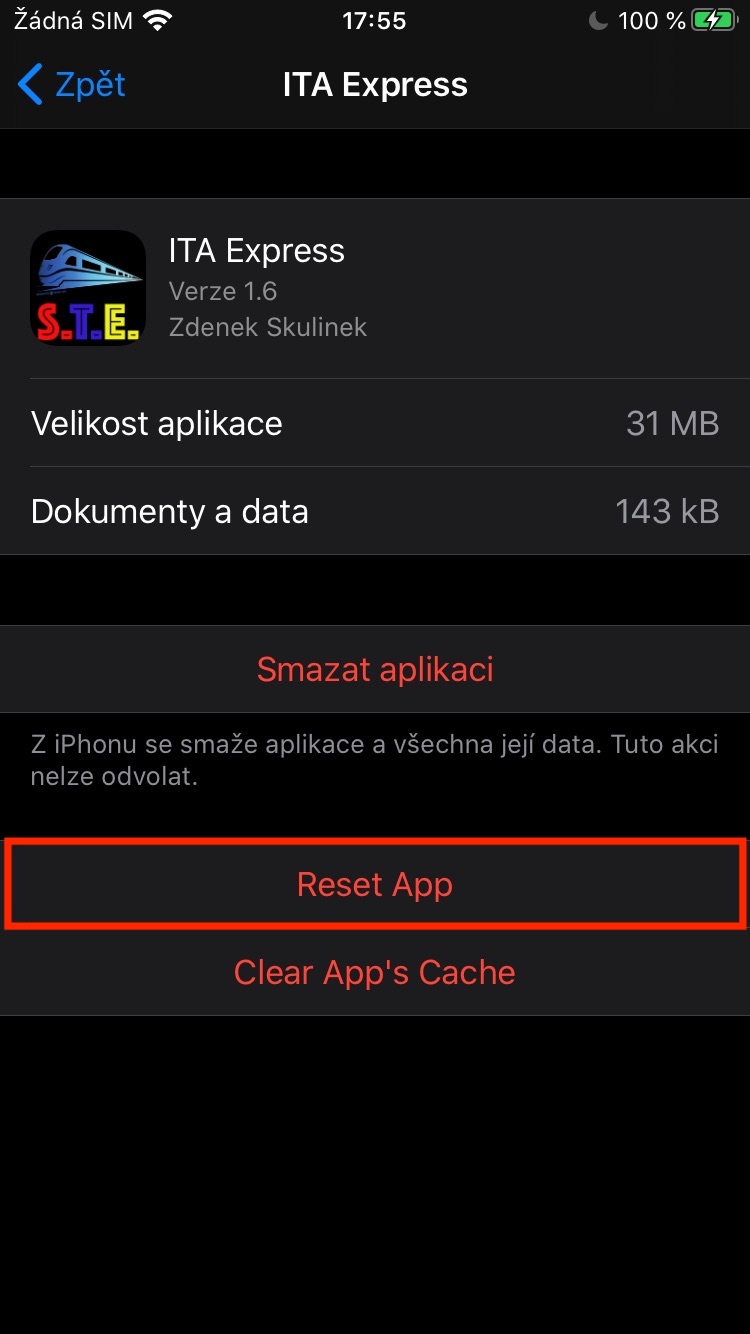
If you decide to download the tweak CacheClearerX, so its use is absolutely simple. After downloading, just delete the cache files hold your finger on the app on the home screen. Once the application menu opens, just press the button here Clear Cache. Option to completely delete application data, so for a kind "reset", it is not available on the home screen but in the app Settings. Here you just need to move to the section In general, where you click the option Storage: iPhone. Then see below in application list click here application, which you want reset. Once you find it, find it click open and then below tap the option Reset App, This will return the application to the state it was in immediately after downloading it from App In addition, there is of course also the possibility Clear App's Cache, which clears (as on the home screen) the cache of the application. Tweak CacheClearerX is available Free in the alex_png developer repository (https://alexpng.github.io).







It looks great. I've rooted almost every phone on Android, but I'm quite afraid of Jailbreaking on Apple. Maybe I'll read something about it and dare. Have iOS with the ability to change and customize a lot of things, it's definitely nice. It's a shame that there Apple does not give straight away. Now I'm also trying Mac OS and there it's the same thing that would be useful to me, so it's not there at all in the system, or it has to be purchased separately, as an application! At the same time Windows even Linux has it right in them….. but I would needlessly deal with that in the OT