
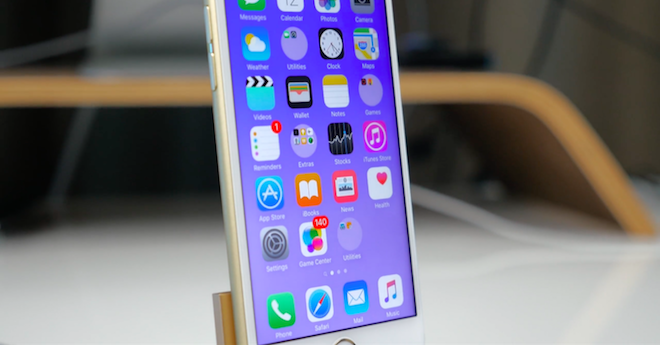
Most people would probably say that, unlike Android, you can't customize the look of your iPhone without jailbreaking. But that's not entirely true. It's possible, you just need to know how. Today we'll show you how to create round folders and a transparent background on your home screen. Dock with the main applications. We are talking about these tricks they already wrote, but they were significantly limited and it was not possible to apply them all at once. Today, however, we have a more sophisticated trick where you can simultaneously adjust the appearance of both the folders and the bottom layer. Docku.
Specially designed wallpapers will take care of everything, and the good news is that there are several to choose from, so all you have to do is choose. You can choose from two types of wallpapers – one is plain and the other has a colored stripe in the middle. The trick works on iOS 9.3 and later, as well as on all supported iPhonech, iPod touch and iPad (not tested on 12,9″ iPad Pro). All you have to do is follow the instructions below and you'll be set up in a minute.
- From your iPhone, visit via Safari (not through Facebook browser) tuto or tuto page
- Choose the wallpaper you like the most and then on it hold your finger
- Choose Save image
- Now go to the app Fotky and locate the downloaded wallpaper
- Click on the icon at the bottom left sharing
- Choose in the bottom slider Use as wallpaper
- Switch from Perspective to Picture and select Set up
- Select an option from the menu. On desktop possibly you can also For both
Now when you return to the home screen, you will have round folders and a transparent bottom DockThe instructions also work for iOS 10, although according to the authors it works correctly with iOS 9.3. On iOS 10 round folders work fine, but the bottom one Dock it is not completely transparent. Partially so, but there is a slight transition. But as you can see in the video below, on iOS 9.3 should be Dock completely transparent.

How do I put it back to its original appearance?
You change the wallpaper to a normal one
I wonder how they concocted this?. Well, I wouldn't compare it to the appearance changes on Android?. There, the new launcher can change the appearance completely beyond recognition.
Has it happened to anyone that they only have one folder that is round?
It doesn't work for me. Round only two components out of ten.
Sometimes it depends where the folders are on the home screen, it varies depending on the version iOS