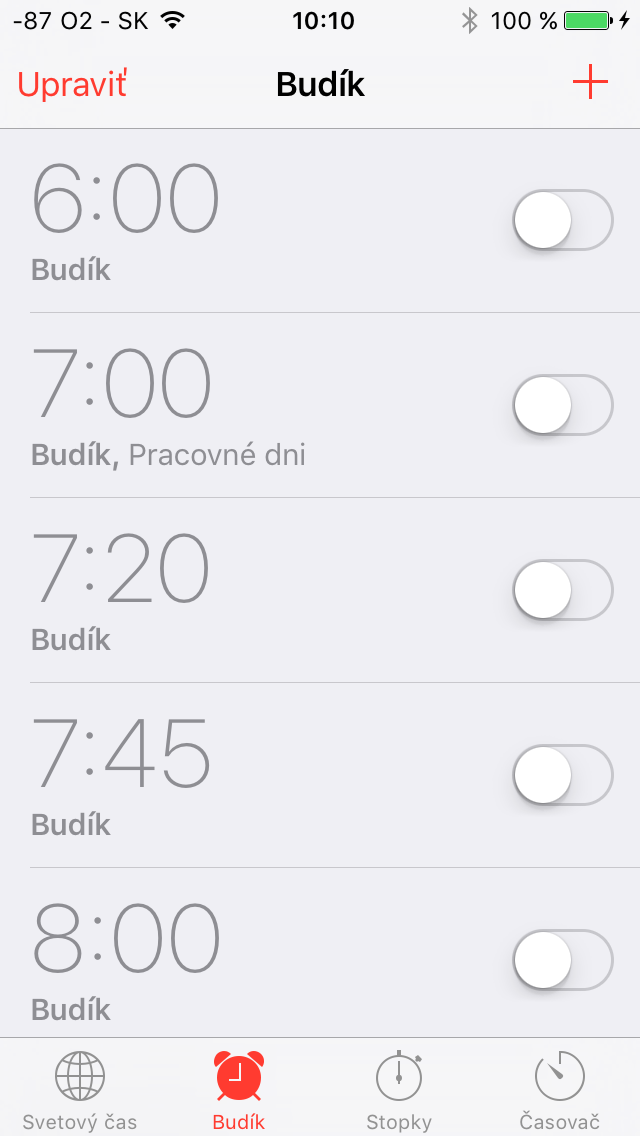
History more or less repeats itself and iOS 9.1, which brought a few important fixes and a few less important smileys, also brought one nasty bug that could hit you if you updated to a new system while you were asleep. Apple on the new system, it allows you to schedule the installation of the update so that the mobile phone is updated while you sleep and when you wake up in the morning you will have iPhone latest iOS. That is, until you wake up. This is because users encountered a bug that could cause all alarms on your phone to be turned off if you decided to update to iOS 9.1 via the above-mentioned route. So it means that if you haven't switched to the latest one yet iOS and you plan, so do it during the day so you don't fall asleep at work or school. The error appeared not only on iPhone, but also on iPads. We did not notice it in the editorial office, mainly because we installed the update the moment it was released.
Prohowever, the problem affected a very large number of other people who began to complain on the forums Applu and also on Twitter about the fact that their mobile phone didn't wake them up, even though they had the alarm clock on before the update. Currently, the only way to prevent the problem seems to be to install the update manually and then check all alarms to see if they are on. And maybe it's not a bug, maybe it's a feature: you know Apple after all, he wants you to live healthy and maybe he wants you to sleep healthy while he quietly prepares new products. Just kidding; a similar problem with the alarm clock has happened several times in the past. In 2010, Europeans had the problem that their alarm clock woke them up an hour later, in 2011 again after the new year it didn't work for a few days.
*Source: PhoneArena