Personal Hotspot on iPhone can save your work in many situations. MacBook...to connect an iPad while traveling or to provide internet to a family member. But it has one unpleasant feature: if you don't have an unlimited plan, a few hours of laptop use can eat up a surprisingly large portion of your data package. Apple therefore, it has greatly simplified the control of where data actually goes via the hotspot.
You might be interested in
Od iOS 26.4 there is no longer any need to search for information deep in the mobile data settings. Overview of consumption of individual devices Apple moved directly to the Personal Hotspot menu, where it makes much more sense.
How to check data usage via hotspot
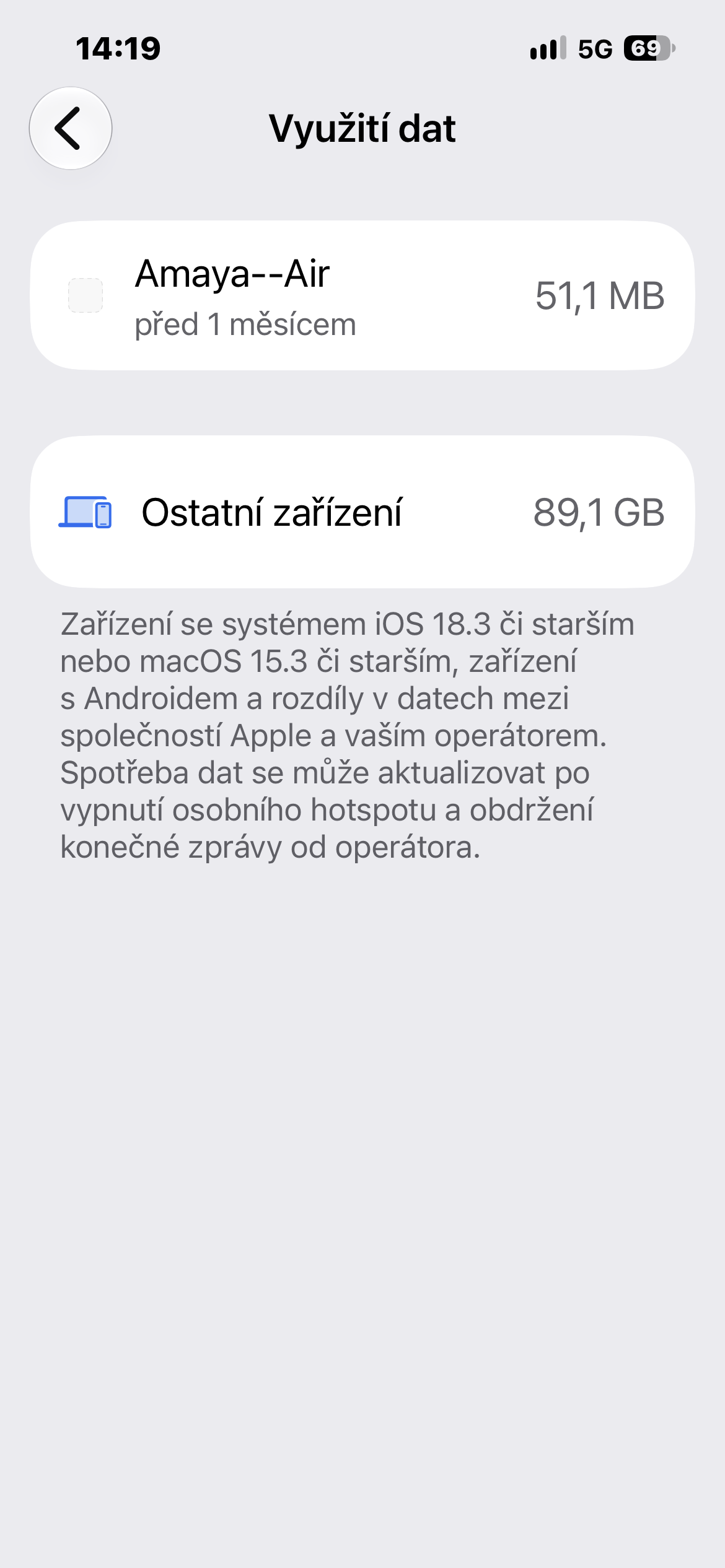
On your iPhone, open Settings → Personal Hotspot. Under the option MaxTo check compatibility, tap Data usage. You'll see a list of devices that have used the hotspot, along with the amount of data transferred. You'll also see the total usage for all connected devices.
This is useful, for example, when several gigabytes of data disappear over a few days and it is not clear why. This way you can easily determine whether the cause was work on MacBooku, iPad or other device connected to the phone.
However, it is good to be aware of one limitation. Appwith the system iOS 26.4 or macOS 26.4 and later may appear individually under their names in the overview. Androids, computers with Windows and devices with older versions of systems Apple On the other hand, they may be grouped under the general heading Other devices. Therefore, it may not be possible to determine exactly which specific device consumed the data.
Gallery
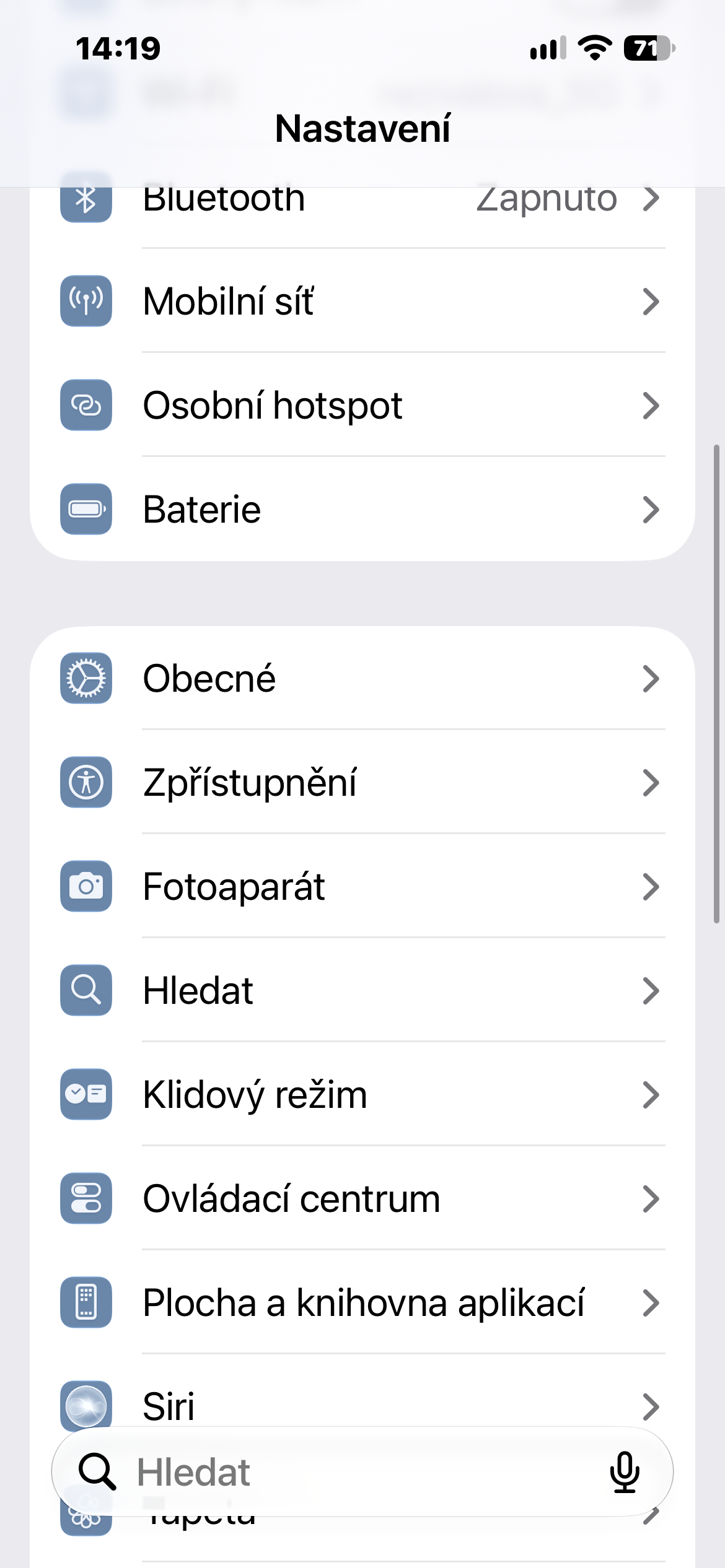
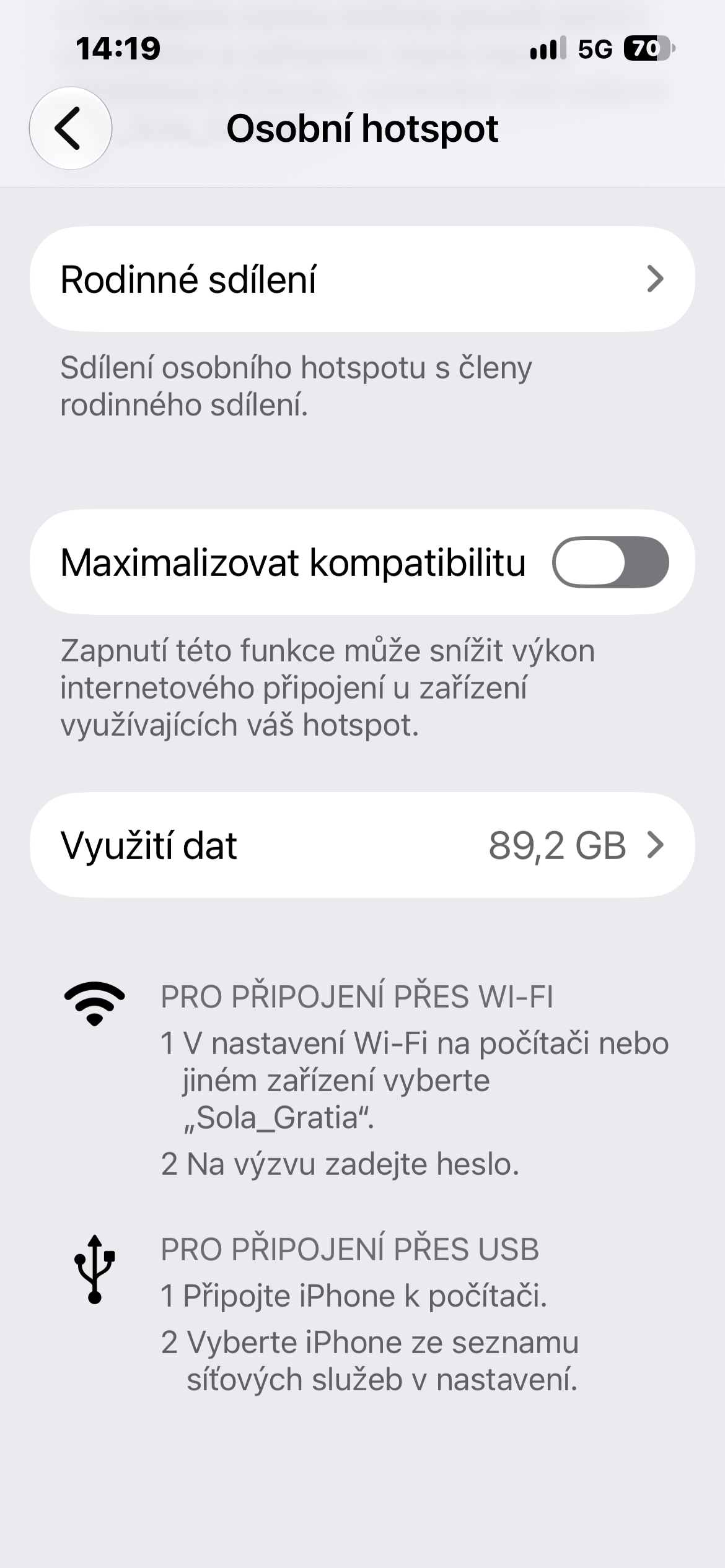
Don't see the item? You may not have used the hotspot for a long time.
The Data Usage option may not always appear. Apple It will only be available if Personal Hotspot has actually been used recently. So if you open the menu on a phone you haven't shared the internet with in a while, you may not find it at all.
You can also reset your statistics and start tracking your usage from scratch. Just open Settings → Cellular Data, scroll all the way down, and reset your cellular data statistics. This will also clear your Personal Hotspot usage data.
The new feature is small but practical, especially when traveling or on a data plan with limited data volume. Instead of guessing where a few gigabytes have gone, you can find out in a few seconds which device took care of them.