Do you travel by train, plane or often find yourself out of internet reach? Thanks to the offline reading list feature in Safari You can easily save your favorite articles and read them anytime, anywhere. Whether it's journalism, blogs or long reports, you have everything at your fingertips even without a network connection.
You might be interested in
Safari, the default browser from Applu, offers a simple and elegant solution for everyone who wants to have their favorite articles always at hand. Whether you're heading out into nature, flying across the ocean, or taking a morning train without Wi-Fi, thanks to the offline reading list feature, you can enjoy quality reading even without an internet connection. It's not just about convenience - reading without distracting ads and loading content is also more energy-efficient for your battery.
How to: Save articles for offline reading
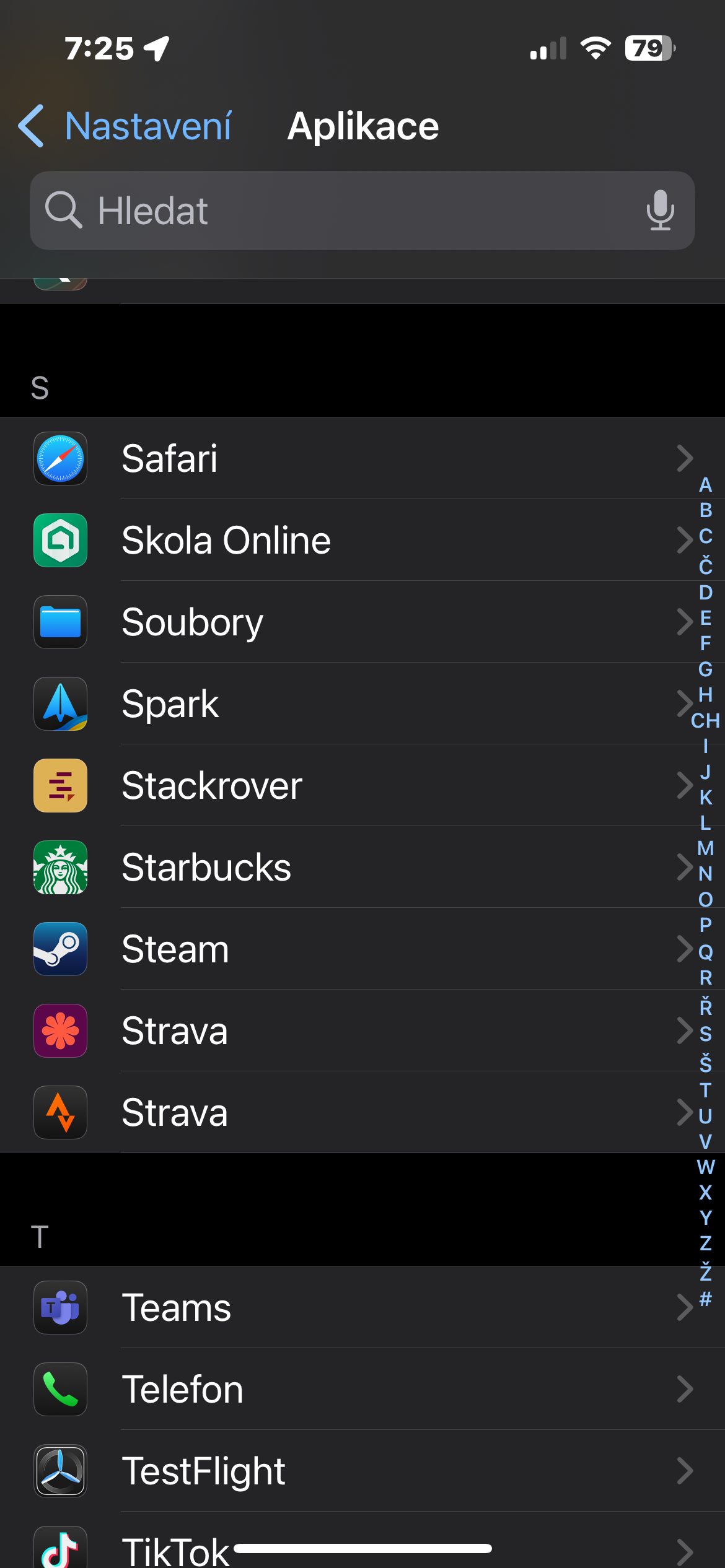
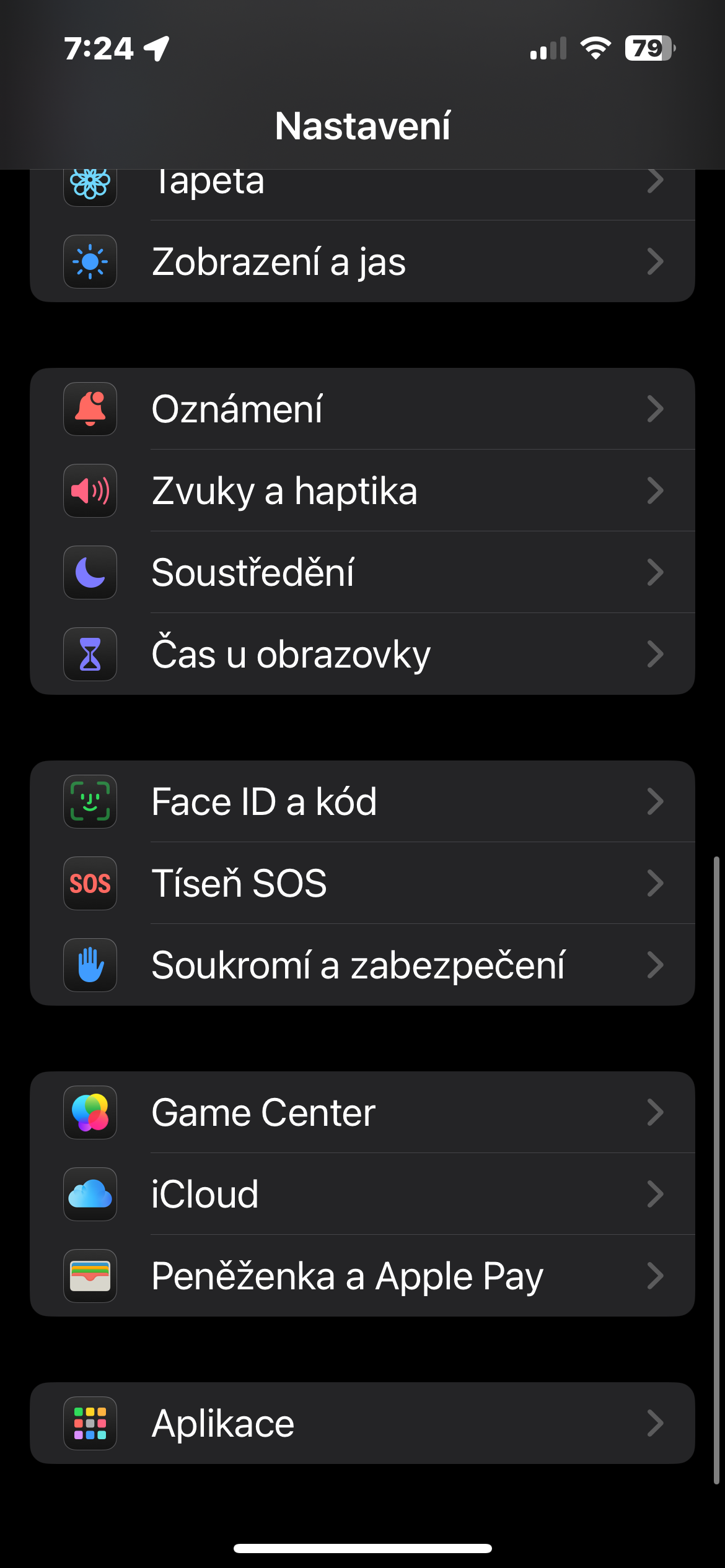
- First, enable offline storage: Open the Settings app -> Apps on your iPhone.
- Go to the section Safari.
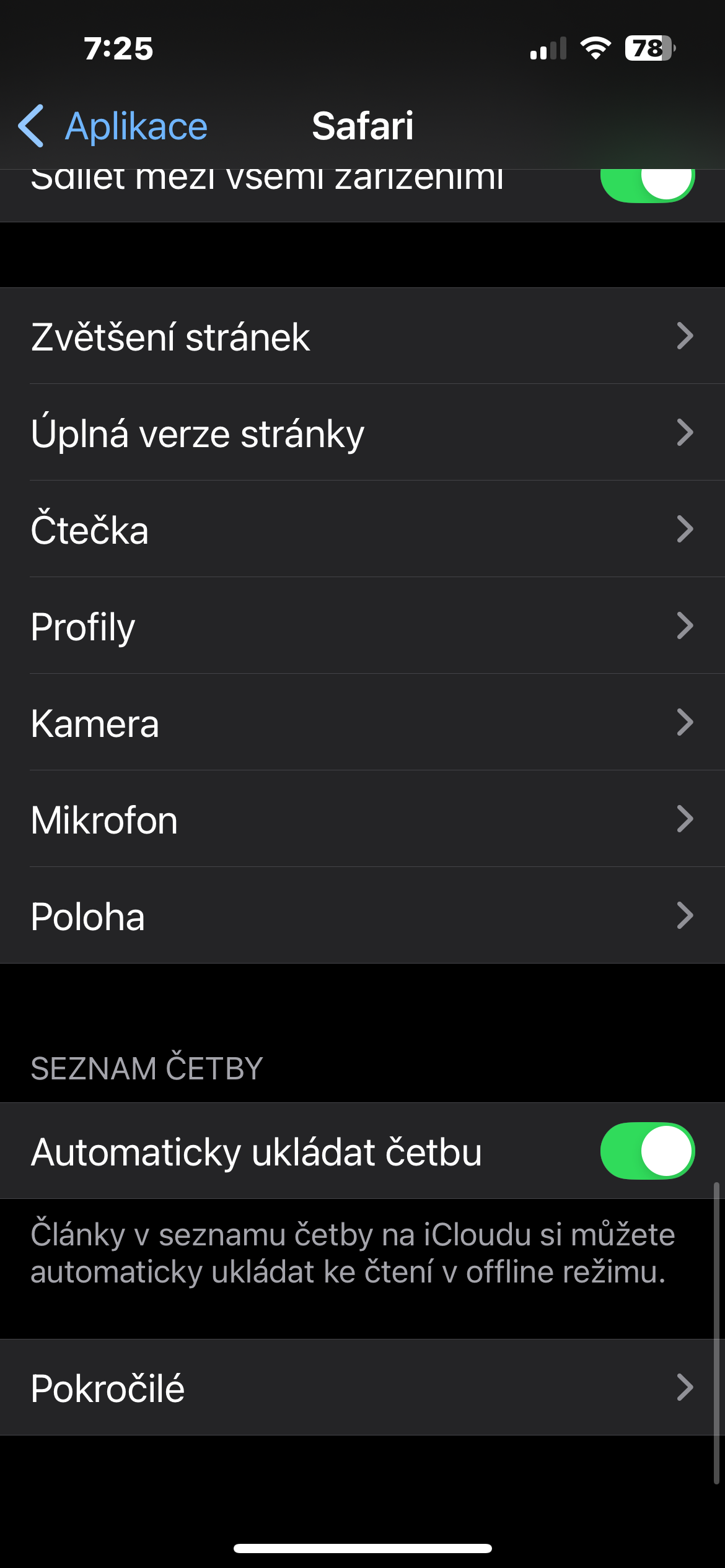
- Under Reading List, turn on Auto-save offline to ensure that any articles you add to your reading list are available even when you're offline.
Gallery
To save an article to your reading list:
- V Safari open the page you want to read later.
- Tap the share icon (square with an up arrow).
- Select Add to Reading List from the menu.
Offline reading:
- Open it Safari, tap the bookmarks (book) icon at the bottom of the screen.
- Go to the glasses tab, where the Reading List is located.
- Select a saved article - if you had the offline auto-save feature enabled, the article will be ready to read even without a connection.
Reading list in Safari is not just a handy solution for on-the-go – it will also be appreciated by those who want to effectively organize their reading or focus on longer articles later, in peace. Thanks to its simple and intuitive operation, anyone can use it without complicated settings. Offline reading thus adds another dimension to your iPhone – one that keeps you connected to information, even when you are offline.