Did you know that with newer versions of the operating system iOS can you your iPhone control with your eyes – and quite effectively? Want to take your iPhone to the next level? Or do you have a physical limitation that makes touch control difficult? The Eye Tracking feature, available in iOS, allows you to control iPhone with just a glance. In this article, you will learn how to activate and use this feature.
You might be interested in
Eye tracking is a revolutionary feature that opens up new ways to control your iPhone. It's designed to make it easier for people with physical limitations to use their phone, but it can also be useful for those who want to try something new and innovative.
Activating and calibrating the Eye Tracking feature
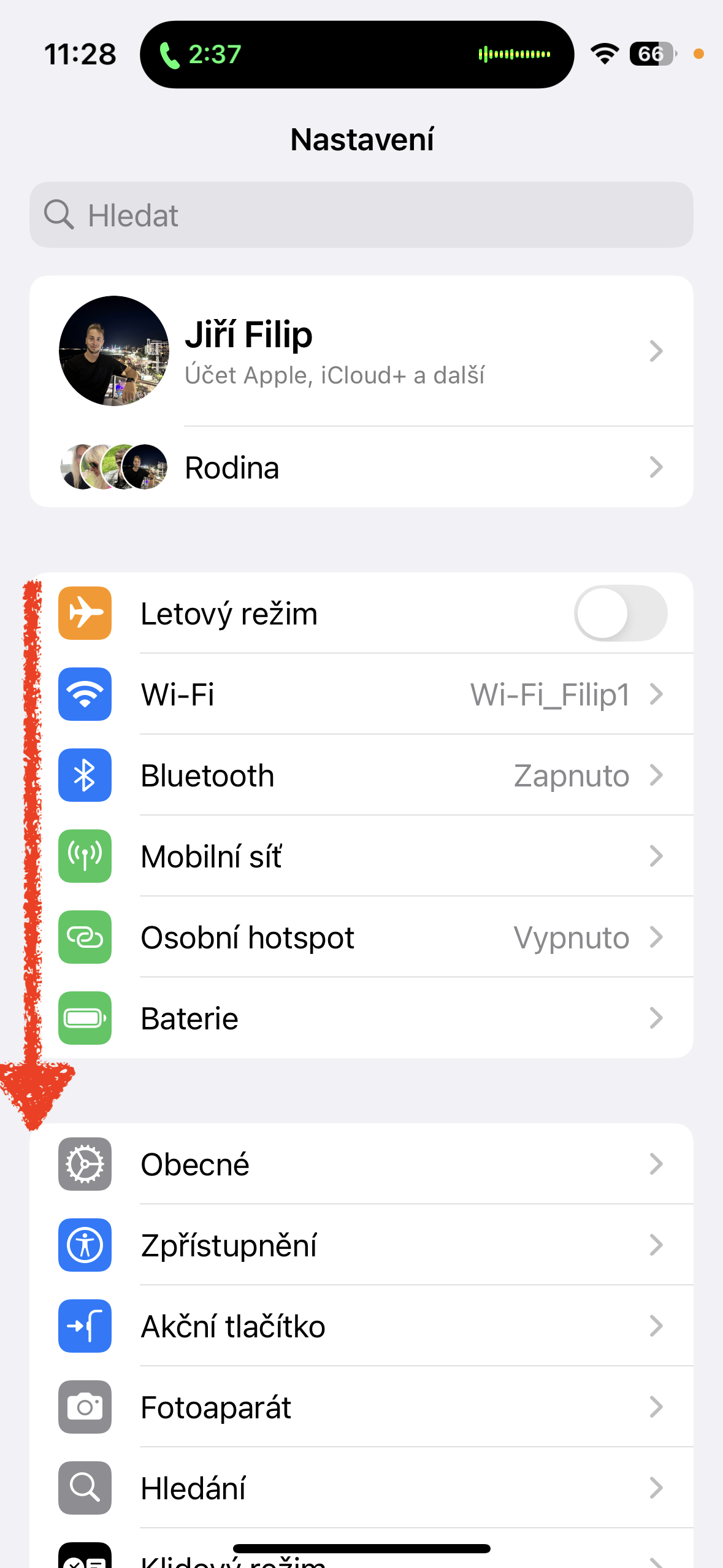
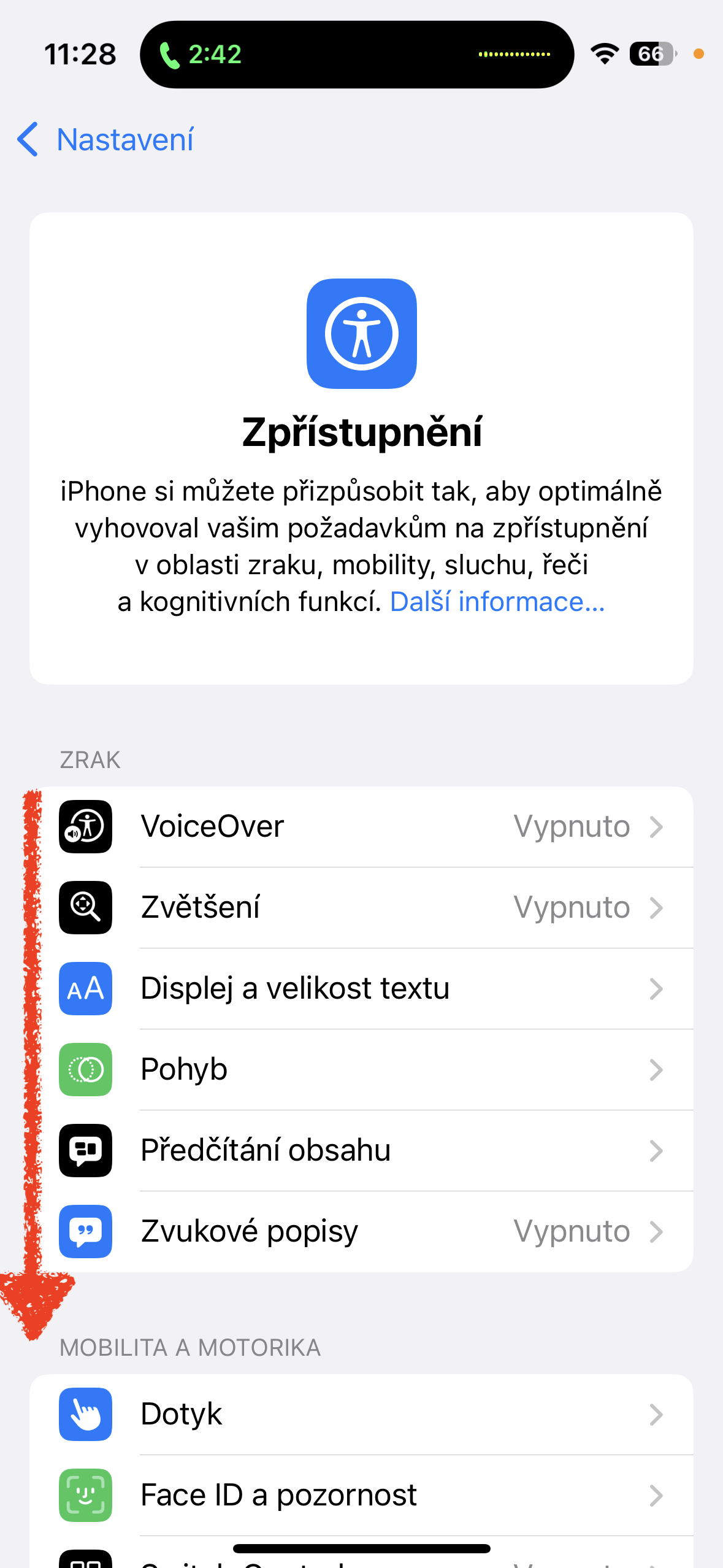
Pro To activate and calibrate the Eye Tracking feature, follow these steps:
- Open Settings on your iPhone.
- Go to the Accessibility section.
- Scroll down to the Mobility and Motor section and select Eye Tracking.
- Activate the Eye Tracking feature using the switch.
- This will be followed by a 30-second calibration, during which you should not move your phone.oneHold it about 30 centimeters from your face. Points will appear on the screen that you should follow with your eyes.
- After calibration, eye control will automatically start and you can start controlling your phone just by looking at it.
Gallery
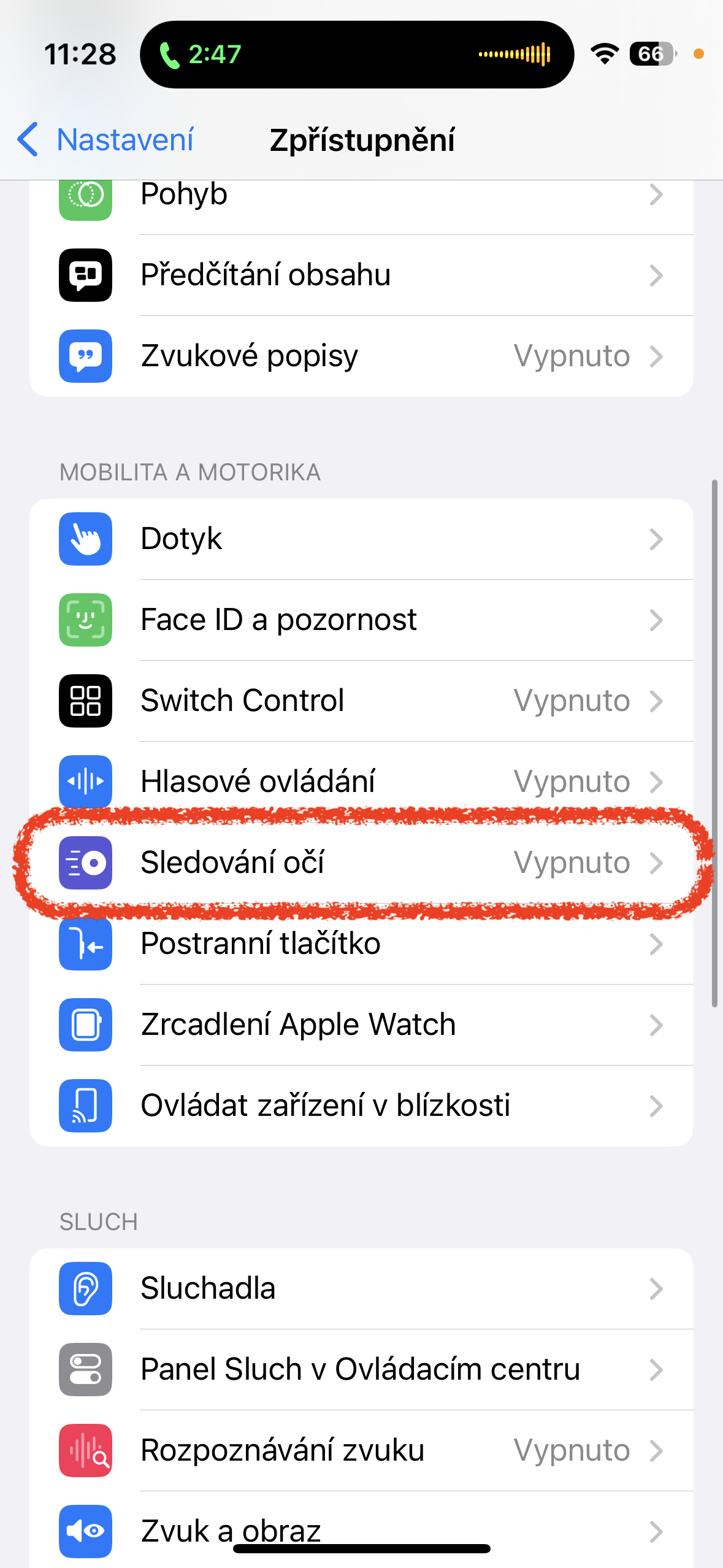
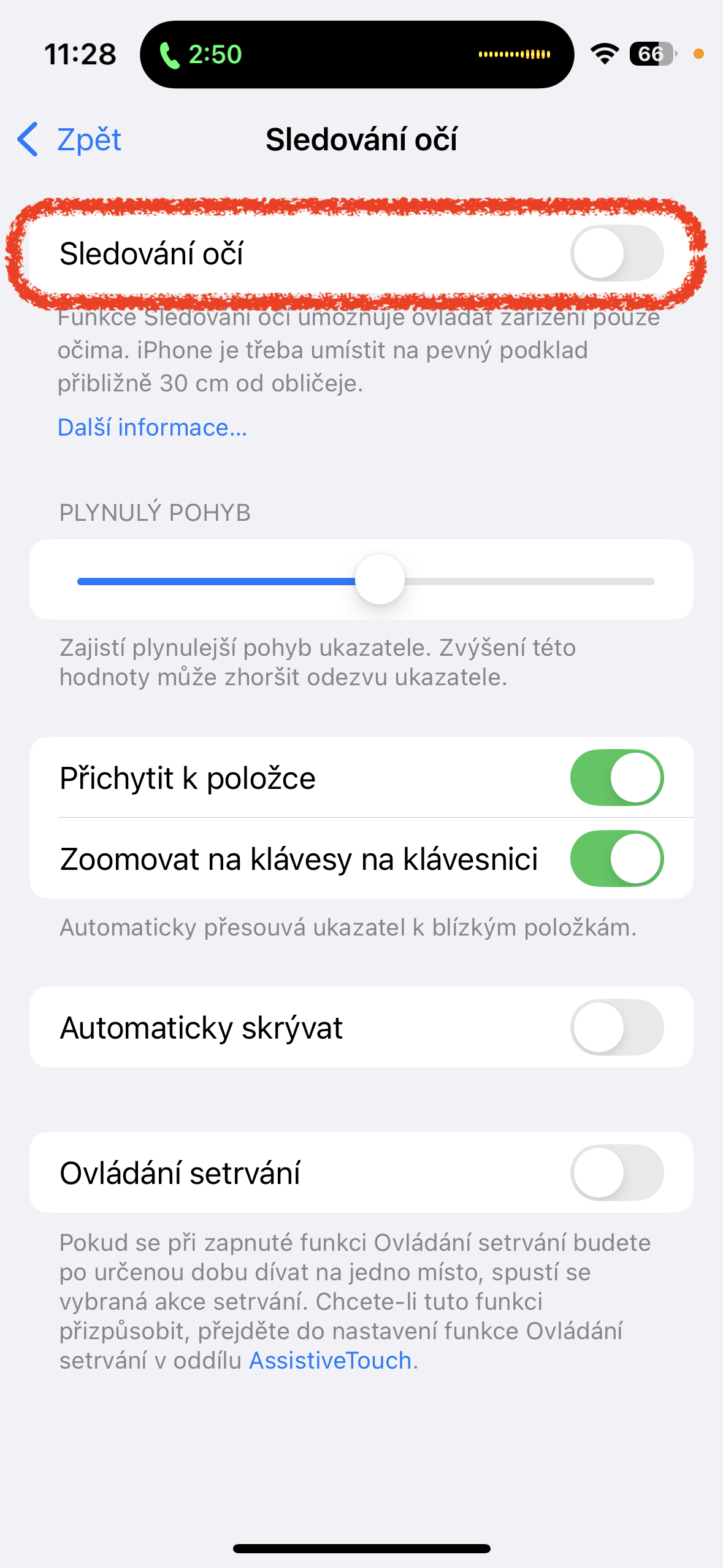
When you turn on Eye Tracking, a cursor appears on the screen that tracks your eye movements. You can move the cursor around the screen by moving your eyes, and you can “tap” to select an item by blinking. Eye Tracking opens up new ways to control iPhone and makes it easier for people with physical disabilities to use it. It’s simple and intuitive to activate and use. Try it out and discover a new way to control your iPhone. iPhone.