
If you've noticed that videos in your iPhone's Photos app are playing repeatedly, you're not alone. After the update iOS 18.2 started a few weeks ago Apple By default, videos will automatically play in a loop until you manually pause them. This new feature can be fun at first, but it can quickly become annoying with longer videos, especially when you're scrolling through multiple short clips in your library.
You might be interested in
The auto-repeat feature is great for short videos or when showing someone a quick clip, but it also forces you to pause each video instead of letting it end naturally. This can be distracting when you're scrolling through multiple videos, and especially annoying with longer content, where you probably don't want to watch the same three-minute video twice in a row.
How to turn off auto-play videos on a loop
Fortunately Apple provides a simple way to turn this feature off:
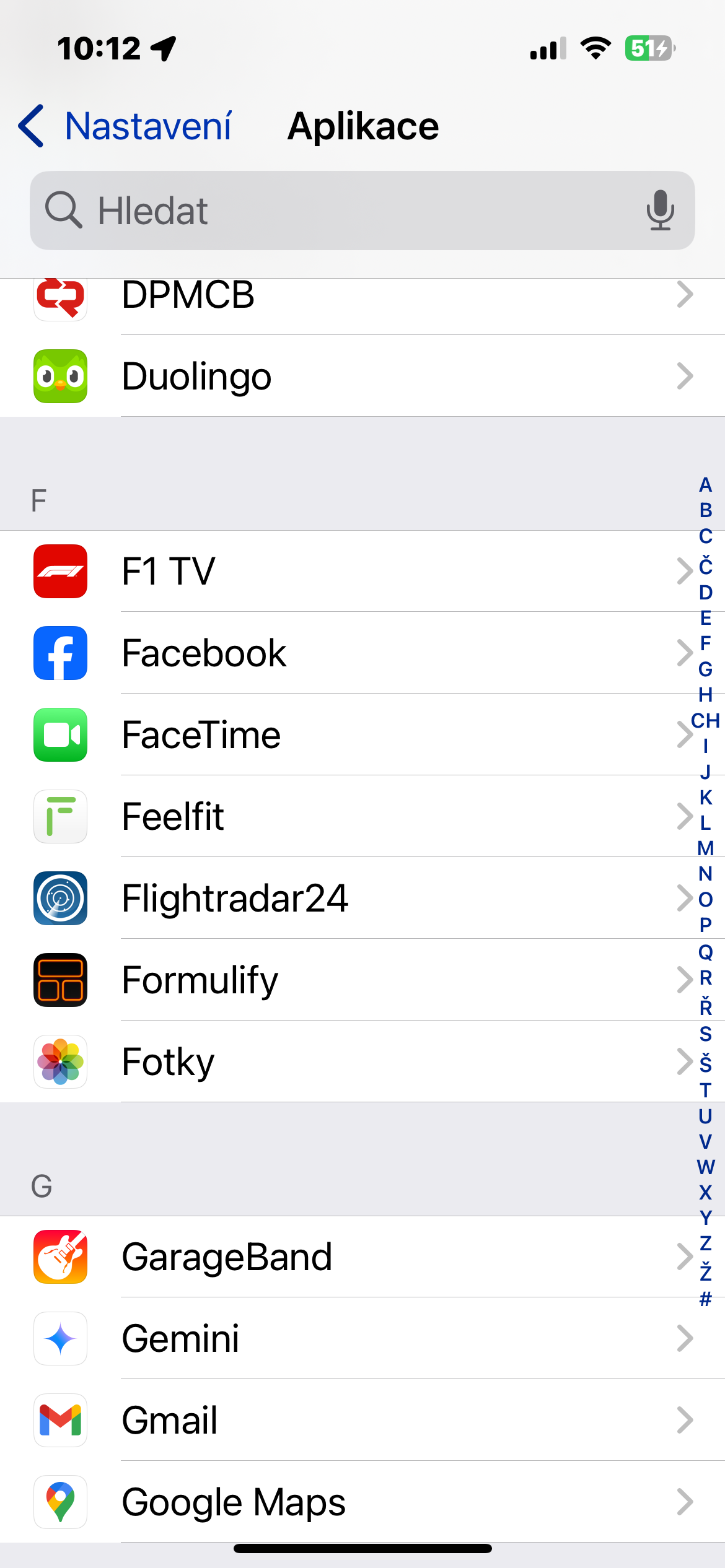
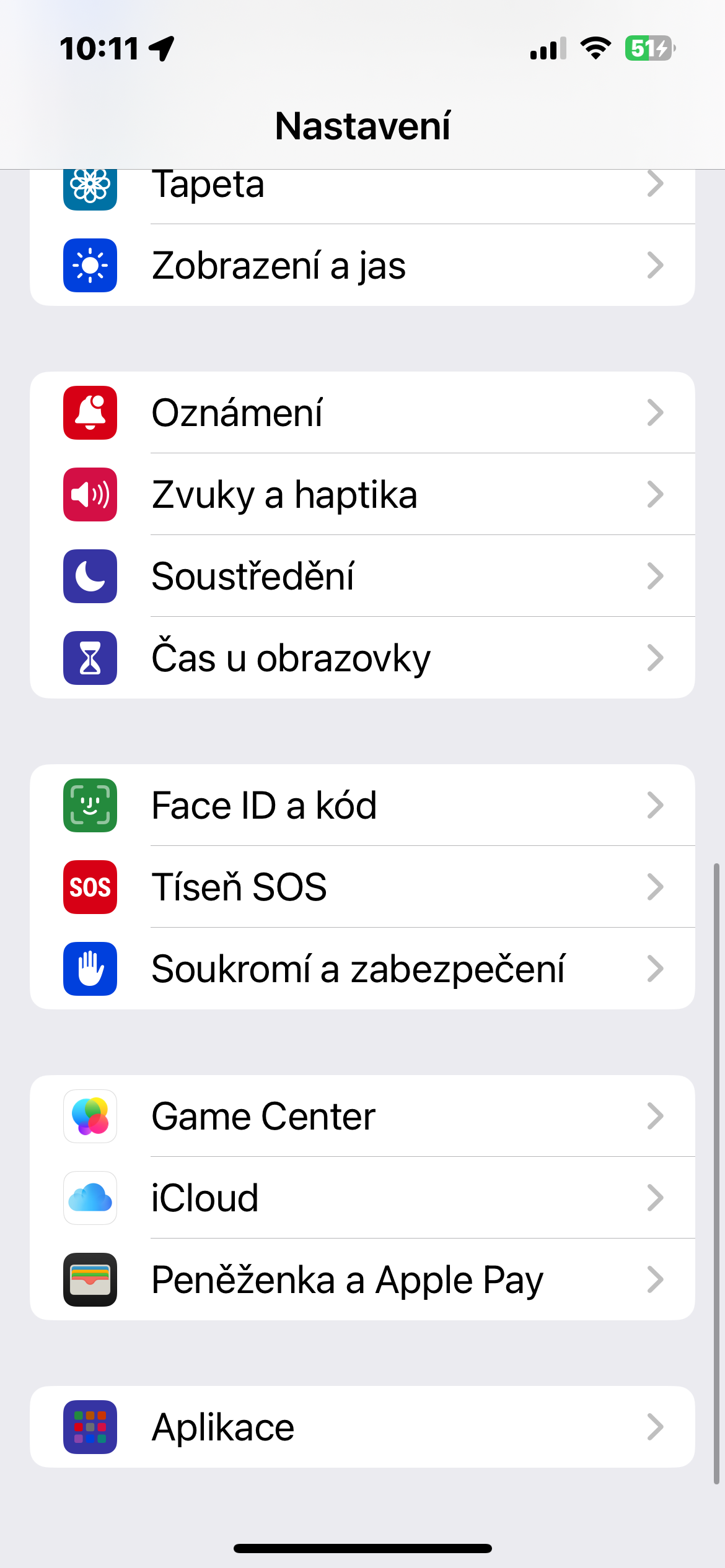
- Open the Settings app on your iPhone or iPad.
- Go to Applications -> Photos.
- Scroll down until you find the option to Play videos in a loop.
- Turn the switch to the OFF position.
This will stop videos from playing repeatedly in the Photos app. They will automatically stop after they finish playing, so you don't have to manually stop each video.
Gallery
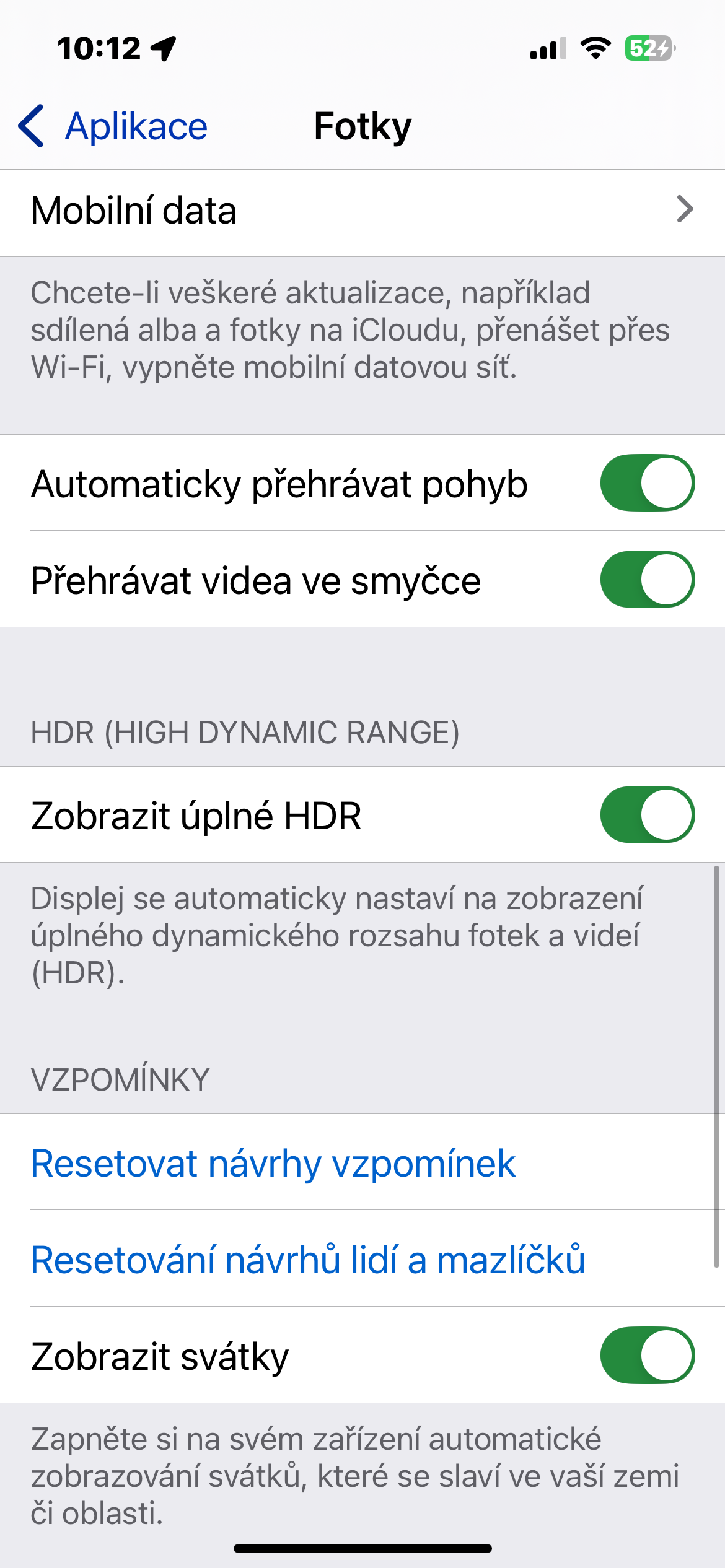
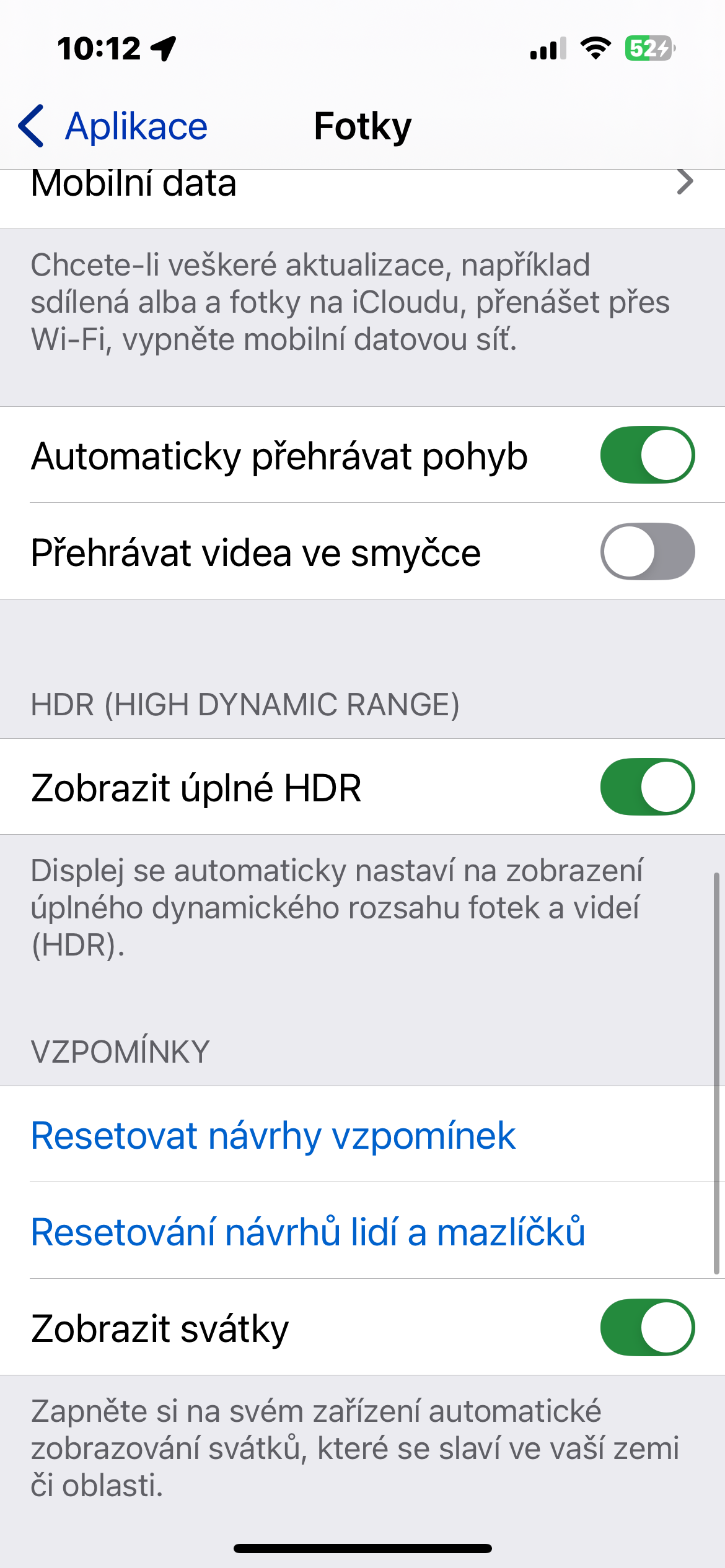
If you'd rather not have videos play automatically at all when you open them, you can also adjust the related settings. In the same section of Settings, just turn off the Autoplay motion option, and the videos will pause until you manually click the play button.
These simple settings let you customize how videos play in Photos to your preferences, avoiding annoying replays.





I would appreciate it if you could turn off autoplay videos on your website. It's really annoying when an ad starts playing without warning, even with sound, and it's hidden a few lines down so I can't see it.
I was just about to write the same thing :-)
Actually, that's why I come here less. There's always an ad blaring, even when I have the tab in the background. Then I'm frantically searching for something to play.
So I try not to go here and thereby not support the practice.
Gentlemen, we will try to solve it. Thanks.
I need it Sunday.
Neither of iphone pres safari, nor from macbookat the press safari
Díky lsa. We'll be happy to. On Mac it's right in the settings Safari. I couldn't find it on the iPhone, but it only works here. Maybe csfd is also annoying, but at least there it's without sound.