You don't want to use a digital voice assistant Siri on your iPhone and would you like to disable it completely? Fortunately, it's not complicated. Siri is a voice assistant from the company Apple, which is integrated into iPhones. Pro some users may be Siri useful tool, but others don't use it and prefer to turn it off. In this article, we'll show you how Siri on iPhone quickly and easily.
You might be interested in
When you first set up your iPhone, you're probably prompted to set up Siri. If you have not activated it, it is disabled by default. However, if you have Siri activated and now you want to turn it off, it's very simple.
Shutdown procedure Siri on iPhone with iOS 18
Pro shutdown Siri proceed as follows:
- Open the Settings app on your iPhone.
- Click on the option Siri.
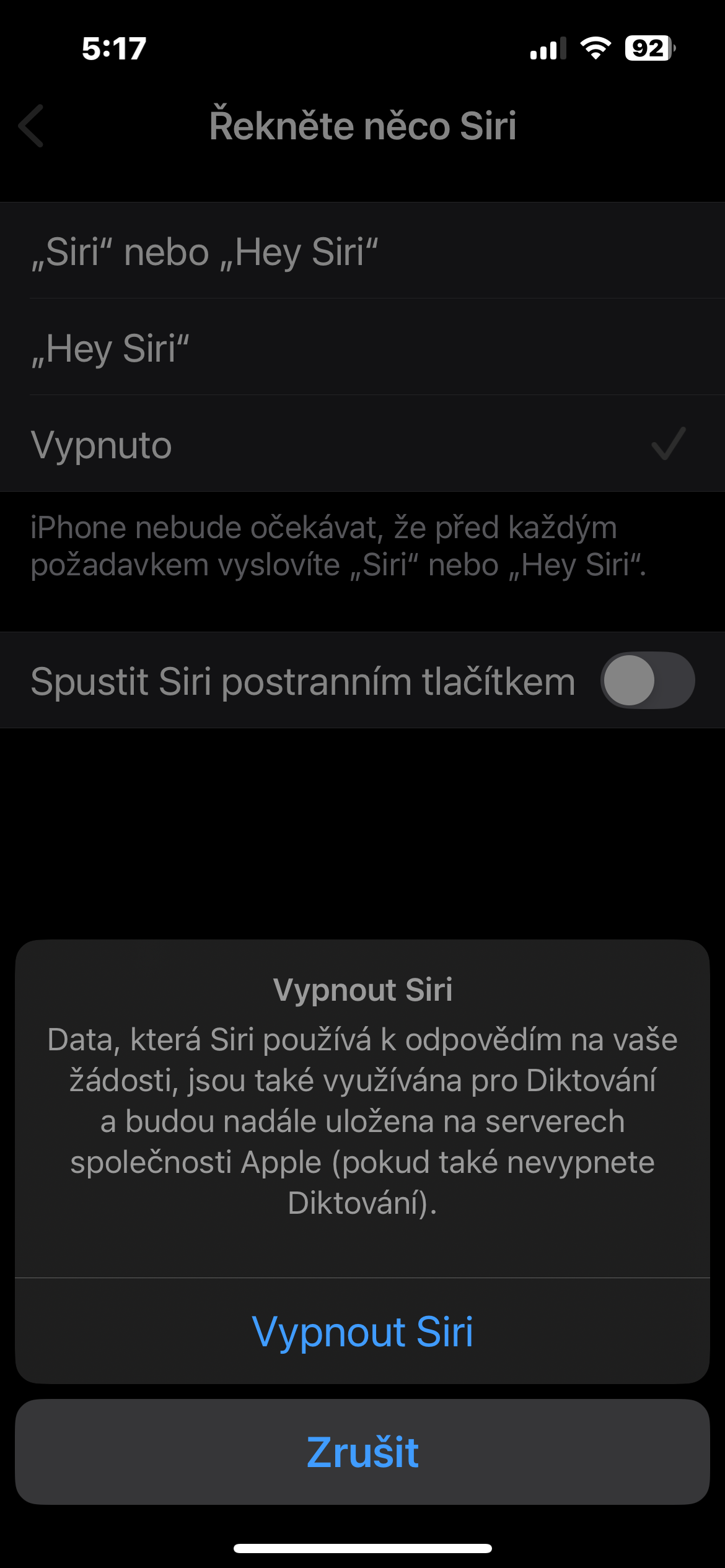
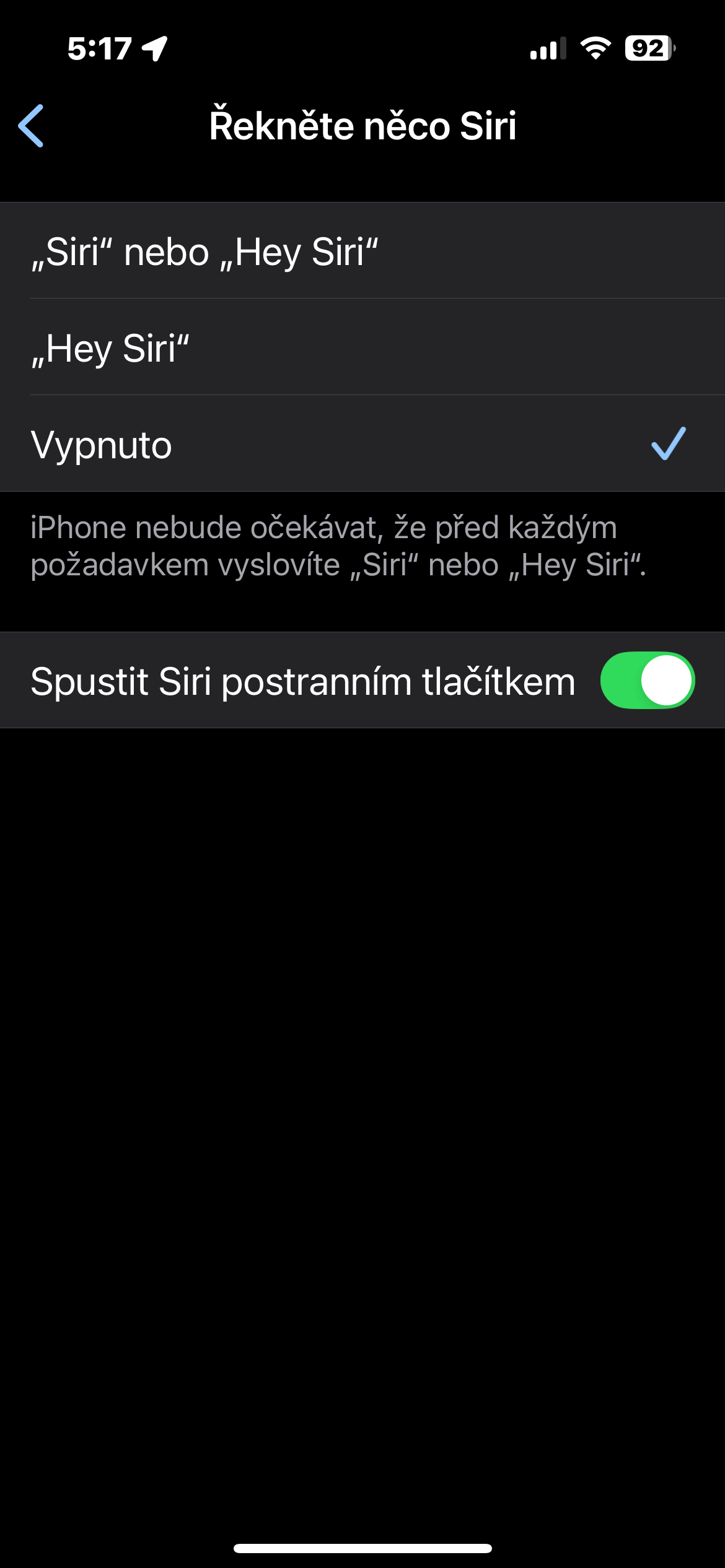
- In the section dedicated to settings Siri, tap Say something Siri.
- Now tick variantu Off and disable the Run item Siri side button.
Gallery

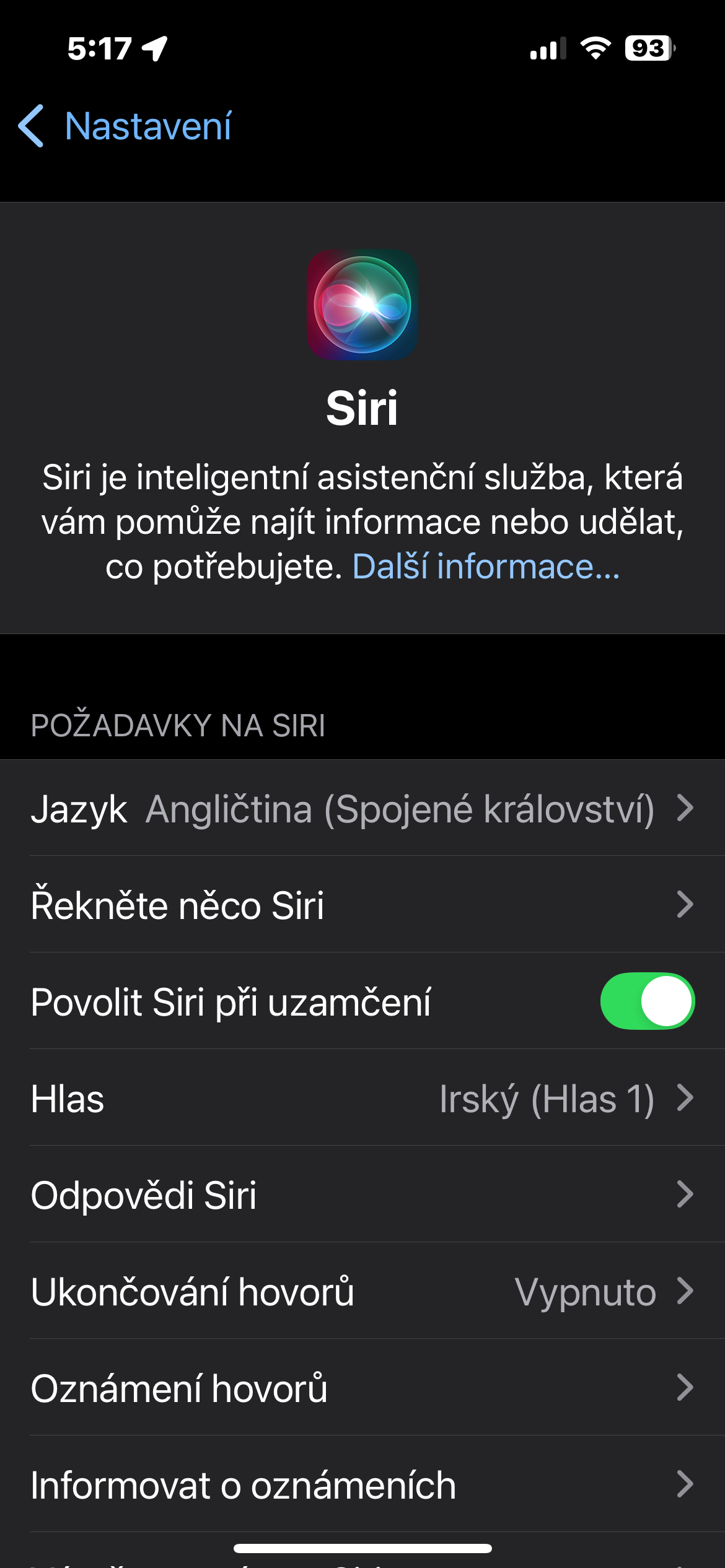
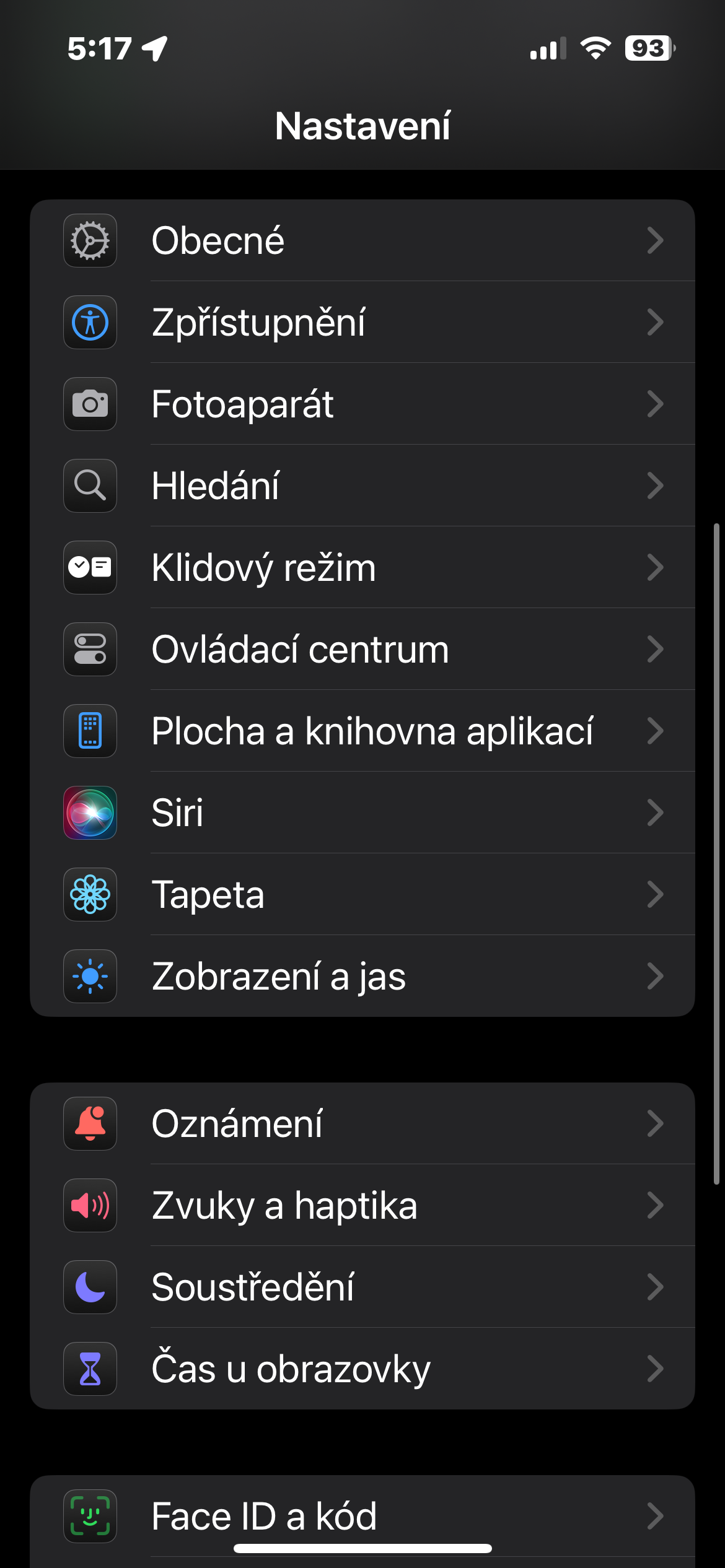
Shutdown Siri on iPhone is an easy and quick process. If Siri not in use, turning it off can improve battery life and prevent unwanted startup. If necessary, you can Siri reactivate at any time in settings.