How to set a sleep timer in Podcasts on iPhone? Want to listen to a podcast before bed but don't want the content playing all night? With the Podcasts app on your iPhone, that's no problem. Setting the sleep timer is simple and only takes a few seconds.
You might be interested in

The Podcasts app on your iPhone offers many useful features that make it easier to listen to your favorite shows. One of them is the ability to set a sleep timer. With this feature, you can enjoy a peaceful sleep while listening to a soothing podcast or audiobook.
How to set a sleep timer in Podcasts
- Start a podcast: Open the Podcasts app and select the episode you want to listen to.chat.
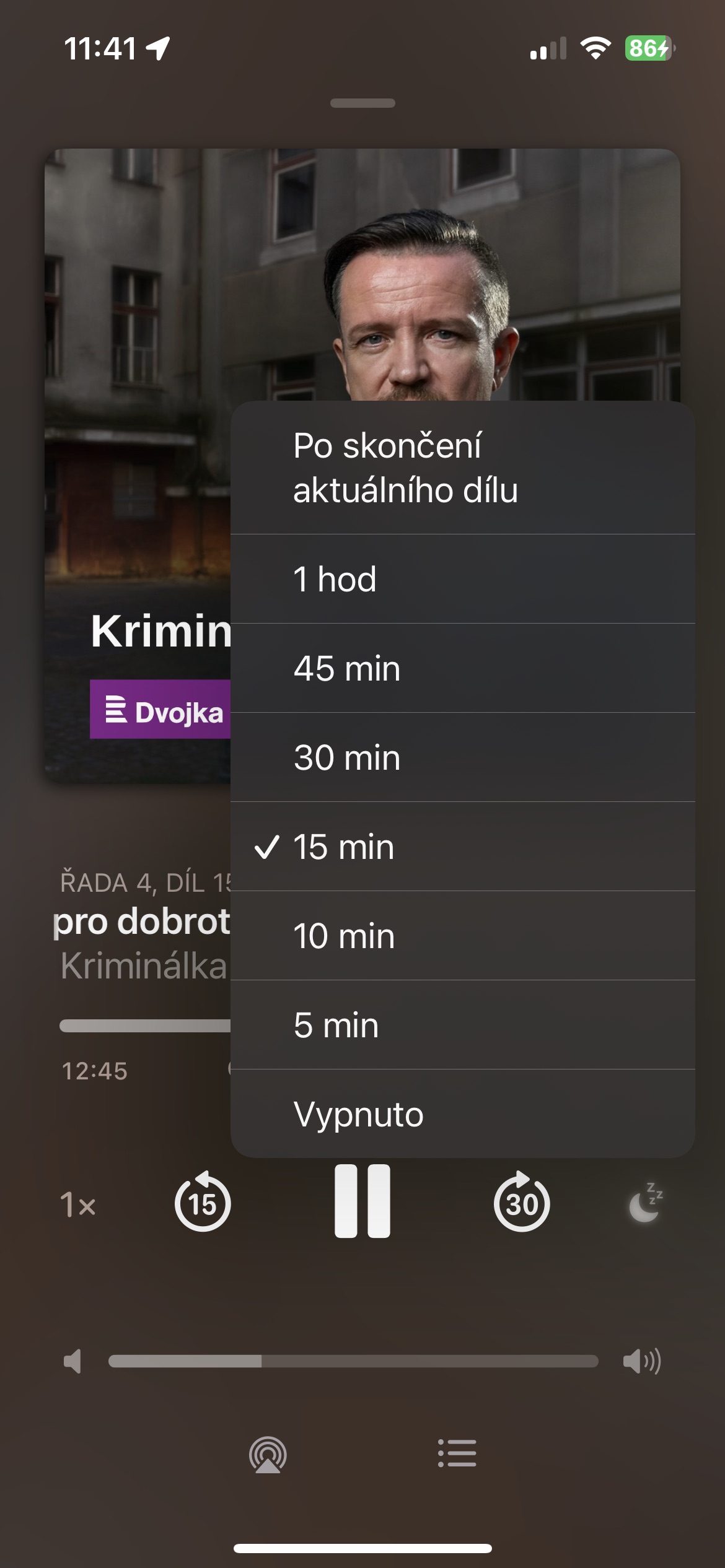
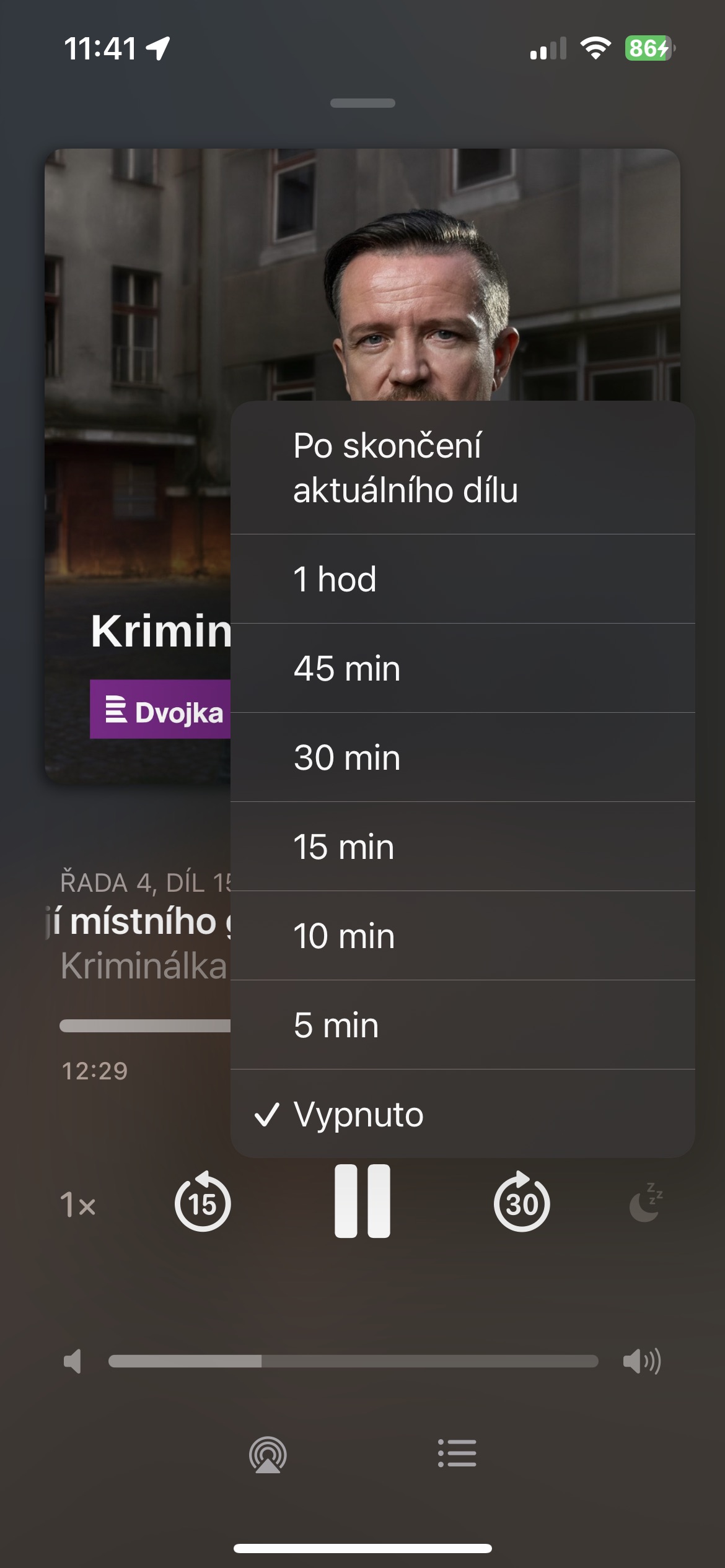
- To activate the timer: While the podcast is playing, look at the bottom of the screen. Here you will find the playback progress bar. At the right end of this bar is a crescent-shaped icon. Click on it.
- Select playback time: You will be presented with several options for when playback should automatically stop: 5, 10, 15, 30, 45 minutes, or after the current episode ends. Choose the one that suits you best.

Setting up a sleep timer in the Podcasts app is very simple and yet extremely useful. Thanks to this feature, you can enjoy a peaceful sleep while listening to your favorite podcasts. You no longer have to worry about falling asleep in the middle of an interesting story and draining your iPhone battery unnecessarily.