How to activate Live Speech on iPhone? The Live Speech feature was introduced by the company Apple last fall, along with the arrival of the operating system iOS 17. This is a useful Accessibility tool that lets you type a message on your device's keyboard and it will speak what you want to say using a voice of your choice, including system voices and your own personal voice. It works on your device, so you can use it while chatting, but it also works with FaceTime calls and iPhone.
You might be interested in
If you want to use your Personal Voice with this feature, you must first set up the tool. Of course, you can also use the Live Speech function using one of the voices that are already part of the system.
How to activate Live Speech on iPhone
If you want to activate Live Speech on your iPhone, follow the instructions below.
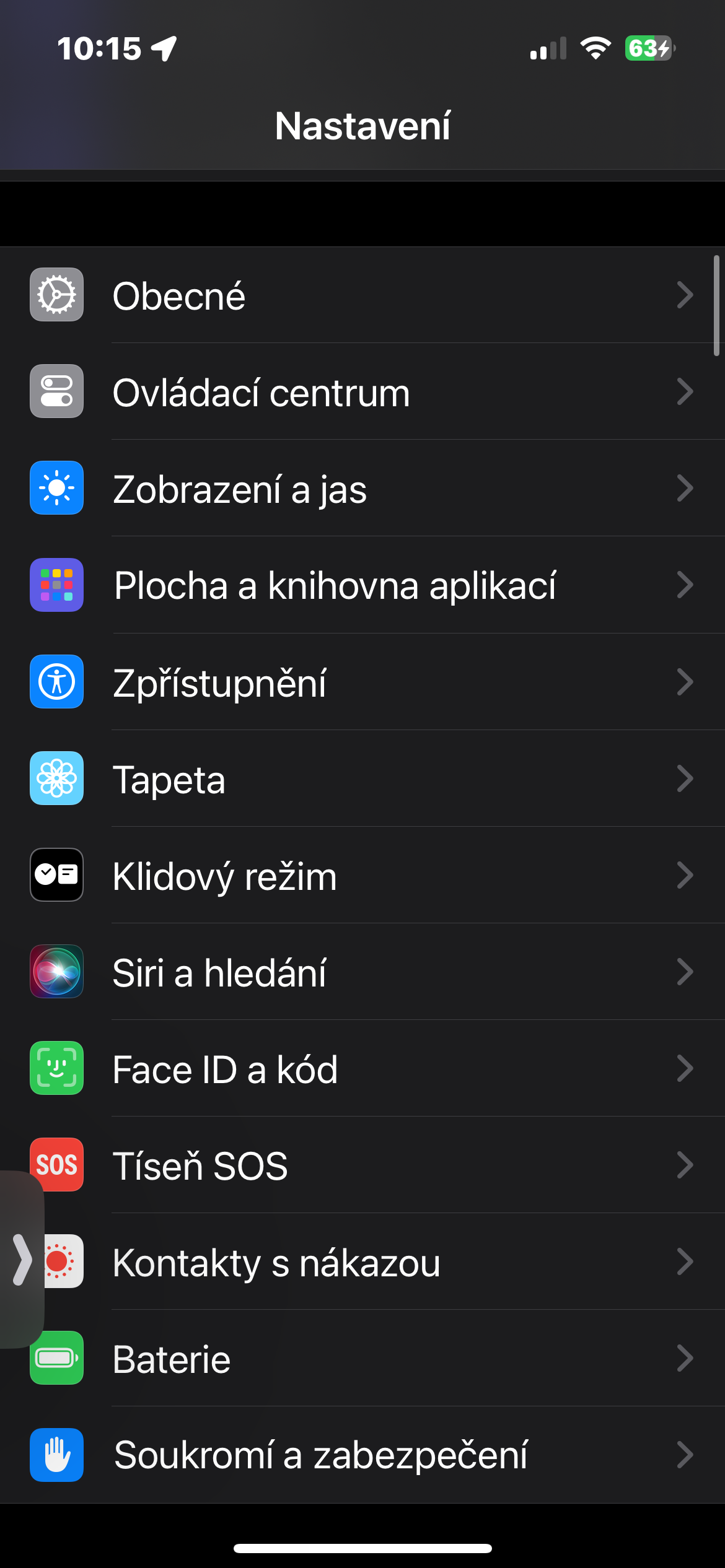
- On iPhone, run Settings.
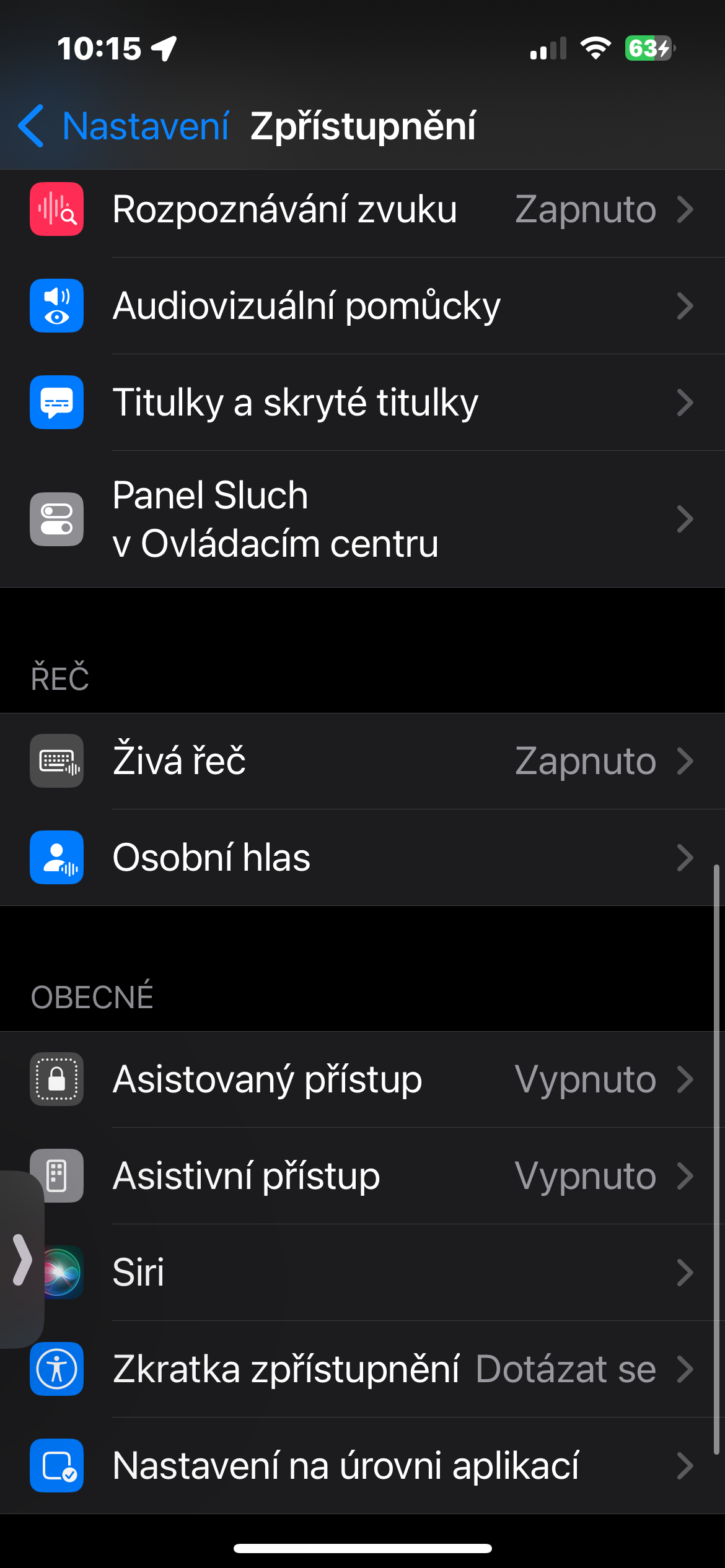
- Click on Disclosure.
- In the section Speech click on Live speech.
- At the very top, activate the item Live speech.
Gallery
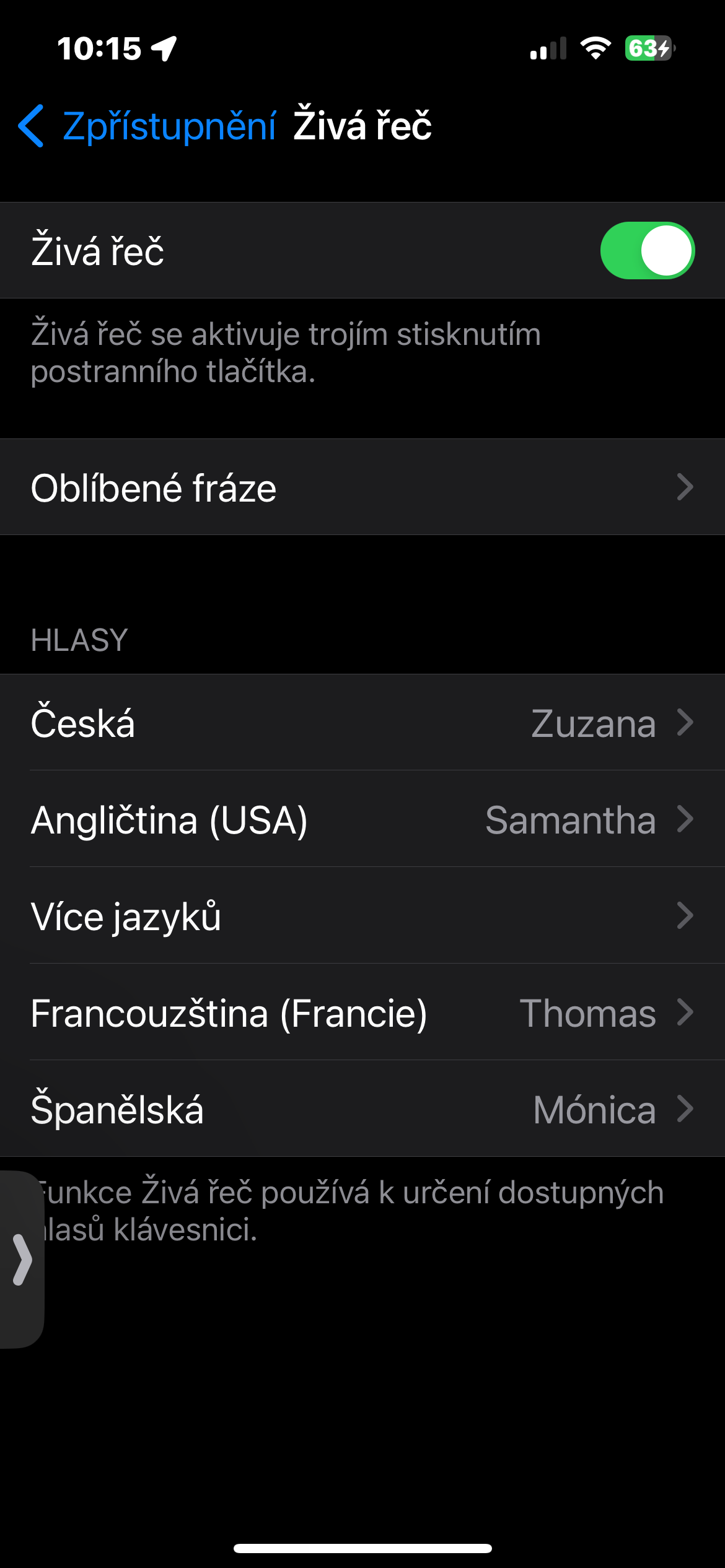
If you click on the Favorite phrases item, you can directly set the most frequently used sentences or words here. You can then start reading them via the Live Speech function at any time by triple-pressing the side button of your iPhone.