
Neflix continues to be one of the most popular streaming services today. His offer of various films and series of all possible genres is truly respectable. On the main page of Netflix, you will find a clear menu of recommended content, titles that are currently enjoying the greatest popularity or those that you have been watching.
It should be noted that Netflix search is really not bad. You can search by genre, language, creators, title and other criteria. If you're happy with the basic menu and search features, that's fine, of course. But sometimes one is looking for very specific titles – not in terms of the title, but for example a combination of genre, origin and year of publication. In such situations, Netflix codes come into play.
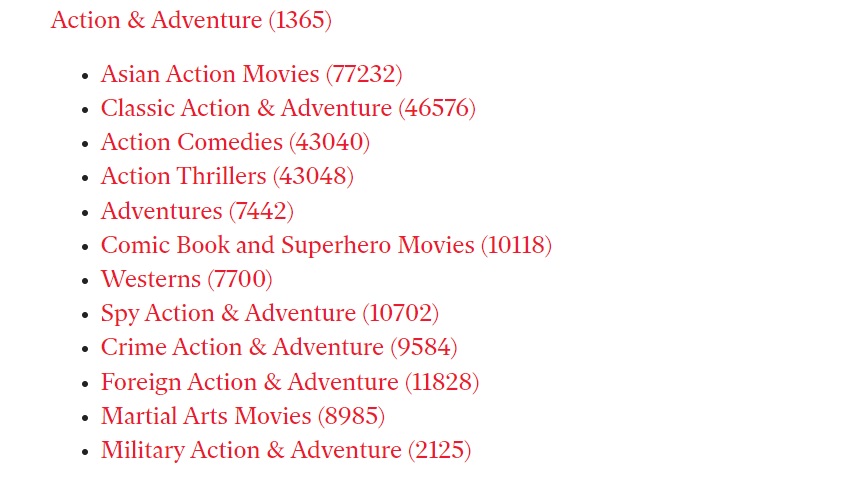
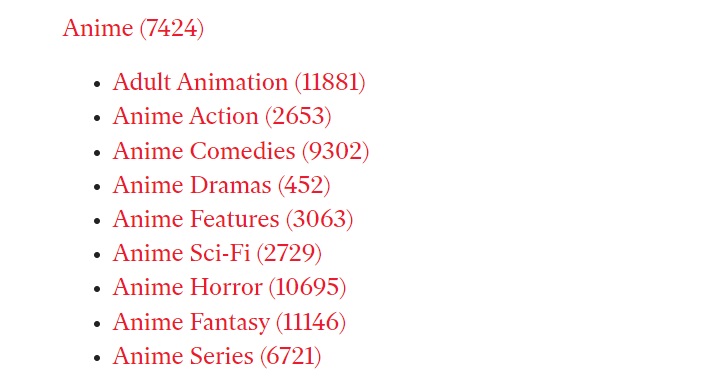
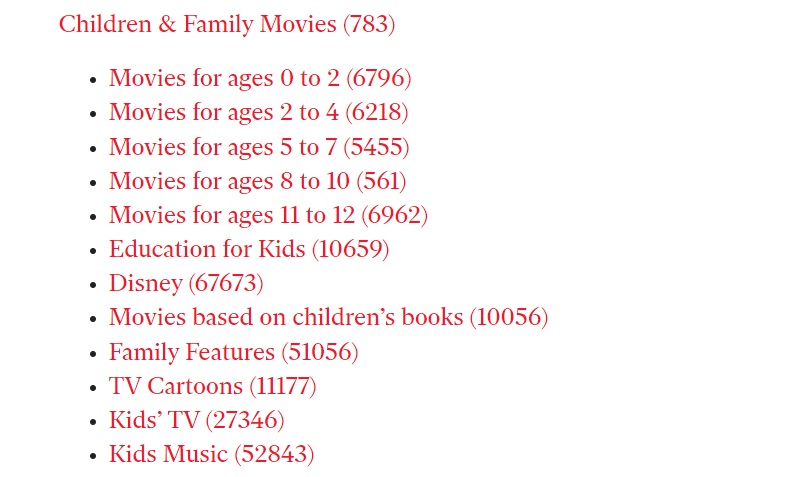
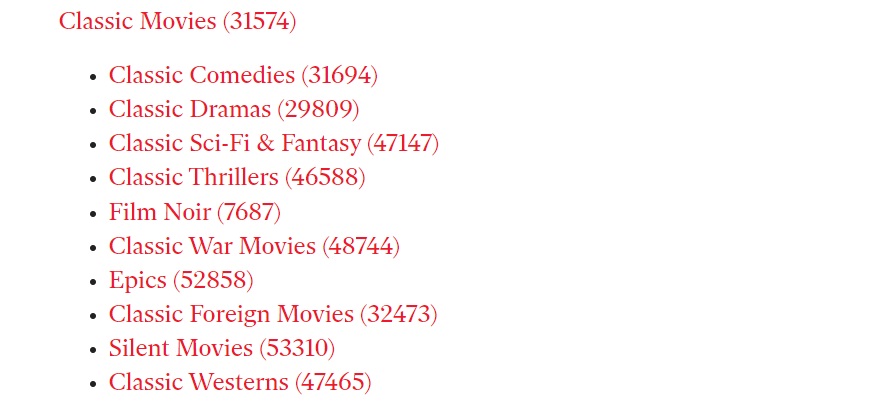
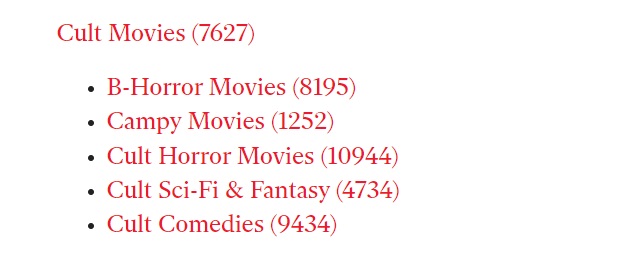
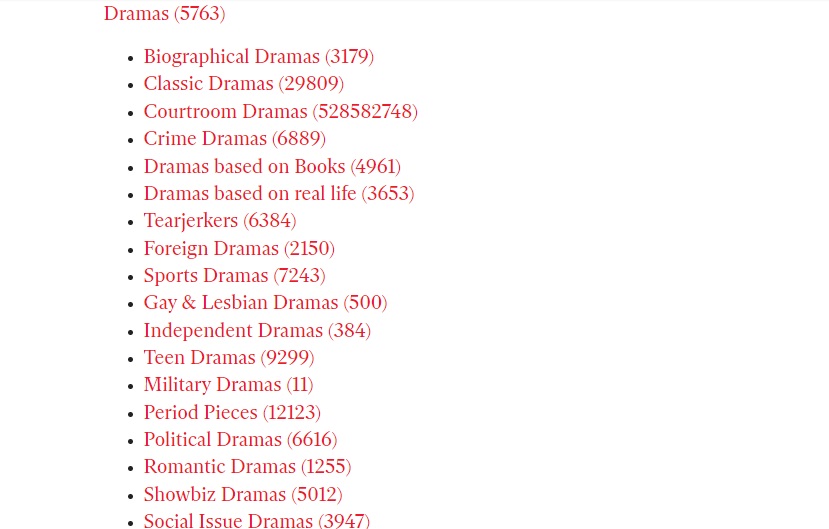
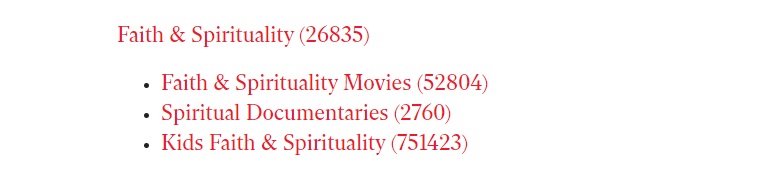
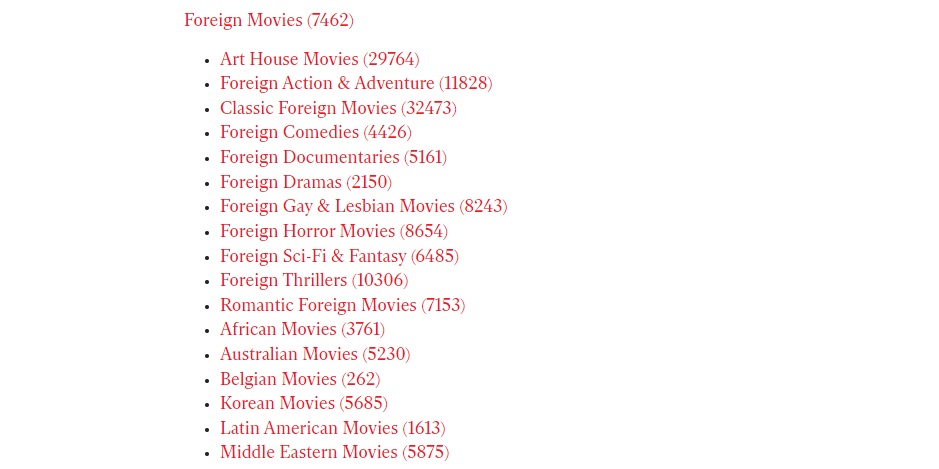
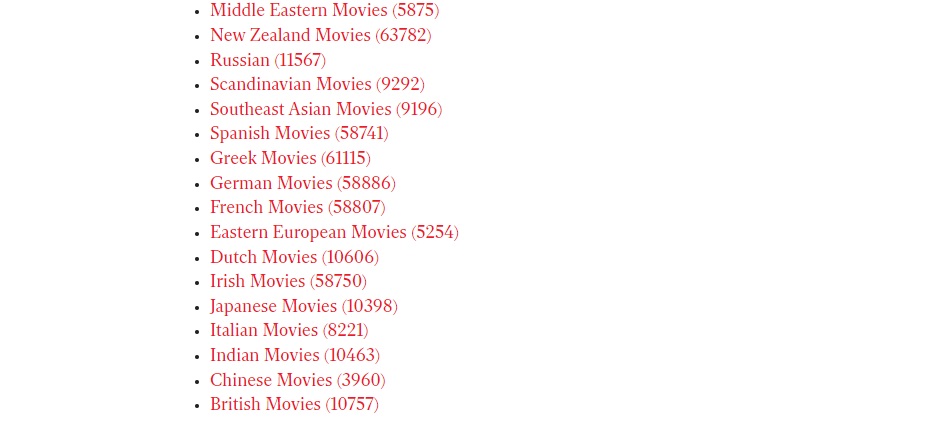
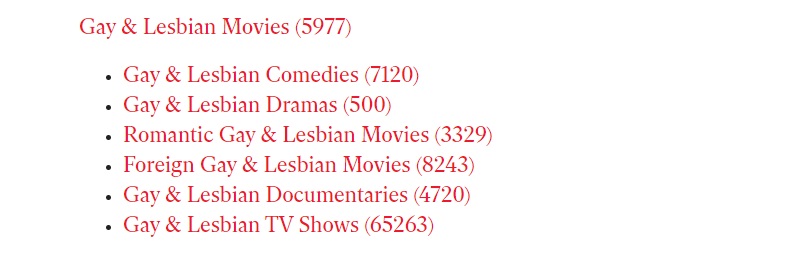
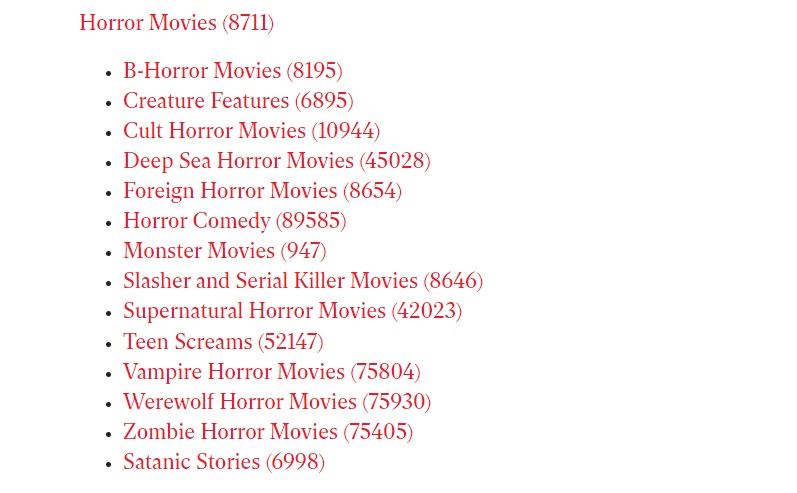
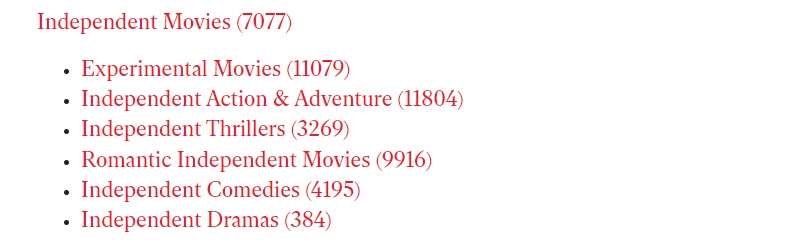
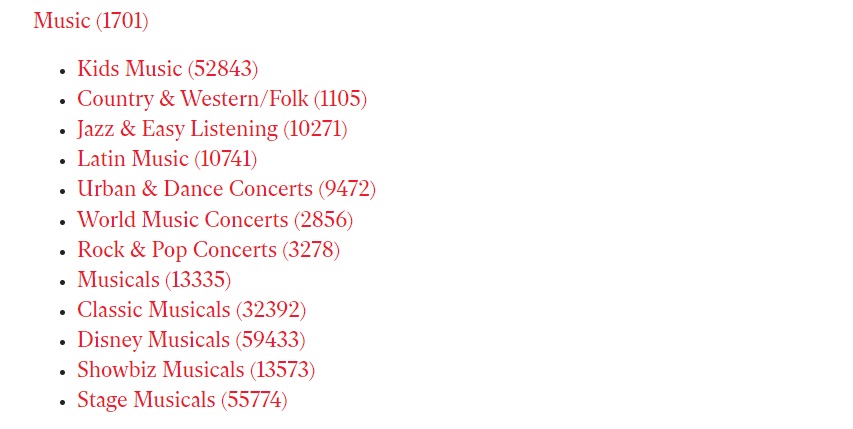
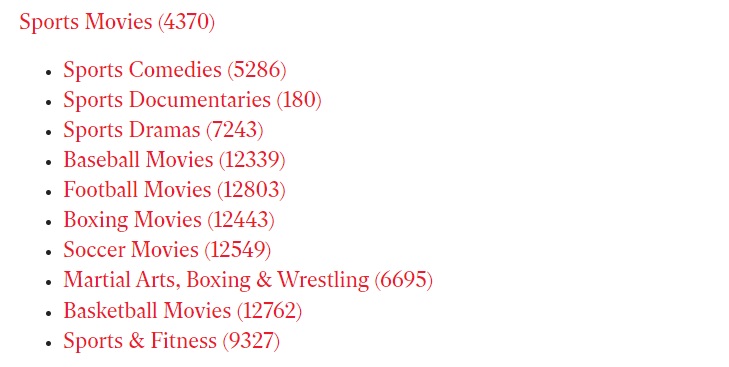
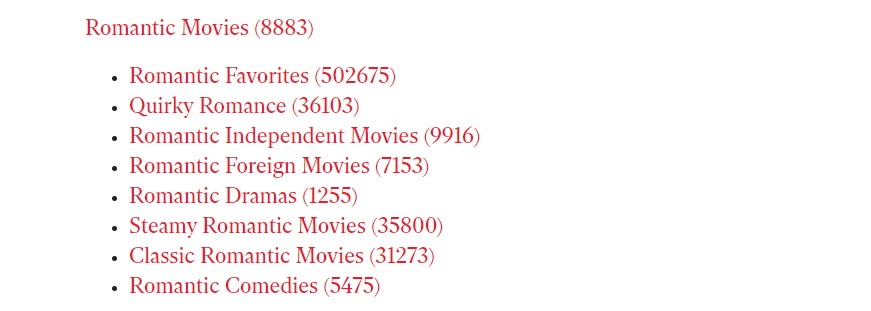
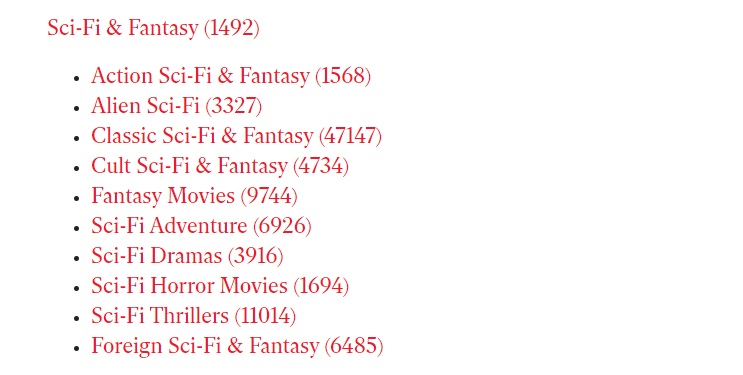
Netflix codes are special numerical codes that you enter in the URL address on the web version of Netflix - we will describe the detailed procedure in a moment. There are more than a hundred codes, and thanks to them you can effectively filter and find very specific genres on Netflix, such as Asian action films, films based on children's books, political comedies or even B-rated horror films. You can view an overview of all Netflix codes in the photo gallery below.
Gallery


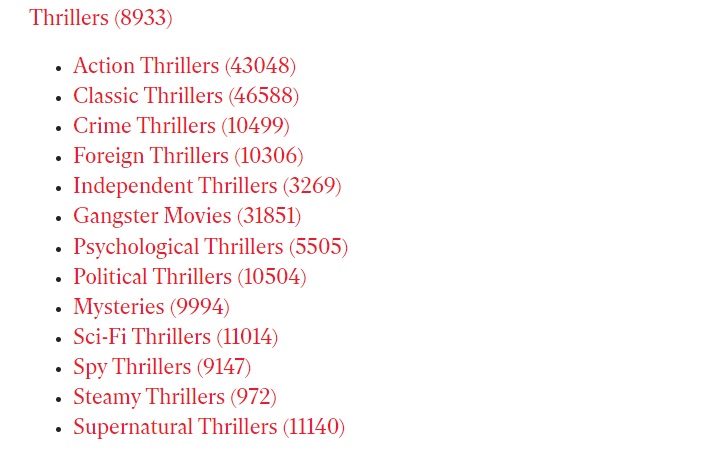
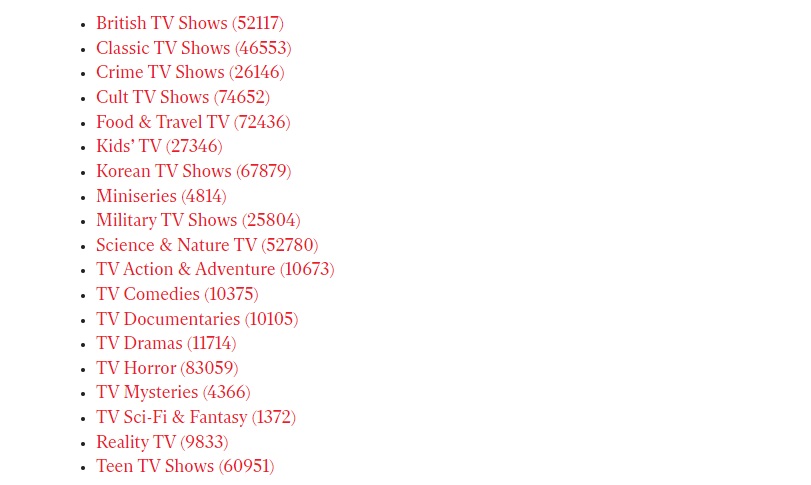
How to use Netflix codes
Using Netflix codes is really very easy. You need to use Netflix in a web browser interface.
- Open a web browser on your computer.
- Go to Netflix page and sign in to your account.
- Enter the URL https://www.netflix.com/browse/genre/ in the address bar and simply write the code of your choice after the last slash.




Thank you, it helped me :)
I've been using it for a long time. It also works on TV. In google play download the app: "codes for netflix" All the codes are there. Oh my.
I just want to ask, do I have to enter the codes every time or is it enough just once?
Netflix has no real search, it imposes the things it wants! It can't even filter things with Czech dubbing! ProI'm just imposing what they want!