Newly introduced operating systems from Applu have been with us for almost two months now – specifically, we are talking about iOS and iPadOS 16, macOS 13 Ventura and watchOS 9. All these systems continue to be available under beta versions for developers and testers, but they are often installed by ordinary users as well, because they want to get early access to the new features. In our magazine, we have been covering the new features in the systems since the very introduction, which only confirms the fact that there are countless of them available. One of the new features, however, Apple he did not dedicate in any fundamental way, it is also part of the Photos.
You might be interested in
macOS 13: How to lock hidden photos using Touch ID
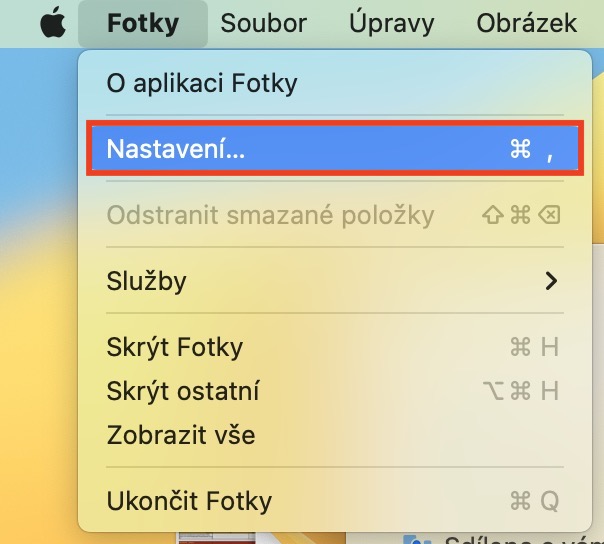
We all probably have some content in Photos that we don't want to share with others. Until now, we could only solve this halfway by moving photos and videos to the Hidden album, which made them disappear from the classic library. However, anyone could still access this content, as long as they had an unlocked account. iPhone. But the good news is that in macOS 13 and other new systems Apple rushed with a feature that allows you to lock not only the Hidden album, but also the Recently Deleted album, using Touch ID, respectively Face ID na iPhonech. How can I activate this feature on my Mac? The procedure is as follows:
- First, you just need to move to the app on your Mac with macOS 13 Photos.
- Once you've done that, click on the tab on the left side of the top bar Photos.
- This will open a menu in which you can click on the section with the name Settings…
- Subsequently, a new window will open with all the preferences of the Photos application.
- Here, in the top menu, move to the section named In general.
- nakonec you just need to go down in the category They activated privacy function Use Touch ID or password.
Gallery
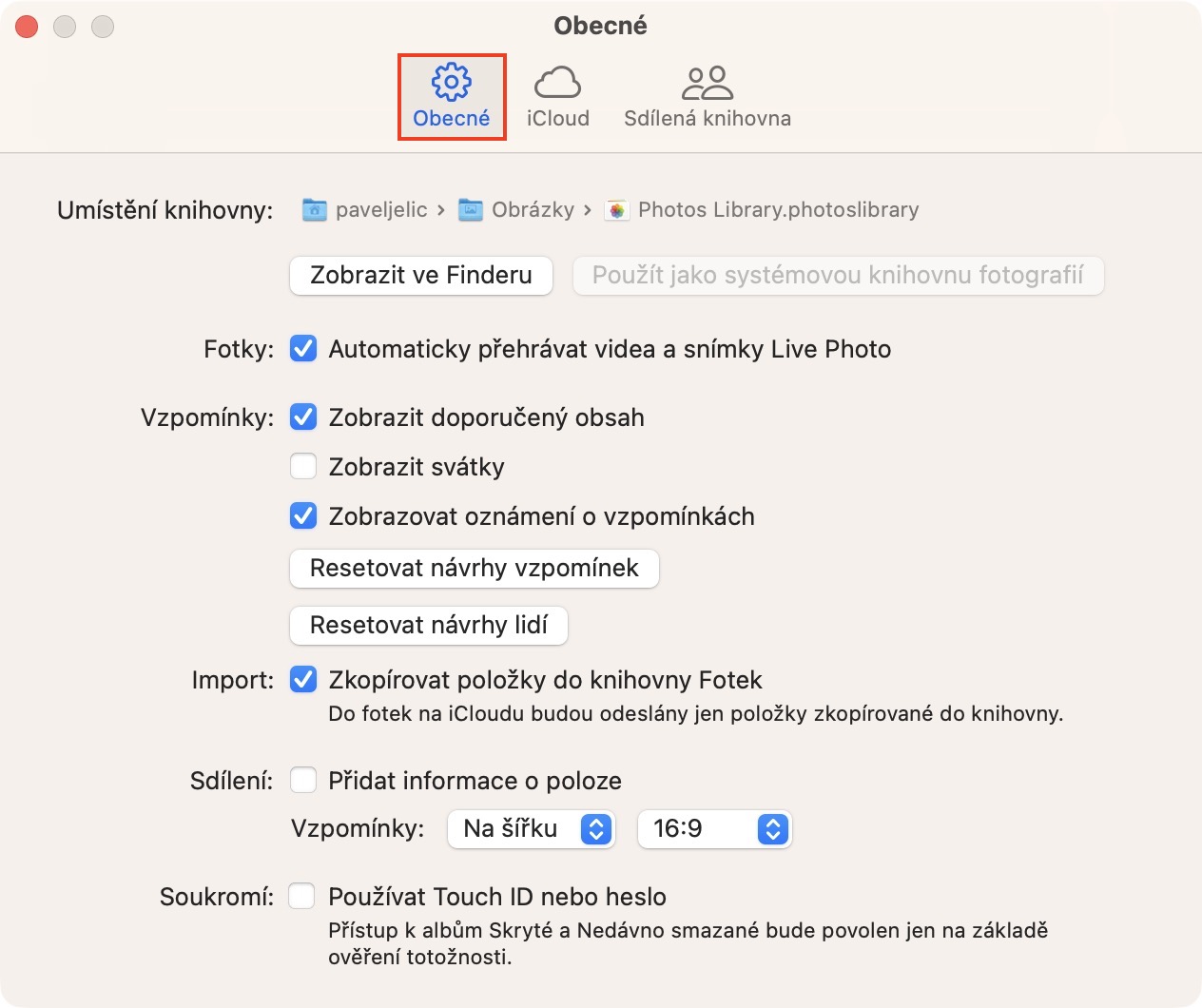
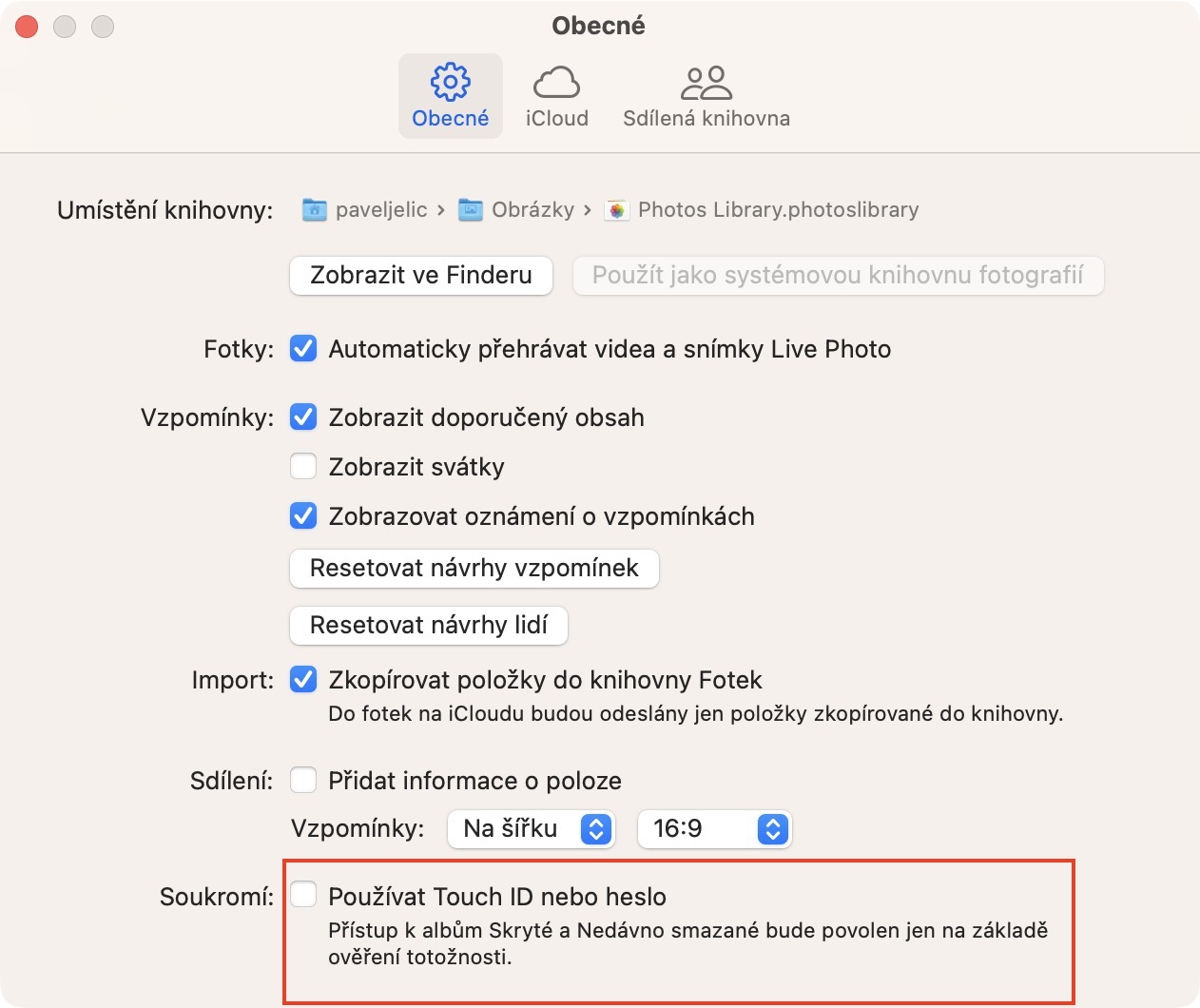
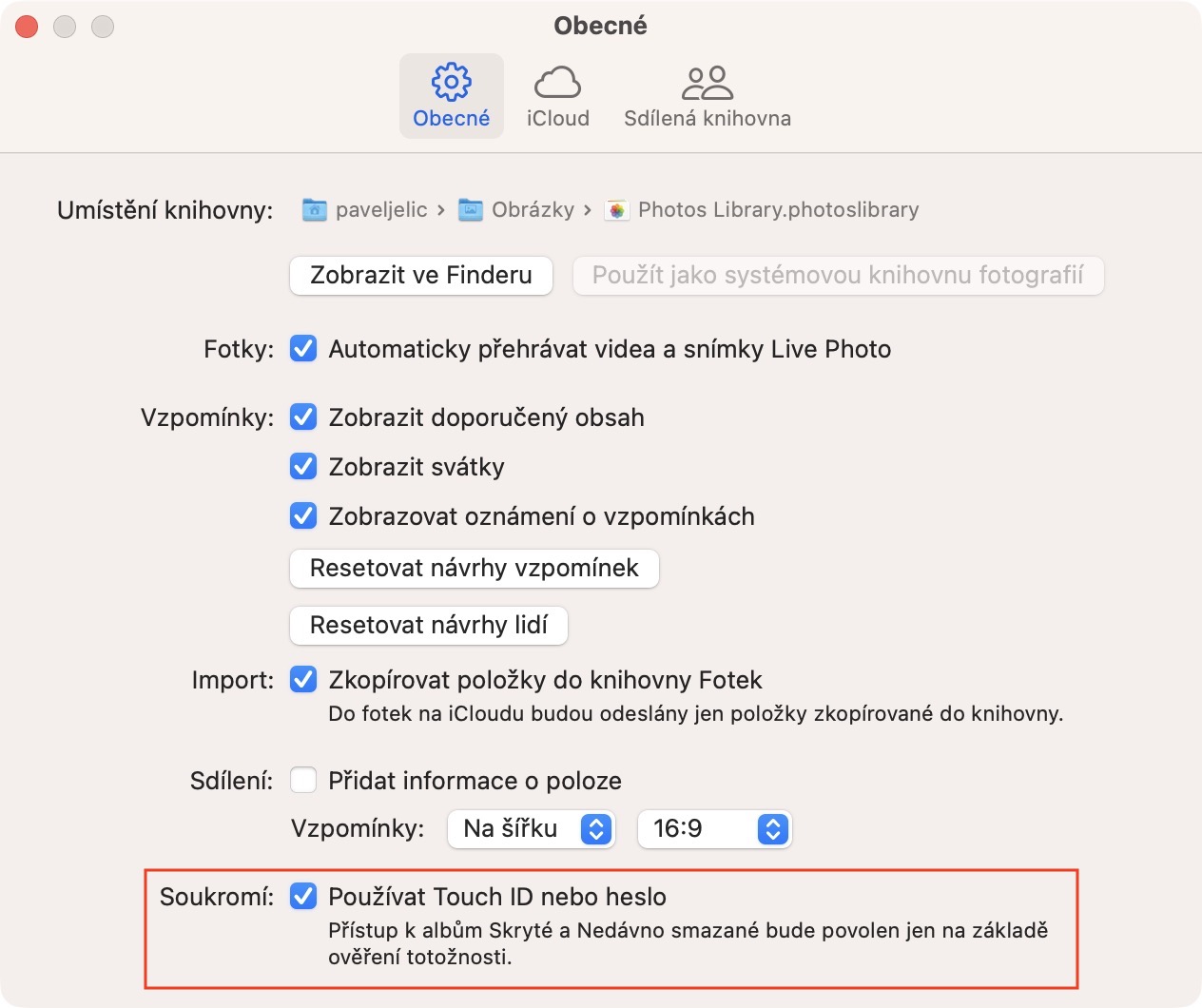
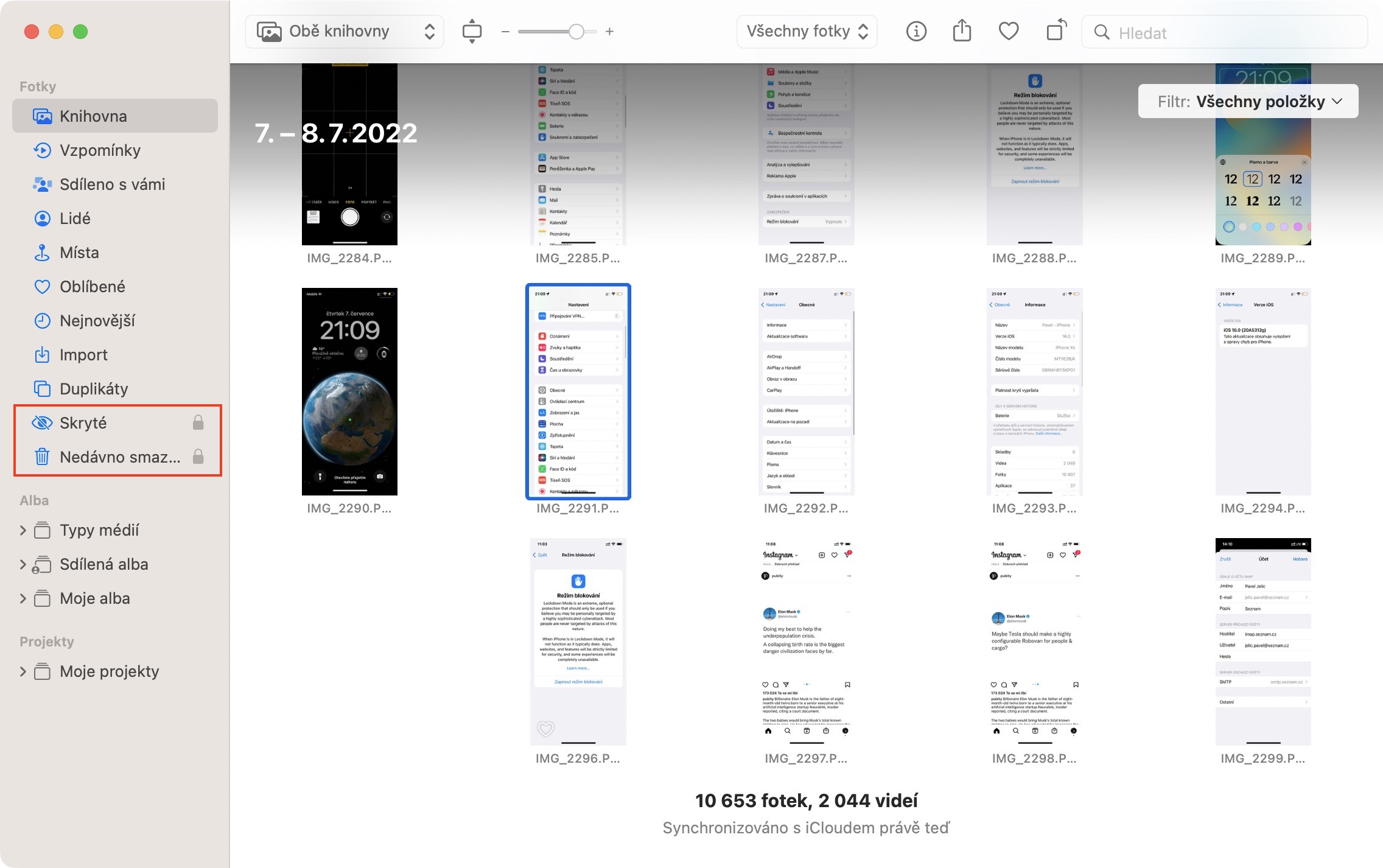
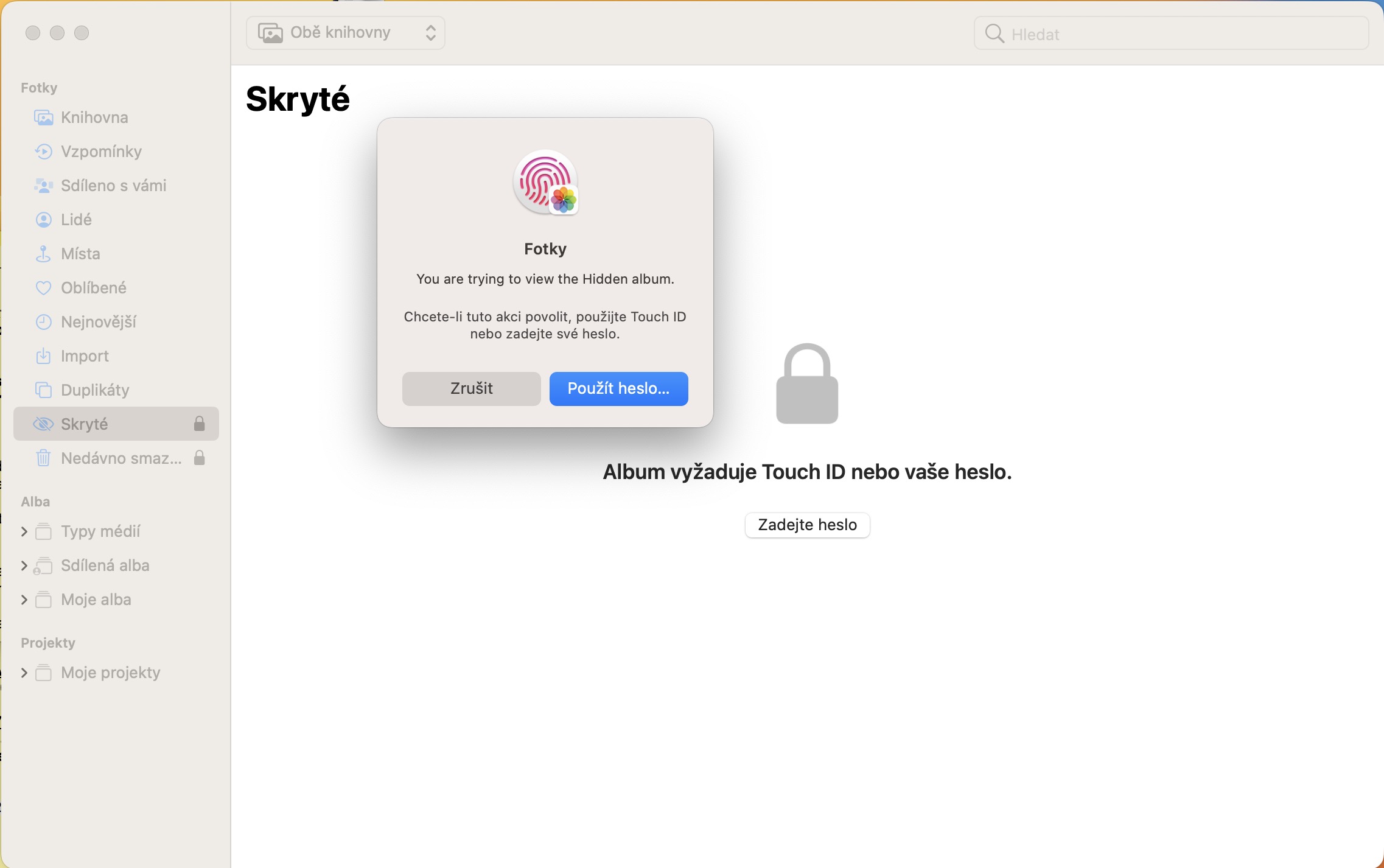
Using the above procedure, it is possible to activate a feature on your Mac with macOS 13 Ventura that locks the Hidden and Recently Deleted albums with an additional lock. This means that whenever you want to move to one of these two albums on your Mac, you will have to prove your identity, in the case of Macs, via Touch IDOtherwise, the album will not open and of course neither its preview nor the number of photos stored in specific albums will be displayed.