
Pro many of us AirPods have become an accessory we can't imagine our daily lives without. We use them to listen to music and podcasts, make phone calls, and do other things that involve sound. Primary advantage AirPods are easy to use, have great features, and provide a perfectly adequate sound that will satisfy most users. In this article, we will look at 5 ways to check your battery status. AirPods.
You might be interested in

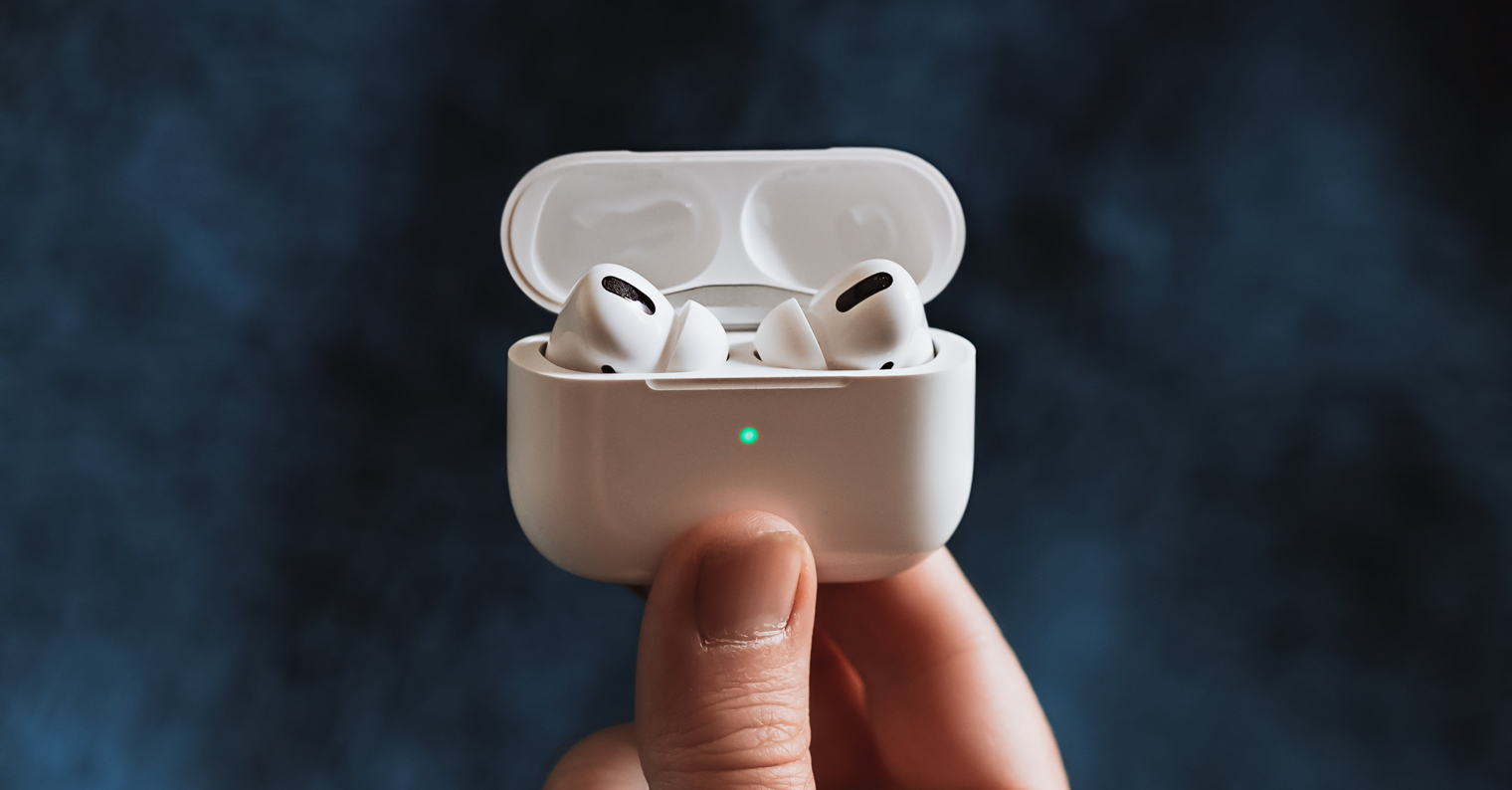
LED diode on the package
A very basic battery indicator AirPods have an LED on their case. While it won't tell you the exact percentage of charge, it will at least give you an idea of how much charge you have left. The LED will light up whenever you open the case lid, and if there is a pod inside AirPods, this indicates their charge, and if not found, the charge level of the case itself. Alternatively, you can also turn on the LED by briefly pressing the pairing button on the back. Green color diodes mean simply charged, orange then until fully charged something is missing.
Audible alerts
AirThe Pods have a relatively long battery life, but they charge much faster. With just 5 minutes of charging, you get up to an hour of listening time. The fact that they are AirThe Pods will let you know when they are low during use with an audible alert. This alert will automatically play when the earphones are down to 10% battery life. The tone will then play again a few seconds before they are completely drained and turn off. AirPods.
You might be interested in

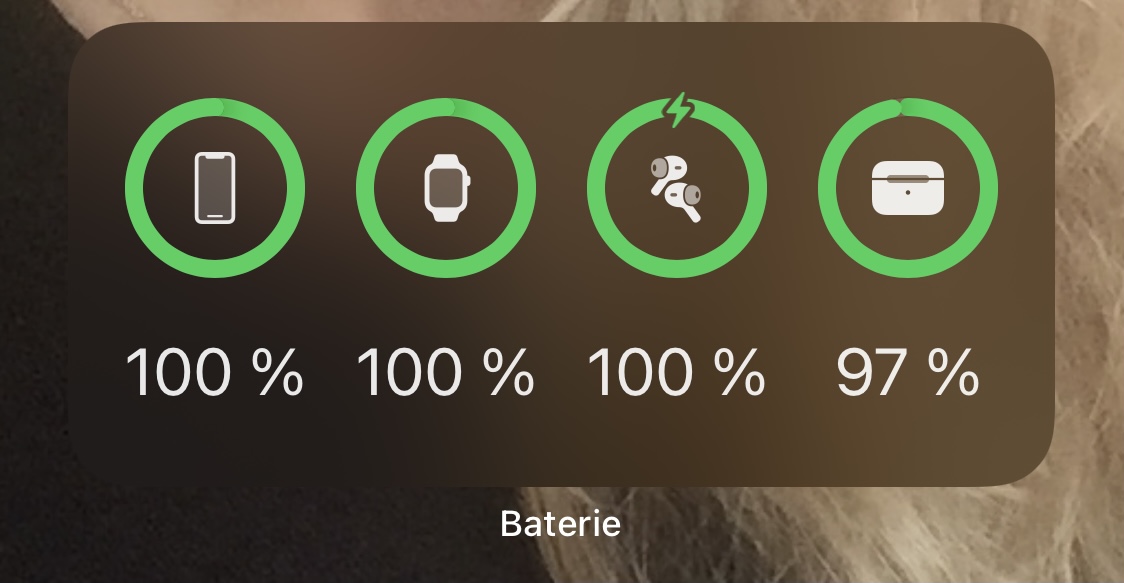
Widget on iPhone
If you use AirPods often with iPhonem, then you should know that you can also check their battery status through widgetYou can place it either on the home screen or on the left screen, which you can also display on the lock screen. This widget To add one, simply swipe left on your unlocked iPhone, tap Edit at the bottom, then tap the + icon at the top left. Then, search for widget Battery, choose the size and add it as needed where you need it. If they will AirPods connected to the iPhone, you will see the battery status of each one here based on current usage. AirPods or cases.
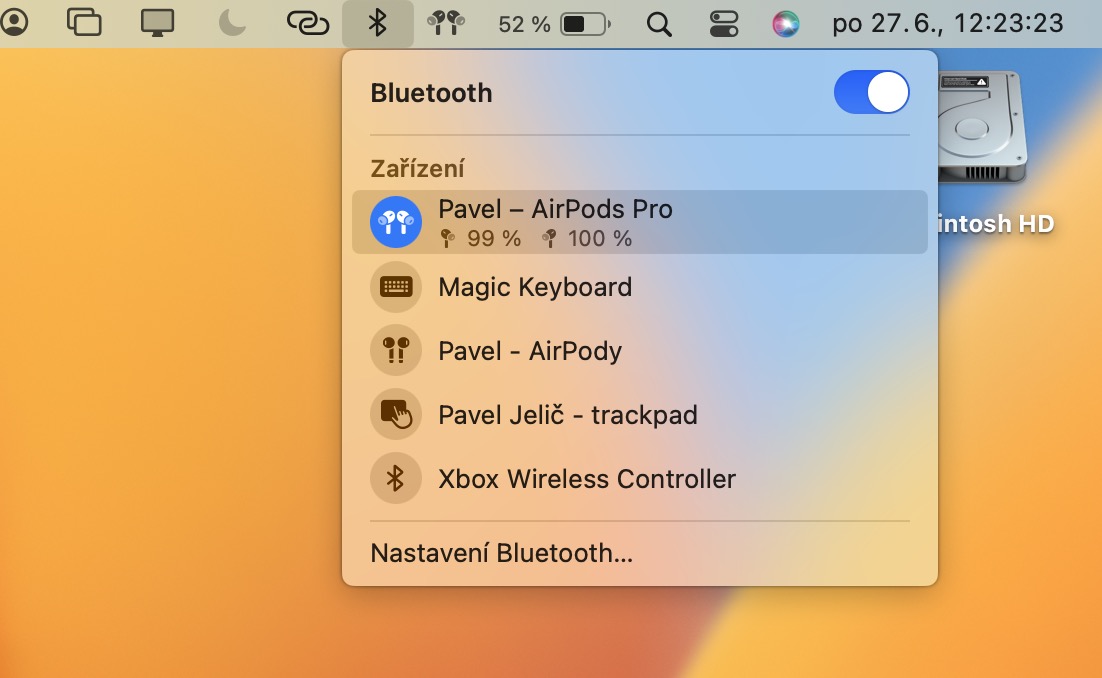
Control Center on Mac
Battery status AirOf course, you can easily find your Pods on a Mac. Again, of course, you need to have your headphones connected to your Apple computer. Then all you have to do is click on the Bluetooth icon in the top bar, which will open a small menu. Then simply locate the line with your AirPods, where you will see their charge status below the name. If you don't see Bluetooth in the top bar, just go to System Preferences → Bluetooth, where you can enable the icon in the top bar.
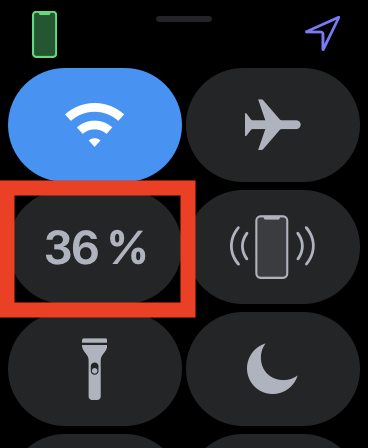
Battery on Apple Watch
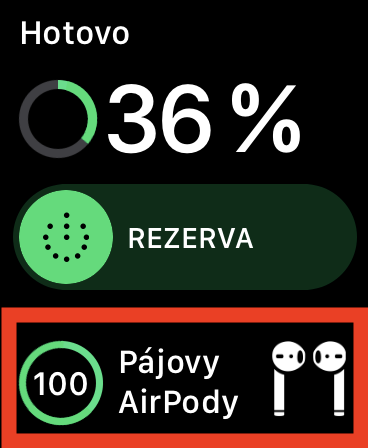
Many individuals use AirRunning pods, in such a way that they attach to Apple Watchso that they don't have to drag it around unnecessarily iPhoneThe good news is that even on the Apple Watch, the battery charge status of the headphones from Appyou can easily find out – of course, it is again necessary that the headphones are Apple Watch connected. Then, on your watch, swipe up from the bottom of the screen to open the Control Center, tap the current charge status of your watch, and then scroll all the way down to where you'll see the battery charge status information. AirYou will find pods.










You completely ignore the state when you open Airpods near an unlocked iPhone and a white box with graphics and charge status will automatically open.