
Protecting user privacy is very important these days – miniat least for society Apple. She is constantly trying to come up with new tools and options through which users can feel safe. When you install a new application, you will see various dialog windows in which you must either allow or deny access to individual data and sensors, for example contacts, photos, camera, location, etc. If you do not allow access, the application will simply not get it. However, you cannot control which domains the applications will contact in any way, which can be a security risk.
You might be interested in
As iPhone find out which applications most often contact foreign domains
But the good news is that Apple offers an interface where you can check applications' access to foreign domains. This allows you to find out if applications are accessing any strange domains that could be tracking you or pose a security risk. If you find such a risk, all you have to do is stop using the application and uninstall it. Pro To see which domains apps on your iPhone are accessing, follow these steps:
- First, you need to go to the native app on your iPhone Settings.
- Once you do, go down a little below, where you open the section Privacy.
- Then move on all the way down and click the box In-App Privacy Report.
- Here, scroll down, specifically to the category named Application network activity.
- In the list of applications, select that app, for which you want to detect network activity, and click on her.
- nakonec just need to wait for loading all contacted domains.
Gallery
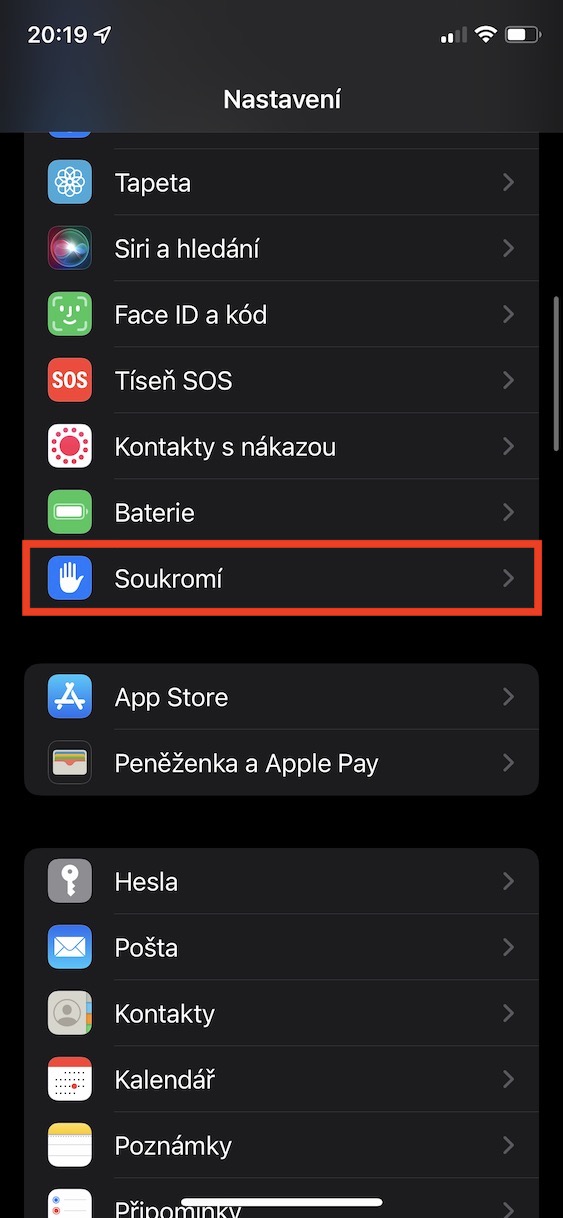
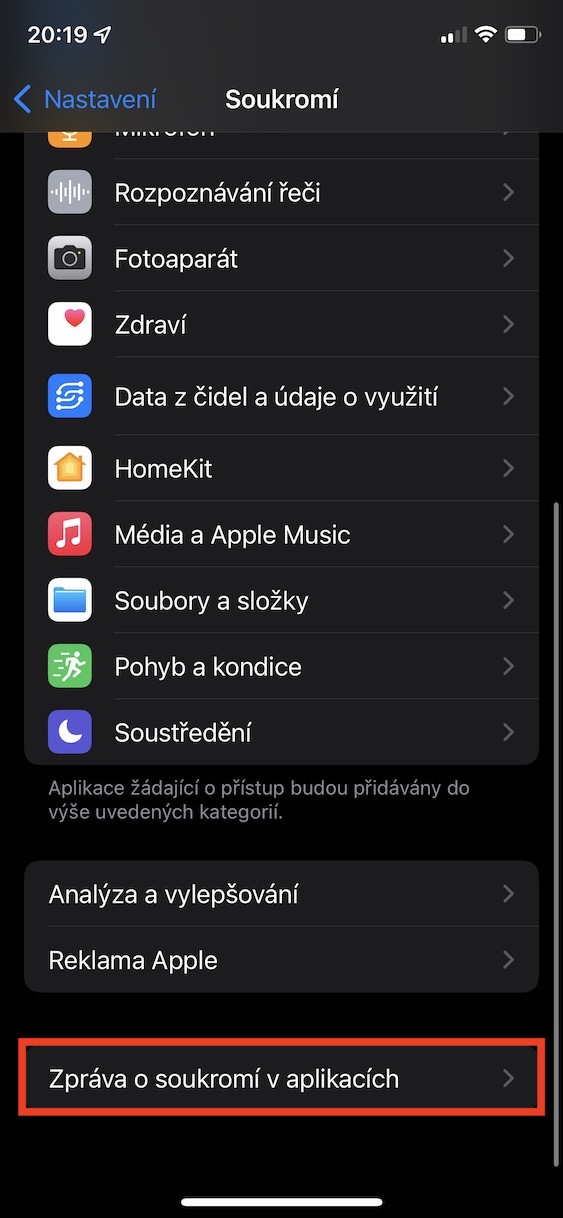
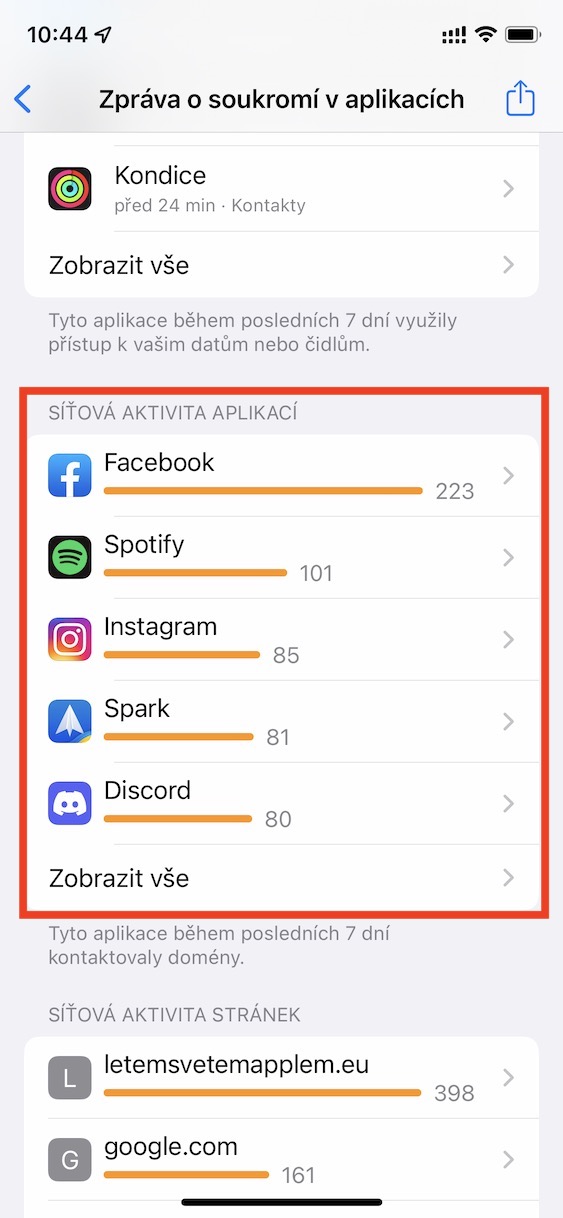
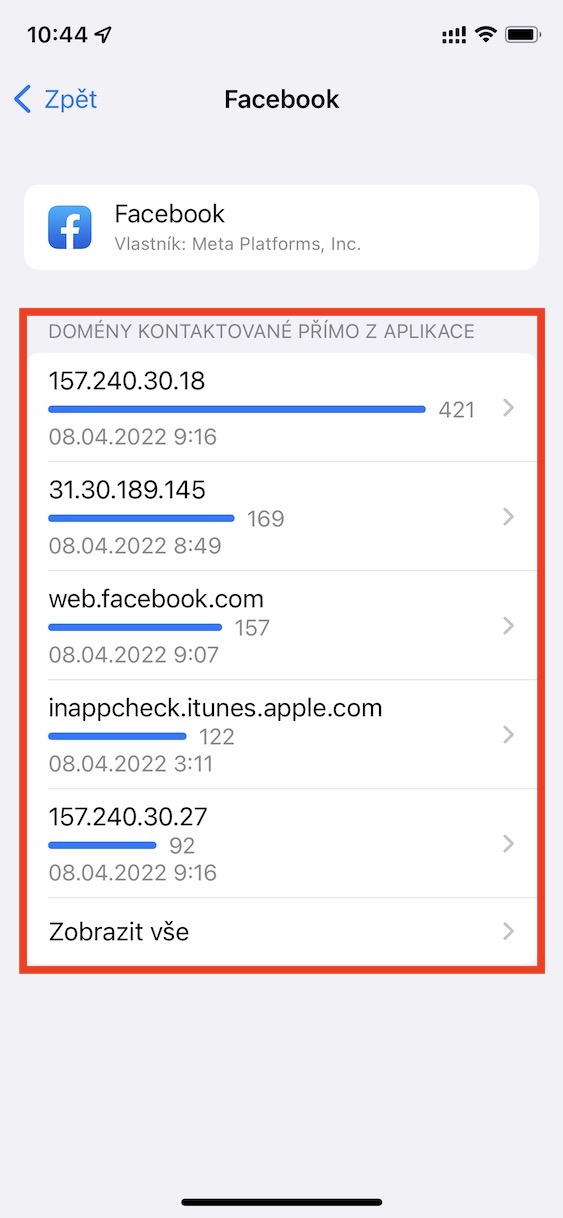
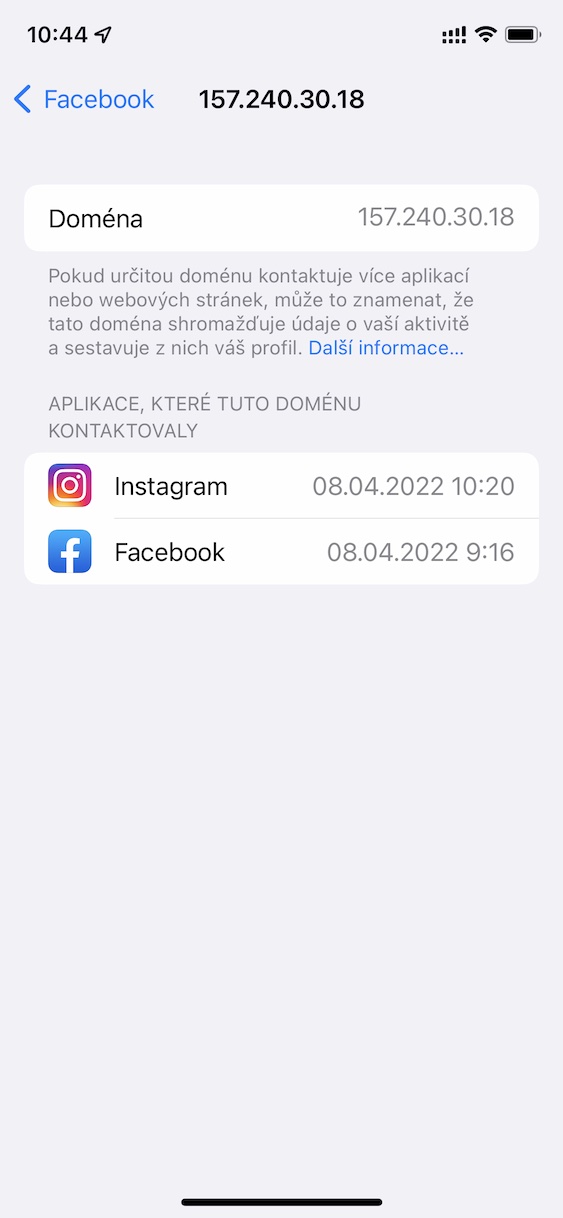
Using the above procedure, you can find out on your iPhone which applications most often contact foreign domains and what they actually are. If you click on a certain domain even further, you can view a list of all applications that contact it. This way you can easily recognize selected domains that are only contacted by Meta or other companies, which can help determine a possible security risk. Individual applications are sorted in descending order in the category, so you can easily find out which domains they contact most often. The contacted domains for individual applications are also sorted in descending order. Pro To see a list of all applications that the domains contact, just click Show All.








I stopped watching that because I would have gone crazy... I suspected every other domain!
It's really nice that I can check it, but what's the point? If blocking was possible for every domain, I would understand it.
I would also be interested in why Apple (when playing in private mode) do not allow individual applications to be completely prohibited from accessing the Internet. I have a lot of apps that I don't need to have access to the net/spying.
Well, AdGguard then bans this page. I think the app cost 130 kc per year.
ferys
Exactly, our whole family uses AdGuard, we have both for iOS (I think $1.99 one-time, but it's been over five years) so for macOS lifetime license and there is no better ad blocker and privacy protector. In combination with AdGuard DNS it is a great thing. And even though it was originally a Russian SW, it is now based elsewhere, I think in Cyprus.