Have you been an iPhone user for a long time? If you answered yes to this question, you probably remember some problems that may have occurred when downloading applications from App Store. If you decided to download an application or game without a Wi-Fi connection, i.e. via mobile data, it simply did not work for you. This could be due to restrictions App Store, which was supposed to prevent accidental downloads of apps and games over mobile data, as this could quickly exhaust your data. So you could try as you please, but you couldn't download a larger app over mobile data, and there was no reliable workaround.
You might be interested in
As iPhone (de)activate application downloads from App Store via mobile data
Nowadays, this aforementioned restriction is completely pointless. Mobile data has become more accessible, although it is true that the prices for data packages are much higher in our country compared to neighboring countries. However, it is true that mobile data is available to everyone these days. The good news is that Apple removed the aforementioned restriction some time ago and gave users the option to choose whether they want to download applications from App Enable storage over mobile data. You can adjust this preference as follows:
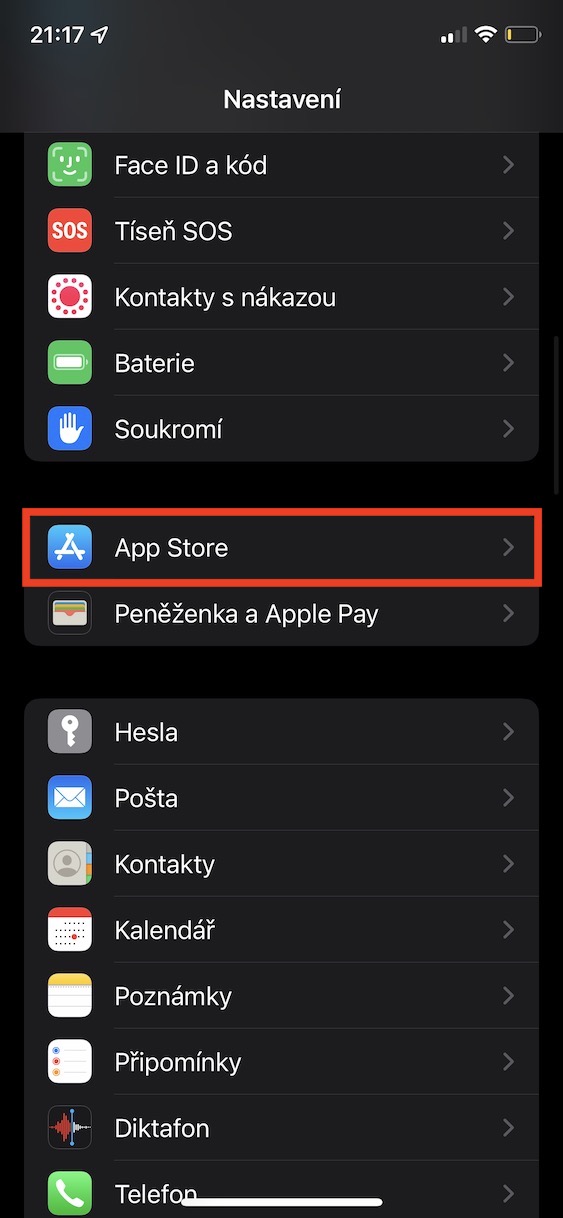
- First, you need to go to the native app on your iPhone Settings.
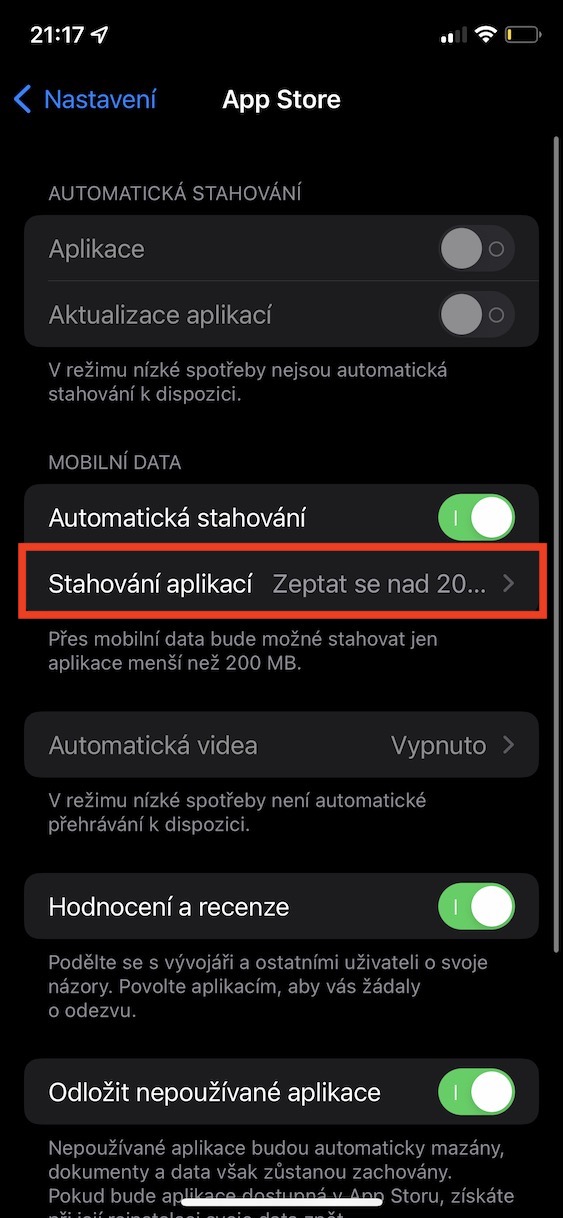
- Once you've done that, go down a notch below, where find and click the box App Store.
- Subsequently, on the next screen, pay attention to the category Mobile data.
- Within this category, click on the option called Downloading applications.
- You just have to choose here one of the three offered options.
Gallery
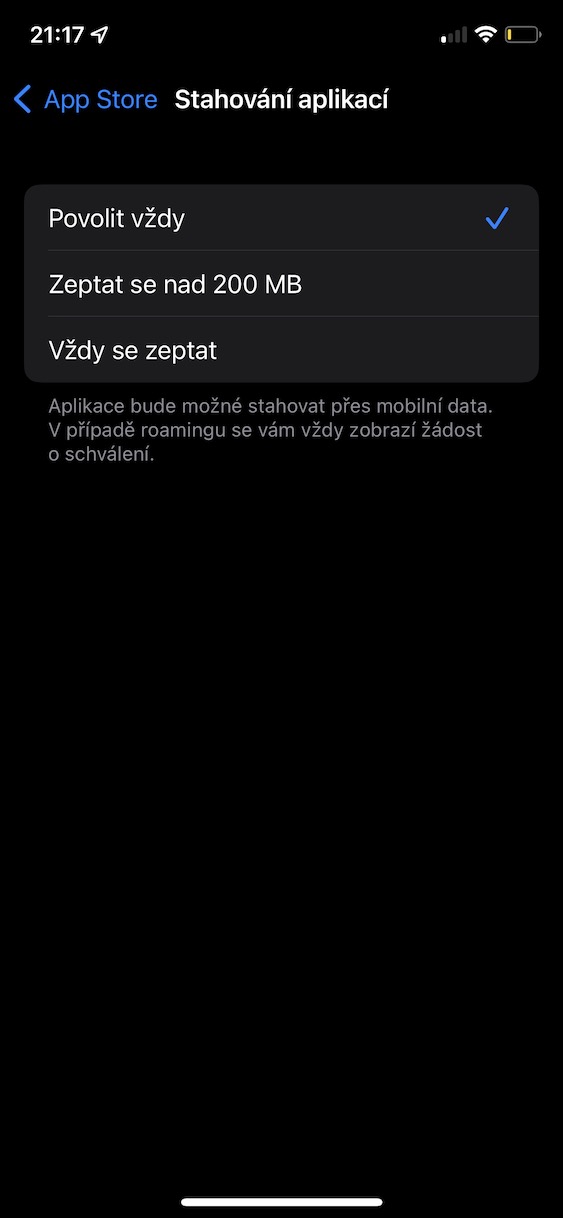

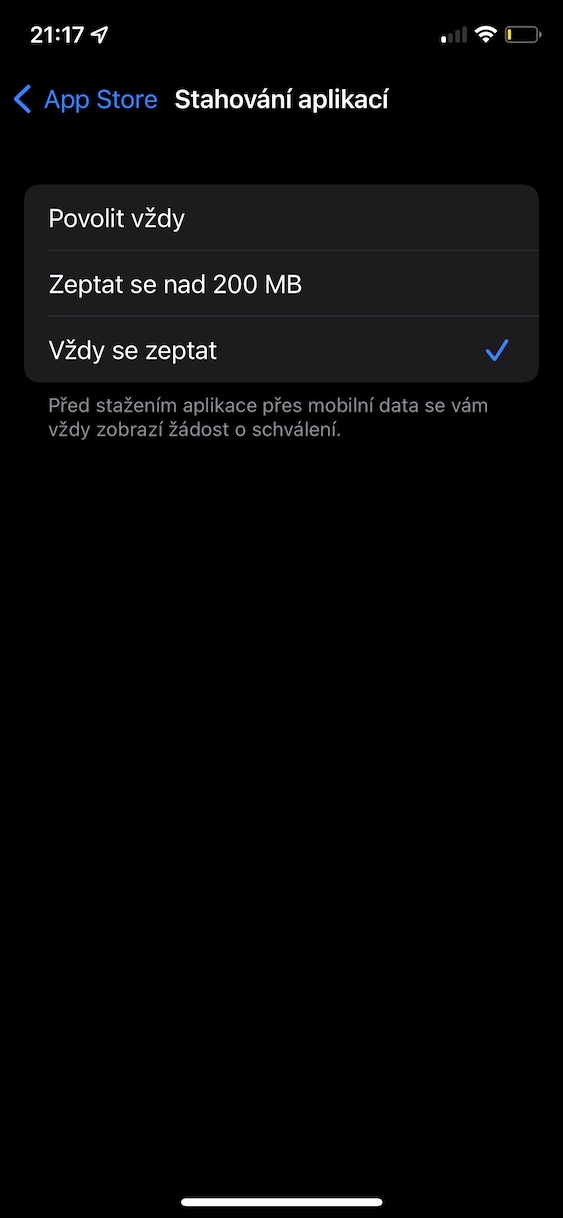
So, using the method above, you can adjust your preferences on your iPhone for downloading apps and games from App Store via mobile data. Specifically, there are three options available, namely Always allow, Ask above 200 MB and Always ask. If you activate the option always allow so you will be able to apply from App Download the store via mobile data without restrictions, regardless of size. If you choose Ask over 200MB, so you App Store When downloading applications larger than 200 MB, it will ask if you really want to download it. By checking Always ask then you will ensure that you App Store will ask for download confirmation for each application you want to download via data.