As most of you probably know, the latest operating systems from Applu offers a lot of new features that are worth it. We have been working on all of these features since the release itself, which is several months – which only confirms the fact that there are more than enough of them available. We have seen relatively big changes in the FaceTime application, for example. Thanks iOS 15 and other new systems can now also use this communication application Windows, Android and other most popular systems, besides, we don't even have to have the person we want to talk to in our contacts - just send an invitation via a link. But that's not all there is to it Apple within FaceTime he came.
You might be interested in
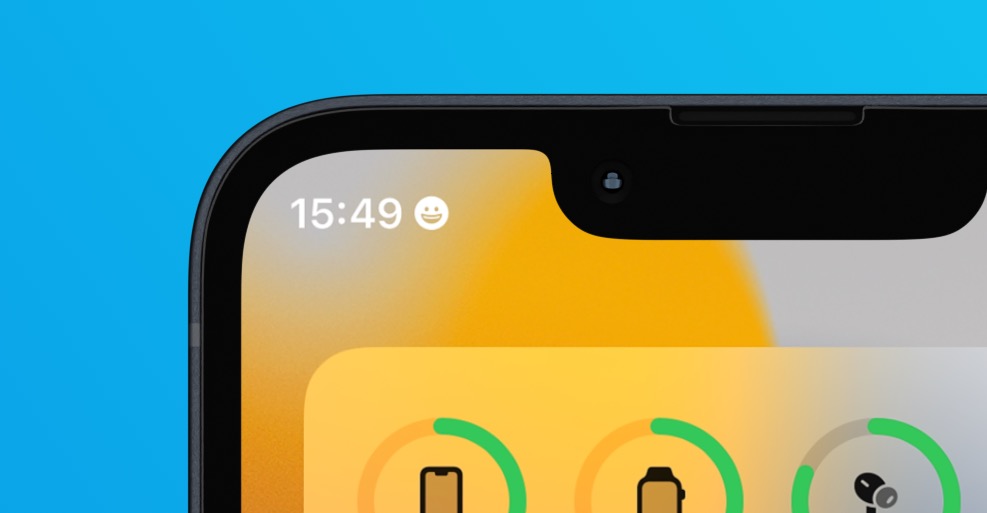
As iPhone disable notifications when sharing screen
Later, FaceTime also saw the addition of the SharePlay feature, which allows you to watch certain content together with other participants in a FaceTime call. FaceTime also includes the option to share your screen, which is useful if you need to show someone something on your iPhone. In that case, you probably don't want notifications to appear. Everyone on the call could view and read them, which is often not ideal. But even for this, Applu thought and came up with an option that allows you to easily disable notifications when sharing your screen. The procedure is as follows:
- First, you need to go to on your iPhone Settings.
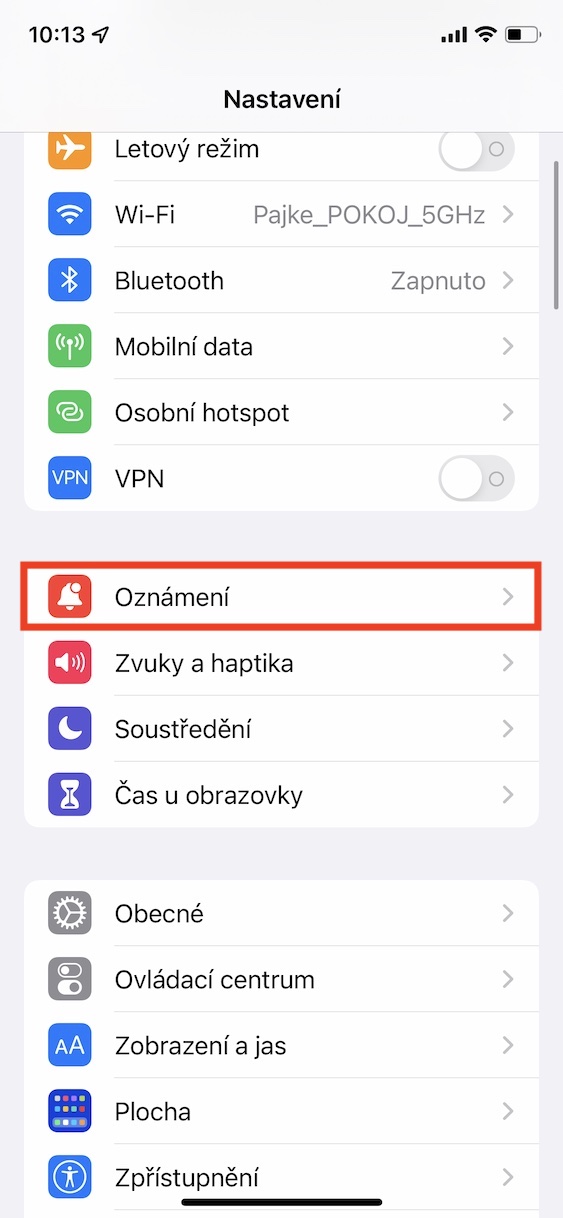
- Then go down a bit below, where you click on the column with the name Notification.
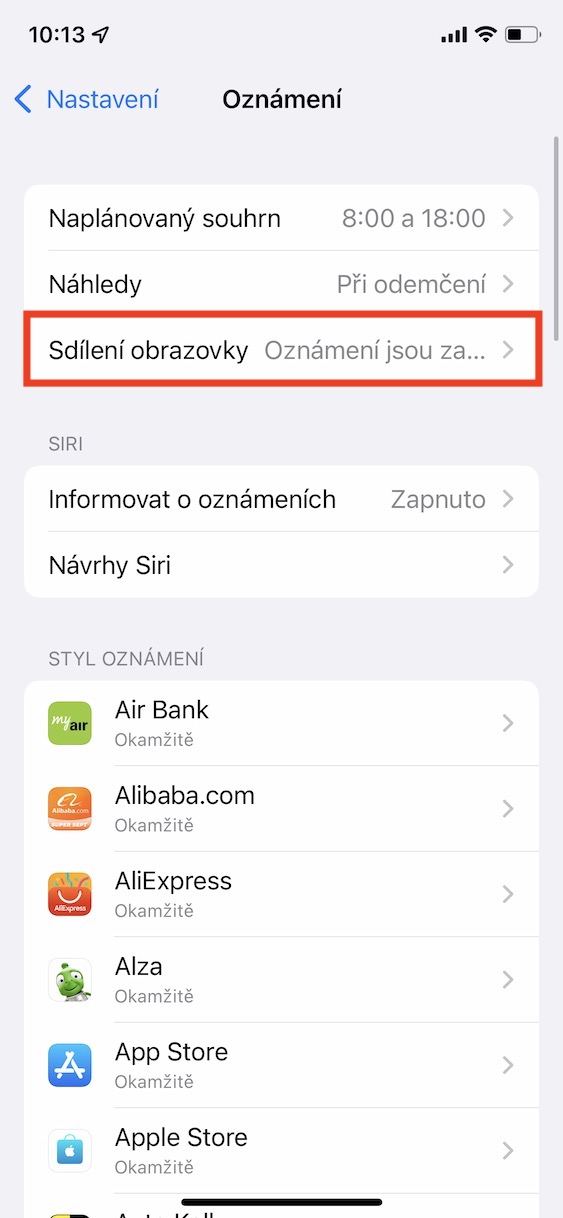
- Then, at the top, locate and tap the line Screen sharing.
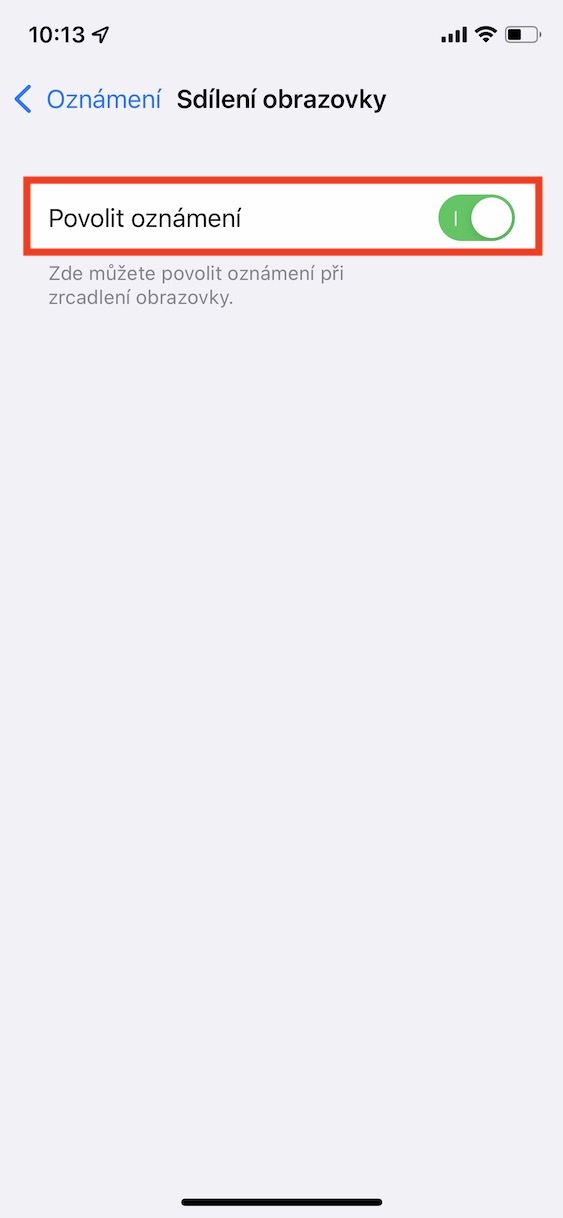
- Subsequently, all you have to do is use the switch deactivated possibility Enable notifications.
Gallery
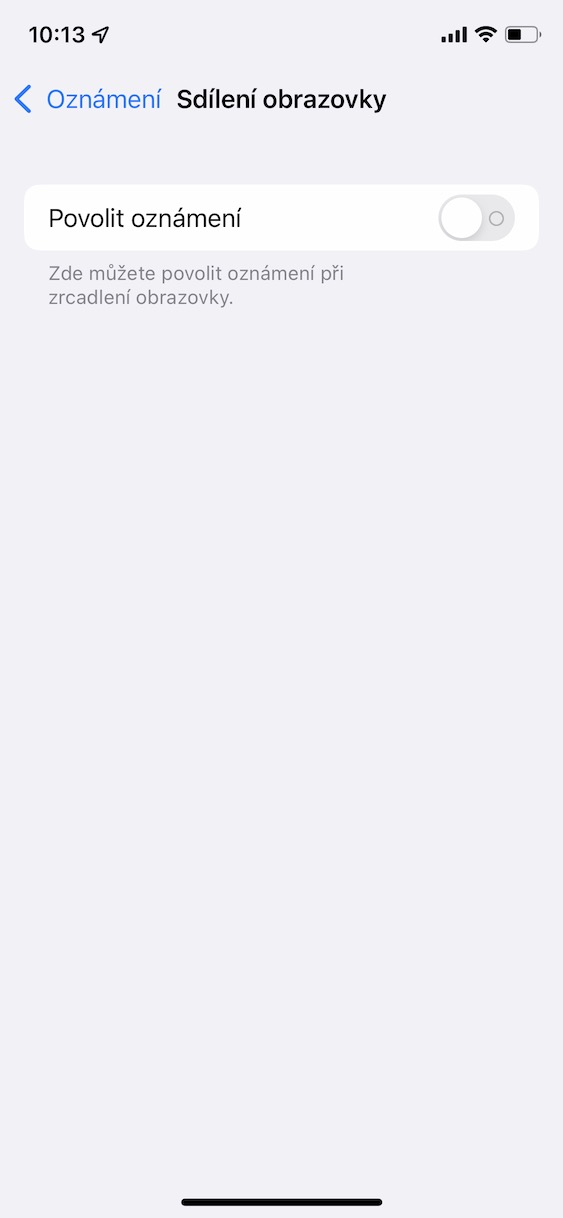
So, using the above procedure, you are able to disable screen sharing notifications on your iPhone. In addition to the fact that notifications will not be displayed when sharing the screen within FaceTime, the same will apply to other applications, even when streaming, for example through the Twitch platform and others. I recommend using the options to disable the display of notifications when sharing the screen, because you never know what notification you will receive.