
Slow internet in macOS 12 Monterey is an issue that is being addressed beta testers of this operating system are encountering it more and more often, not only on Apple computers, but and on iPhonechIntroducing macOS 12 Monterey, along with iOS and iPadOS 15, watchOS 8 and tvOS 15 were unveiled at the beginning of June this year, as part of the developer conference. WWDC, Which Apple is held every year and presents new systems. Currently, the third developer edition is available beta versions of the aforementioned systems, together with other public beta versions. Each of us can try out new systems in advance - but it is necessary to expect problems.
You might be interested in

macOS 12: What to do if you have slow internet
As I mentioned above, when using beta versions, you must expect some bugs to appear. Often these bugs are minor and insignificant, but from time to time a major bug will appear that can iPhone (or any other apple product) unusable. It is not for nothing that it is said that you would beta versions of the systems should only be installed on secondary devices, not on the primary ones that you use every day. A bug has recently appeared in macOS 12 Monterey that has to do with poorly functioning internet. Specifically, it can happen that the internet on a Mac slows down significantly, or even stops working at all. The function is responsible for this Private Relay, which is a new part of the systems and which protects you on the Internet. Deactivation can be done as follows:
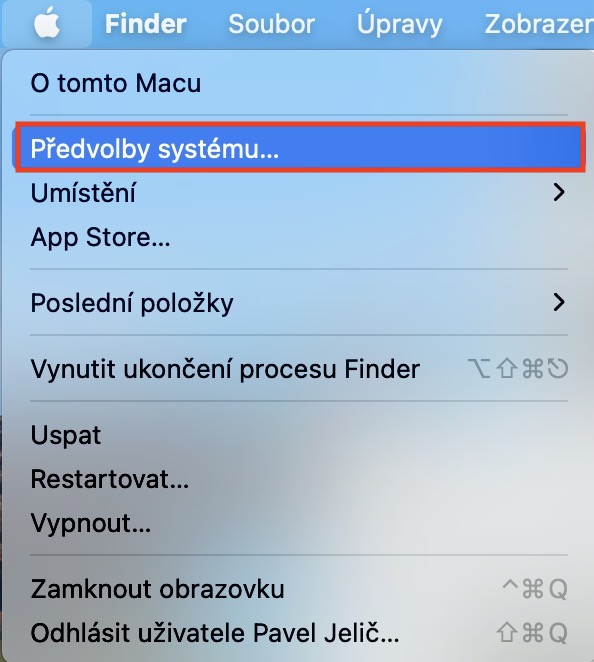
- First, on a Mac running macOS 12 Monterey, tap in the upper left corner on the icon .
- Once you do so, select an option from the menu that appears System Preferences…
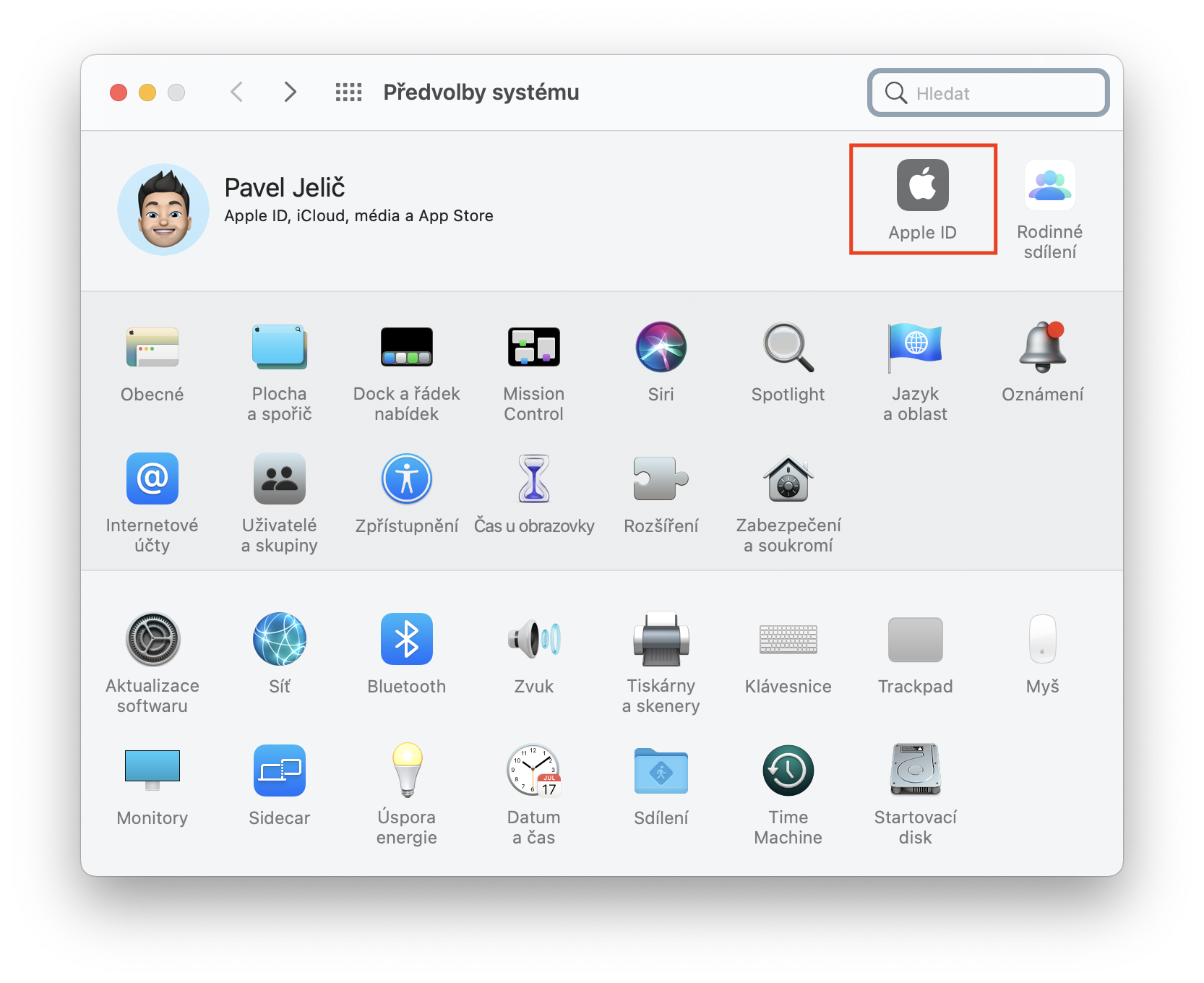
- This will open a new window with all available sections for editing system preferences.
- Within this window, locate and click on the section Apple ID.
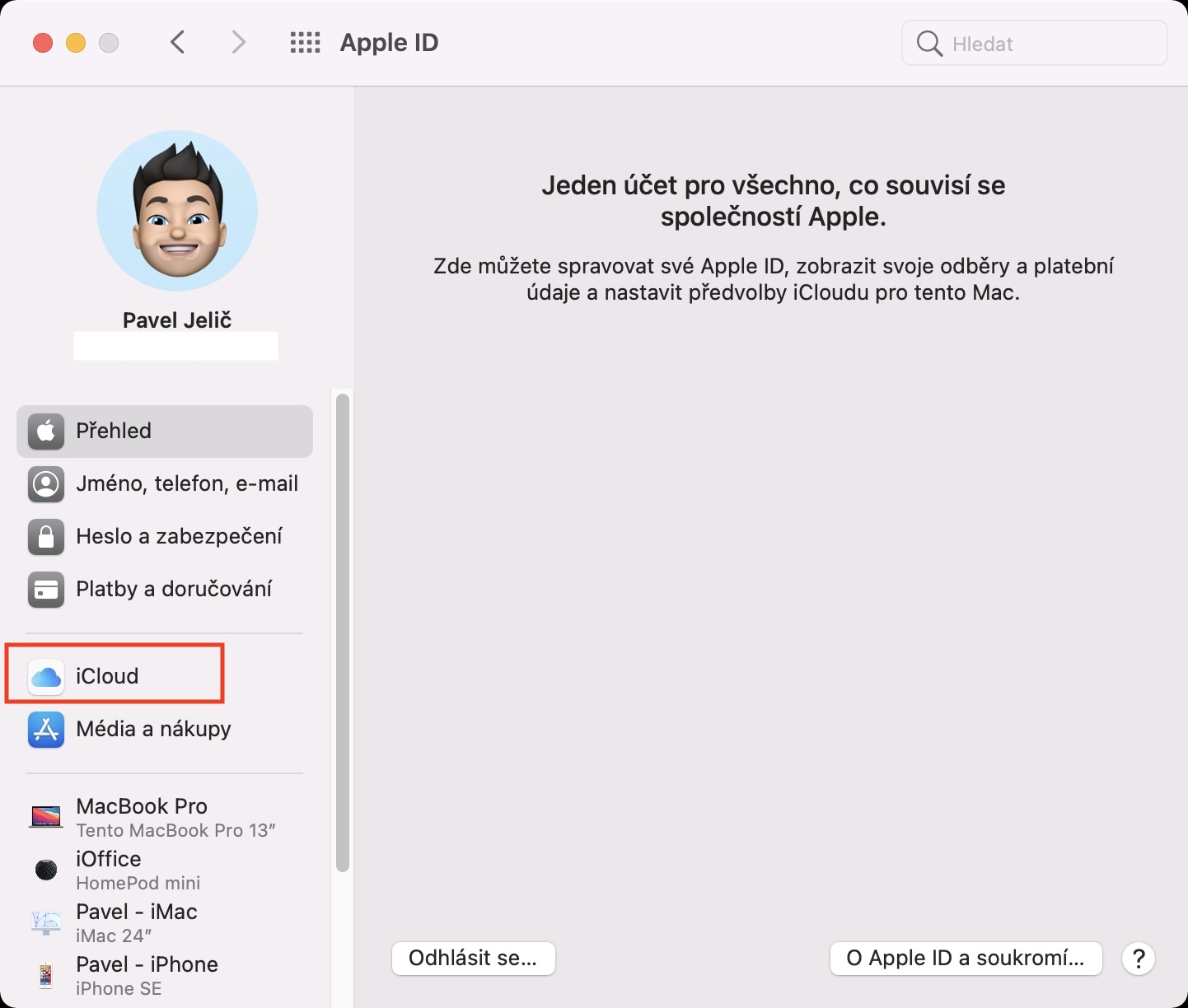
- Now open the box in the left part of the window in the side panel iCloud.
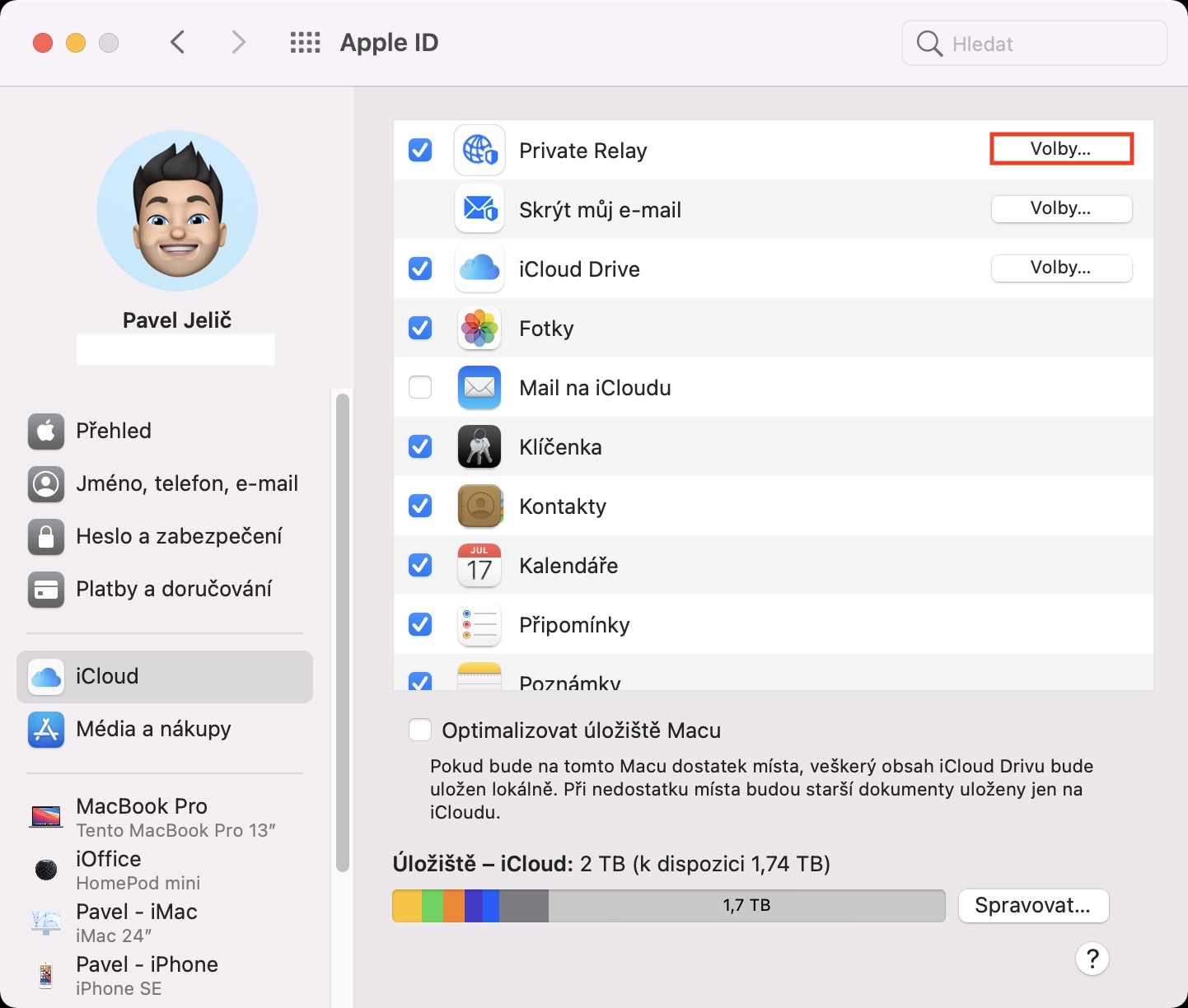
- Then click the button in the upper right part of the window Elections inline Private Relay.
- Next, another smaller window will open, where in its upper right part, click on Turn off…
- nakonec the last window will appear, in which you just need to press Turn off Private Relay.
Gallery
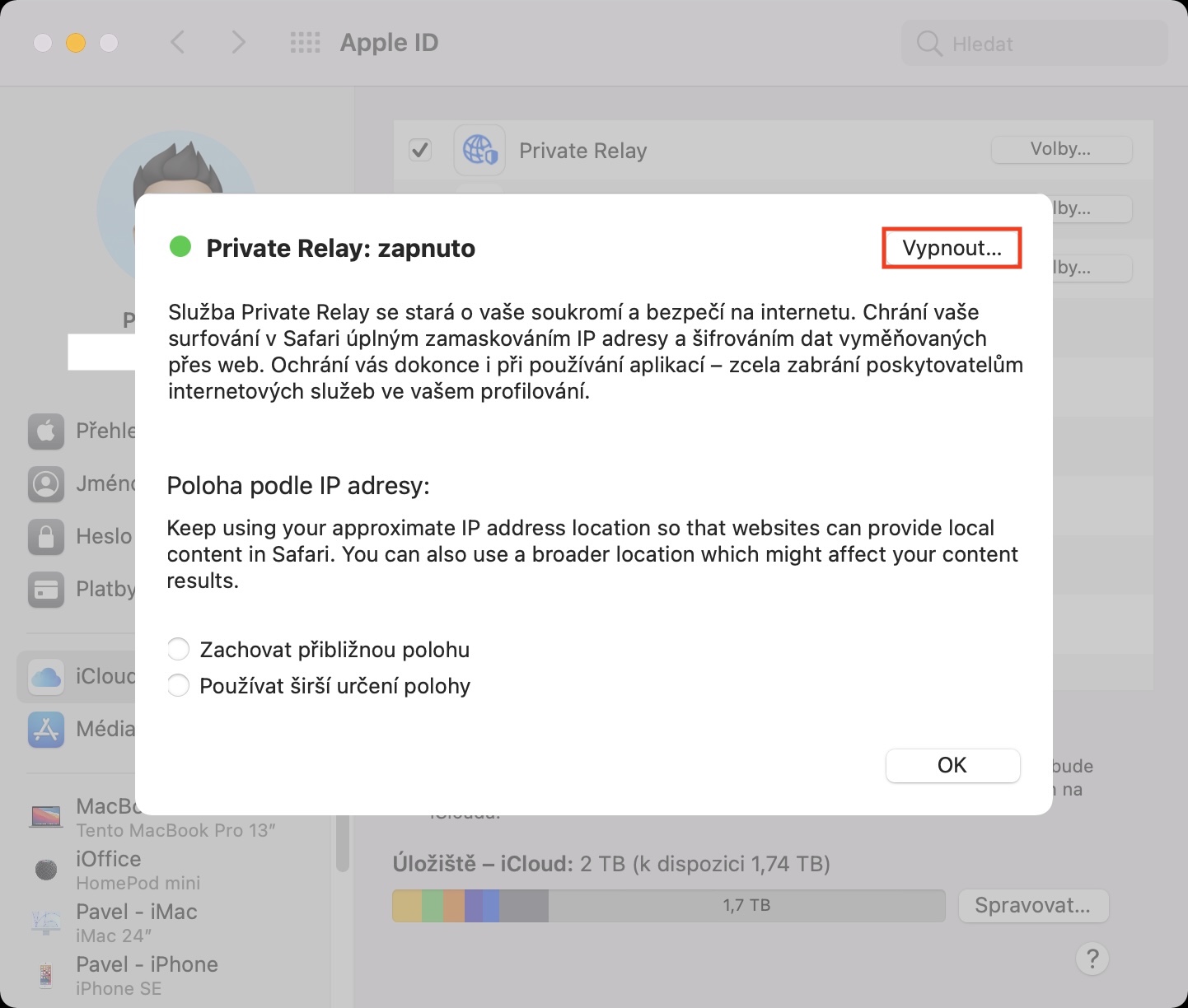
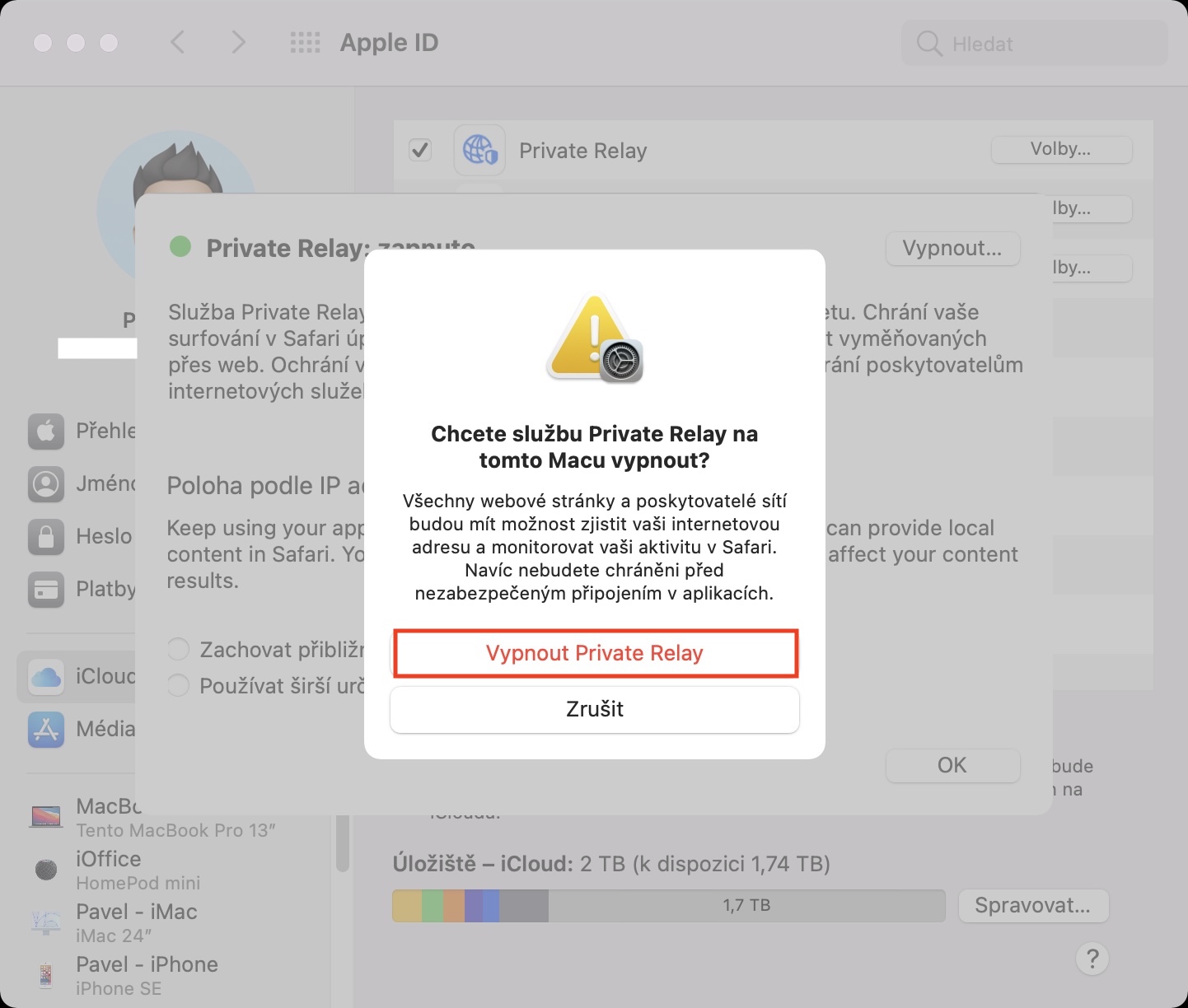
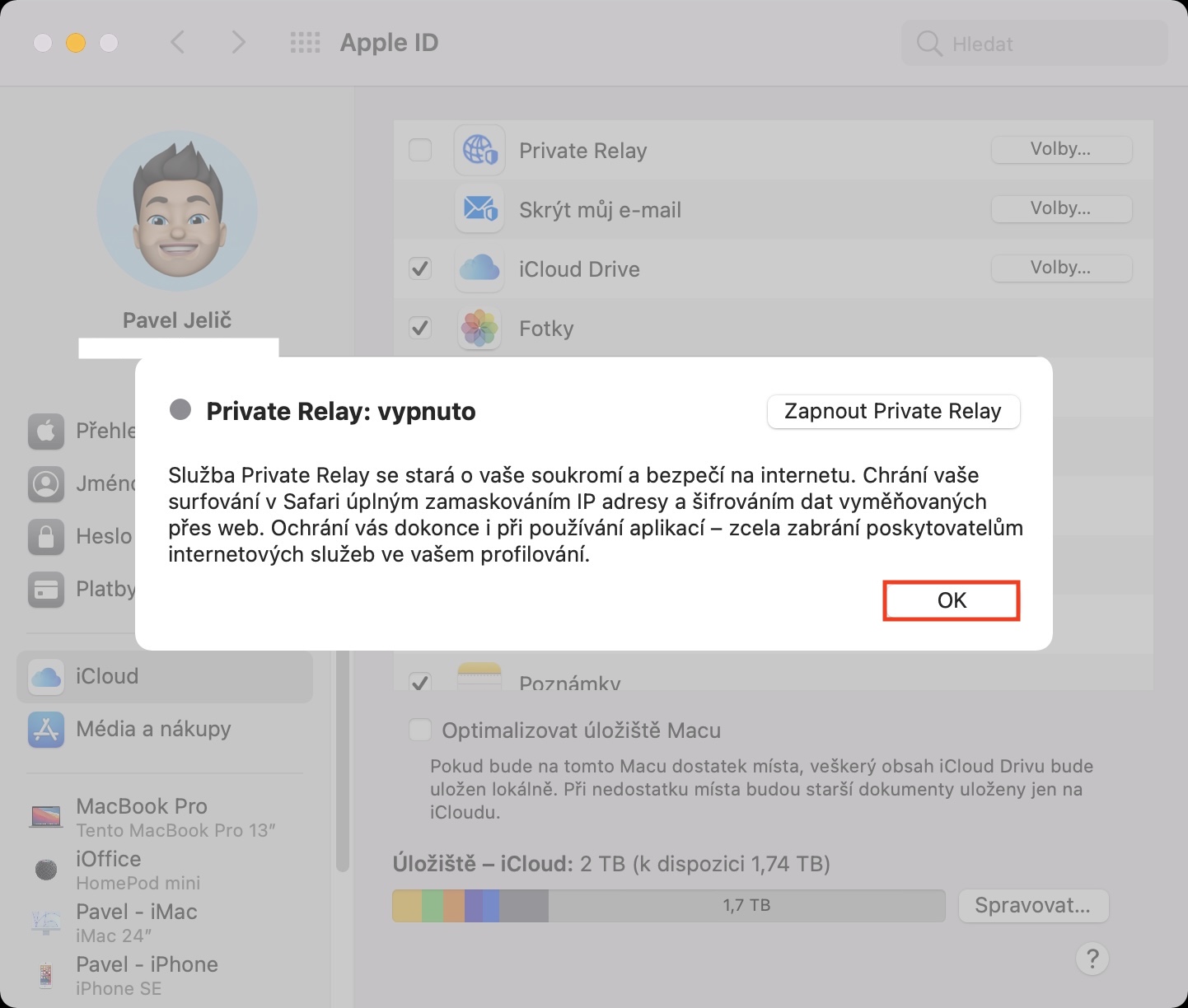
Function Private Relay is used to protect you on the Internet. It is part of the new service iCloud+, which is available to all users who subscribe to iCloud and do not use the free plan. Private Relay specifically, it can hide your IP address and information about your internet browsing in Safari from network providers and websites. Simply put, this means that no one can find out what sites you visit and what content you are interested in. In addition, Private Relay It also changes your location, so you can say that you are completely unidentifiable. In order to be protected by Private Relay, it is necessary to route the internet connection through proxy servers of the aforementioned function, which will ensure anonymization. Beta However, as the number of testers continues to increase, these servers are no longer able to keep up, resulting in slow internet connections. However, it goes without saying that Apple their Private Relay The servers will be strengthened for the public release so that users do not have to deal with these inconveniences.









Pedophile k o via z Kuper you na... they work diligently to be able to freely watch the content that fascinates them the most, small children try to do everything so that the police don't appear, it's interesting that I don't need to be hidden secret Anonymous and transferred to Greenland .... watch out for those + splash so-called + curry for el GBTI is also + ...they are hiding there... A normal person never needs to hide somewhere masking the ip address to Greenland
drugs are bad