If you are among the readers of our magazine and are generally interested in Apple, you most likely did not miss the introduction of new versions of operating systems from the apple company at the beginning of last week. Specifically, the introduction iOS and iPadOS 15, macOS 12 Monterey, watchOS 8 and tvOS 15. Proonly developer versions are available for now beta versions of these systems, but if you are an enthusiast, you may have decided to install these versions on your device. In that case, you will certainly find the guides we have been publishing in recent days useful. In them, we look together at how to work with the new features that have been added.
You might be interested in
iOS 15: How to iPhone deactivate Private Relay
In this guide, we will look at how to (de)activate the function. Private RelayThis service can hide your IP address from network providers and websites about your internet browsing information. Safari. This means that no one can find out who you are and what pages you visit. In addition, this also changes your location, which may not be ideal in all cases - for example, if you want to view some popular content on the pages that is popular in the Czech Republic. (De)activation Private Relay you can in iOS 15 to do as follows:
- First, you need to sign in to your iPhone with iOS 15 moved to native app Settings.
- Once you've done that, tap on at the top of the screen line with your profile.
- This will take you to your settings Apple ID, where click the box below iCloud.
- On the next screen, directly below the storage usage graph on iCloudclick on Private Relay.
- Here it is enough that you Private Relay using a switch activated or deactivated.
Gallery
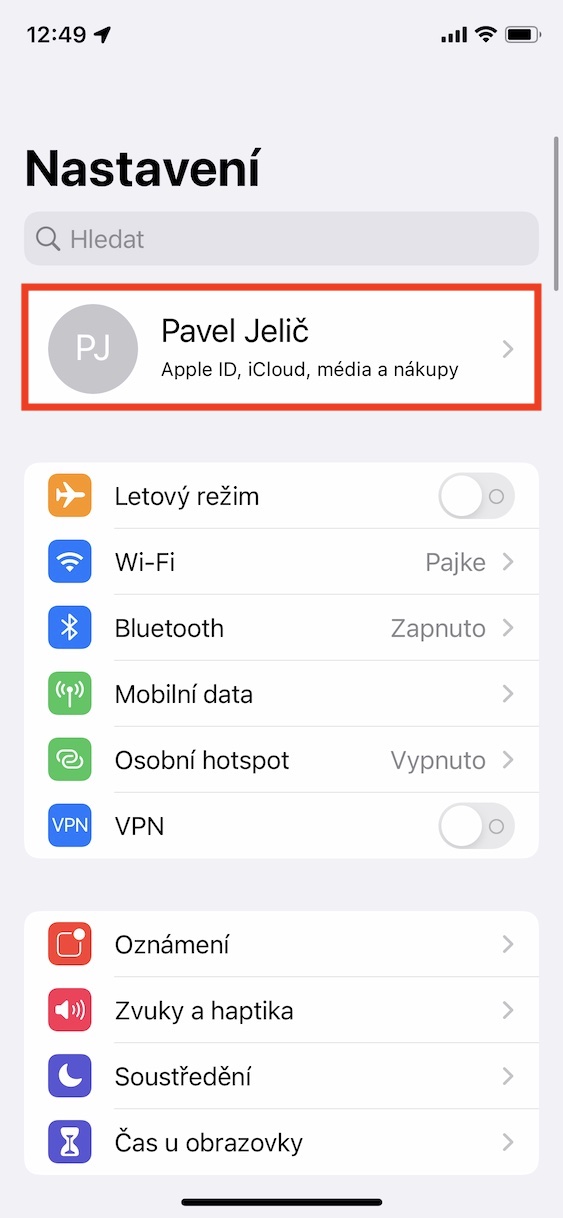
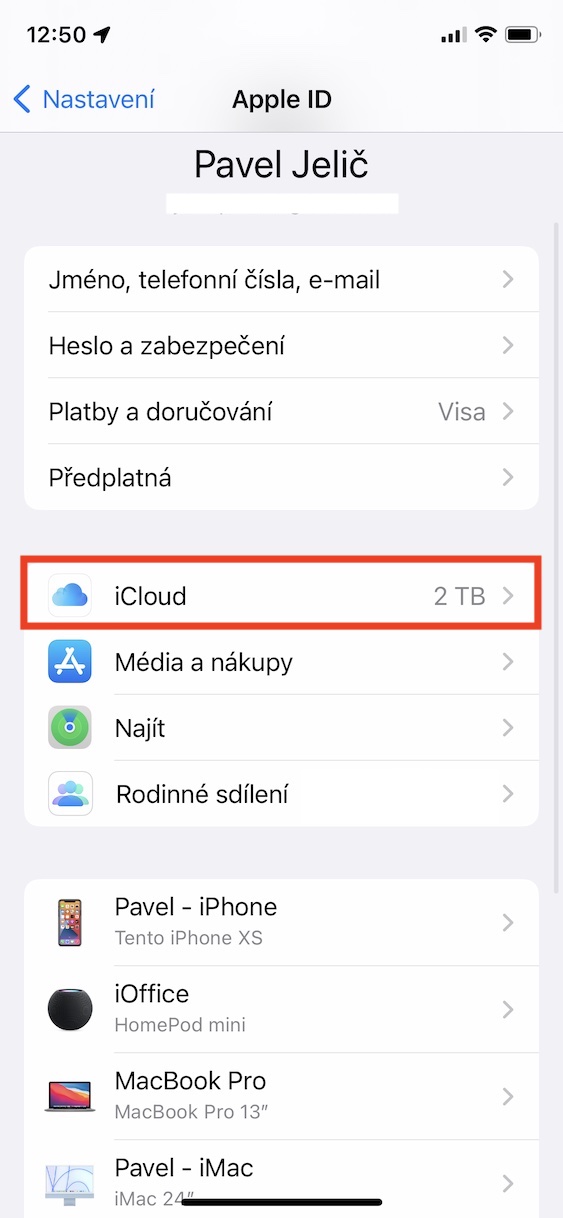
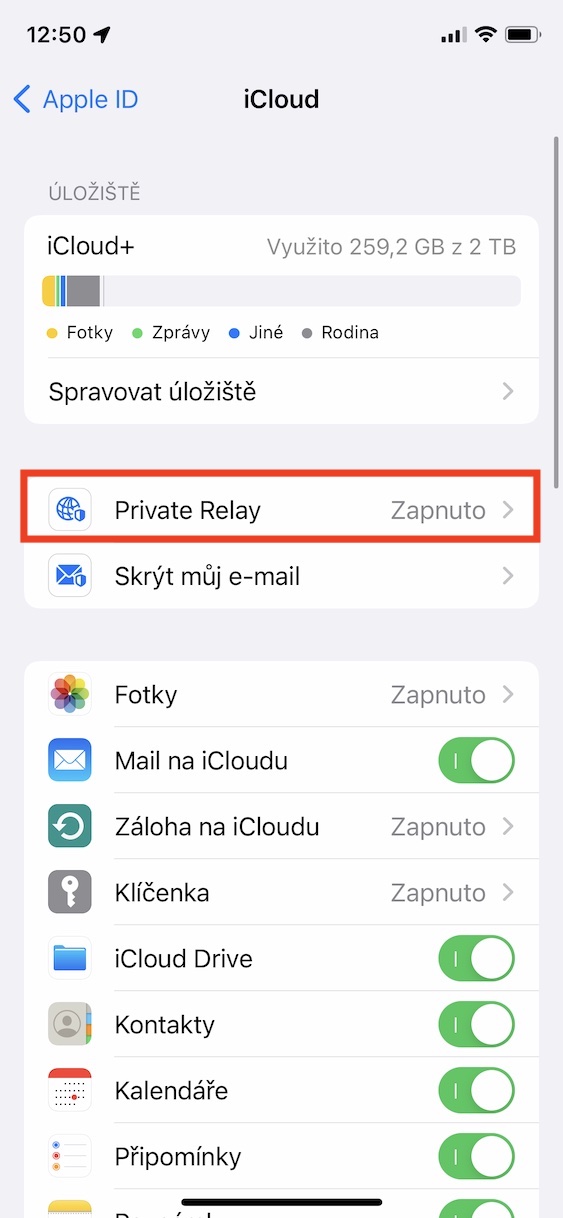
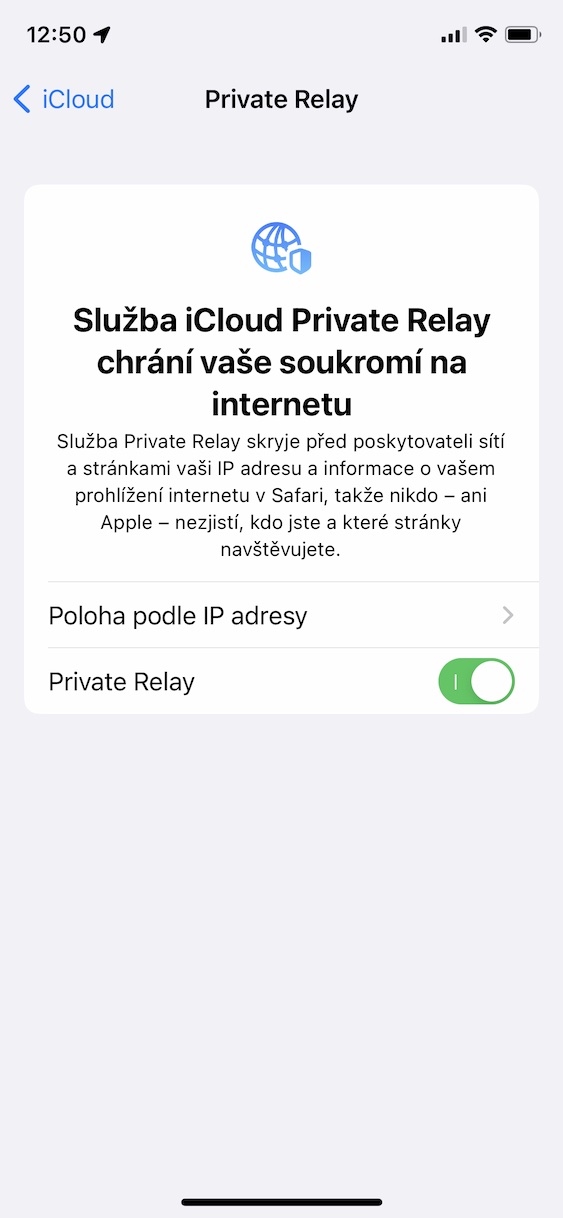
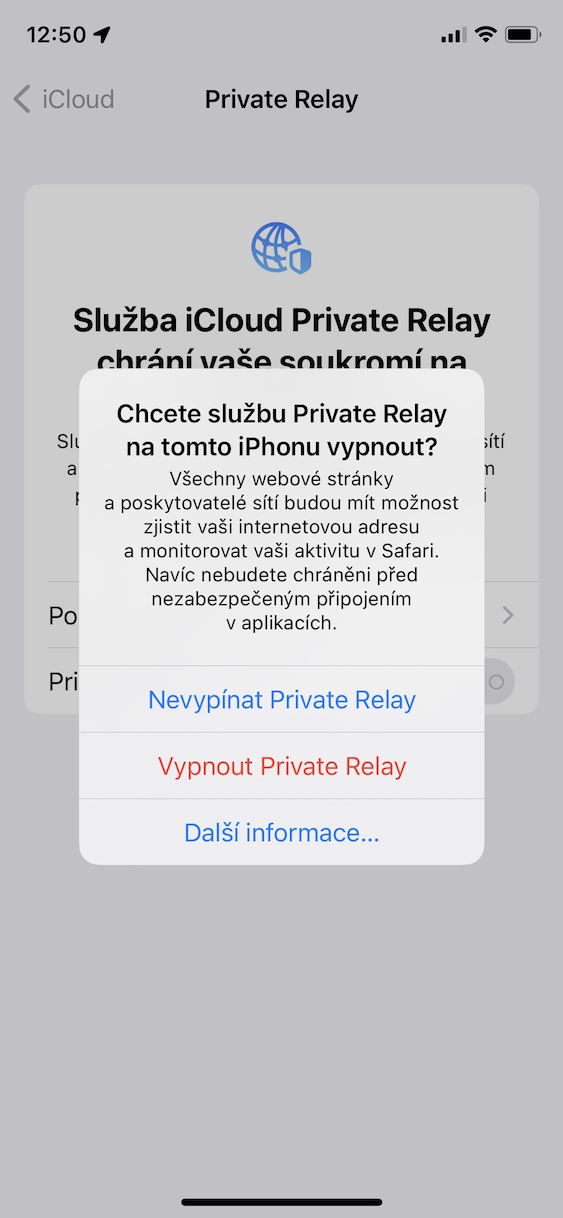
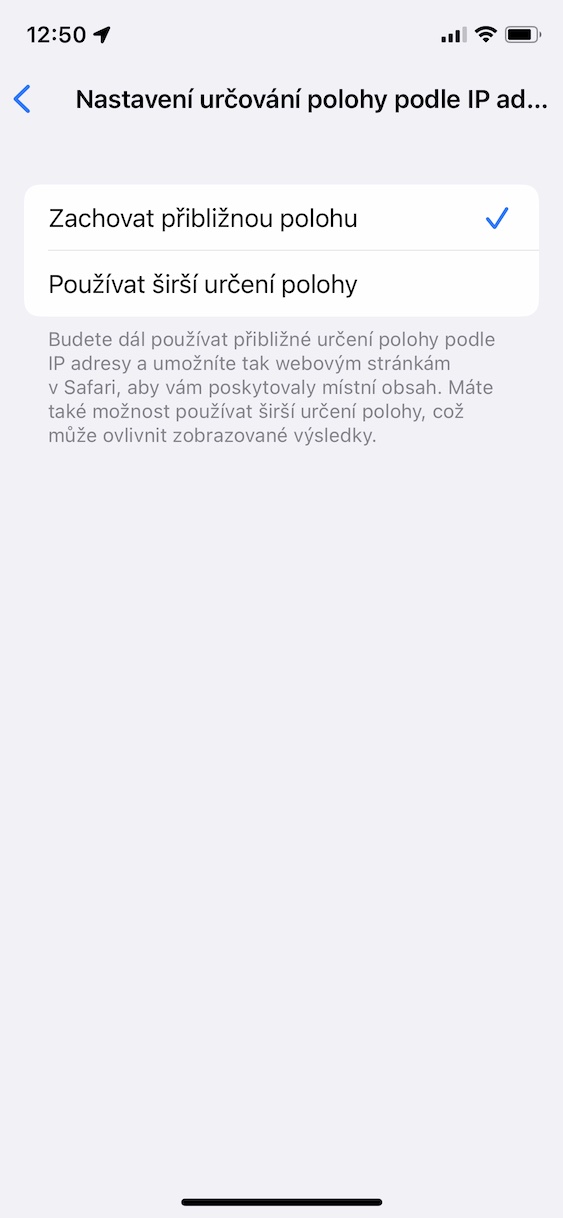
If you have the idea Private Relay like, but on the other hand you don't want to provide some websites with a completely inaccurate location (for example, one where you are in another country), so you can set it to Private Relay worked with your approximate location. You will still be in the Czech Republic, but the website will not see your real location. In this case, just use the procedure above and click Location by IP address, where then check the option Maintain approximate location. Pro for greater anonymity, of course, check Use broader location determination. So that you can Private Relay To use it, you must have an active subscription andCloud+, i.e. any paid subscription to the service iCloud, of course it is also necessary to have installed iOS 15.