Social media can be a good servant but a bad master. We can use them for an extremely simple connection with our friends, or perhaps with family. On the other hand, individuals may appear on these social networks who want to harm other users in some way - and it doesn't matter whether they are only on the social network itself or in real life. Therefore, when using social networks, it is necessary that you remain as anonymous as possible, at the same time you should not mention your private life under any circumstances. You might regret it someday.
You might be interested in
Hide count I like this
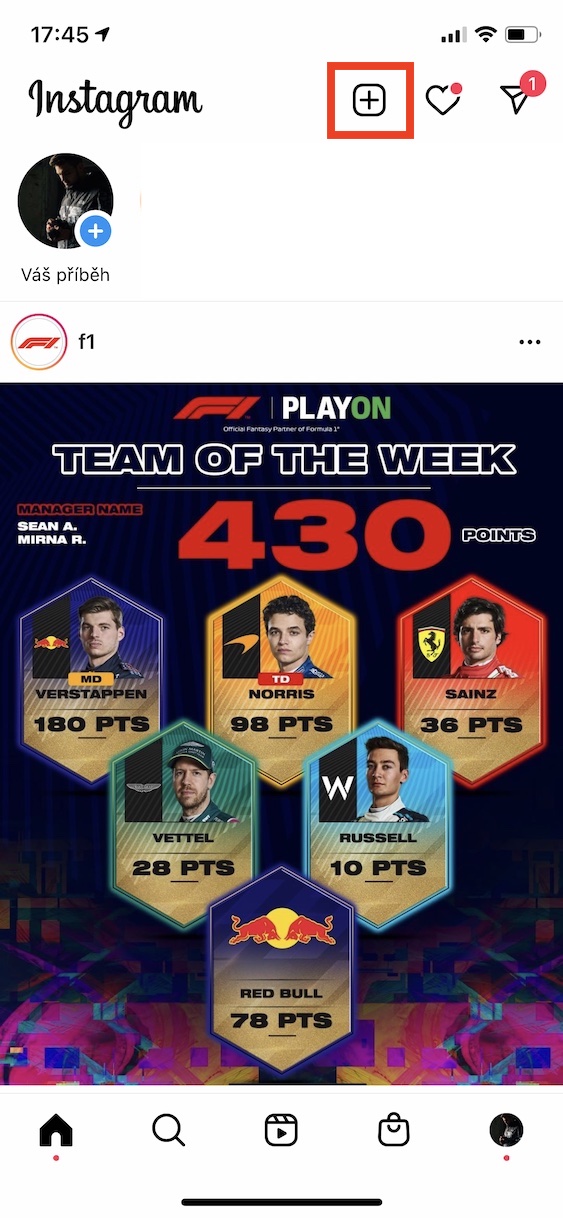
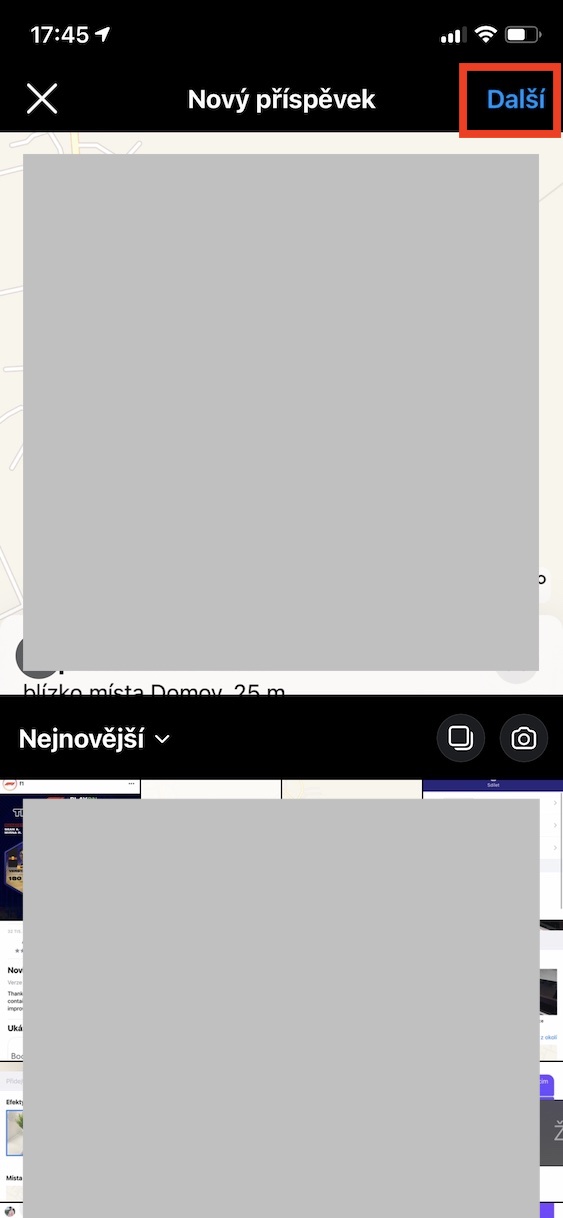
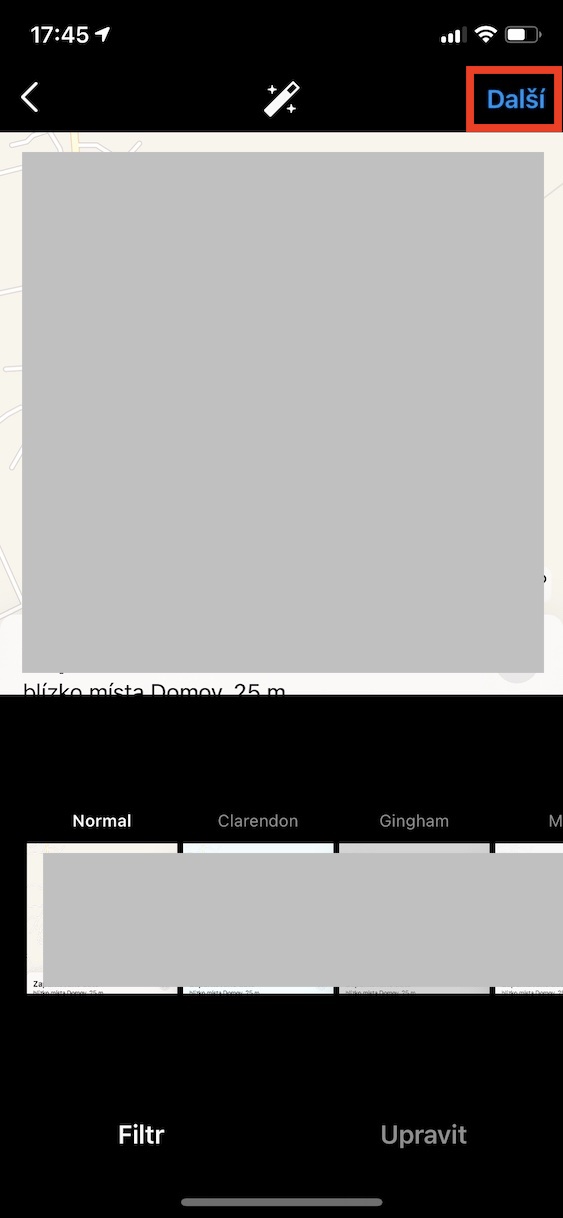
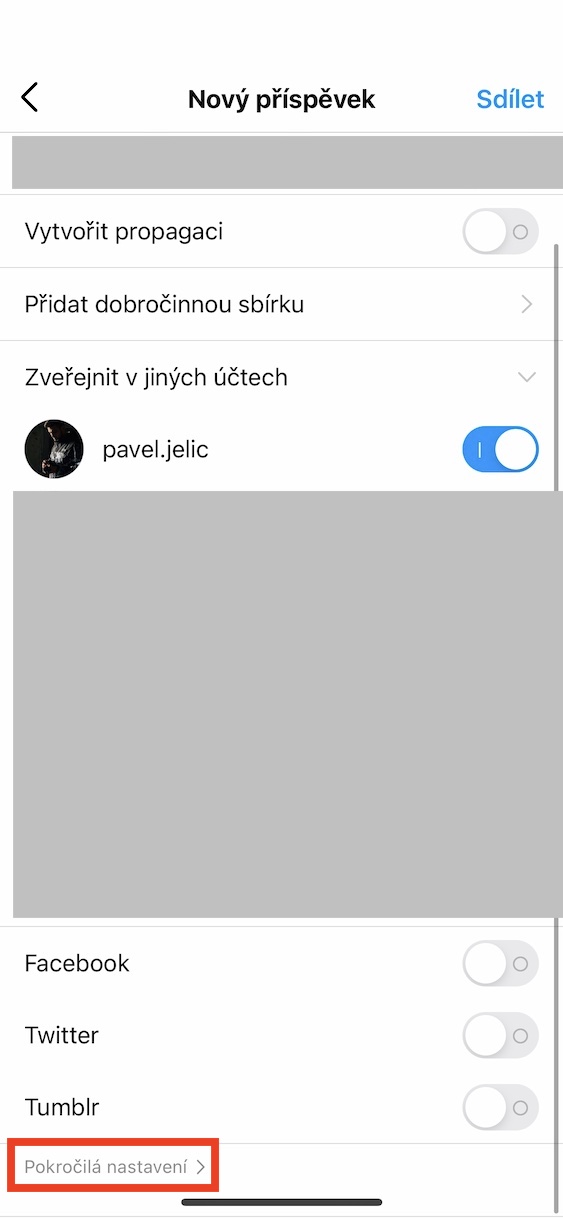
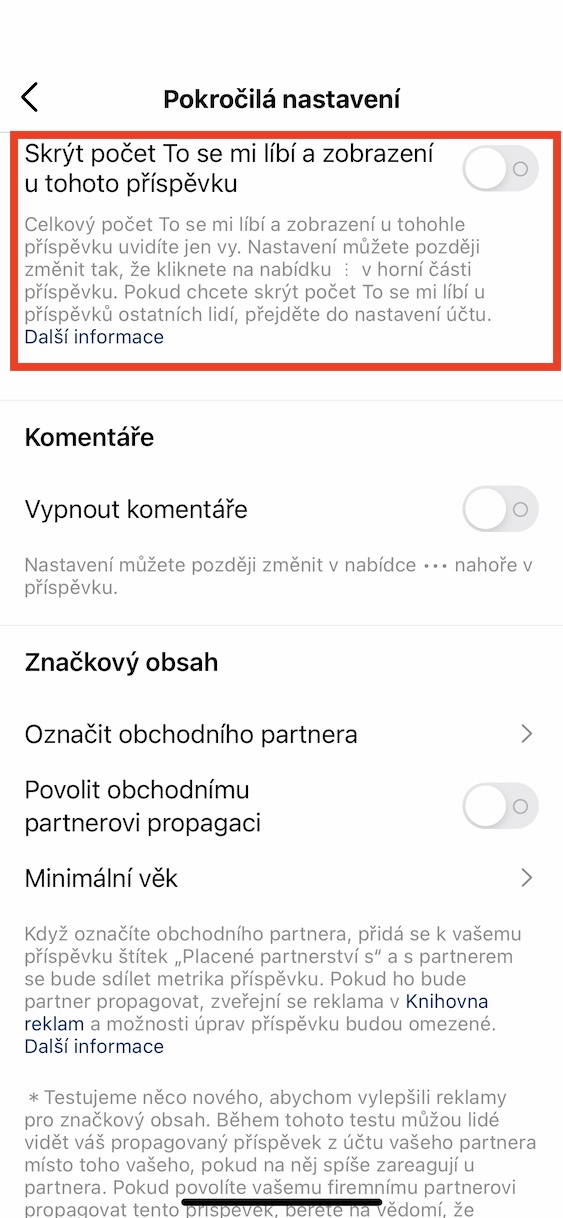
For several long months now, Instagram has been trying to hide the number of likes on posts and views on videos. With this move, Instagram wants to show that we should definitely not rate or judge people based on how many hearts or views they have on a certain post - and I completely agree. The number of likes has always been completely stolen from me, and when I later found out that many users can be crushed by a low number of hearts, I nestacil divit. If you would like to hide the number of hearts for a new post, simply move to the classic add interface. Then twice click on Next, and then down to Advanced settings. nakonec enable Hide Likes and Views for this post.
Gallery
Protection from inappropriate groups
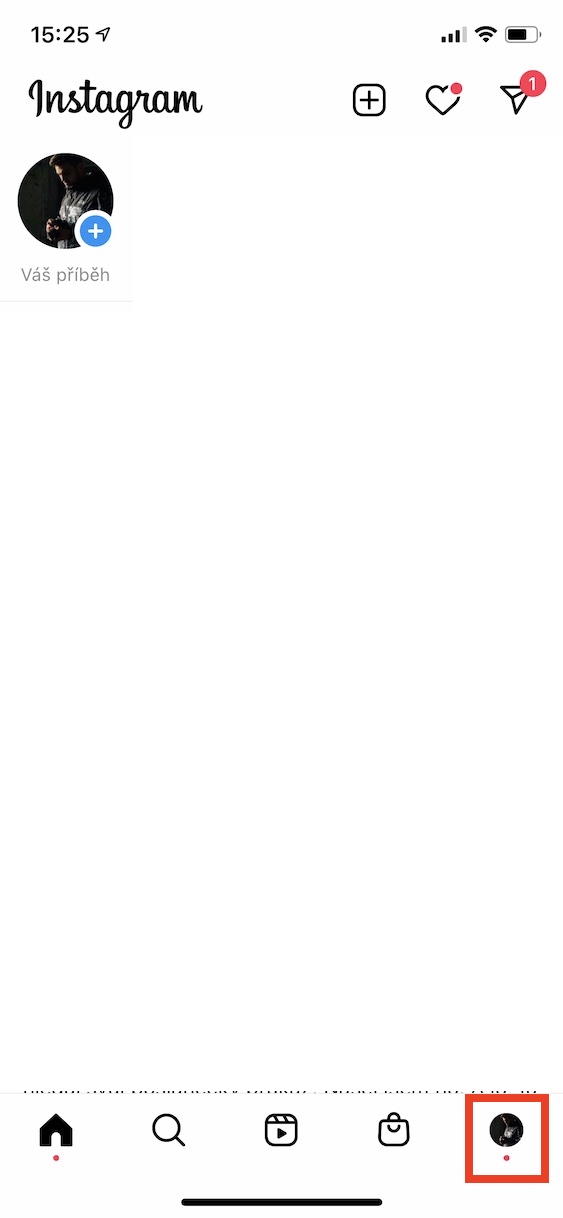
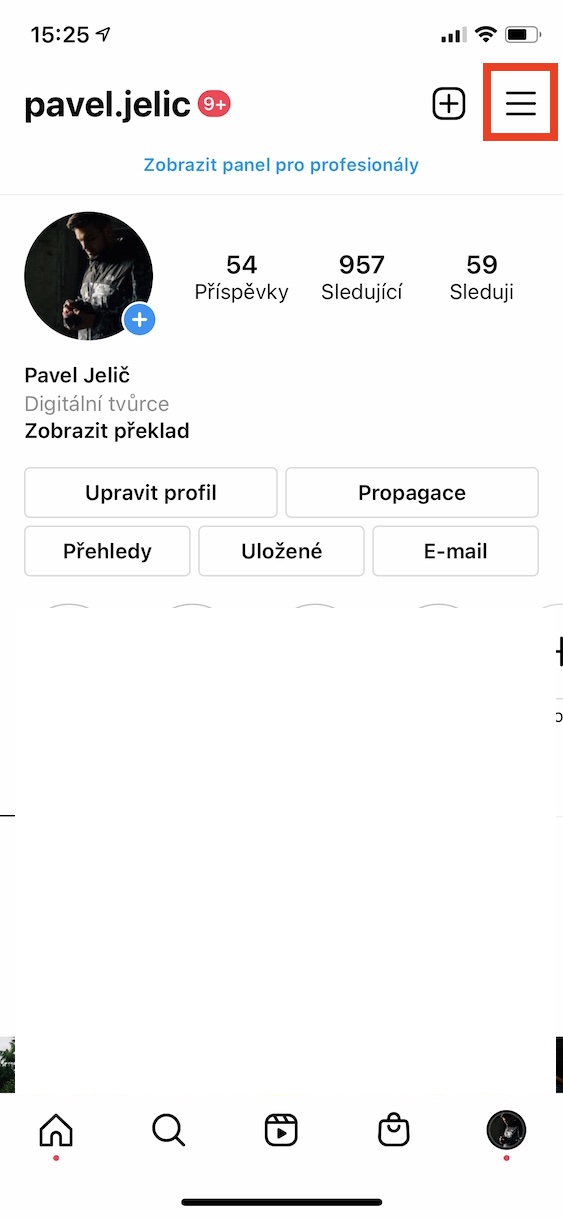
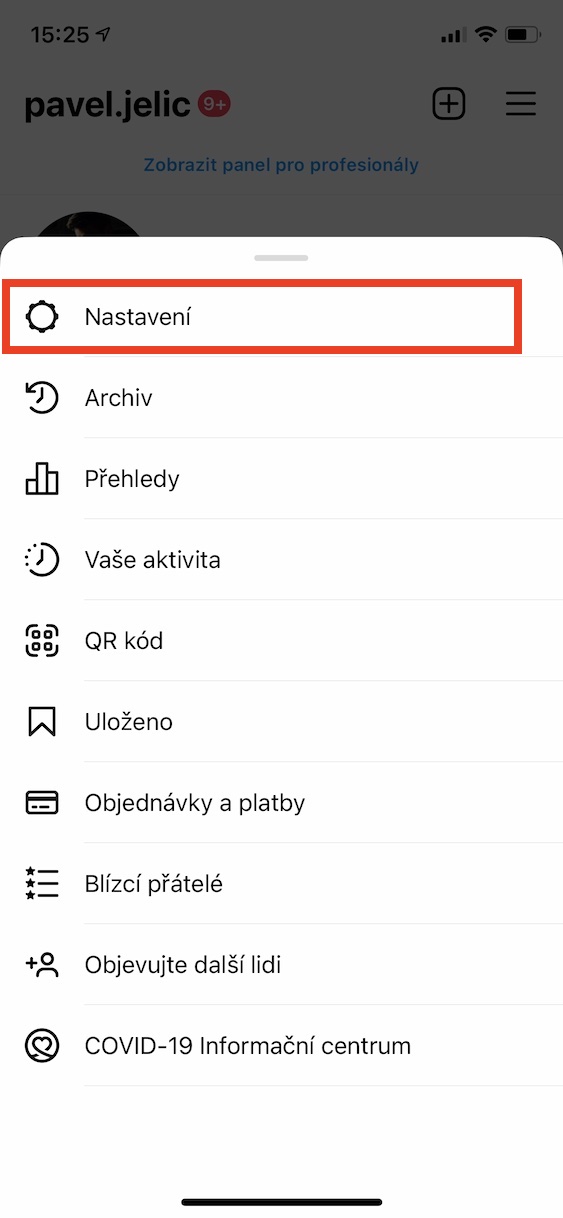
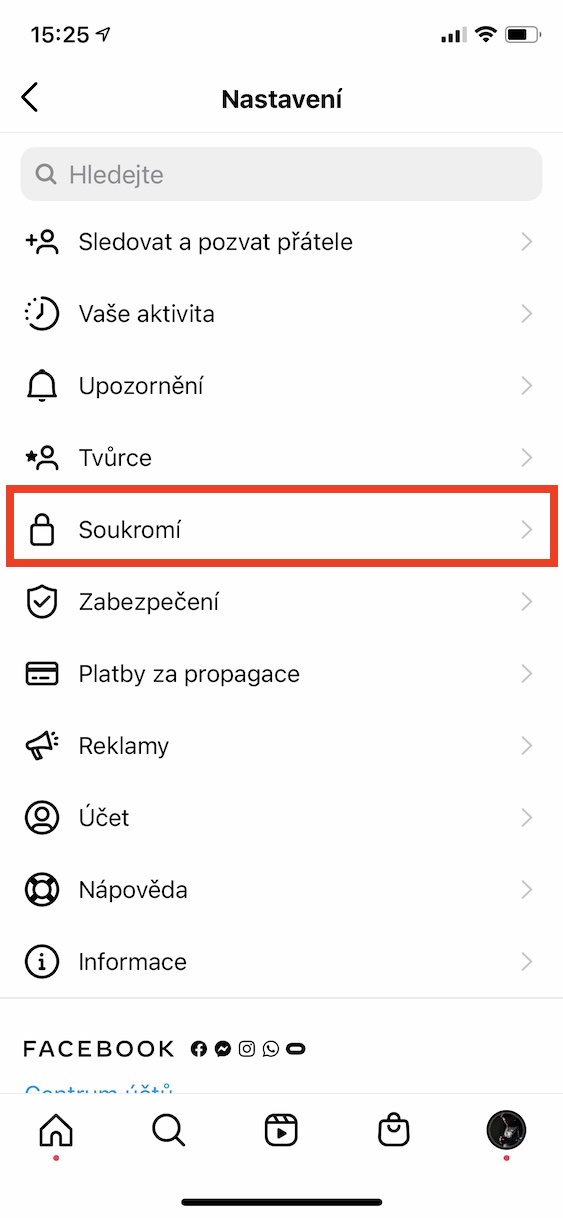
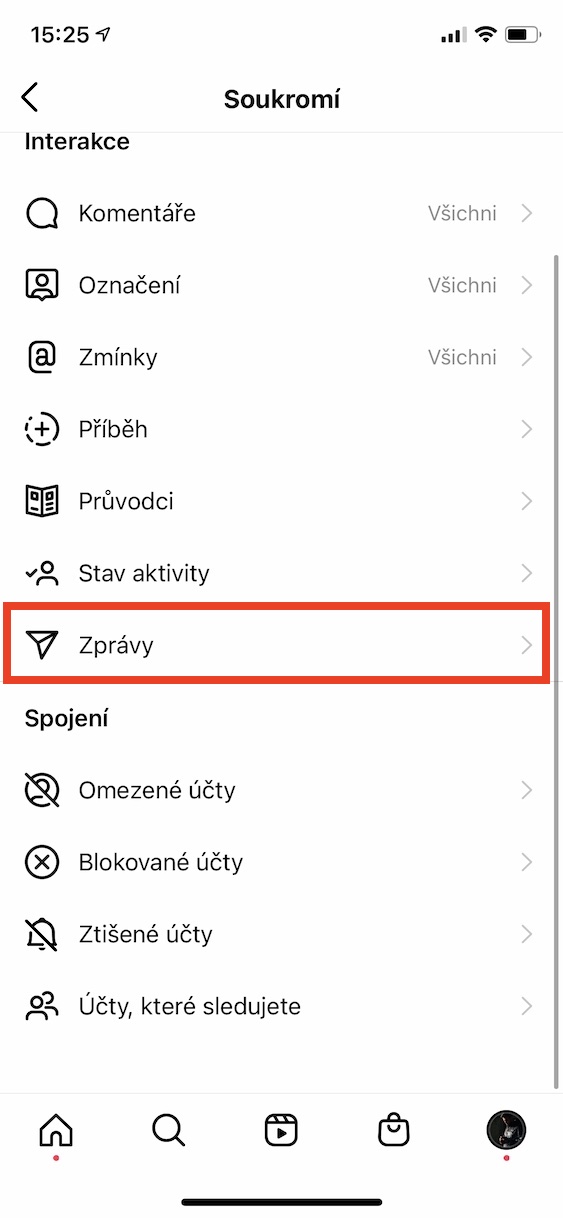
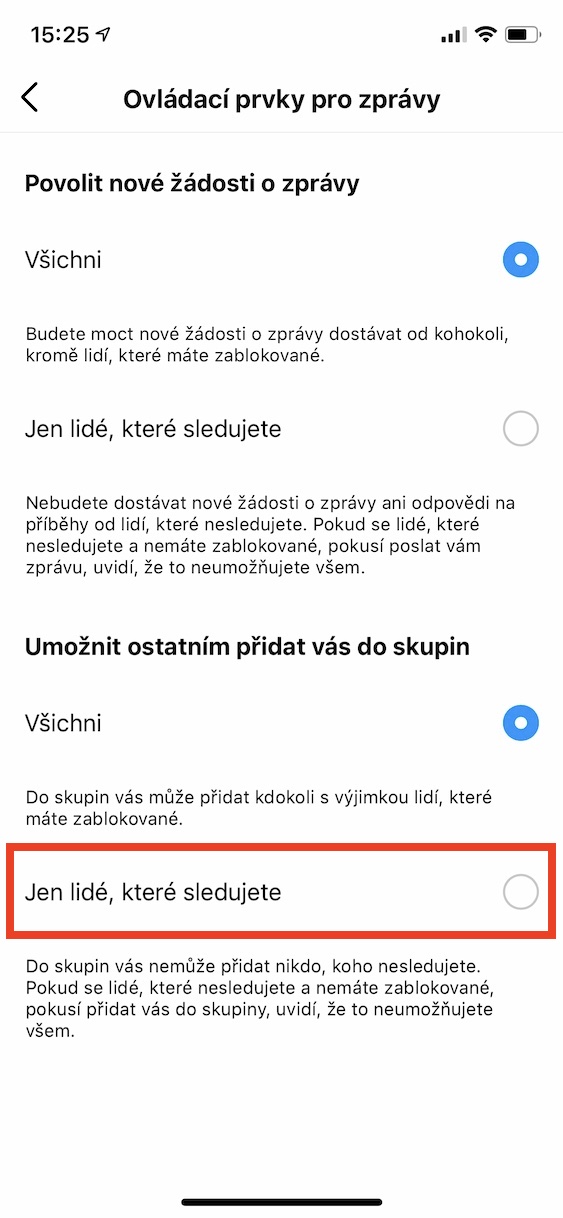
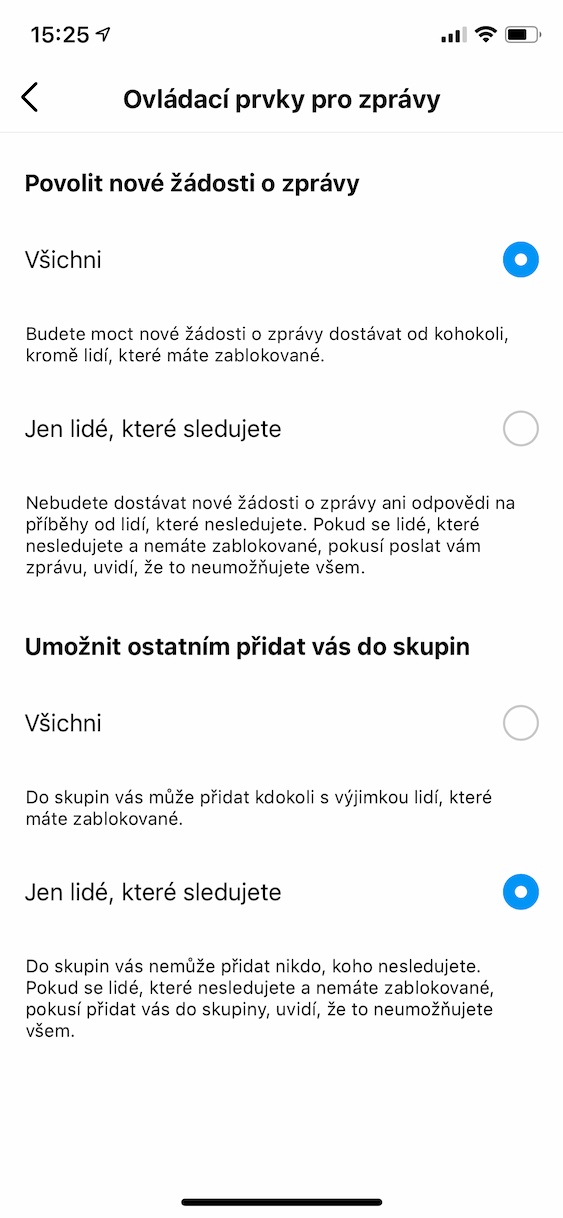
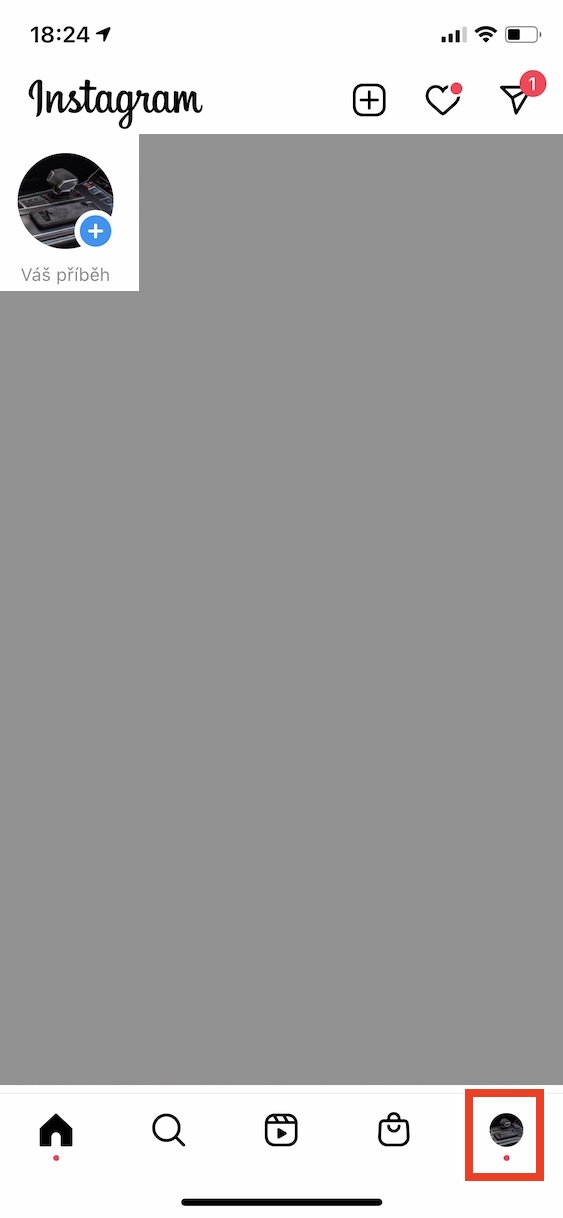
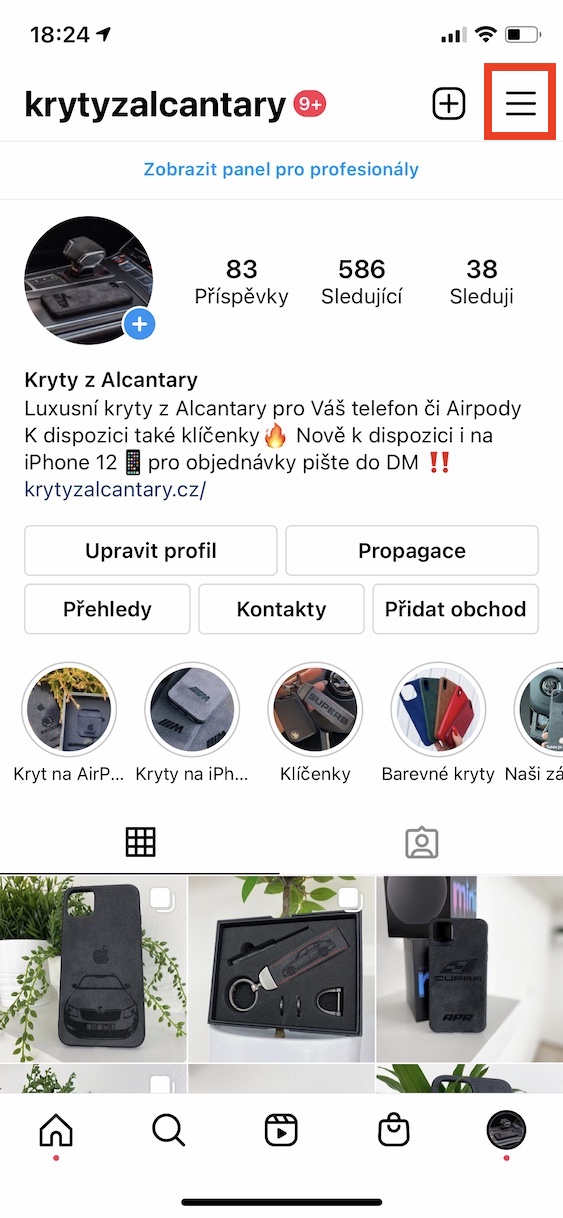
If you have been a user of the Instagram social network for several years, you have probably noticed so-called bots recently, which are located under practically every influential post. These bots most often have various sexual innuendos, which have only one goal - to attract your attention. If you go to the profile of this bot, it will most often refer you to a fraudulent website. Recently, these bots can also add you to groups where inappropriate and often pornographic sites are shared. It is easy to fight against this. Go to your profile, and then tap the menu icon in the top right. Then select Settings, then Privacy, and then Messages. Here, just check Only people you follow at the bottom of the Allow others to add you to groups option. To use this feature, you must have an active professional account.
Gallery
Deactivating Activity Status
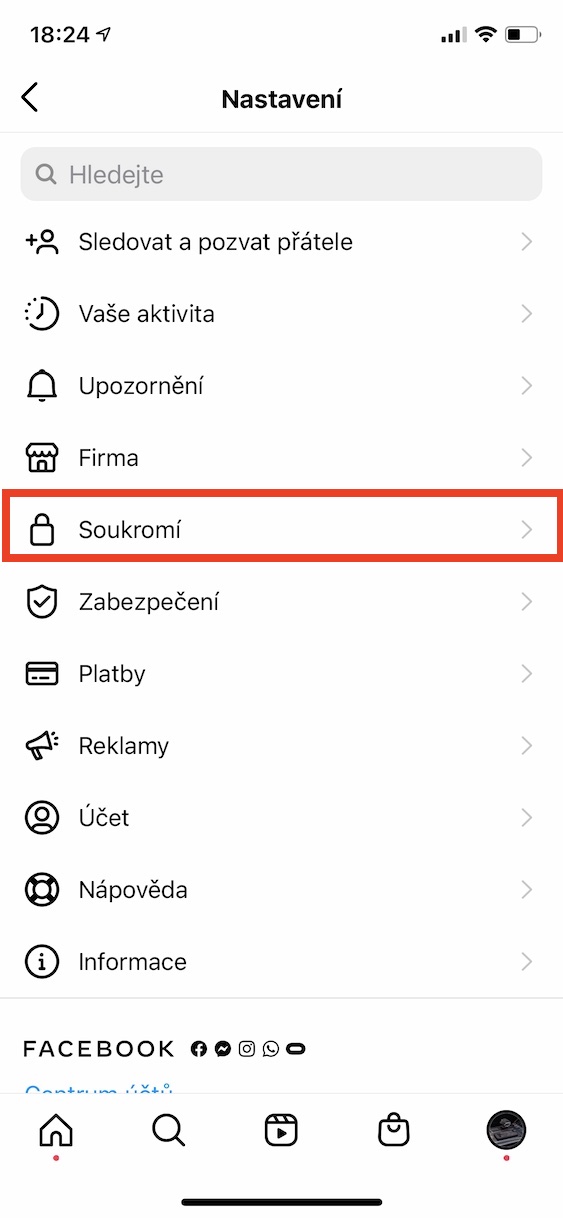
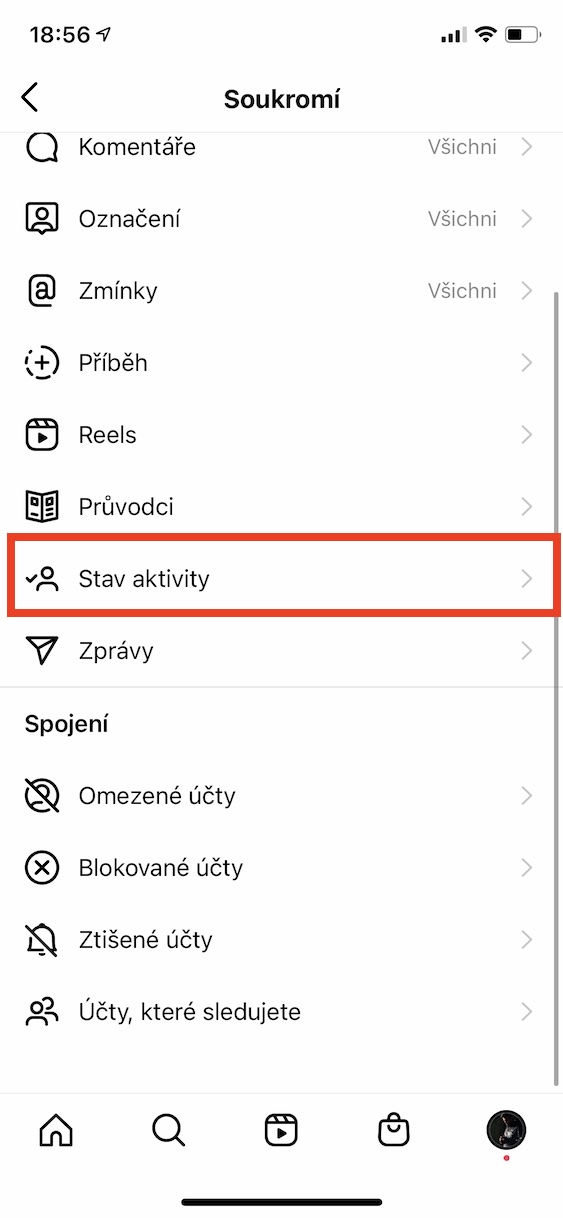
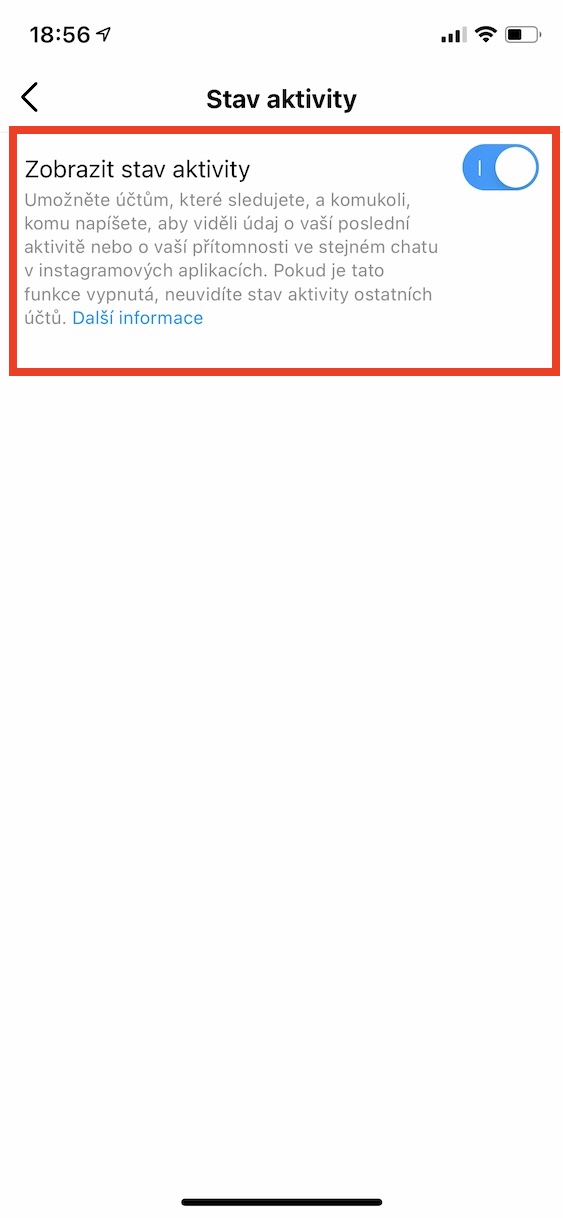
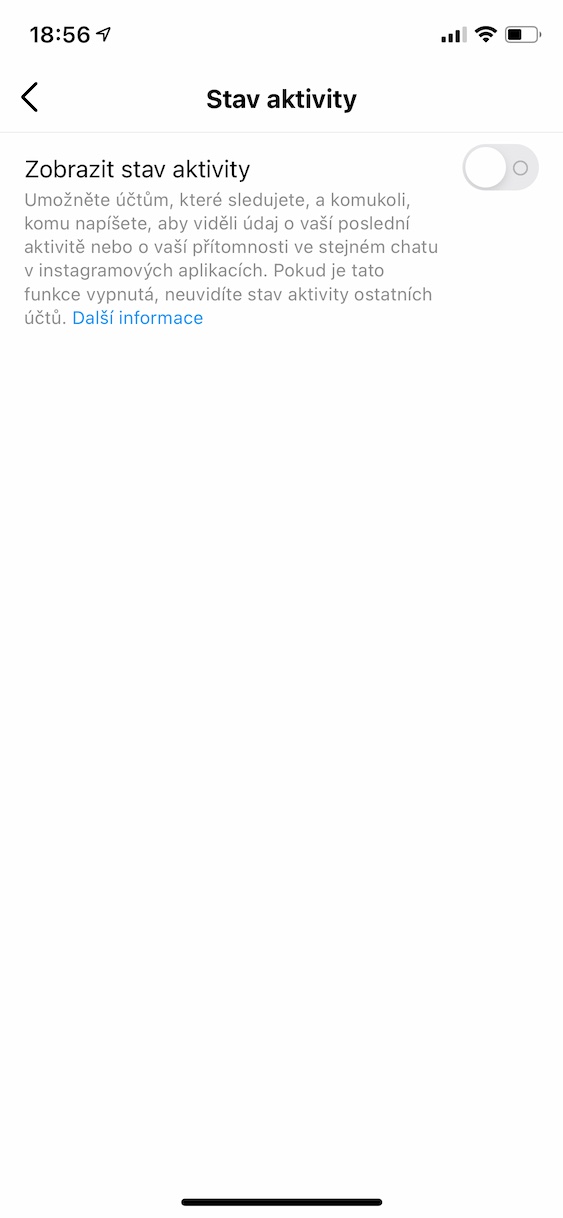
It's been a few months since Instagram came out with a new feature that we know from, for example, Messengerat or other chatapplications. Within Instagram messages, you can see when individual users were last online – and other users can see this information about you in exactly the same way. Fortunately, there is an option that allows you to deactivate the display of activity status on your profile. But it's either all or nothing. If you deactivate the function, other users will not be able to see your activity status, but you will also not be able to see it on other users, even though they may have it turned on. To deactivate it, go to your profile, and then tap on the top right menu icon. Next, move to Settings -> Privacy -> Activity Status, where deactivate possibility View activity status.
Gallery

Who can mention me?
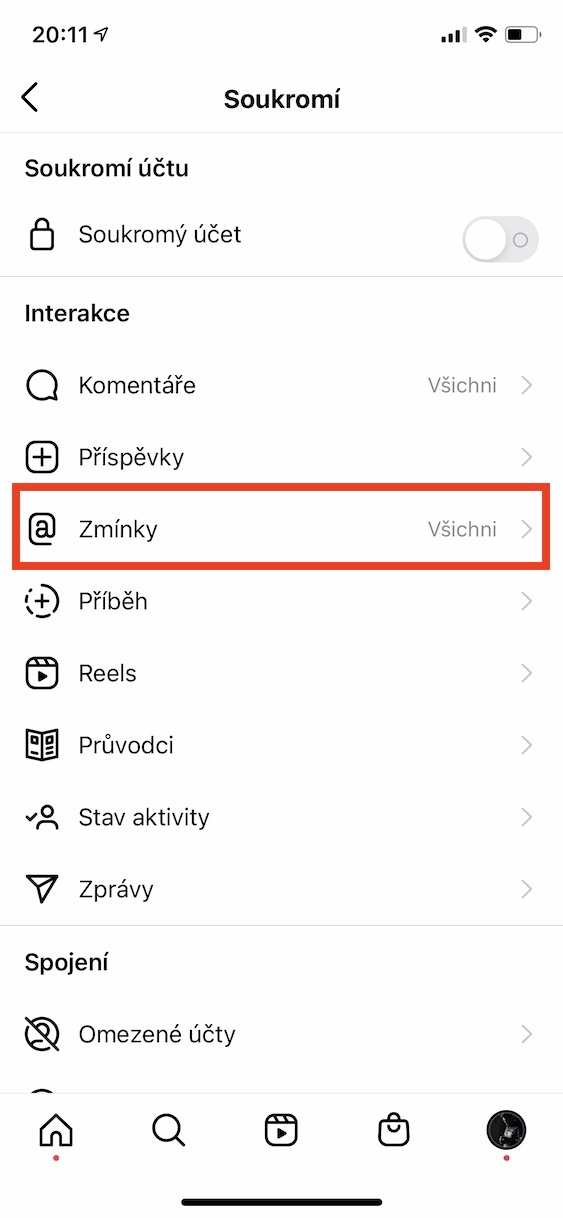
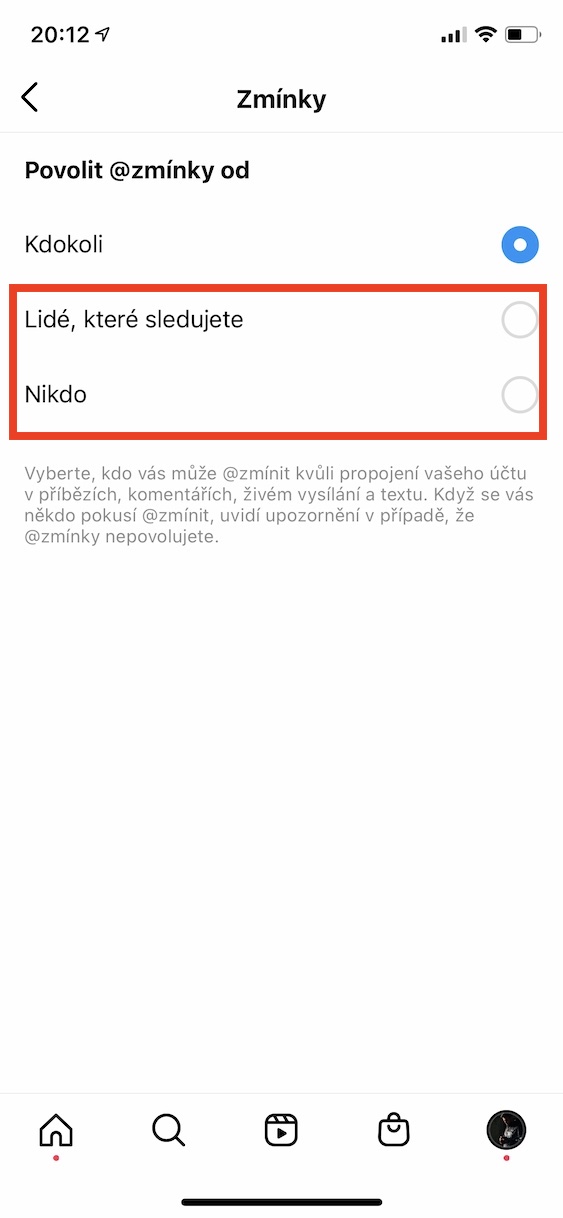
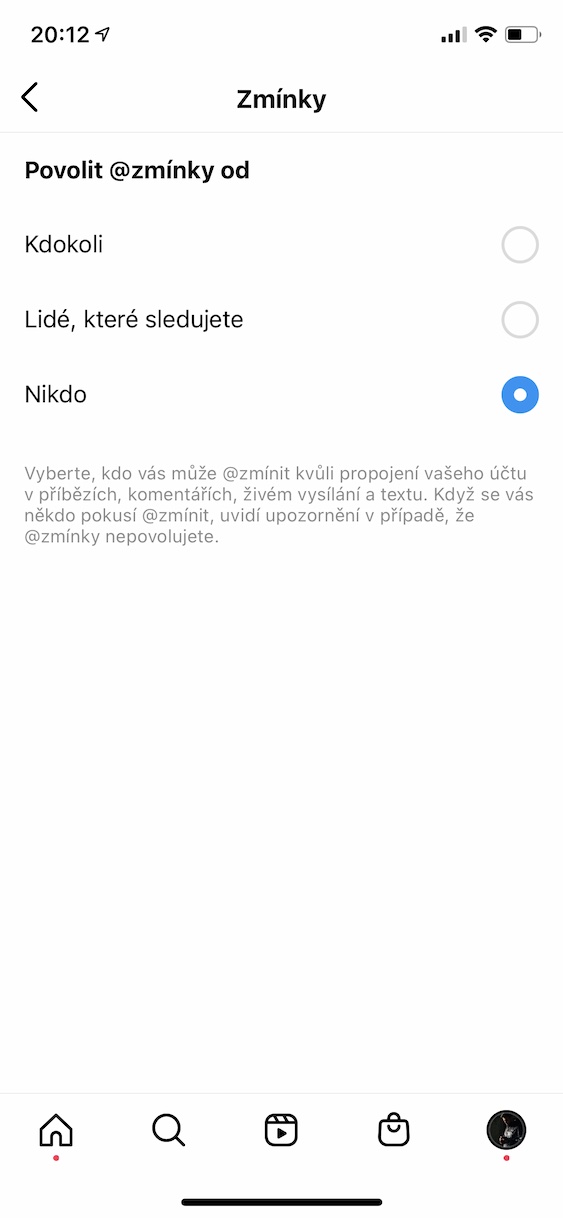
You can use mentions practically everywhere on Instagram. Whether you're adding a story, post, or comment, a mention can be created by typing the at-a-glance, followed by your username. Proother users can then click through to your profile directly through mentions. Of course, some users may not like this, as they do not want to expose their profile unnecessarily. Fortunately, this feature, which concerns mentions, can also be reconfigured. If you do not want to allow other users to mention you, go to your profile, and then tap in the top right menu icon. Next, move to Settings -> Privacy -> Mentions, where you set either People you follow or No one.
Gallery
Close friends settings
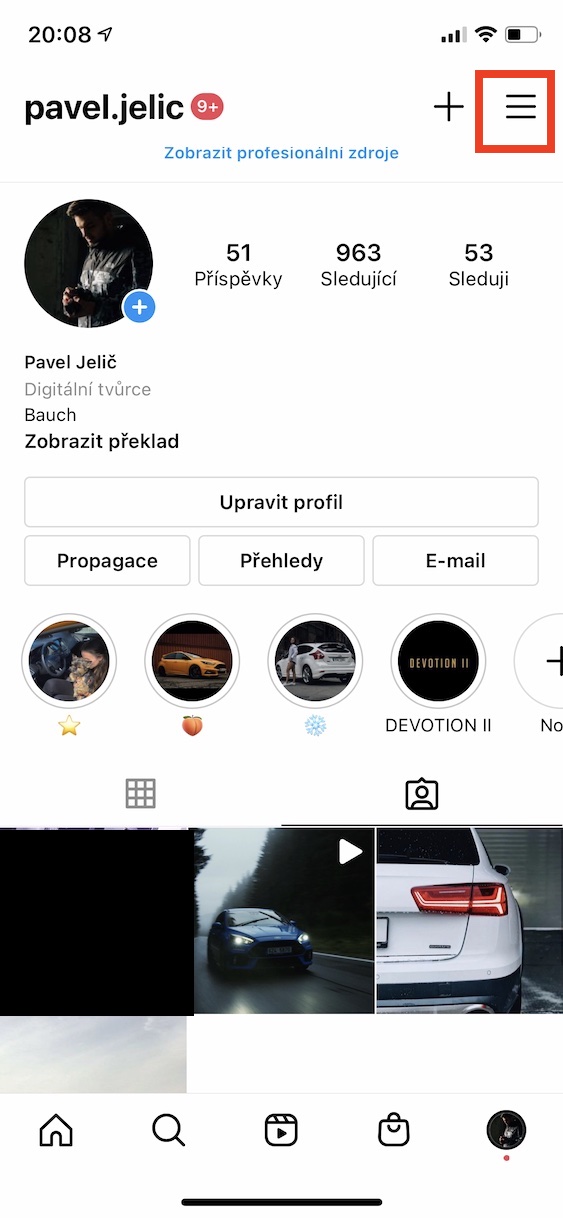
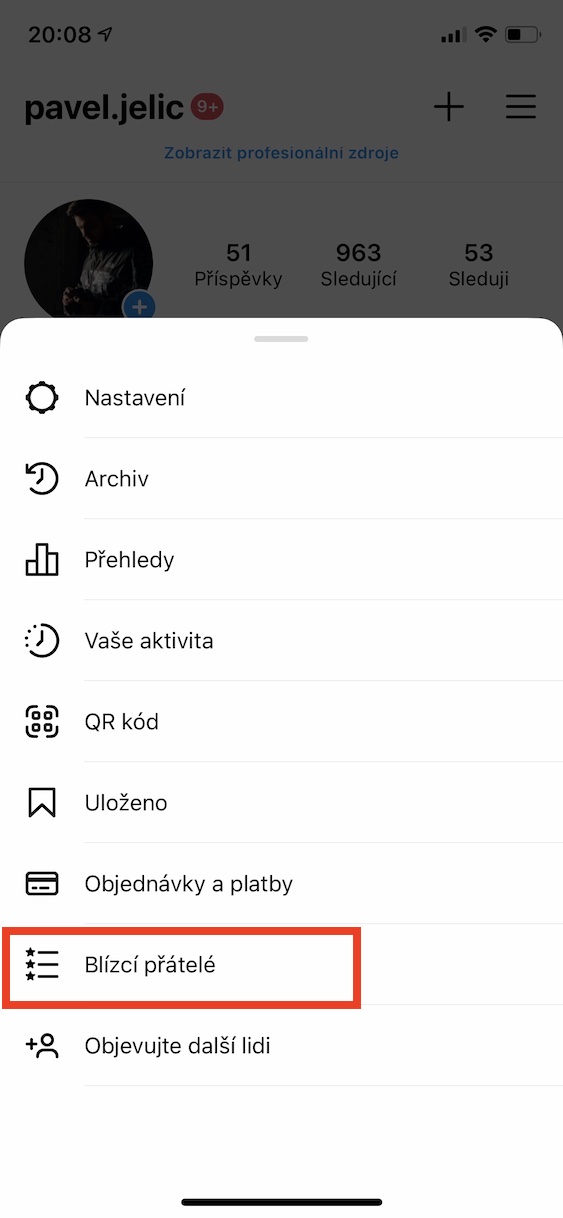
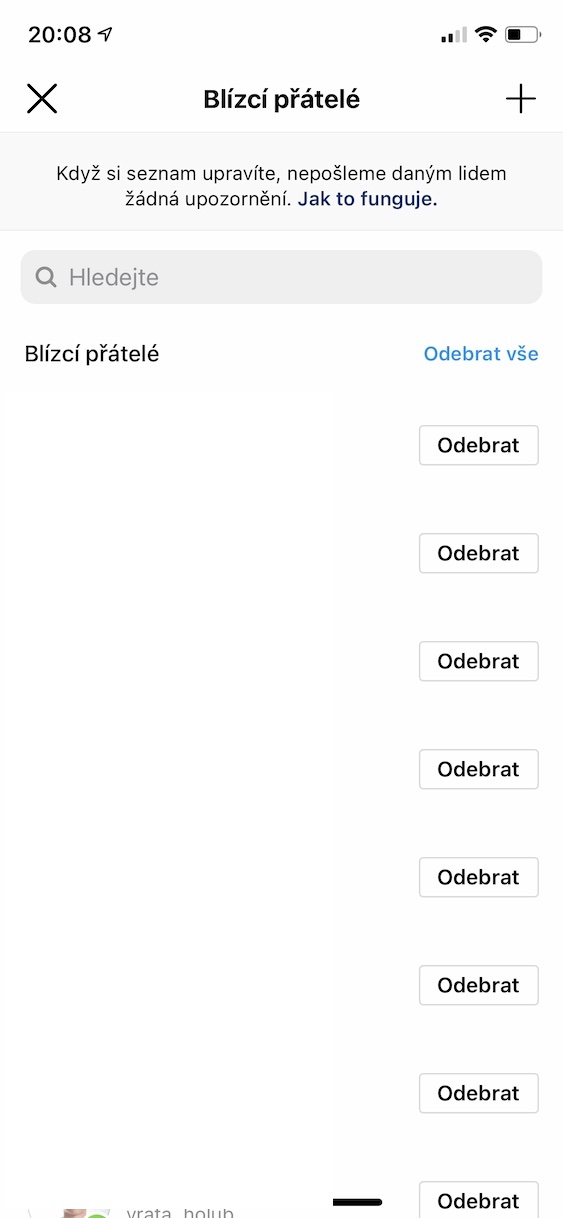
From time to time, we probably all want to show off something. Whether it's a new addition to the family in the form of a pet, a new computer, or perhaps a photo from a vacation. However, not all photos are suitable for posting directly to your profile, or to all your followers in a story. That's exactly why there is a close friends section. As the name suggests, within this setting you select your closest friends and create a kind of "group" of users. You can then share all stories separately to this group, for example if they are more personal. Choose individuals as close friends really carefully. You can do this by going to your profile, and then tapping the menu icon in the top right. Then tap Close friends and simply add or remove them . Close friends can then be selected when sharing a story.
Gallery