
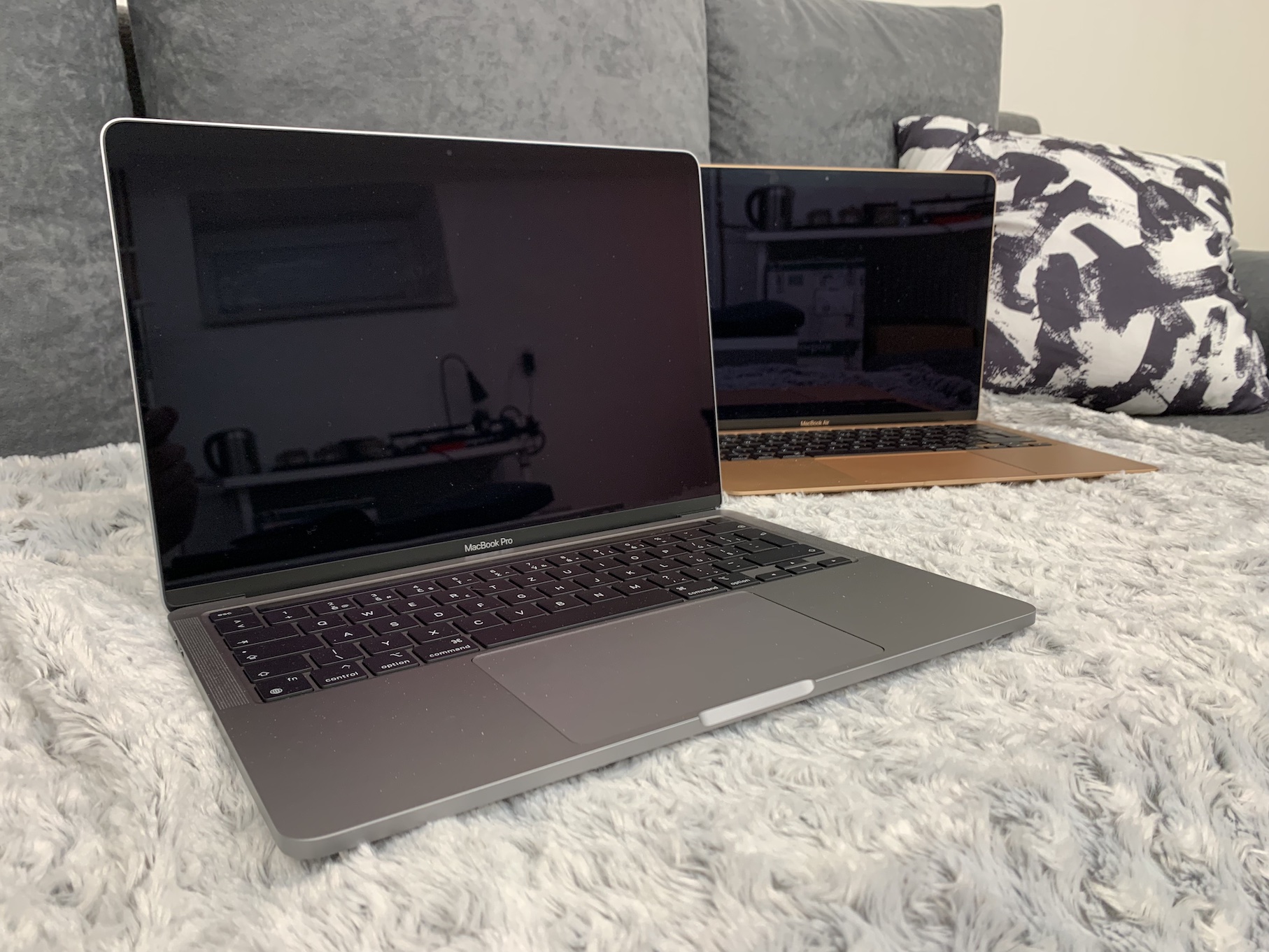
About having Apple come up with their own processors Apple Silicon, has been talked about for several long years. We witnessed confirmation of this "transition" at last year's conference WWDC and the first ever devices with chips Apple Silicon, specifically with the designation M1, we received at the end of last year. Within a few days we published a review in our magazine MacBooku Air with M1, but unfortunately we did not get to test it for a long time. We are fixing all this now, as we have both available in the editorial office at the same time MacBook Air with M1, then 13″ MacBook Pro with M1.
You might be interested in

Yesterday we published an article in our magazine in which you could learn more about charging time both of the above MacBookwith M1, you could then read in our sister magazine performance comparison MacBooku Air with M1 vs. 16″ MacBook Pro with Intel processor. There are countless individual topics that we can cover in the case of Apple computers with M1, and we have prepared one of them for today. Specifically, we will look at a comparison of write and read speeds for MacBookwith M1 and MacBookwith Intel. To be absolutely precise, we will pit MacBook Air M1, 13″ MacBook Pro M1, 13″ MacBook Pro Intel (2019) and 16″ MacBook Pro Intel (2019). All these machines are in the basic configuration, only the mentioned MacBook Air The M1 has an increased storage capacity of 512 GB instead of the base capacity. You can see the full comparison in the chart below.
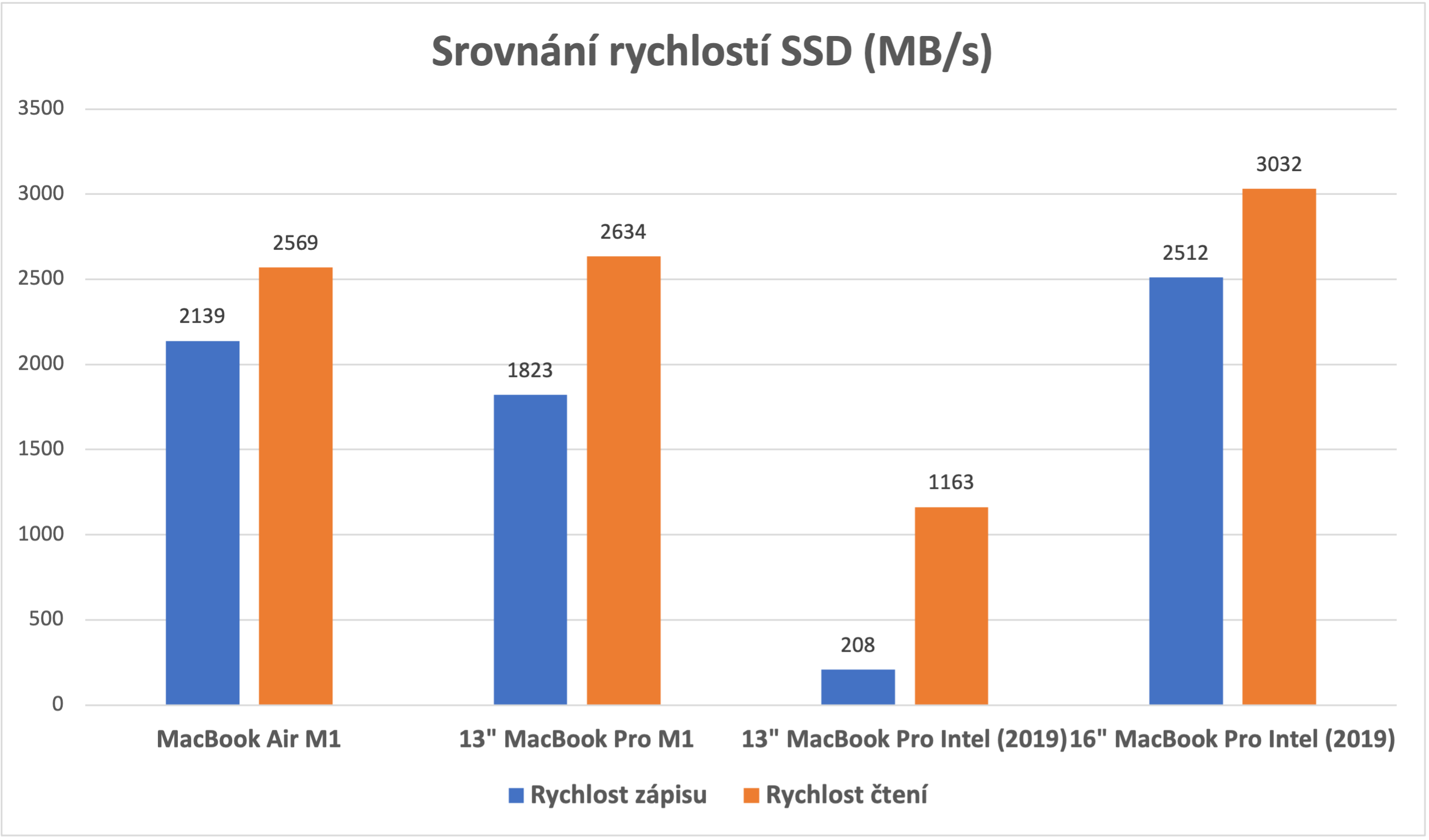
We decided to perform the tests within the AJA System Test Lite application, which is available absolutely free within the App Store. There are countless different preferences available within this application and of course we set them exactly the same on all devices. We set the resolution to 4096 x 3112 4K-Full, the test file size to 16 GB, the codec to 10bit YUV and saved to the desktop. All MacBooky were restarted before testing and all applications were closed, with only the aforementioned AJA System Test Lite application being turned on. The 16″ took first place in both write and read speeds MacBook Pro. He then finished close behind MacBook Air M1 and in an even tighter 13″ MacBook Pro M1 – however, a decrease in write speed can be observed here. The 13″ finished worst. MacBook Pro Intel (2019). Slow write speeds are common with this 128GB model and are a problem for most users.
Gallery







" All these machines are in basic configuration"
So 1x 128gb, 1x255gb and 2x512gb...
This is not a comparison, but a measurement of individual models... there is nothing to compare in such a set - only the 2 - 512s...
I don't know what you don't like about the "basic configuration". 13″ MacBook Pro (2019) has a 128 GB SSD, 16″ in the basic configuration MacBook Pro (2019) has a 512 GB SSD, 13″ in the basic configuration MacBook Pro The M1 has a 256 GB SSD in the base configuration, MacBook Air The M1 has a 256GB SSD in its base configuration – the only one we mentioned had a 512GB SSD in our case. The base configuration certainly doesn't mean that all Macs should have the same SSD size.
…well, that goes to show that Apple it uses a very bad 128 GB SSD in the 123″ MB P 2019. It is not about anything else. It doesn't matter what the processor is, just the 128 GB disk is ……..
This is exactly what is explained at the end of the article.
he called me in 2014. He wants his 128 gig ssd.