
The gateway to the Internet, via a public or private Wi-Fi network, is a router. However, this key device only uses a combination of username and password to protect access to settings. Default administrator account passwords tend to be simple so that the user can easily set up their device. Users rarely change passwords, which according to security experts represents a real risk.
You might be interested in

Guessing the router's password can have fatal consequences, as an attacker can gain access to the entire network. ESET analysts evaluated current telemetry data for Germany and came to some disturbing conclusions: Several thousand of the more than 100 scanned devices are using default passwords. Thus, these devices are more vulnerable to a targeted attack.
"Users who do not change the default router administration password are also, in most cases, not protecting their wireless network with reliable passwords. Routers should never have a factory or weak password set after initial operation. Generic passwords are the first thing a cyber attacker will try when attempting to break in. If possible, I would recommend changing the administrator account username as well, " explains Miroslav Dvořák, Technical Director of the Czech branch of ESET.
10 most common weak router passwords
- admin
- root
- 1234
- guest
- Password
- 12345
- support
- Great
- admin
- pass
Cyber attacks on routers are on the rise
The router is the control center of the home network and is responsible for the home's Internet connection. Smart home devices (from security cameras to heating and locking systems) are also managed via the router. According to a recent survey by ESET, 71% of Czechs have some kind of smart device at home. The popularity of the so-called Internet of Things (i.e. smart devices that can be interconnected) makes the router an interesting target for cyberattacks. Given the lack of security, it is not surprising that the number of attacks is increasing.
A high-quality yet memorable password is composed of a sentence
Experts recommend changing the default password immediately after installing the router. The password should not consist of simple words. A secure password is either a generated password with a length of miniat least 8 characters, containing uppercase and lowercase letters, numbers and special characters, or a so-called passphrase consisting of several words with a total length of at least 16 characters. Due to the length of this, in other words, an easy-to-remember and unique sentence for users, a combination of lowercase and uppercase letters plus numbers is sufficient.
"In addition, I would recommend regularly checking which devices are connected to the router. This can be done directly in the router interface, if of course it has such a function, or this functionality is also available in many antivirus programs. I would also recommend disconnecting devices from the router that you are not using, such as old phones or switched off smart home elements. Older devices are more vulnerable and can serve as an entry point for attackers into your home network," describes Dvořák.
For example, the "Home network security" module implementing an overview of connected devices is an integral part of the ESET Internet Security, ESET Mobile Security and ESET Smart Security Premium products. This module allows you to identify connected devices in the home network as well as to reveal their potential weak points such as known vulnerabilities or weak and default passwords.
You might be interested in
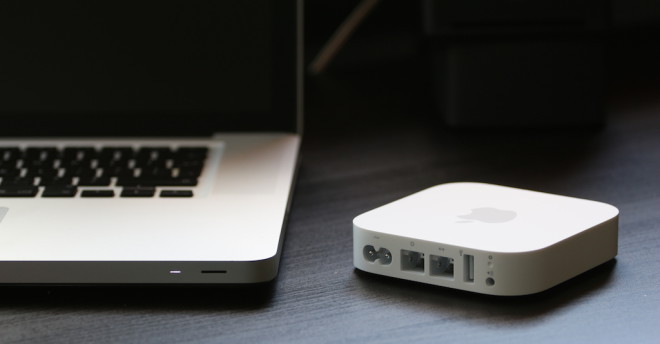
Recommendations for safe operation of the router
- Update your firmware: Updates bring new features and fixes for security vulnerabilities. If possible, set a notification in the router menu when a new update is available.
- Disable the ability to access the router's web interface from the Internet. Instead, configure VPN access on your device for remote device management.
- Set a good password for Wi-Fi: Users should also use a good password for connecting to the wireless network, as well as for managing security. Experts do not recommend using simple words or phrases that could be guessed.
- Disable WPS with PIN code authentication: "Wi-Fi Protected Setup” (WPS) is a standard for easy connection to an encrypted Wi-Fi network. A new connection requester only needs to know the 8-digit PIN. However, it can either be read directly on the device or broken by brute force.
- Change the network name: Users should give their Wi-Fi network a new name (called SSID), as the default name often includes the manufacturer's name and device type. Attackers can thus check directly by the name of the wireless network whether the given type of router contains any known vulnerabilities and try to exploit them.






I use Nbuser123 😀
Also, please give me the IP address so we have a complete set 😂
IP is : 14.88.88.14:666
😉
For some time now, it has been considered good practice to generate a default password for each new piece produced. The fact that many manufacturers are working on it and the router renewal cycle is long is another matter, well. An ordinary Franta user doesn't have to deal with it, if he did, he would already set his own password in the first place.
It's nice that eset collects router passwords, it still needs some unfortunate leak.