It's been a few weeks since we informed you in one of our articles that many applications in iOS collect and further work with data that you have stored in your clipboard. By the clipboard, we mean a kind of "memory" of the device in which, for example, text, links, images or other data that you copy is stored. Some applications will automatically read what data is in the clipboard without your permission and, if necessary, offer you some action. For example, if you have a copied image, certain applications can read it and offer you to automatically share it.
You might be interested in
Apple approached this problem by saying that this is a classic clipboard function, and that this is exactly how it should work. However, this does not seem right to most regular users, because this way various applications can read, for example, passwords or other sensitive data that can be found in the clipboard. In the last article, we informed you about how this reading from the clipboard works, and now we will look at more details, including applications that take advantage of this "imperfection". According to research by two developers, Talal Haj Bakra and Tommy Mysk, which was posted on the blog mysk.org, it became clear that data from the mailbox is quietly being collected by applications such as TikTok, 8 Ball Pool, and Hotels.com - without you giving permission to the applications, or without the applications even asking you about it.
Gallery
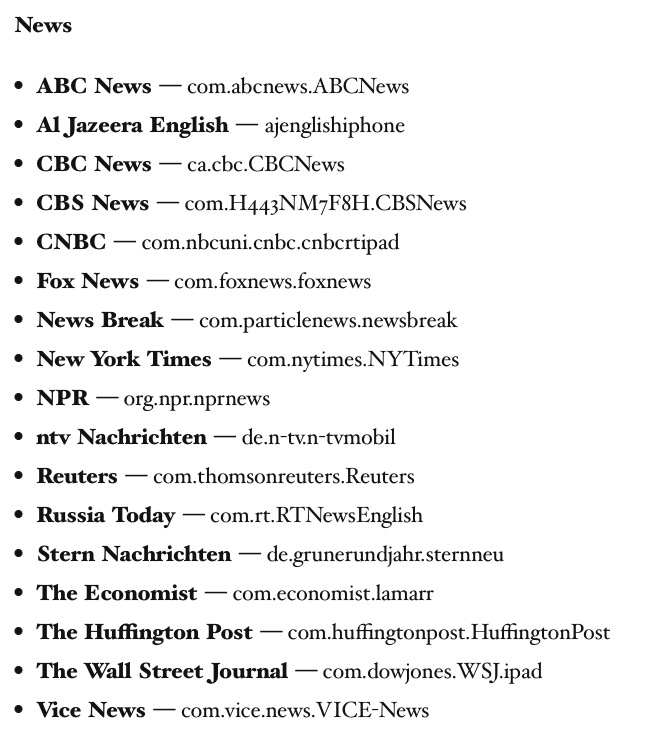
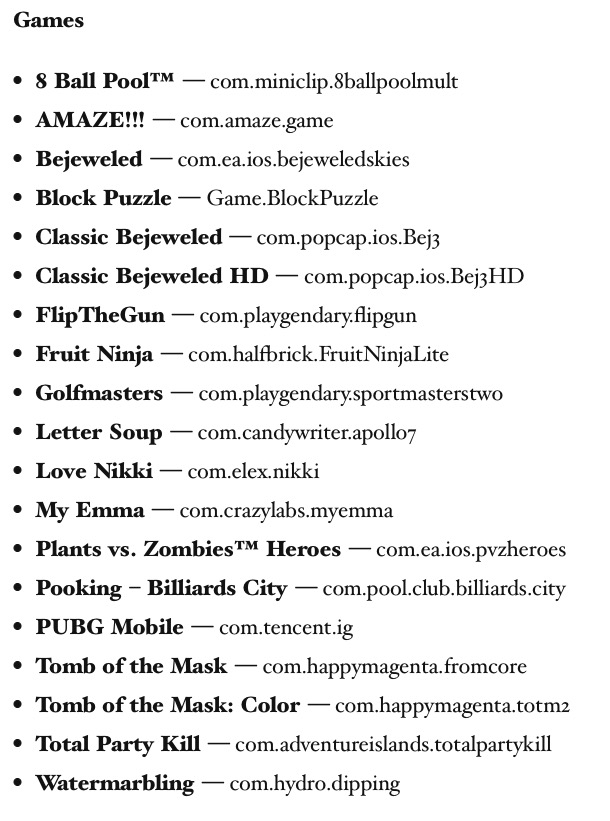
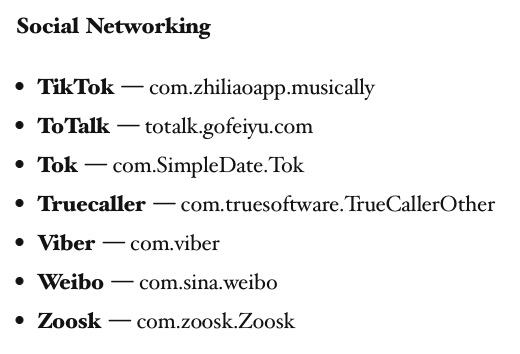
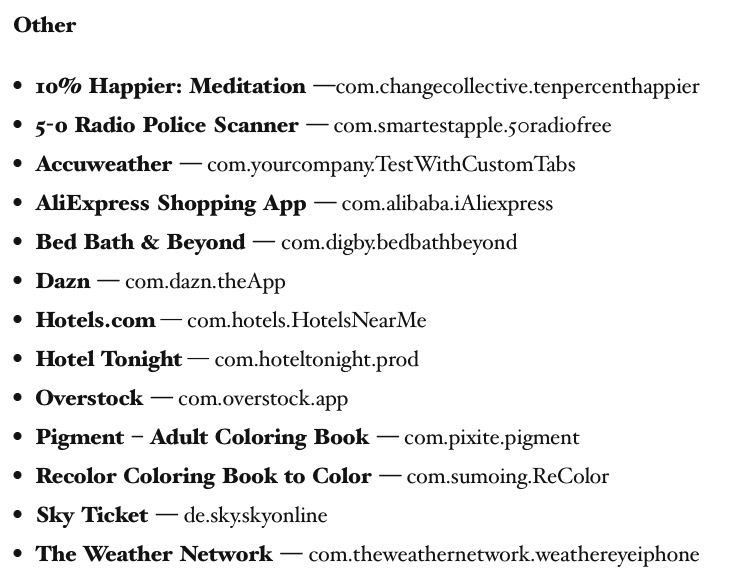
In most cases, your mailbox probably doesn't contain any sensitive information in the form of passwords or other data. However, it should be noted that if you have the feature active Handoff, you can have the clipboards on your iPhone, Mac, and other devices linked – meaning that if you copy something on your Mac, it will also be saved in the clipboard on your iPhone. In this case, the risk of sensitive information leaking is much greater. If Apple returned to this problem, which is more than desirable, so there is a simple solution. Into the system iOS A "Clipboard" column could be added to the Privacy section, where you could set which applications you want to allow access to the clipboard and which ones you don't - similar to the Camera and other functions. Next to this paragraph, you will find a list of applications that read data from the clipboard in the gallery.