
iPhone is one of the most popular phones in the world. However, various scammers are also trying to ride the wave of success, trying to improve copies of Apple devices every day. In some cases, scammers can go so far that at first glance and even after comparison, the real thing iPhone you can't tell the difference between a real and a fake one. Let's take a look at how you can tell the difference between a fake and a real one in this article. iPhone from the real thing, which can be useful when buying a second-hand Apple phone, for example.
You might be interested in
The box and its contents
If you decide to buy an iPhone second-hand or anywhere else where it may be a fake, definitely take your time and examine it thoroughly, including its box. Boxes can often have various Chinese characters on them along with false information. Also pay attention to the IMEI number written on the box - this should match the IMEI number you can find in your iPhone's settings. When you open the box of a fake iPhone, you will often see a bag containing iPhone inserted, or protective glass or packaging. Nothing like that Apple was never included in the packaging of the device, so be careful if you find any of this in the package. The display and back of the original iPhone only have a film that is intended to be removed. As for accessories, they are listed below. iPhonem finds a manual with two stickers, EarPods and Lightning cable together with the adapter into the socket.
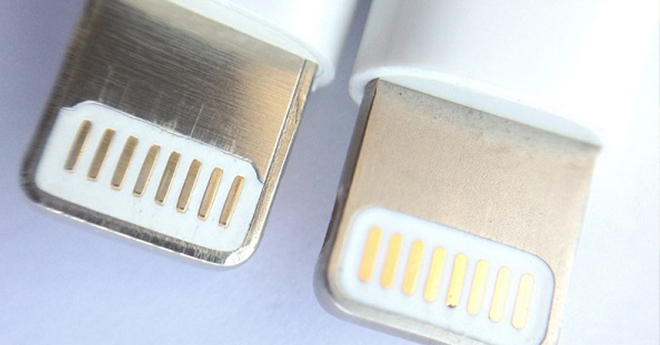
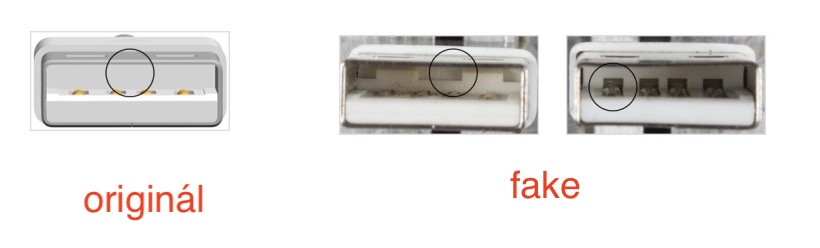
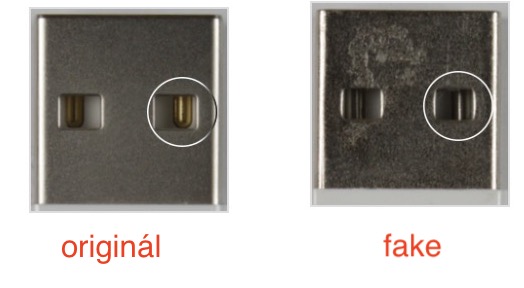
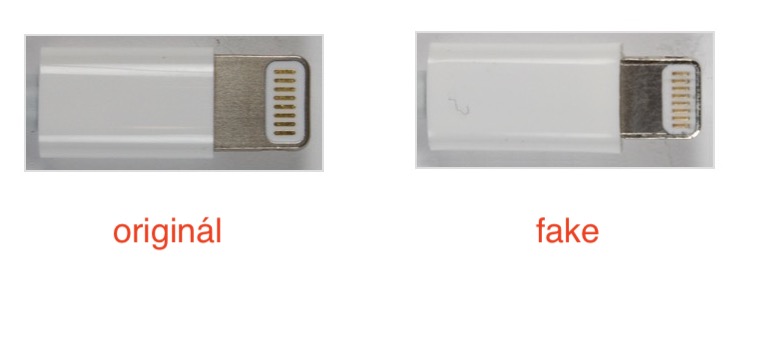
Prosee the differences between the original and the fake Lightning cable:
Gallery
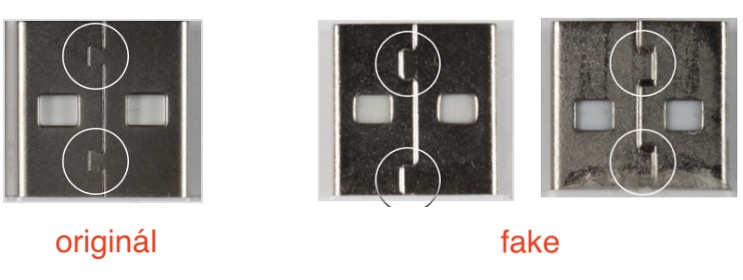
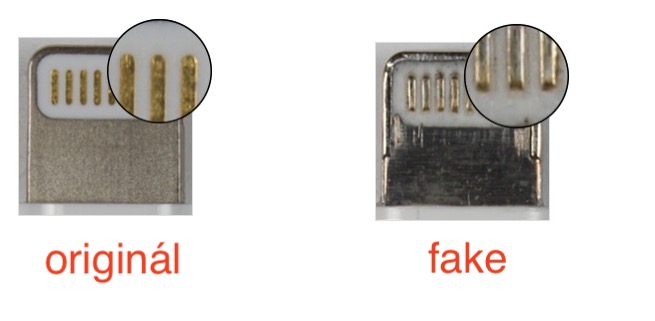
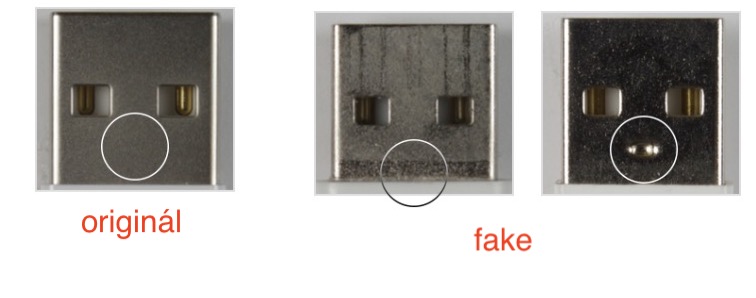
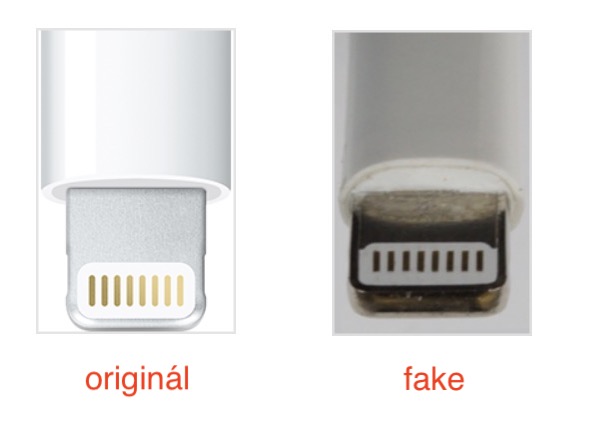
Visual inspection of the iPhone itself
Gallery
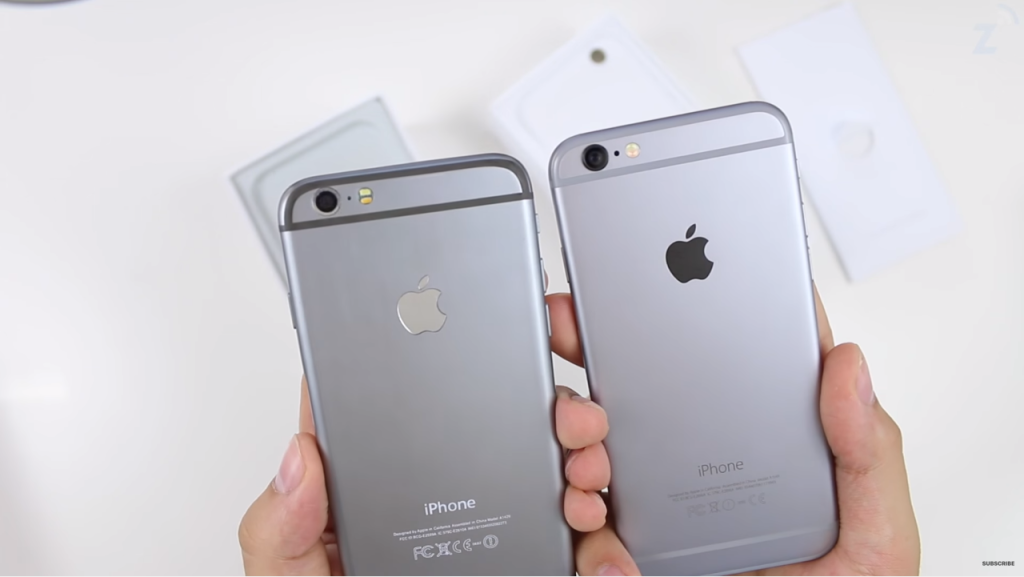
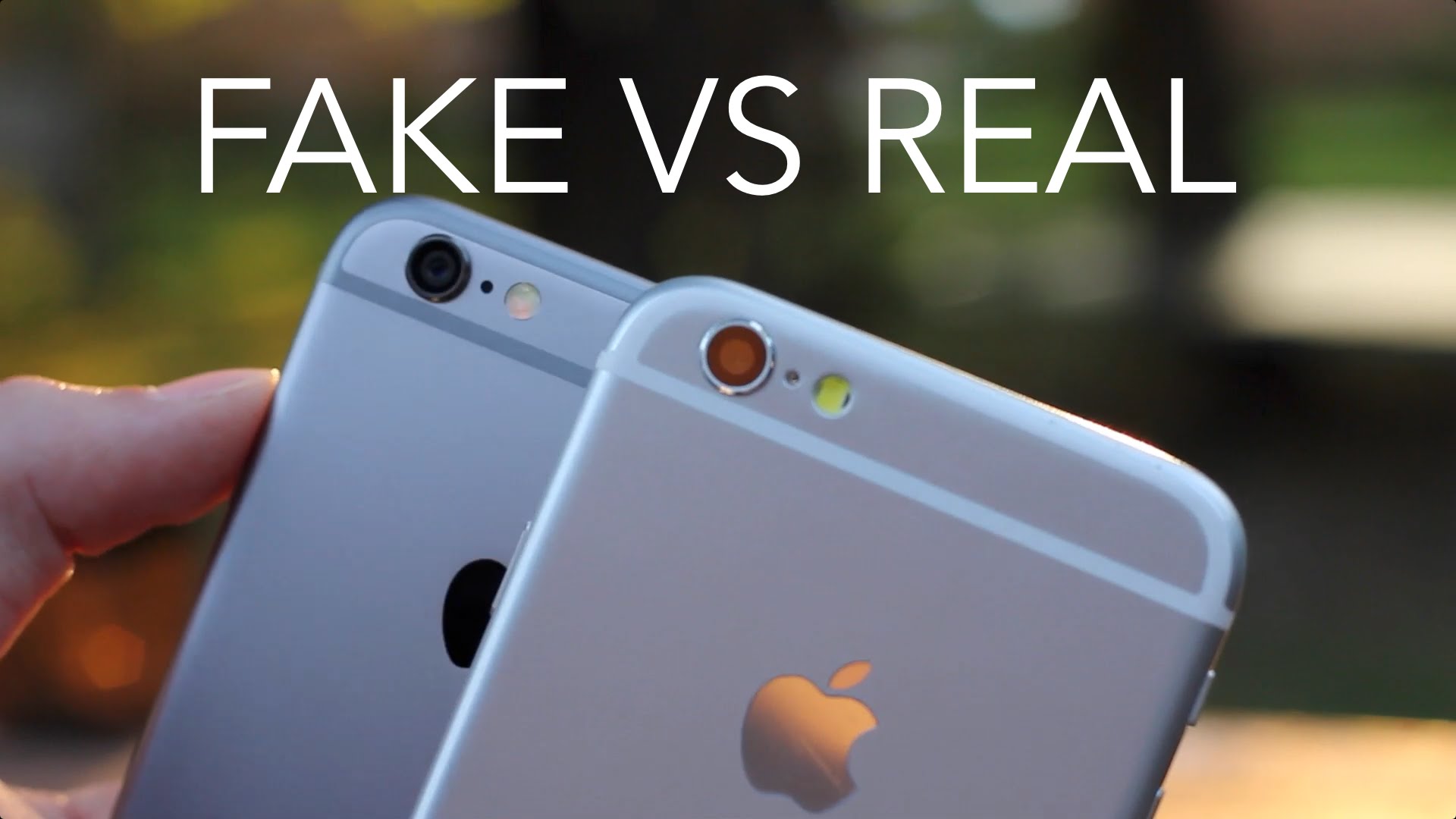

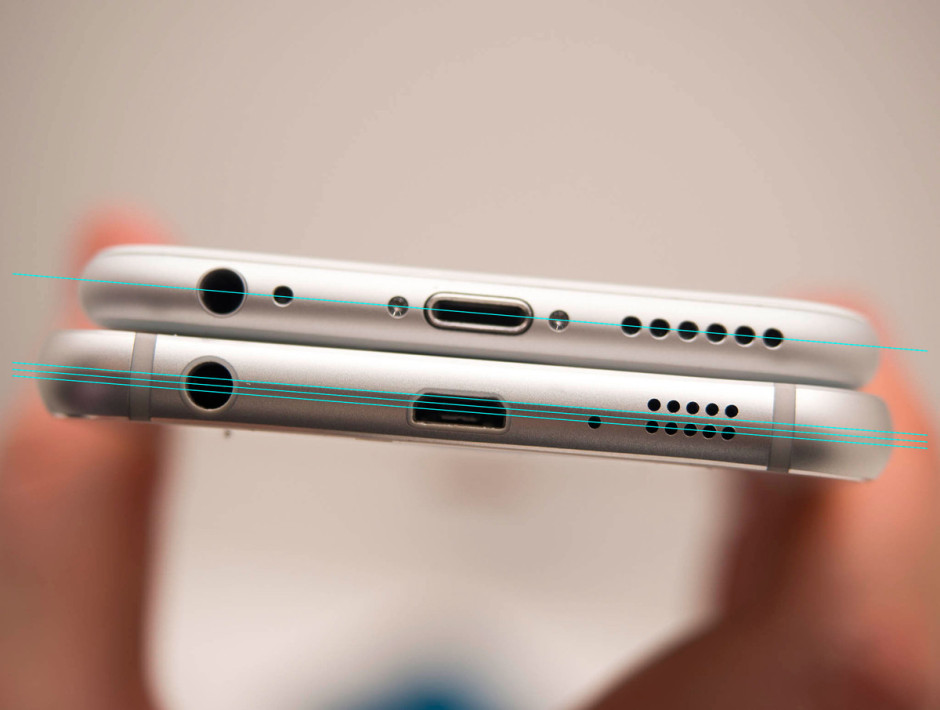
once iPhone When you take it out of the box, you should pay attention especially to its bottom edge and display. ProAll iPhones now have charging portsoneKTOR Lightning (iPhone 4 and older 30-pin), which is replaced by microUSB on cheap copiesonewhich. Simply put, Lightning The cable can be plugged into the iPhone from both sides, while the microUSB cannot. There may also be differences in the location of the speaker holes, but if you don't have a second original one with you iPhone, you will hardly recognize this arrangement. With the latest iPhones, you should also take into account the display, which has the same size frames on the sides and bottom. If you see that the iPhone display is cut off at the bottom and has an almost centimeter frame, then immediately get rid of it. Many will also be told by the inscriptions on the back, which often have a different style on copies and in some cases are even slightly crooked.
After starting the iPhone
Gallery
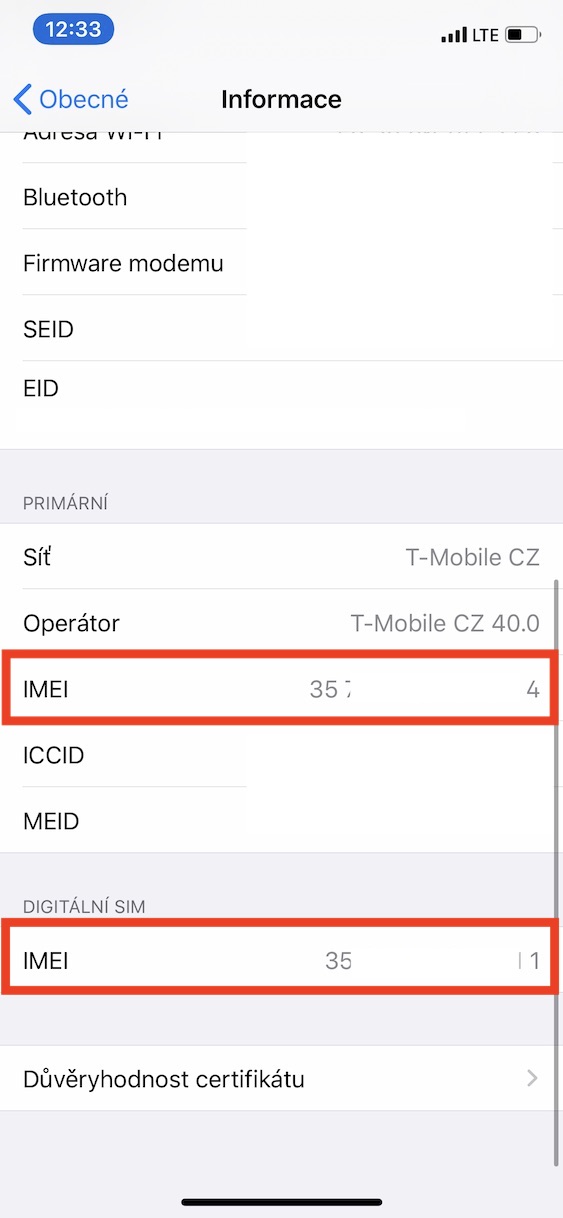
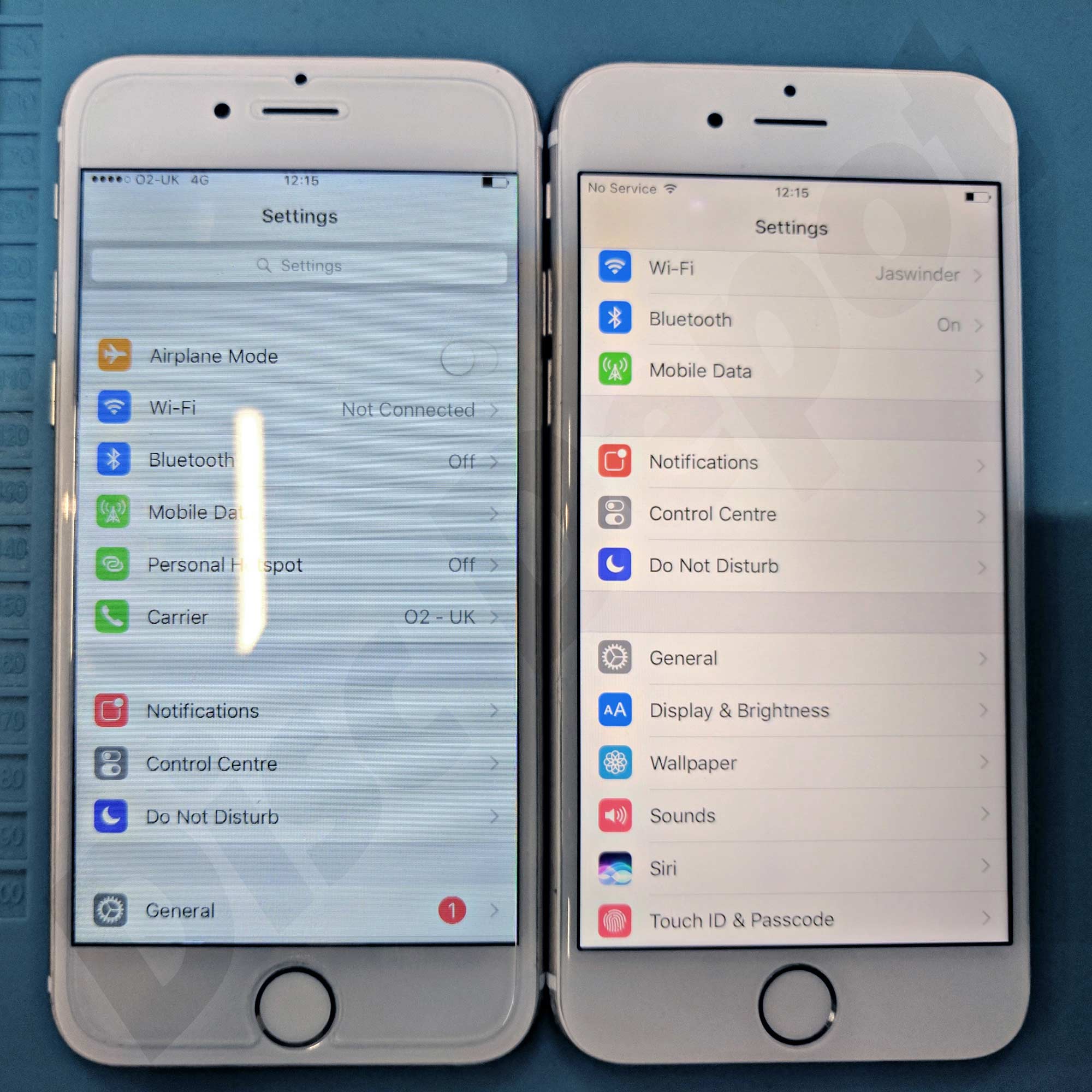
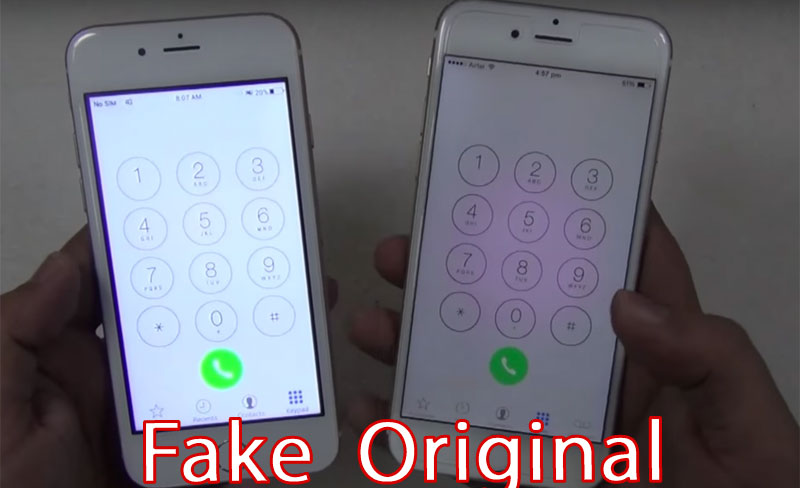
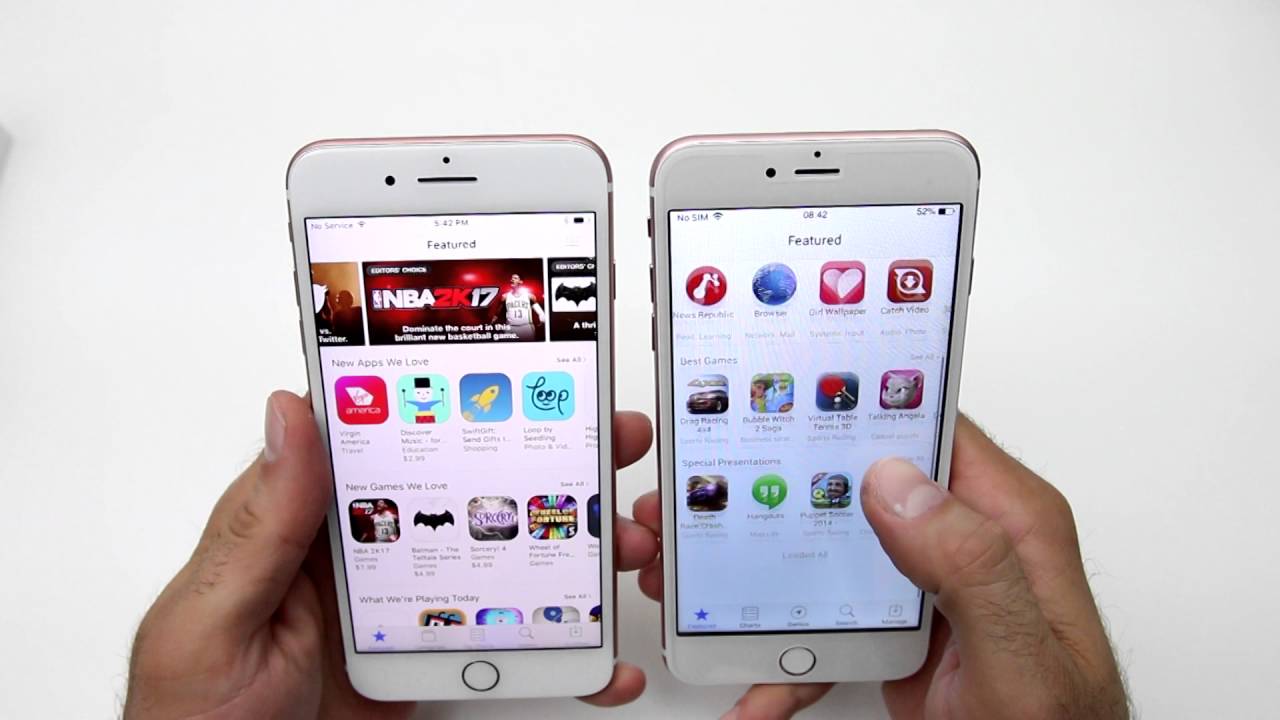
You can further observe the differences when you start your iPhone. It will appear on the screen after launch Apple logo, which again some cheap copies do not follow. Differences can also be observed when loading the iPhone, when fakes are often very choppy and do not run smoothly. After launch, fakes are often logged in and you don't even have to go through the classic login procedure Apple ID. Also try the camera, which often takes much worse photos than the original. Don't be afraid to try all sorts of other functions, such as a speakerphone or perhaps a call. Also run App Store – in case it appears Google Play, this is again a fake. Last but not least, go to Settings -> General -> Information, where you find the number IMEI. This should match the box and you can enter it at the same time special pages Applu. if iPhone on pages AppIf you can't find it, it's a fake again.








Hello, I bought iphone 8 second hand and I'm not sure if it's fake.. I was discouraged by the fact that the serial number is missing on the back like I had on my previous iPhone, but when I enter the serial number in apple searched, my phone will find it for me. the light of the flashlight is also yellow. Do you think it's a fake?