You can connect almost anything to your Mac using Bluetooth – a mouse, keyboard, speaker, and more. However, sometimes you sell one of these devices or simply stop using it. In this case, this device will still be "haunting" in the list of paired devices. To improve your overview, it's best to delete unused paired devices. So how do you do that?
You might be interested in
How to Delete Unused Bluetooth Devices on Mac
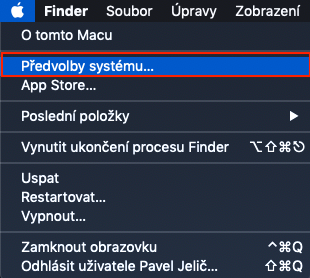
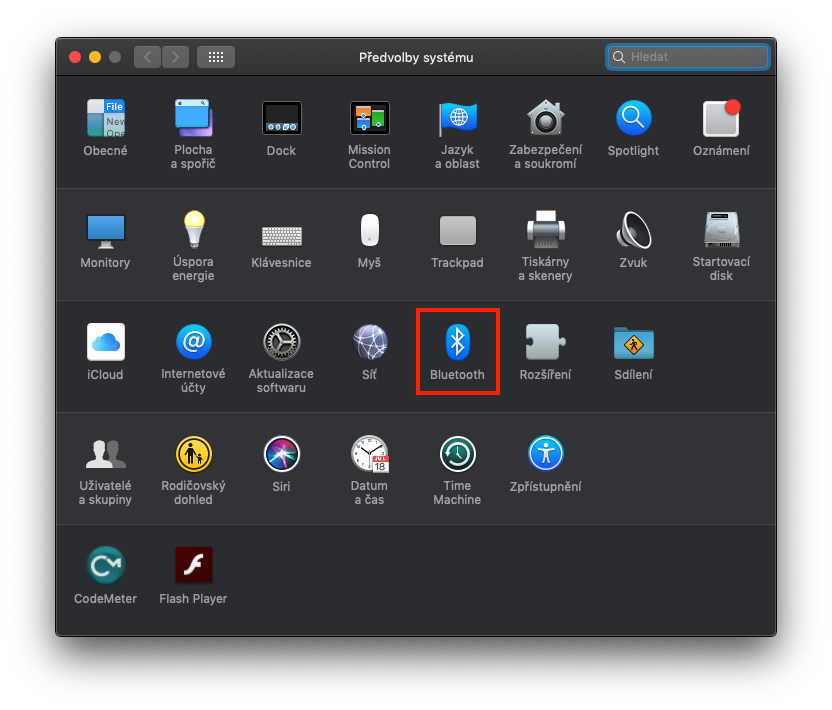
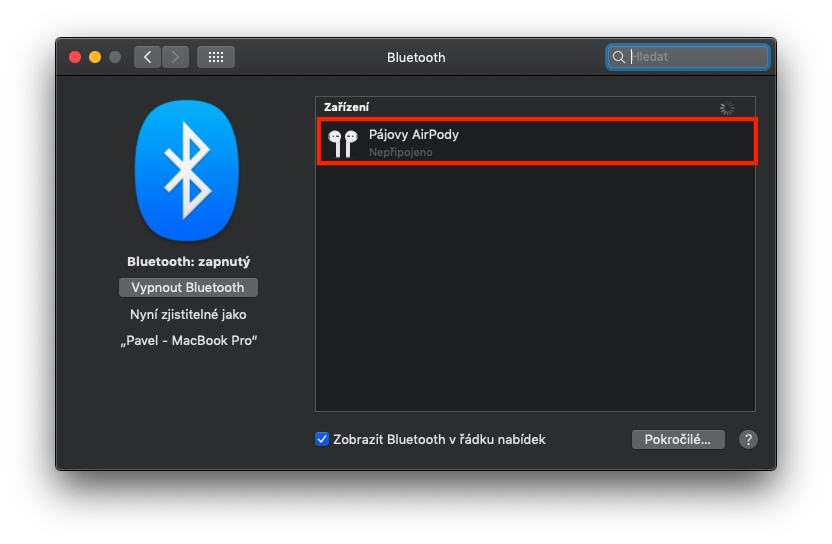
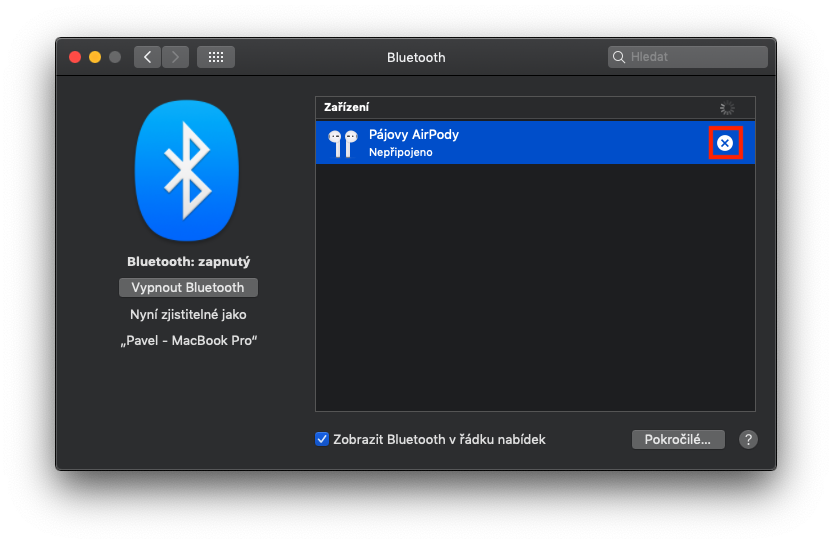
On your macOS device, click on the icon in the top left of the screen in the top bar Apple login. A menu will appear in which you can click on an option System Preferences… Then a new window will open with all the preferences. You are only interested in the section here Bluetooth (third row, fifth icon), which you can move to by clicking the mouse. A window with all known paired devices will then appear. Pro remove from list on a specific device click the mouse. The line with the device after blue and is displayed in the right part cross, which you just need to click on. Your Mac will ask you one last time if you really want to erase the device. Just confirm this notification by pressing the button Ignore device. Just repeat this process with the other devices you want to erase.
Gallery
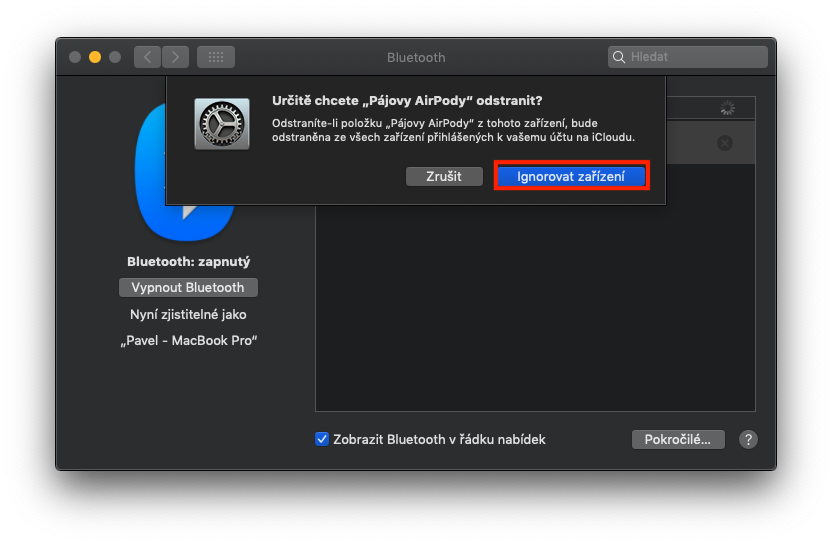
If you have removed the device from the list as described above and want to connect it again, please note that you will have to go through the entire pairing process again. Previously paired devices are not stored in the macOS operating system - when you delete a device, you simply delete it and the Mac doesn't recognize it. So after re-pairing, the Mac treats it as if it were seeing it for the first time.