
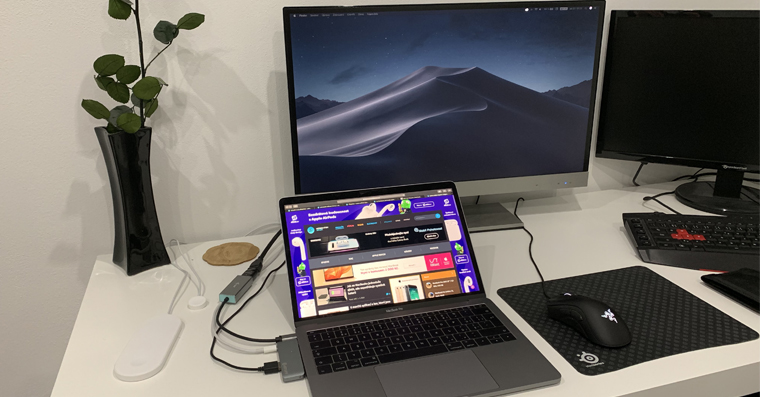
Moving rarely goes "like clockwork" and we very often encounter various difficulties. In most cases, there is also a change of internet connection provider, which was also my case. So I arranged a new provider, plugged in the router and expected everything to work without a problem. But that was not the case. The router signal didn't even reach another room, which was a big problem in my case. So I used the knowledge from elementary school and decided to change the channel of the router. On Windows and Android there are great apps that "spit out" the best channel for you in seconds. However, I never dreamed that in the case of macOS there would be no need to download an application. The macOS operating system can perform network diagnostics in a native application and determine the best channel. So how to do it?
You might be interested in
How to find the best channel for a Wi-Fi network in macOS
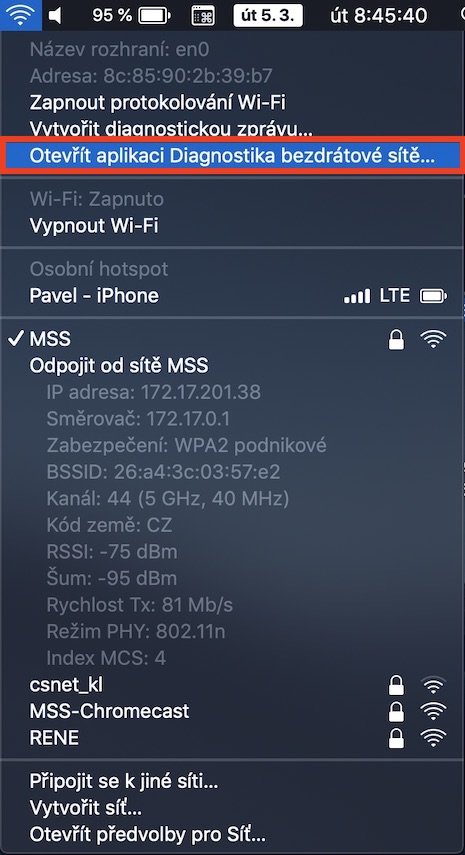
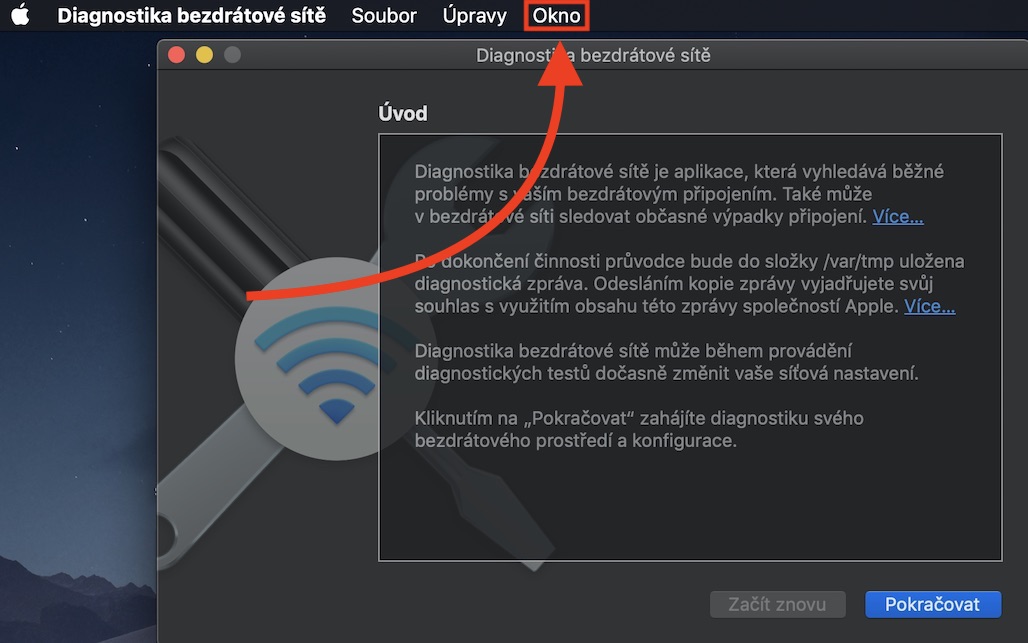
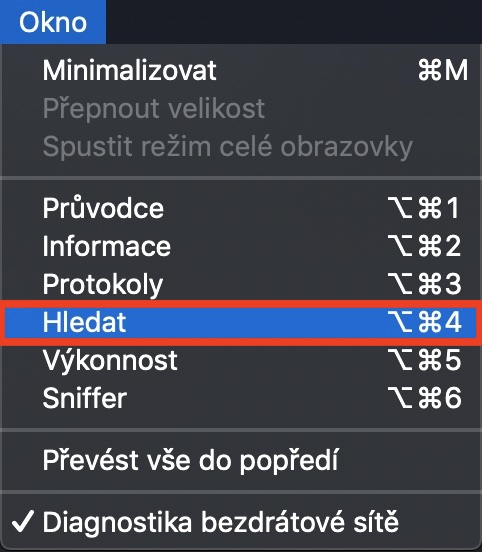
On your Mac, hold down the key Option (Alt) and click on the icon in the top bar Wi-Fi. Extensive information about your connection will be displayed. However, you are interested in the column Open the Wireless Diagnostics app…, which you click. A new window will appear that we don't need, so that's it ignore it. Now click on the tab in the top bar Window and select an option from the drop-down menu that appears Search. Another window will open, in which, after initialization and searching for nearby networks, it will be displayed in the left part Summary. Inside the summary, you are already interested in the box Best 2,4GHz and Best 5GHz. Next to both wheelsoneis located number or numbers, which represent the best channels. You simply need to write them down anywhere and it's all there is in the router settings alter.
Gallery
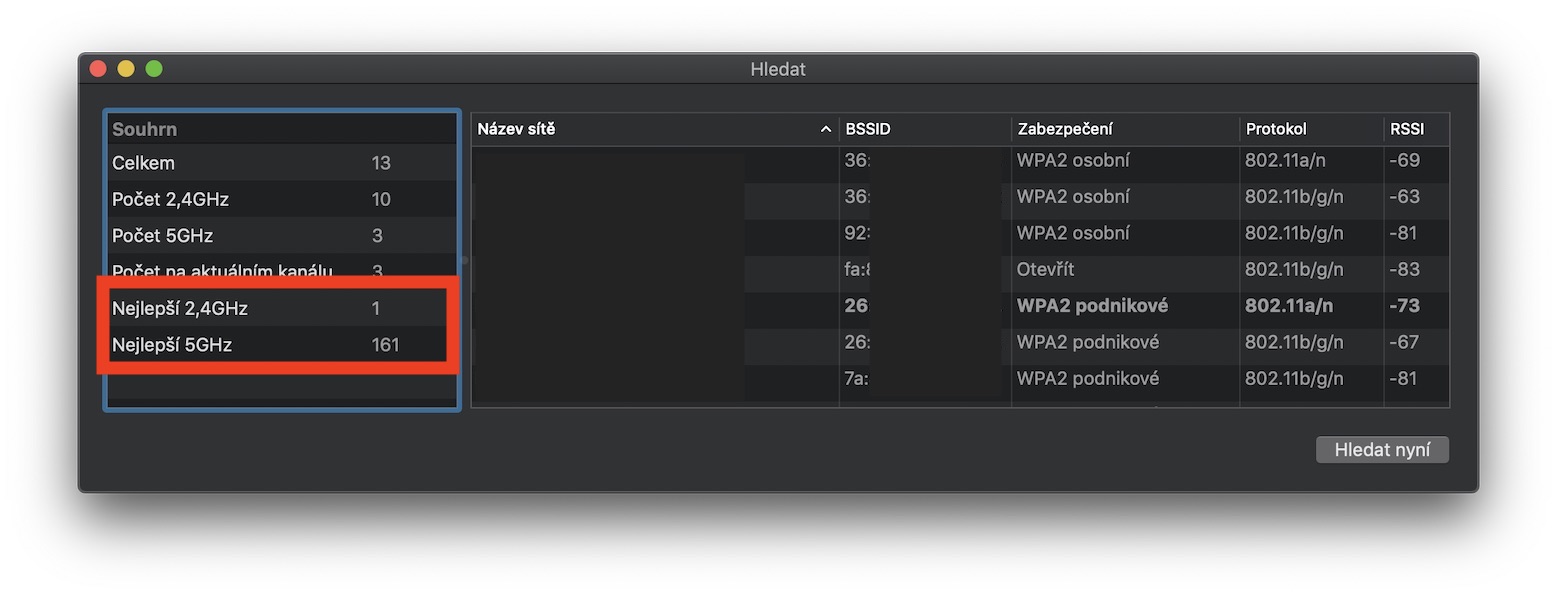
Personally, changing the channel in the new house helped me, and now the Wi-Fi signal reaches not only the next room, but even the garden. So if you also have a problem with the Wi-Fi network signal, I strongly recommend using this guide to find the best channels. After that, simply change the channels in the router settings and hope that the situation improves. Magazine Letem svetem Applem however, it is not responsible for your Wi-Fi network being out of tune or not working. Therefore, if you do not understand setting up a router and generally setting up an Internet network, leave this activity to someone more experienced.




And there's not enough space for a garden, wouldn't it be better if the wifi reached the next street? It's nice to fire it up as much as possible, then we wonder why the wifi is so jammed.
Regardless of the fact that most people have channels set to automatic... They will find you in time and you will rebuild again :-)
thanks a lot:)